
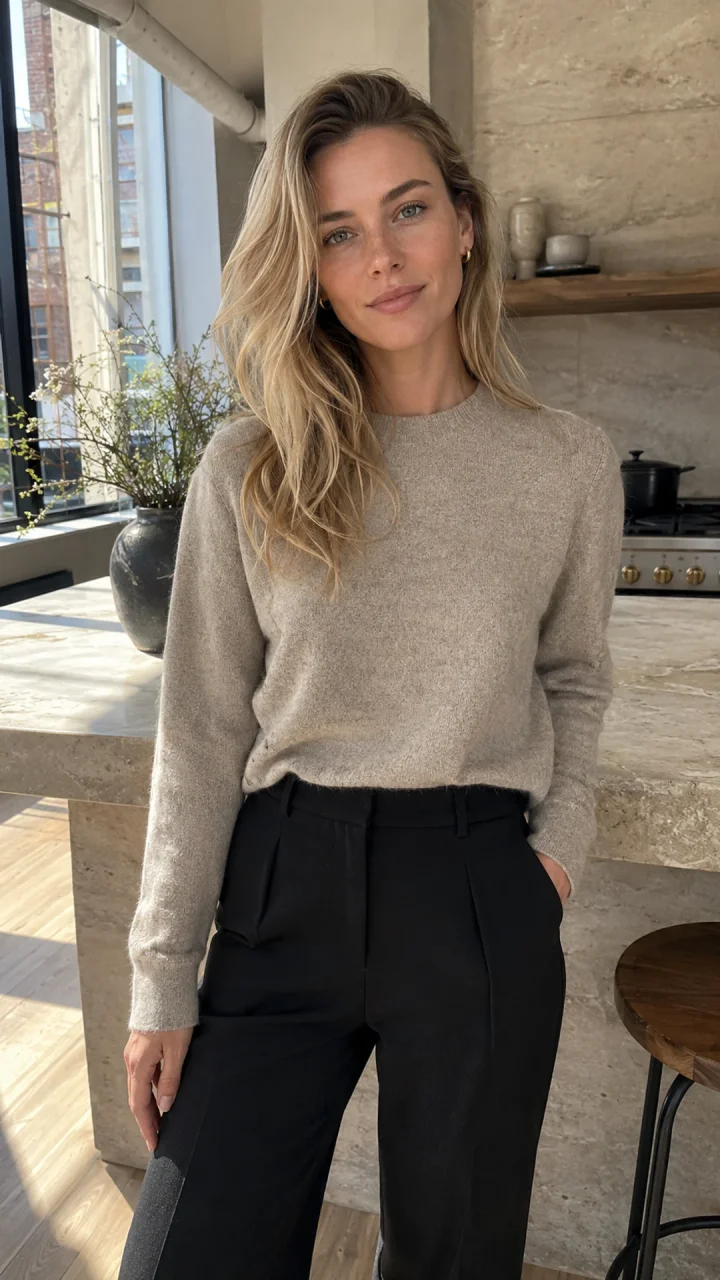
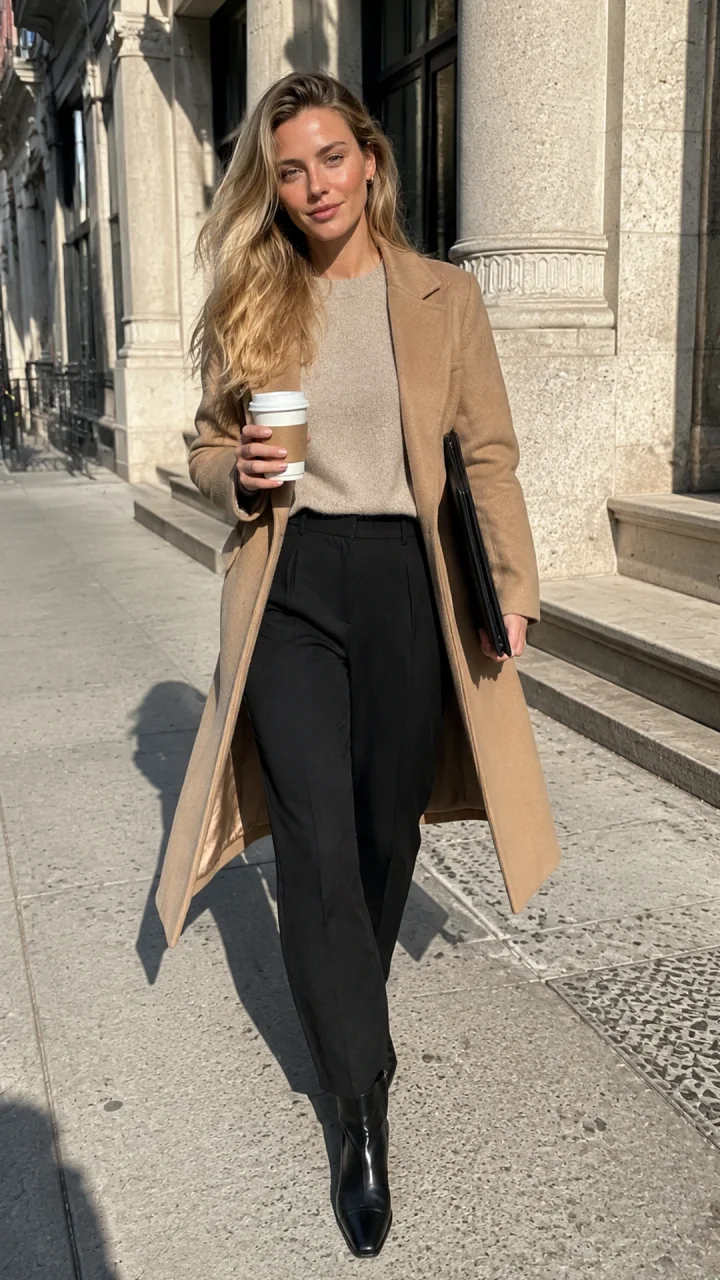
- Face consistency, body consistency and wardrobe continuity are separate checks.
- A reference sheet helps only when its views agree on the same adult identity.
- A saved character makes the input reusable; it does not guarantee every output.
- Approve the image first, then check video motion and transitions frame by frame.
Already choosing a niche and creating the first person? Start with how to create an AI influencer. This guide focuses on visual identity across outputs. Our brand consistency guide covers character governance, voice and campaign approval.
Why Does Your AI Influencer Look Different Every Time?
A written description leaves many visual details undecided, and references can conflict or lose influence when the shot changes. “Blonde creator with green eyes” describes many possible people. A new model, extreme camera angle, outfit reference or moving head adds more uncertainty.
| Drift | What to compare | First correction |
|---|---|---|
| Face drift | Jaw, eye spacing, brows, nose, lips, hairline and apparent age. | Restore the master; remove competing face references. |
| Body drift | Build, shoulder width, torso/leg balance and limb lengths. | Add an approved full-body baseline; use comparable perspective. |
| Outfit drift | Fabric, cut, closures, seams and required accessories. | Separate clothing instructions from identity. |
| Scene drift | Lighting, surroundings and intended story; distinguish scene changes from facial anatomy changes. | Keep the identity source fixed while changing setting. |
| Video identity drift | The same features over time, especially turns and occlusions. | Approve the still; simplify motion and inspect transitions. |
Text-only creation vs. a reference-conditioned scene
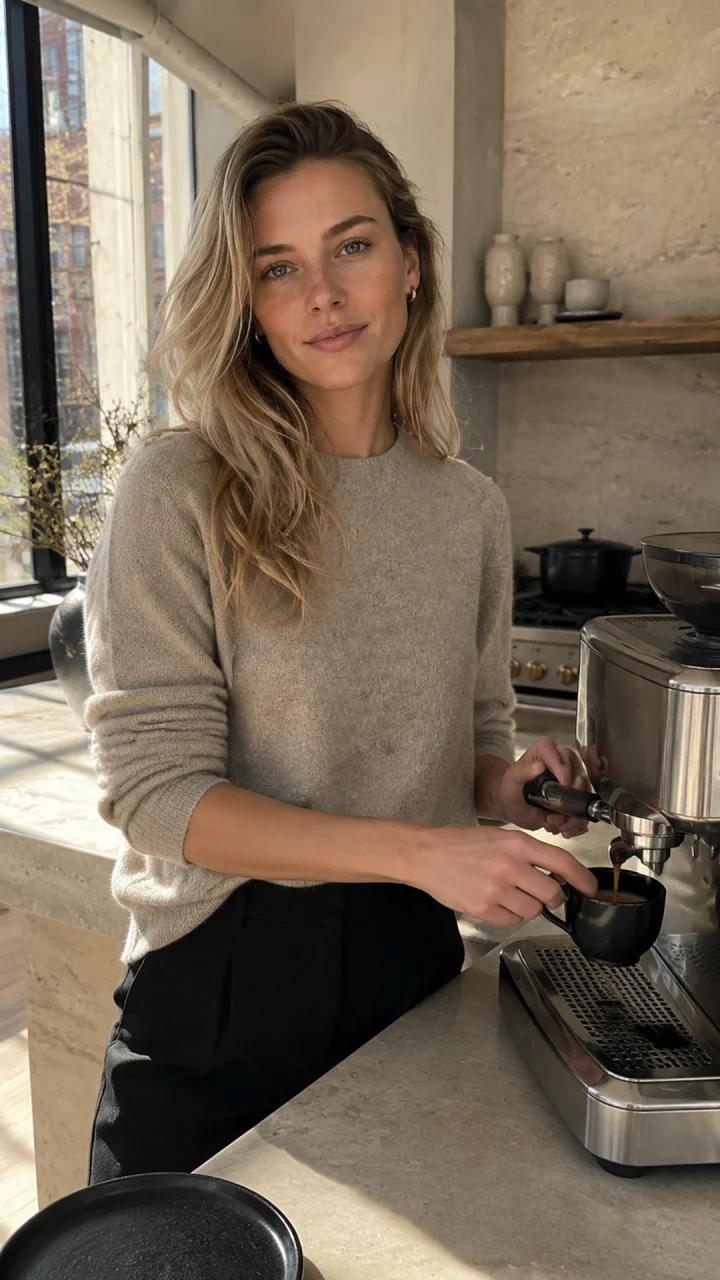
Move the divider or use the buttons. Left: the retained text-generated master. Right: a separate image-to-image task that received it as the identity input. Scene prompts differ, and the images are not pixel-aligned. This demonstrates the workflow, not a controlled text-only-versus-reference comparison. No failed text-only rerun was invented.
Recreate the archived kitchen setup: inputs, settings and original prompt
Identity input: the selected master. Recorded model: GPT Image 2 image-to-image. Recorded aspect-ratio field: auto; the prompt requested 9:16. Explicit resolution, seed and reference-strength settings were not retained. A current model run can differ from this archived output.
Fictional adult woman, age 29, who must not resemble a real person or public figure. Identity lock: softly angular oval face, fair neutral skin with faint natural freckles, gray-green almond eyes, straight delicate nose, natural full lips, defined light brows, long champagne-blonde hair in loose layered waves with darker natural roots, slim athletic proportions. Natural pores, subtle under-eye texture, realistic hands, no beauty filter, no cosmetic perfection. Preserve the exact face, freckles, eye color, hairline, hair color, age, and proportions from the reference. In the same sunlit Tribeca loft kitchen, she makes espresso at a stone counter while glancing toward the phone camera, oatmeal knit with sleeves casually pushed up, candid waist-up composition, realistic working hands, warm natural window light, authentic phone photo with slight grain. Vertical 9:16. No text, logo, watermark, branded objects, extra fingers, or plastic skin.
InstantID (2024) demonstrates a research approach that conditions generation on a single facial image using facial and landmark information. It supports the idea that explicit visual identity information matters; it does not establish that our product uses InstantID, or that face fidelity guarantees matching clothing and anatomy.
How to Keep an AI Influencer Consistent: 6 Steps
Create a small approved reference set, reuse it deliberately, and treat every new output as something to review. The prompts below are practical starting briefs. They are not a hidden identity code or a promise of exact reproduction.
1. Define a permanent character identity
Write a short identity card: adult age, facial structure, complexion, eye color, hairline, baseline build and signature details. Our fictional creator has gray-green eyes, dark-root blonde hair and small gold hoops. Describe what can actually be seen. Keep personality and editorial positioning in a separate brief.
Common mistake: A detailed identity card narrows the brief; it does not uniquely encode a face. Do not start from a celebrity or an unapproved real-person photo.
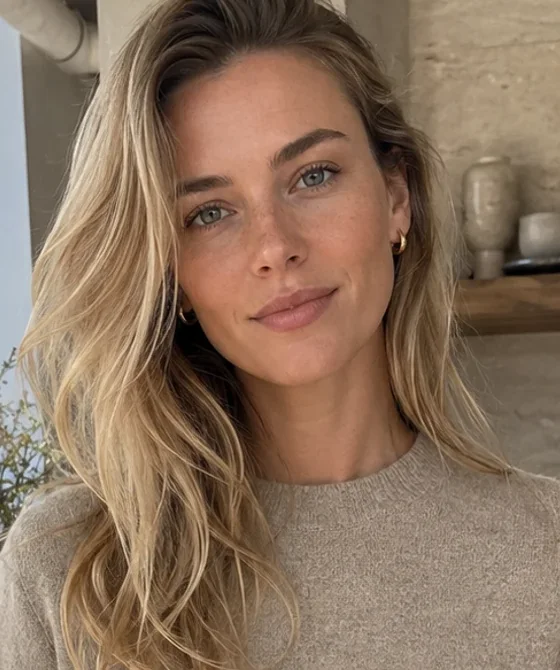
Prompt for step 1: Define a permanent character identity
Original fictional adult woman, age 29. Lock the approved reference identity: face shape, eye spacing, gray-green eyes, brows, nose, lips, complexion and hairline. Retain long dark-root blonde hair, small gold hoop earrings and natural adult proportions. Preserve visible skin texture and normal asymmetry. Change only the scene and action specified below.
2. Create a master reference image
Choose a clear face at a neutral or modest three-quarter angle, without hair, fingers or a phone covering key features. Save the original file as your canonical identity source. Add an approved full-body view when proportions and footwear matter; a headshot cannot establish unseen anatomy.
Common mistake: Do not promote an attractive but drifted later output into the master. Keep the original and label approved derivatives separately.
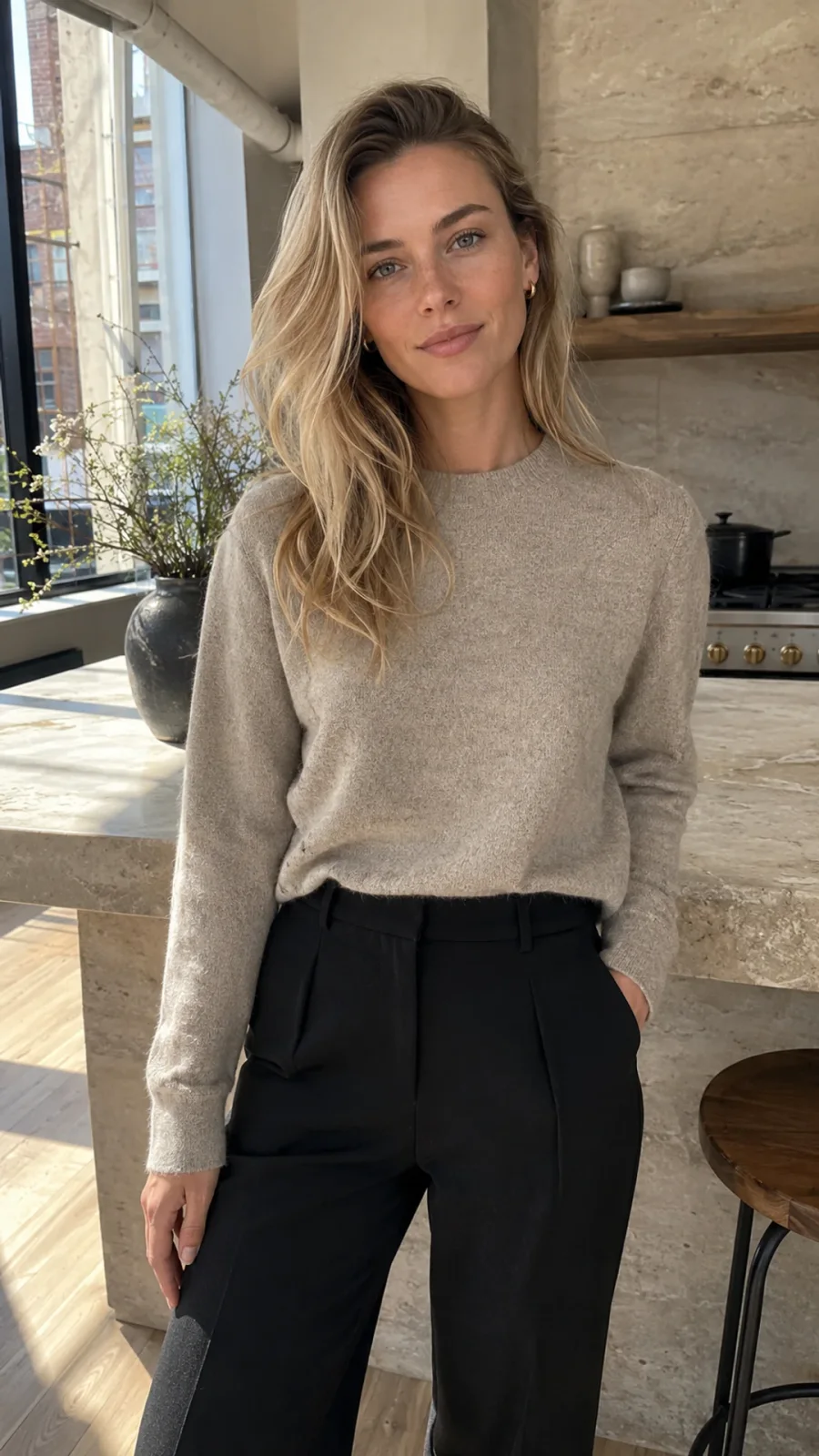
Prompt for step 2: Create a master reference image
Create a clear identity reference for the approved original adult character. Eye-level camera, relaxed neutral expression, unobstructed face, natural skin texture and soft even light. Include head, shoulders and torso without extreme lens distortion. Keep the selected identity unchanged; do not add glamour retouching or redesign facial features.
3. Build a multi-angle character reference sheet
Collect front, three-quarter, profile and full-body views that agree on identity. Reject mismatched panels before using the set. A sheet is a review document; a model may need separate images, and its reference limit still applies. Do not assume a collage automatically behaves like four independent inputs.
Common mistake: A generated profile is an inferred view, not newly observed ground truth. Keep it only if it still looks like the approved person.
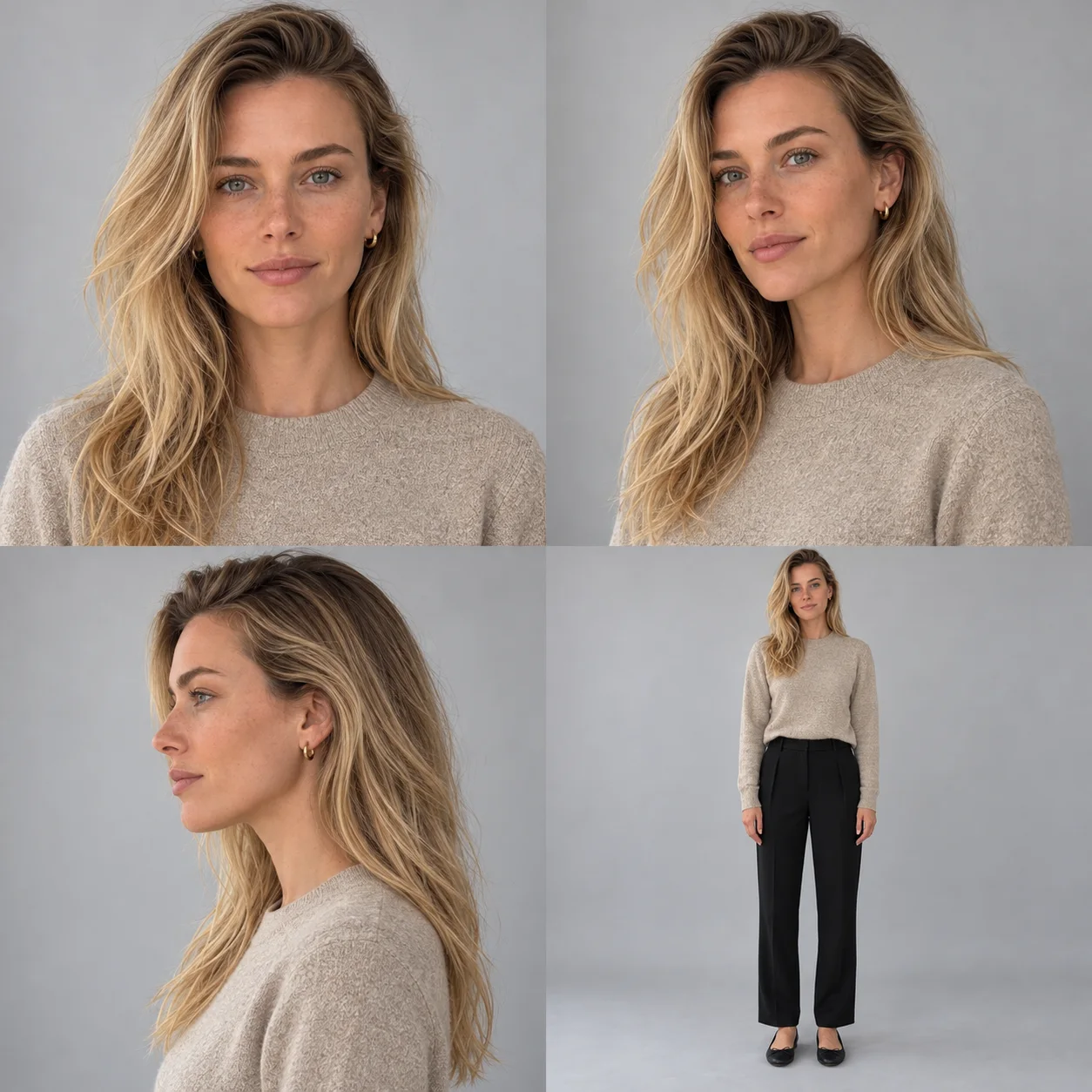
Prompt for step 3: Build a multi-angle character reference sheet
Using the approved adult identity reference, make a four-view character sheet: front portrait, left three-quarter portrait, left profile and complete front full-body view. Keep face structure, complexion, hairline, eye color, adult age, earrings and proportions consistent. Use simple even light, the same neutral outfit, natural hands and no text. Review each view against the master.
4. Separate identity, outfit, pose and background references
Assign each input a job. Identity comes from the saved character or authorized face reference; clothing comes from an outfit reference; pose and scene come from their own directions. Remove irrelevant faces from optional styling references. In the current photo workflow, saved influencers map to identity, outfit choices to references, and scenes can be described in Direction.
Common mistake: Two incompatible faces do not create a stronger identity. Do not assume a reference-strength slider or a particular multi-image limit exists in every model.
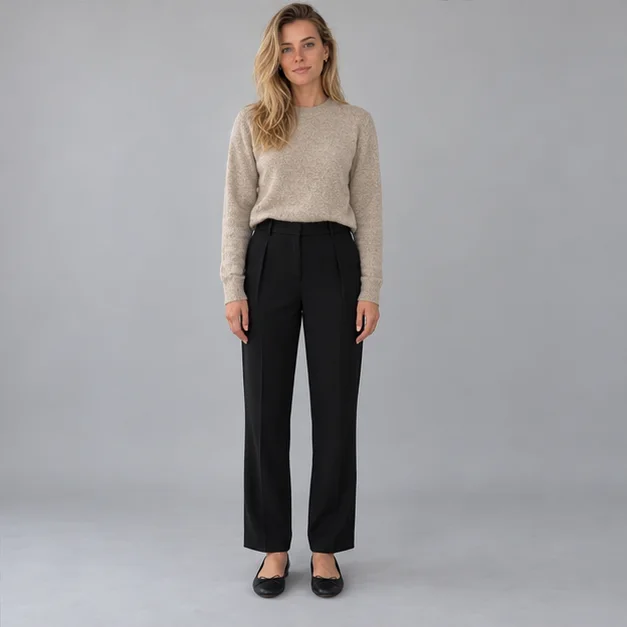
Prompt for step 4: Separate identity, outfit, pose and background references
Use the selected AI influencer for facial identity and baseline body proportions. Use the outfit reference only for clothing construction and color, not its model's face or body. Pose: relaxed standing with one hand at the rail. Background: a coastal boardwalk in overcast daylight. Keep identity, wardrobe, pose and setting instructions separate.
- Identity reference
- The approved person: face, age, complexion and build.
- Outfit reference
- The garment: cut, material, color and construction.
- Pose direction
- Body arrangement and a purposeful action.
- Scene direction
- Location, light, props and camera position.
5. Reuse the saved character across different scenes
Open Create Photos, select the saved influencer or an authorized source photo, and keep that identity source attached. Change one scene or outfit variable at a time. Start with one output and a modest camera angle. Record the model, aspect ratio, references and prompt beside each approved file.
Common mistake: Saving a character is a repeatable input workflow, not proof that every model has been trained on that person. Check the current quote before generating.
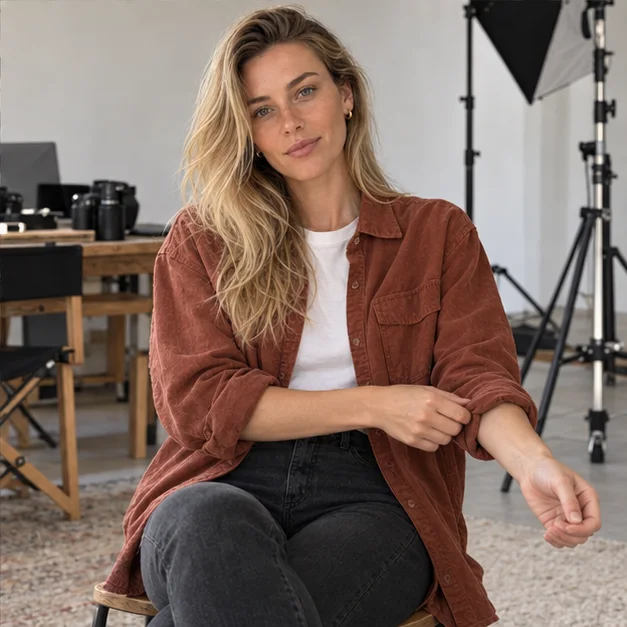
Prompt for step 5: Reuse the saved character across different scenes
Keep the selected original adult influencer recognizable: same face, complexion, hairline and baseline proportions. Scene: seated in a working photography studio, adjusting one rust-canvas sleeve cuff. Waist-up, eye-level camera, soft side light, natural skin and believable hands. Change outfit and setting only; keep identity anchored to the selected reference.
6. Review every output and correct identity drift
Compare the output with the canonical reference at full size and at feed size. Check jaw, eyes, nose, hairline, apparent age, build, signature details and object contact. Reject a changed identity even when the image looks polished. For a correction, return to the master and simplify one variable instead of chaining edits from a rejected face.
Common mistake: Lighting, expression and perspective can change appearance without changing identity. Do not label every difference as drift, or assume a corrective prompt guarantees a repair.
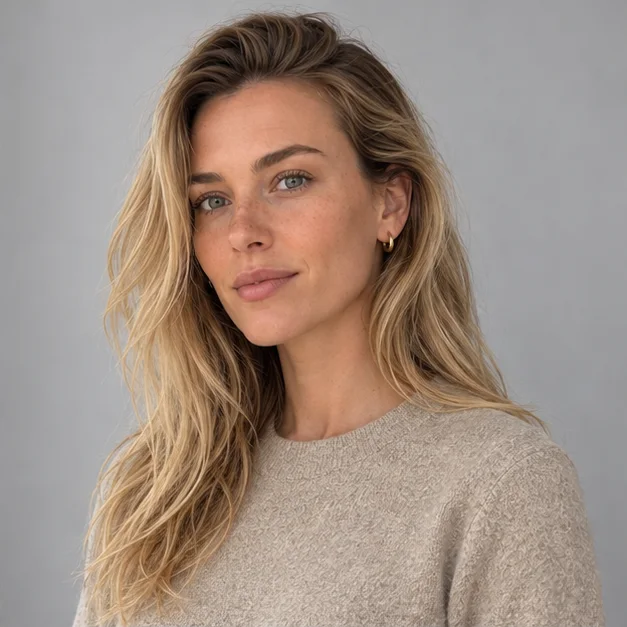
Prompt for step 6: Review every output and correct identity drift
Return to the approved identity reference. Preserve its jawline, eye spacing, nose, lips, hairline, complexion and adult proportions. Keep the existing scene brief, but use an eye-level camera, a modest three-quarter angle and one simple action. Do not use the rejected image as a new identity source. Review the resulting face and body against the master.
The Consistent Character Generator explains the identity workflow. The current AI Influencer Image Generator and Create Photos workspace let you use a saved influencer or source photo. Follow the reference controls actually available for your selected workflow; a four-image pack is a general technique, not a promise that every mode accepts four separate files.
How to Keep the Same Face and Body Across AI Photos
Anchor anatomy to the approved identity and full-body baseline; allow the outfit, action and environment to change. A person should remain recognizable in different clothing. Matching a jacket while changing the jaw or build is not successful identity consistency.
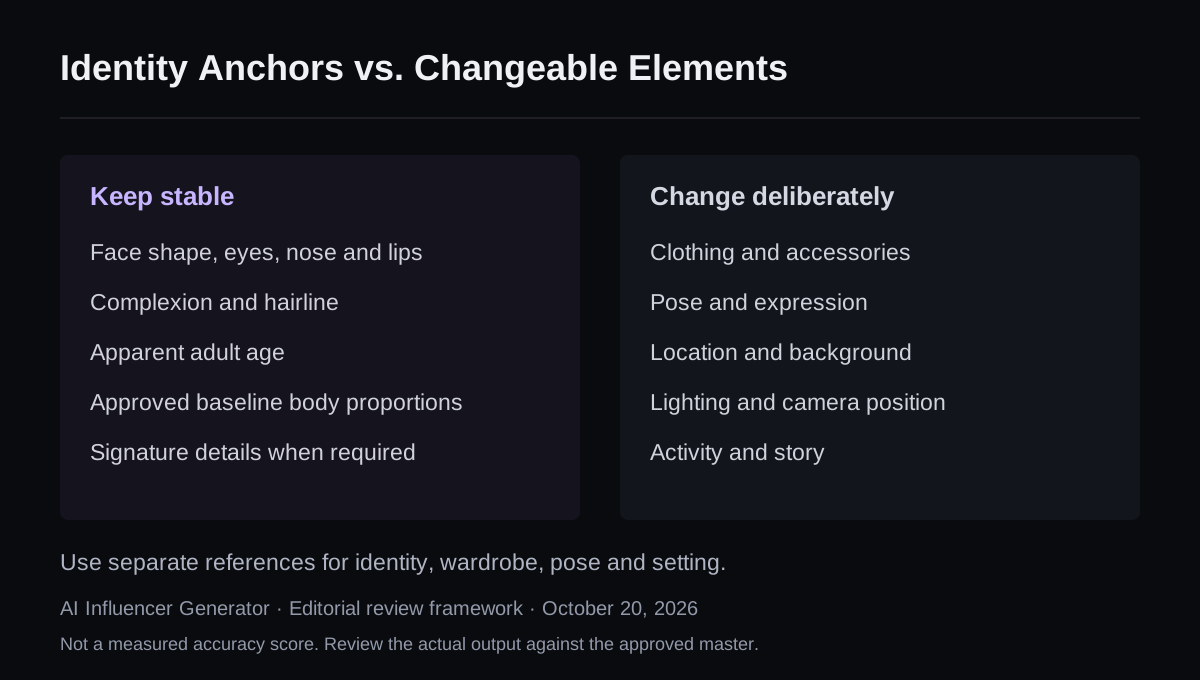
Identity Anchors vs. Changeable Elements
- Keep stable
- Face shape, eyes, nose and lips
- Complexion and hairline
- Apparent adult age
- Approved baseline body proportions
- Required signature details
- Change deliberately
- Clothes and accessories
- Pose and expression
- Location and background
- Lighting and camera position
- Activity and story

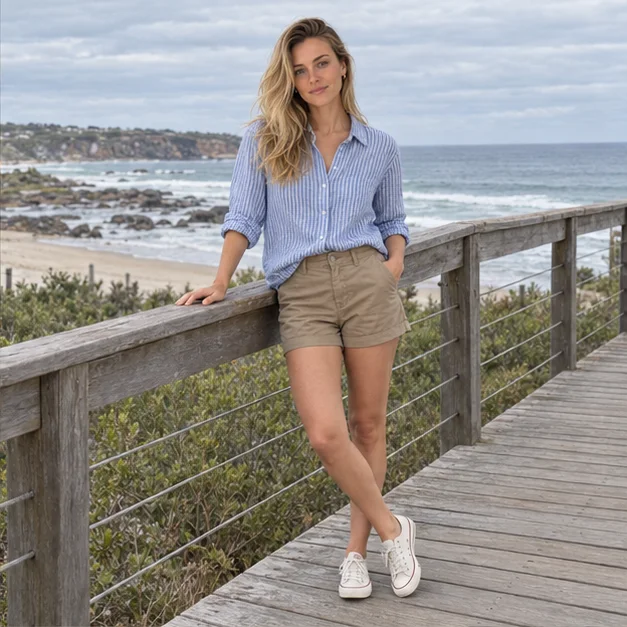
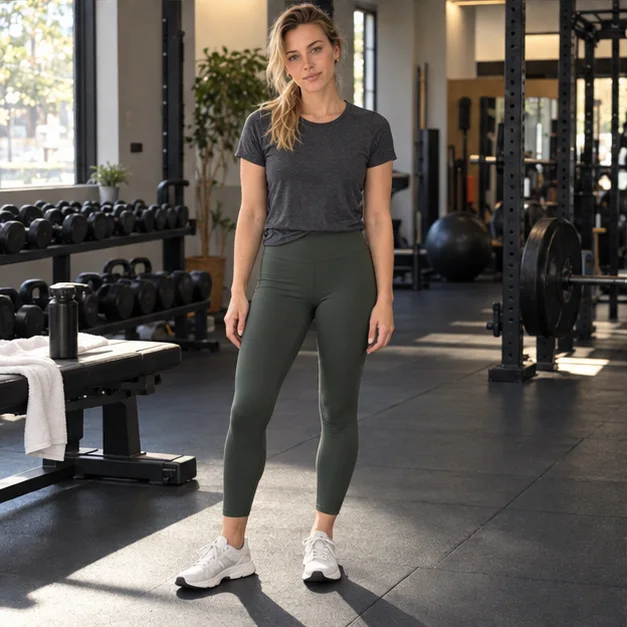
New generated teaching set, October 20, 2026: one four-panel output from the built-in image tool, guided by the archived master plus the approved teaching sheet. Individual views above are unaltered panel extractions. These are not four independent trials, app screenshots or evidence of a perfect-retention rate. The tool's underlying model and seed were not exposed.
Notice the shared eye shape, brow line, nose, hairline and earrings. Camera distance, expression, clothes and light vary. The full-body scenes also expose proportions that must be checked against an approved full-body baseline; a face match alone is insufficient.
Try the Same Character in a New SceneFor garment-level controls, use how to keep the same outfit across AI photos. That article handles fabric and construction; this one owns the question of whether the person remains the same.
What's Making Your AI Influencer Inconsistent?
Choose the issue you see. Get a reference setup and a repair prompt you can try.
Free guidance. No signup or upload. These recommendations follow your selection; no image has been analyzed.
How to Keep an AI Influencer Consistent in Videos
Approve a reference-conditioned still first, then animate it with one clear action and review identity throughout the clip. Image-to-Video uses the still as the starting visual. Motion Transfer also uses a movement reference. Neither makes every later frame an identity match by definition.

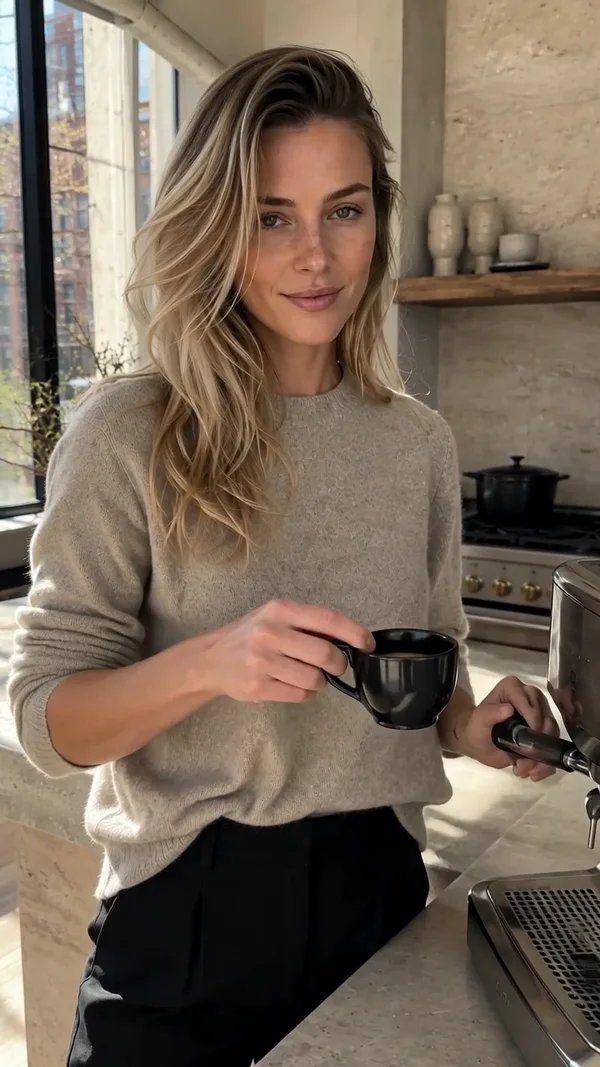
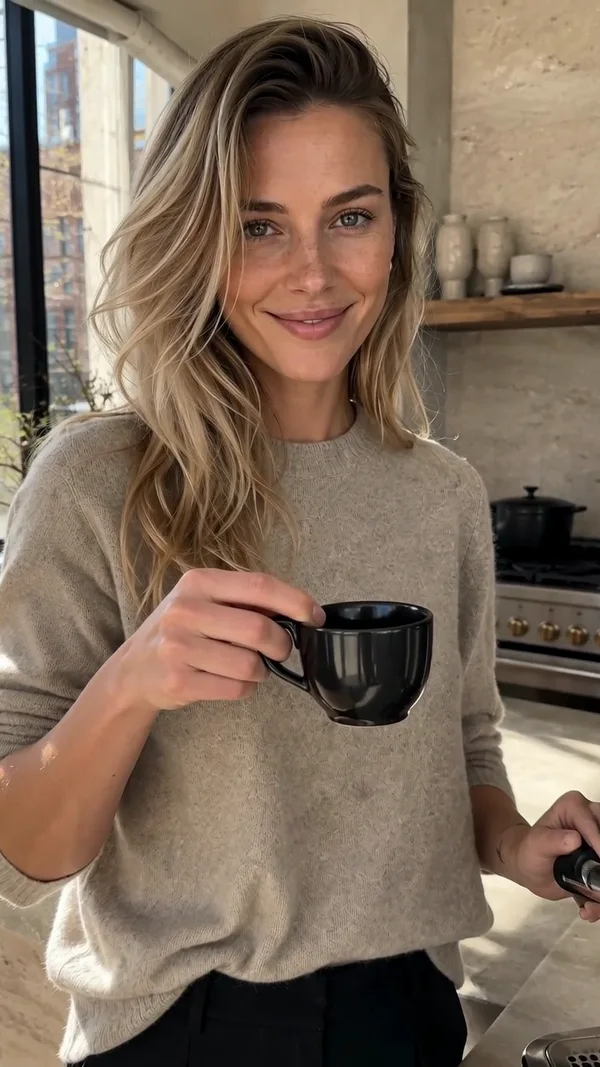
The sampled frames show a small cup gesture and an expression change. Compare the eyes, nose, jaw and hairline as the cup rises. Three frames are a quick screening aid, not proof that all frames passed: play the clip and inspect transitions, head turns, hands near the face and temporary occlusion.
Original archived animation prompt and settings
Starting image: the kitchen output. Recorded model: Seedance 2; requested five seconds, 720p, 9:16, generated audio off. These are historical settings, not a claim that the current Image-to-Video page uses the same model.
The same fictional blonde adult woman completes one natural action: she lifts the espresso cup from the counter and gives a small confident smile toward the phone. One slow handheld push-in only. Preserve her exact face, freckles, hair, natural skin texture, hands, outfit, apartment geometry, and morning light. No cuts, no extra people, no morphing, no text, no logo, no watermark, no audio.
- Start from an approved still with an unobstructed face and believable hands.
- Use a short first test, restrained camera movement and one action.
- Watch once at normal speed, then pause or scrub through difficult moments.
- If identity drifts, return to the approved still and simplify movement. Do not use the drifted video frame as the next identity anchor.
Use the current Image-to-Video workflow for a still-led clip, or Motion Transfer with an authorized movement reference. The photo-to-Reel guide covers the wider editing and export workflow.
ConsisID studies identity-preserving video generation using low- and high-frequency facial information. Its revised 2025 paper treats identity retention through motion as a distinct technical problem. It is research context, not evidence that Studio implements ConsisID or that one prompt resolves all video drift.
Which AI Character Consistency Method Works Best?
For a practical starting workflow, use a saved character or clear reference; add reviewed angles when the shot requires them and the model supports them. Custom training is an option for a separate production stack, not a mandatory first step.
| Method | Setup / audience | Strength | Limitation |
|---|---|---|---|
| Text-only prompt | Low · exploring a new identity | Fast way to describe traits and create candidates. | Does not uniquely specify one face or unseen body details. |
| Single reference | Low · simple, similar-angle work | Clear visual identity input without training. | Unseen angles and anatomy remain inferred. |
| Multi-angle reference | Medium · varied views and poses | More approved visual evidence where supported. | Conflicting views, collage handling and input limits can undermine it. |
| Saved character | Low–medium · repeatable content workflow | Reuse an approved identity without finding the file each time. | A workflow/storage feature; not a distinct guarantee or automatically a trained model. |
| Custom LoRA | High · teams operating a compatible training stack | Can specialize a compatible base model around a curated identity dataset. | Dataset rights, training, hosting, overfitting and model compatibility require work. Not offered as a Studio training feature here. |
One reference vs. multi-angle references: what changes?
For your own comparison, keep the model/version, scene prompt, ratio and output count fixed. Change only the reference condition, retain every attempt, and define the review rules before generation. Our archived scenes and new teaching set use different tools and settings, so we do not combine them into a first-party face-consistency percentage.
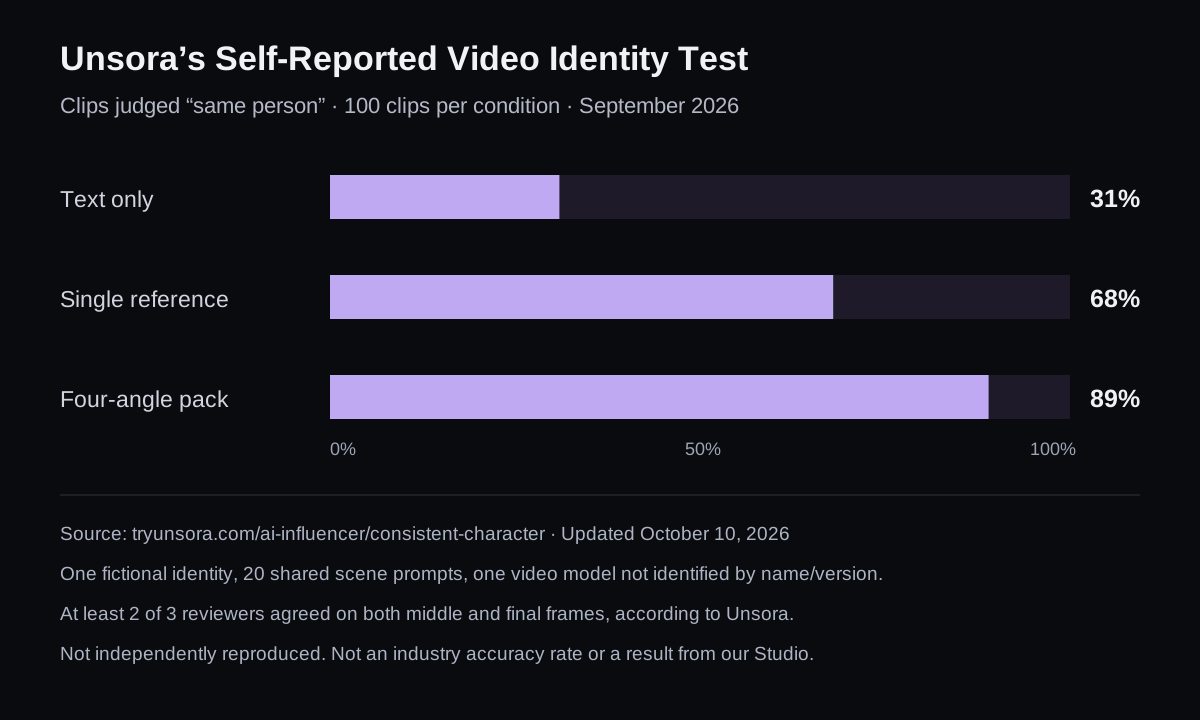
Unsora's Self-Reported Video Identity Comparison
Clips judged “same person” (%) · September 2026 · 100 clips per condition
- Text only31%
- Single reference68%
- Four-angle reference pack89%
Common AI Influencer Consistency Problems and Fixes
Fix the input role or review failure before adding more descriptive words. Use the table to isolate one change, then compare the next result with the canonical master.
| Problem | Why it happens | How to fix it |
|---|---|---|
| Face changes | Text ambiguity, missing identity input or competing faces. | Restore the master and simplify angle/occlusion. |
| Body changes | Face-only reference, lens distortion or pose contamination. | Approve a full-body baseline; use comparable perspective. |
| Outfit changes | Clothing construction was underspecified. | Give wardrobe its own reference and explicit fixed details. |
| Accessories disappear | Small details are occluded or weakly specified. | State required items, show a clear reference and inspect visibility. |
| Background shifts | A reference bundles unwanted location or lighting. | Assign it one role; describe the intended scene separately. |
| Video face morphs | Motion exposes unseen views or hides features. | Approve the still, reduce motion and scrub the difficult frames. |
| Voice changes | Different voice assets, settings or generation takes. | Keep the same authorized voice asset and delivery brief; review separately from face fidelity. |
AI Influencer Consistency Checklist
Use the first four checks before spending on a new generation, and the last four before publishing. A checked box records your review; it does not mean an automated system has verified the image.
Frequently Asked Questions
How do I keep the same face in AI images?
Reuse a clear approved identity reference or the same saved character, then describe what changes. Keep the original master separate from later outputs. A repeated text description helps with traits but does not uniquely specify a face.
Is one reference image enough for a consistent AI influencer?
It can be enough for a simple, similar-angle shot. New angles, full-body scenes and occlusion may need additional approved views in a workflow that supports them. More images help only when they agree on the same identity.
Does a character reference sheet guarantee consistency?
No. It supplies useful visual evidence and a review baseline. A bad profile or conflicting panel can introduce drift, and a model may interpret a collage differently from separate reference images. Review each view and each result.
Can I change outfits without changing the AI influencer's face?
Yes, you can request a wardrobe change while keeping the identity reference fixed. Assign the outfit reference a clothing-only role and check face and proportions afterward. Outfit similarity alone does not establish that the person is the same.
How do I keep the same face and body in different scenes?
Use an approved face and full-body baseline, keep camera perspective sensible, and change one scene variable at a time. A headshot cannot define unseen body proportions. Compare identity, build and limb proportions before accepting the new scene.
How do I keep an AI character consistent in videos?
Approve the starting still first, then animate a simple action with controlled motion. Check the first, middle and final frames plus turns and occlusions. An unchanged first frame does not prove identity stays stable for the whole clip.
Do I need a custom LoRA to keep an AI influencer consistent?
No. Reference-conditioned generation can be a practical starting point. A custom LoRA is a separate training workflow with dataset, rights, hosting and quality-control requirements. This guide does not claim that Studio trains or imports LoRAs.
Will using the same seed keep my AI influencer identical?
No universal guarantee exists. Where a model exposes a seed, it is tied to that generation setup; changes to model, inputs or settings can change the result. Keep visual references and a human review process rather than relying on a seed alone.
Plan Content
Measure Engagement
Build Your Profile
Price Your Work
Write Post Copy
Brand Partnerships