
Table of contents · jump to a pose group
Which Pose Should You Try First?
| Pose | Best for | Camera angle | Difficulty |
|---|---|---|---|
| 1. Relaxed Natural Stand | Lifestyle introductions, outfit references | Eye-level, full-body | Easy |
| 6. Café Window Seat | Lifestyle, food, travel | Seated eye-level, 3/4 | Moderate |
| 14. Full-Outfit Mirror Selfie | Outfit posts, styling comparisons | Full-length mirror, level camera | Moderate |
| 16. Natural Street Walk | Travel, streetwear, lifestyle | Eye-level, full-body | Moderate |
| 21. Clean Editorial Silhouette | Fashion concepts, virtual-character styling | Eye-level, full-body | Moderate |
| 26. Product Held at a Useful Height | UGC-style stills, product context | Eye-level, waist-up 3/4 | Moderate |
Use this guide for pose-specific visual direction. Our broader AI influencer prompts guide covers prompt structure, scene planning and identity references. If the unresolved question is what to post, start with 100 AI influencer content ideas, then return here to direct the body and camera.
Choose one character before trying several poses
Why Posing Matters for AI Influencers
Posing organizes what viewers notice. The head and gaze establish attention, the torso creates a silhouette, and the hands and feet explain what the body is doing. A convincing pose gives the person a relationship with the scene instead of making them look pasted into it.
For example, an open hand beside a notebook suggests a conversation; a hand gripping a cup handle explains the object’s weight. Eye-level framing feels different from a low fashion angle. These are photographic choices, not universal engagement rules. Keep expressions aligned with the action rather than asking every character to smile at the lens.
Faces and Instagram engagement: the reported association
Relative increase in likelihood versus photos without faces · scale 0–50%
- Receiving likes+38%
- Attracting comments+32%
Natural action matters more than a complicated silhouette
For AI model poses, specificity is usually easier to review than a mood word. “Confident” leaves the body unresolved. “Standing with shoulders relaxed, one hand in a pocket and both shoes on the pavement” describes a visible arrangement. Add only enough complexity to explain the content.
Social media content trends in 2026
Share of surveyed social media marketers (%) · three separate questions · scale 0–100%
- Use AI in social workflows94%
- Say authenticity trumps production value77%
- Plan increased influencer investment60%
The practical takeaway is to make synthetic content coherent and disclose it honestly. A virtual character can have a recognizable pose vocabulary, but repeating the same face in different scenes is not enough: hands, fabric, shadows and viewpoint still need a human review.
30 Best AI Influencer Poses
Browse six groups of AI influencer pose ideas, from standing poses and selfies to editorial and UGC-style scenes. Mara appears in poses 1–20, Pip in 21–25 and Ivo in 26–30. Each uses an approved original character reference; a real-person image was not supplied.
Replace [SUBJECT] with your selected character context, or keep it as a reminder to select the saved influencer in the workspace. The prompts control pose and composition without inventing a new identity. Reference images are editorial illustrations made for this guide, not documented outputs of the advertised app; model results and small gesture details can vary.
Select a photo for a larger view, or open its notes for the full prompt. Every prompt keeps [SUBJECT] as your character placeholder.
1. Standing Poses
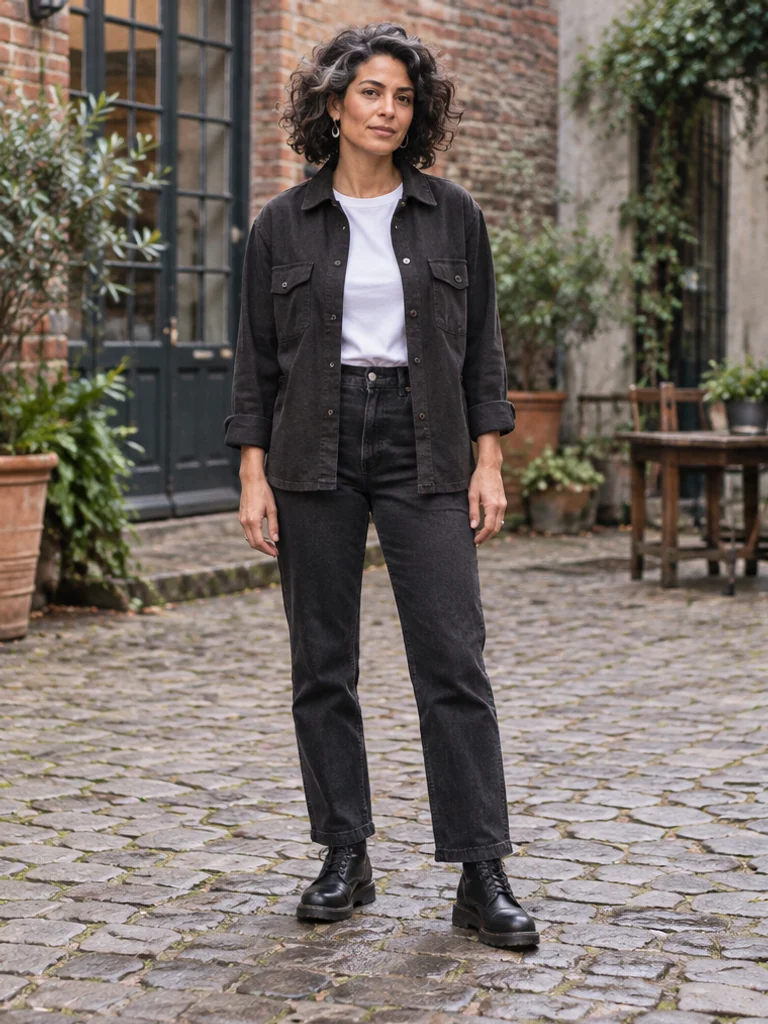
Start with balanced contact and a simple silhouette. A standing pose is easiest to review when the shoes, hands and direction of the shoulders are visible.
 View larger ↗
01. Relaxed Natural Stand
Lifestyle introductions, outfit references
Eye-level, full-body · Easy
Pose notes & full prompt
Pose direction: Head level; torso upright with relaxed shoulders; arms beside the body and fingers loose; feet hip-width apart; eyes toward the camera; lens at chest-to-eye height.
Use the supplied approved character reference and preserve its existing identity and proportions. Photograph [SUBJECT]. Stand upright with shoulders relaxed, head level and arms resting beside the body. Leave a small gap between arms and torso; fingers curl naturally. Place both feet hip-width apart with weight evenly supported. Look toward the camera with a quiet, attentive expression. Eye-level full-body portrait, complete shoes and a little floor visible, natural daylight in a textured city courtyard. Keep a soft contact shadow directly under the feet.
 View larger ↗
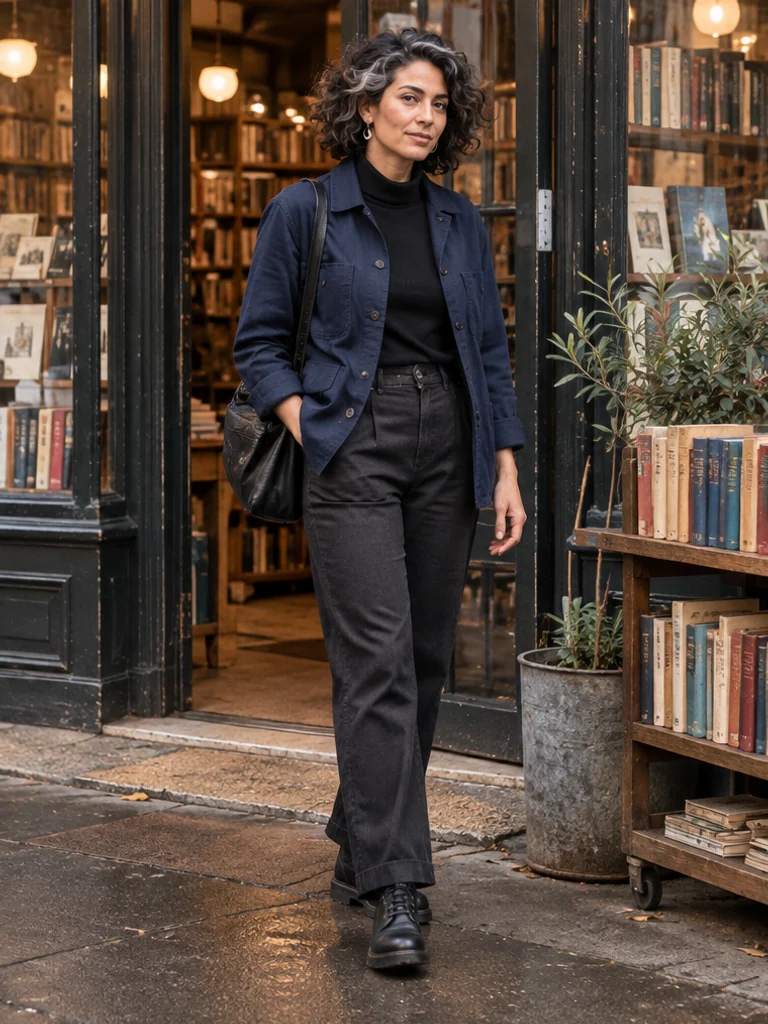
02. Soft Weight Shift
Instagram portraits, casual fashion
Eye-level, full-body 3/4 · Easy
Pose notes & full prompt
Pose direction: Head turns slightly toward the lens; torso stays long; one hand rests near the thigh and the other hangs loose; weight rests on the rear leg with the front knee soft; gaze meets the lens; camera shows a gentle three-quarter view.
Use the supplied approved character reference and preserve its existing identity and proportions. Photograph [SUBJECT]. Shift most body weight onto the rear leg, soften the front knee and place the front foot a small step ahead. Keep the pelvis level and the torso long rather than bending the waist sharply. Let one hand rest lightly near the thigh and the other hang loose. Turn the head a little toward the camera. Eye-level three-quarter full-body framing at a neighborhood bookshop entrance, soft overcast light; show both shoes and grounded shadows.
 View larger ↗
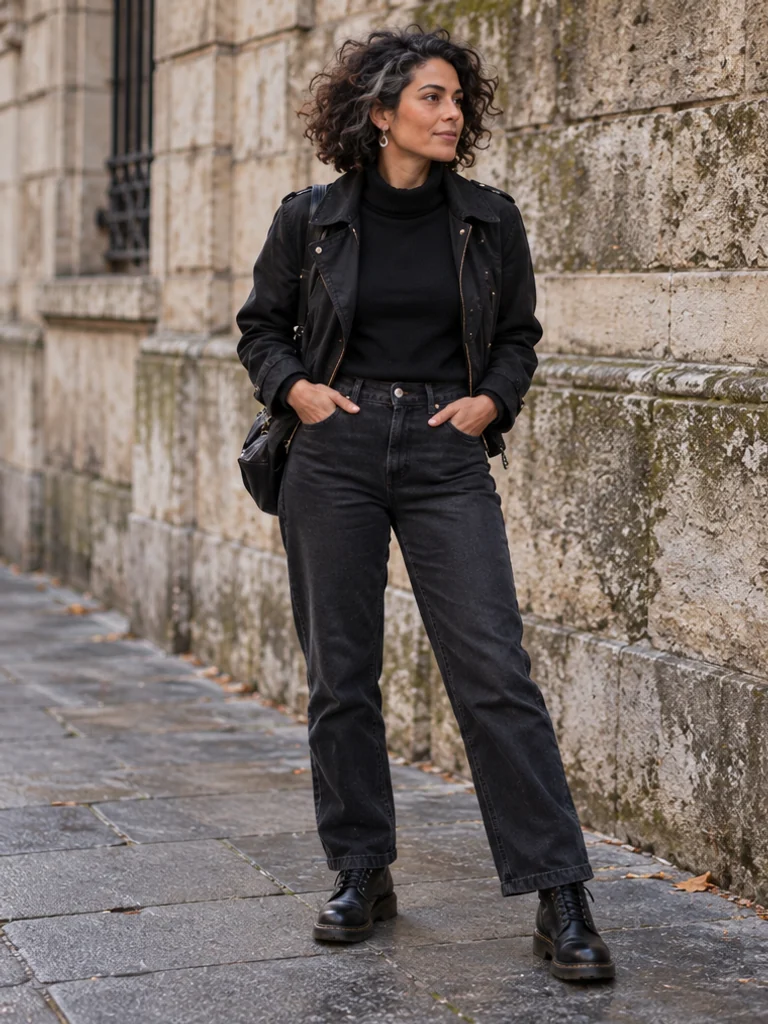
03. Hands Resting in Pockets
Streetwear, relaxed personal branding
Eye-level, full-body · Easy
Pose notes & full prompt
Pose direction: Head upright; chest open without arching; hands partly inside front pockets with thumbs visible; legs comfortably spaced; gaze slightly past the lens; camera stays level.
Use the supplied approved character reference and preserve its existing identity and proportions. Photograph [SUBJECT]. Stand with a relaxed open chest and feet comfortably apart. Rest both hands partly inside the front trouser pockets, leaving the thumbs visible without stretching the fabric. Keep shoulders down and elbows loose, head upright, gaze just past the camera. Eye-level full-body street portrait beside a weathered stone wall, side daylight, dark denim and a practical short jacket. Show complete shoes and believable pocket openings.
 View larger ↗
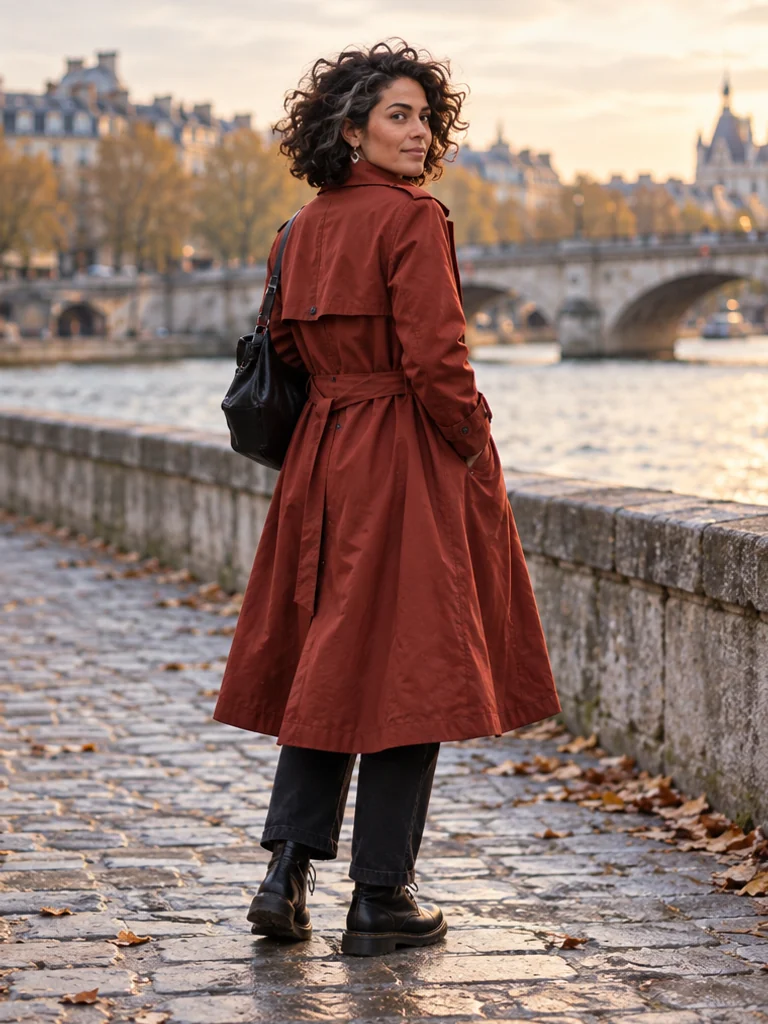
04. Still Over-the-Shoulder Look
Travel portraits, outfit back details
Rear 3/4 at eye-level · Moderate
Pose notes & full prompt
Pose direction: Head turns comfortably over the near shoulder; torso stays mostly away; hands remain low; legs support a still stance; eyes look back toward the lens; camera sits behind at a three-quarter angle.
Use the supplied approved character reference and preserve its existing identity and proportions. Photograph [SUBJECT]. Stand still with the torso facing mostly away from the camera, then turn the head comfortably over the near shoulder. Keep the neck untwisted and shoulders low; arms rest naturally and both feet remain planted. Look back toward the lens. Rear three-quarter full-body portrait on a quiet riverside path, soft late-afternoon light. Keep enough room around the head and shoes and preserve the natural connection of neck, shoulders and torso.
 View larger ↗
05. Light Wall Lean
Street style, casual profile photos
Eye-level, full-body · Easy
Pose notes & full prompt
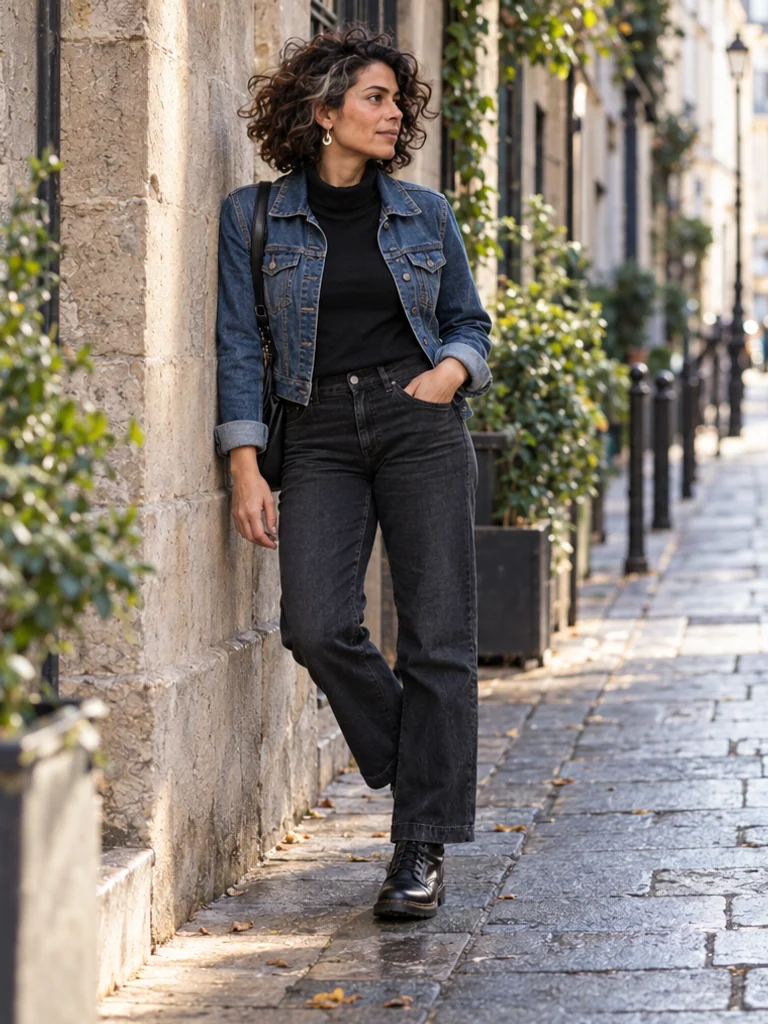
Pose direction: Head tilts only slightly; one shoulder touches the wall; near hand rests by the hip and far hand hangs loose; one knee bends with that foot lightly braced against the wall while the other stays flat; gaze follows the street; camera remains level.
Use the supplied approved character reference and preserve its existing identity and proportions. Photograph [SUBJECT]. Rest one shoulder lightly against a textured wall, without sinking the torso into it. Keep the supporting foot flat on the pavement and bend the other knee, resting that shoe lightly against the wall with believable contact. One hand rests near the hip while the other hangs relaxed. Turn the head slightly to look down the street. Eye-level full-body framing in a lived-in lane, denim jacket and straight trousers, soft directional daylight with coherent wall and ground shadows.
2. Sitting Poses
Seated poses need believable weight on a chair, sofa or floor. Name the support surface and give each visible hand a clear resting place.
 View larger ↗
06. Café Window Seat
Lifestyle, food, travel
Seated eye-level, 3/4 · Moderate
Pose notes & full prompt
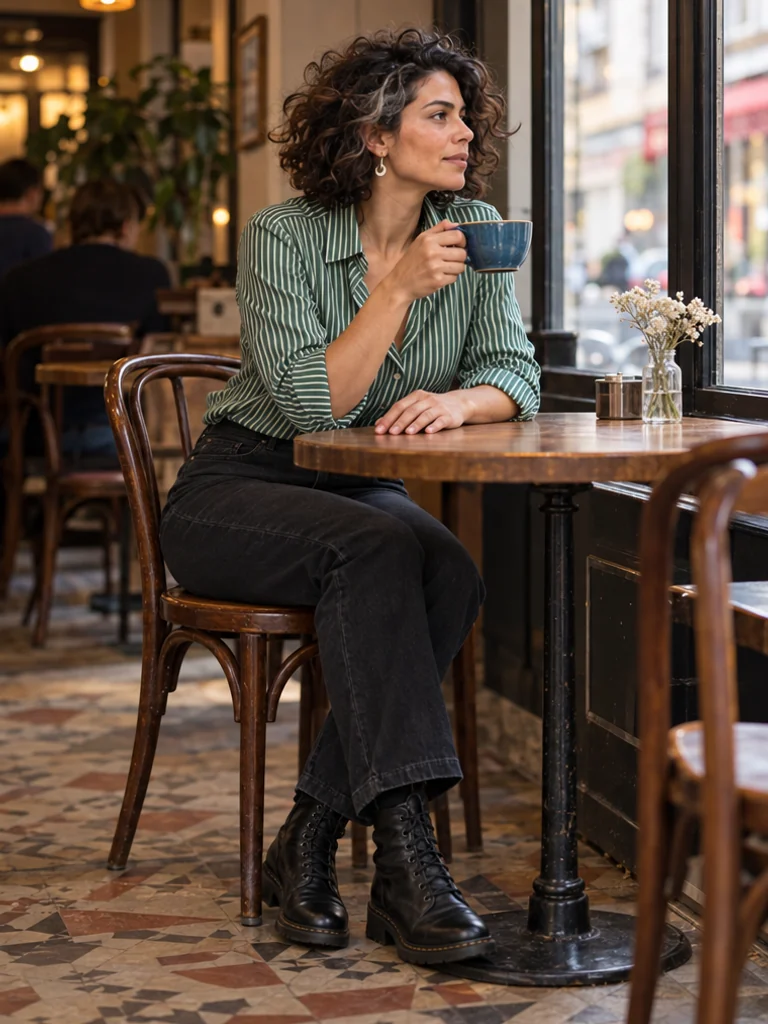
Pose direction: Head turns toward the window; torso leans forward a little; one hand holds a cup by its handle and the other rests on the table; knees face the table with feet supported; gaze is outside; lens is near seated eye height.
Use the supplied approved character reference and preserve its existing identity and proportions. Photograph [SUBJECT]. Sit at a café window with the torso leaning slightly forward. Turn the head toward the window. Hold a ceramic cup by its handle with one hand while the other hand rests flat on the table, fingers relaxed and separated. Keep both knees oriented toward the table and both feet supported on the floor. Seated eye-level three-quarter portrait, include the chair and lower legs, soft window light, ordinary café details and coherent cup-to-hand contact.
 View larger ↗
07. Relaxed Sofa Corner
Home lifestyle, informal storytelling
Eye-level, medium-wide · Easy
Pose notes & full prompt
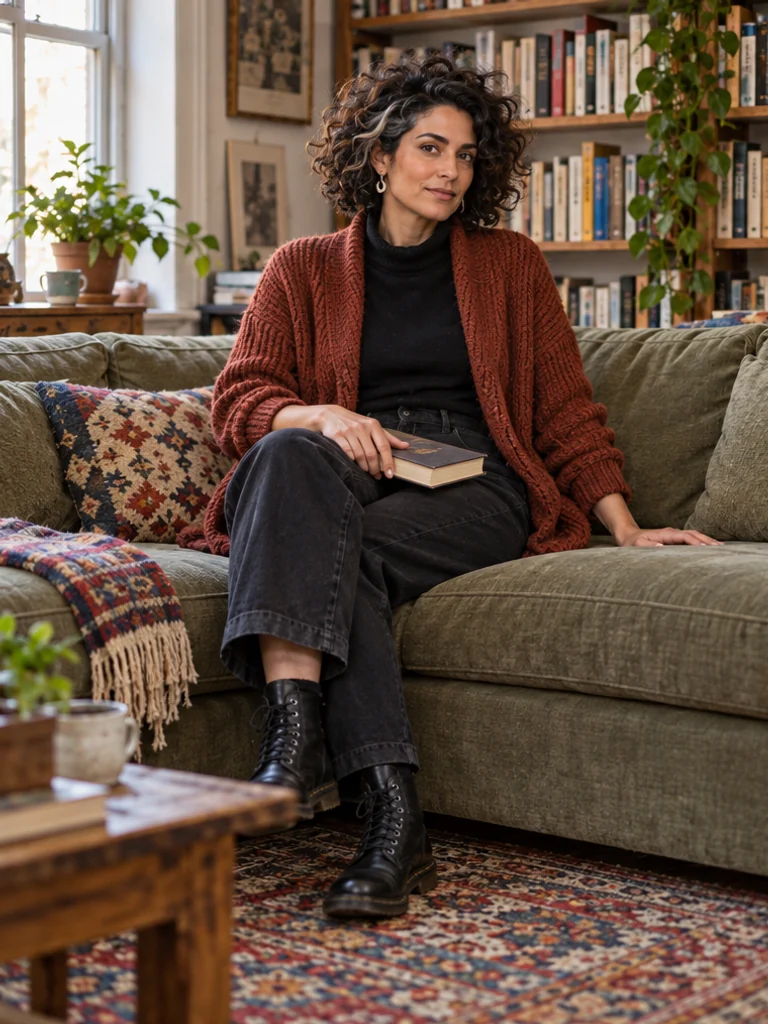
Pose direction: Head stays comfortably upright; back rests against the sofa; one hand rests on a book and the other on the cushion; legs cross comfortably while the supporting foot rests on the floor; gaze meets the viewer; camera is level with the seated subject.
Use the supplied approved character reference and preserve its existing identity and proportions. Photograph [SUBJECT]. Sit in the corner of a worn fabric sofa with the back supported and shoulders loose. Cross the legs comfortably at the knee and keep the supporting foot on the floor. Rest one hand on a closed book in the lap and the other on the cushion; avoid interlaced fingers. Look toward the camera with a calm, conversational expression. Eye-level medium-wide portrait, include the sofa seat and feet, afternoon window light, knit cardigan and a lived-in room with books.
 View larger ↗
08. Side-Sitting on a Chair
Editorial interviews, creator profiles
Seated eye-level, side 3/4 · Moderate
Pose notes & full prompt
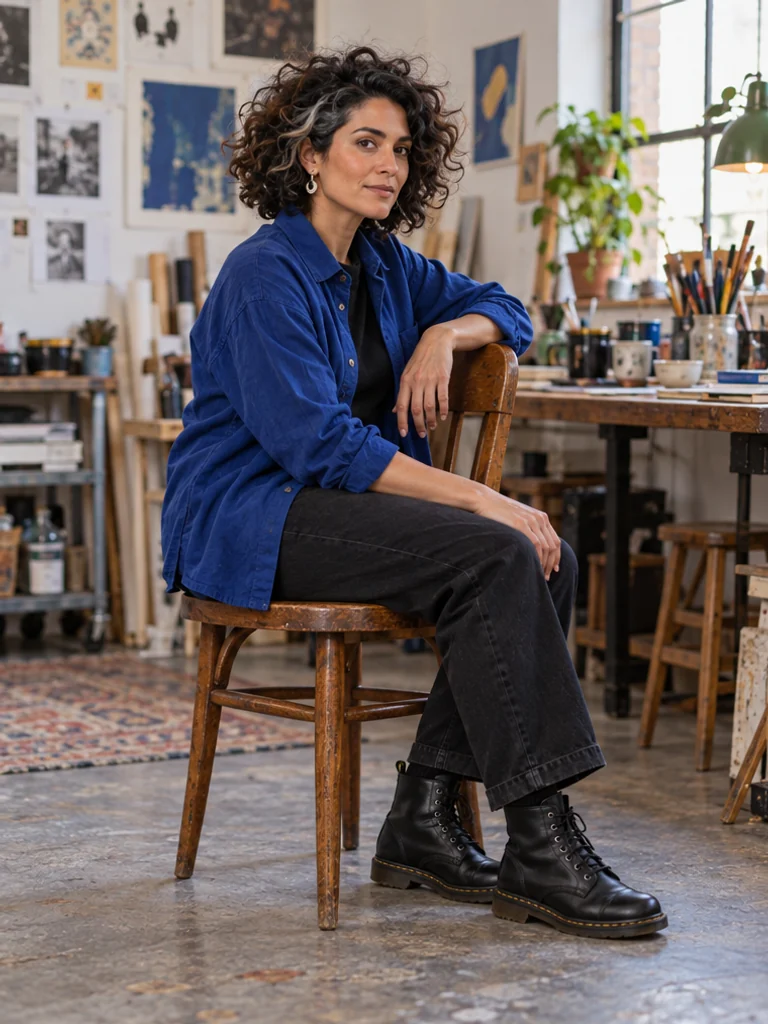
Pose direction: Head turns toward the camera; torso rotates gently from the chair's side; one forearm rests on the chair back and one hand on the thigh; knees point sideways and feet touch the floor; gaze meets the lens; camera shows the chair support.
Use the supplied approved character reference and preserve its existing identity and proportions. Photograph [SUBJECT]. Sit sideways on a sturdy wooden chair with knees pointing to one side and both feet flat on the floor. Rotate the torso only slightly toward the camera. Rest one forearm lightly on the chair back and the other hand on the near thigh, fingers loose. Turn the head toward the lens. Seated eye-level three-quarter composition in a small creative studio; show the chair, hips, knees and shoes, soft side light and believable weight on the seat.
 View larger ↗
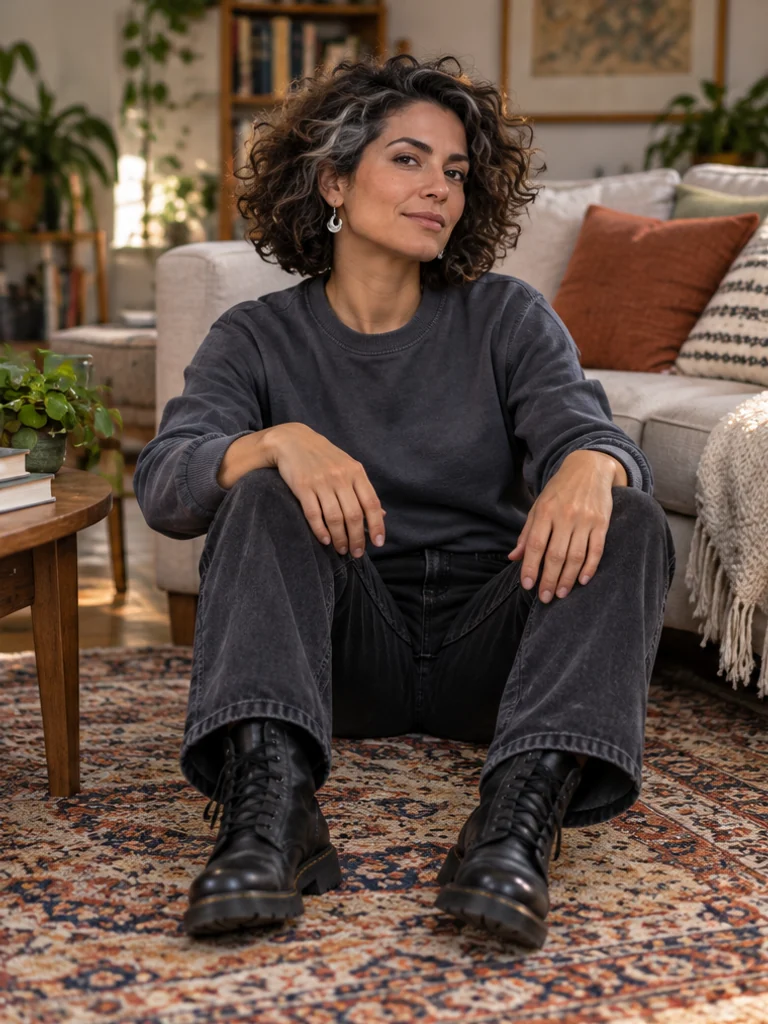
09. Floor Seat with Bent Knees
Home stories, relaxed fashion
Low seated eye-level, full-body · Moderate
Pose notes & full prompt
Pose direction: Head stays over the shoulders; torso leans against a sofa; hands rest separately on knees; knees bend with ankles uncrossed; gaze is toward the viewer; camera sits near the subject's seated eye level.
Use the supplied approved character reference and preserve its existing identity and proportions. Photograph [SUBJECT]. Sit on a textured rug with the back lightly supported by a sofa. Bend both knees comfortably and keep the ankles uncrossed, shoes resting on the rug. Rest each hand separately on a knee; shoulders stay down and the head remains aligned with the torso. Look toward the camera. Low seated-eye-level full-body portrait, show the complete legs and clear floor contact, soft morning light, casual sweatshirt and straight-leg trousers.
 View larger ↗
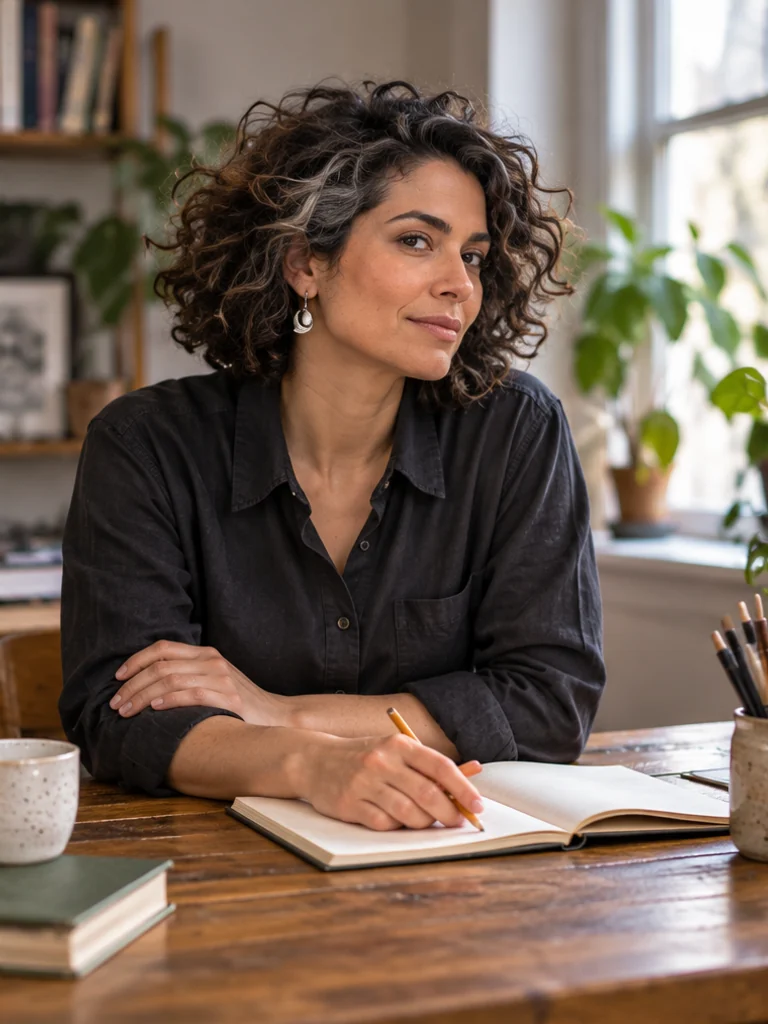
10. Thoughtful Desk Lean
Educational creators, professional stories
Seated eye-level, waist-up · Easy
Pose notes & full prompt
Pose direction: Head angles slightly toward the work; torso inclines forward without hunching; one hand holds a pencil over a notebook and the other supports the forearm; legs stay under the desk; gaze moves toward the lens; camera frames the desktop.
Use the supplied approved character reference and preserve its existing identity and proportions. Photograph [SUBJECT]. Sit at a wooden desk and lean forward gently from the hips, keeping the shoulders relaxed. Hold a pencil naturally in one hand over an open notebook and rest the other hand against the opposite forearm, with all visible fingers separated. Turn the head slightly from the notebook toward the lens. Eye-level waist-up portrait with the desk edge visible; legs remain outside the crop. Soft window side light, charcoal shirt, practical stationery and no readable invented notes or interface.
3. Selfie & Mirror Poses
Choose one camera logic: a visible phone in a mirror, or a front-camera viewpoint with the phone outside the image. Reflections and arm length must agree.
 View larger ↗
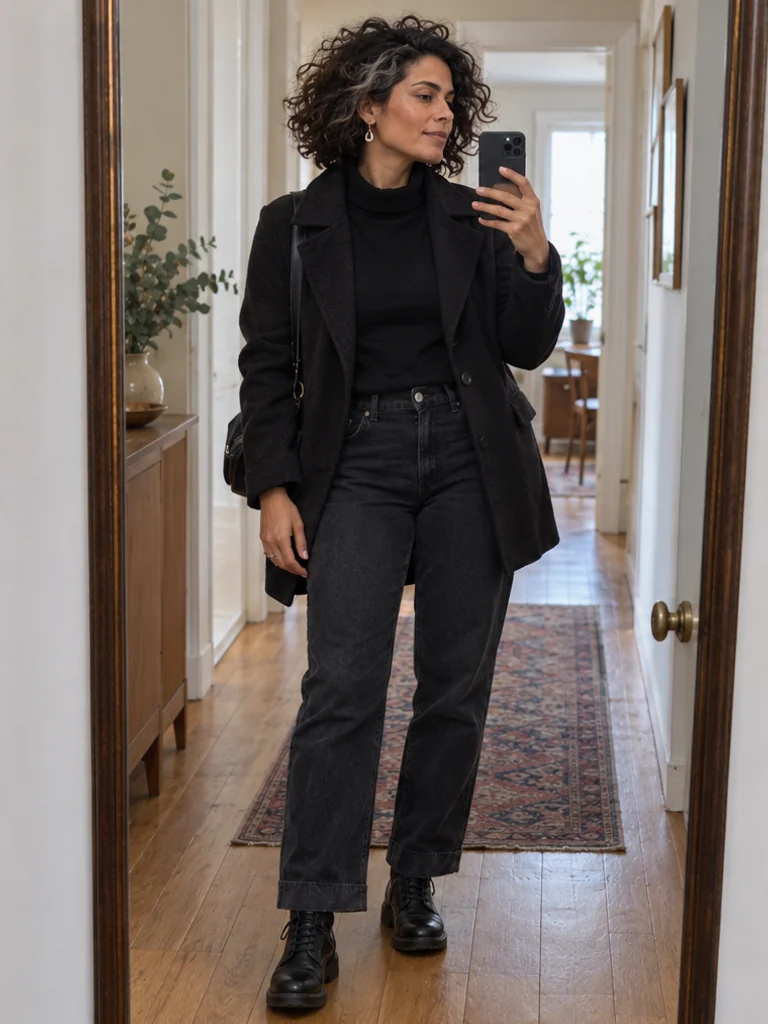
11. Eye-Level Mirror Selfie
Personal style, everyday updates
Mirror reflection, eye-level · Moderate
Pose notes & full prompt
Pose direction: Head faces the mirror; torso is upright; one hand holds the phone and the other hangs beside the body; knees stay soft; eyes look toward the phone display; reflected camera remains near chest height.
Use the supplied approved character reference and preserve its existing identity and proportions. Photograph [SUBJECT]. Take a mirror selfie with the phone held at chest height in one hand, camera lens pointing into the mirror. Keep the torso upright, shoulders relaxed and knees soft. Let the free arm hang naturally with fingers visible; angle the phone slightly so it does not cover the whole face. Look toward the phone display. Show a coherent single mirror reflection, simple apartment hallway, dark jacket and jeans, side daylight; no duplicated phone, extra limbs or reflected text.
 View larger ↗
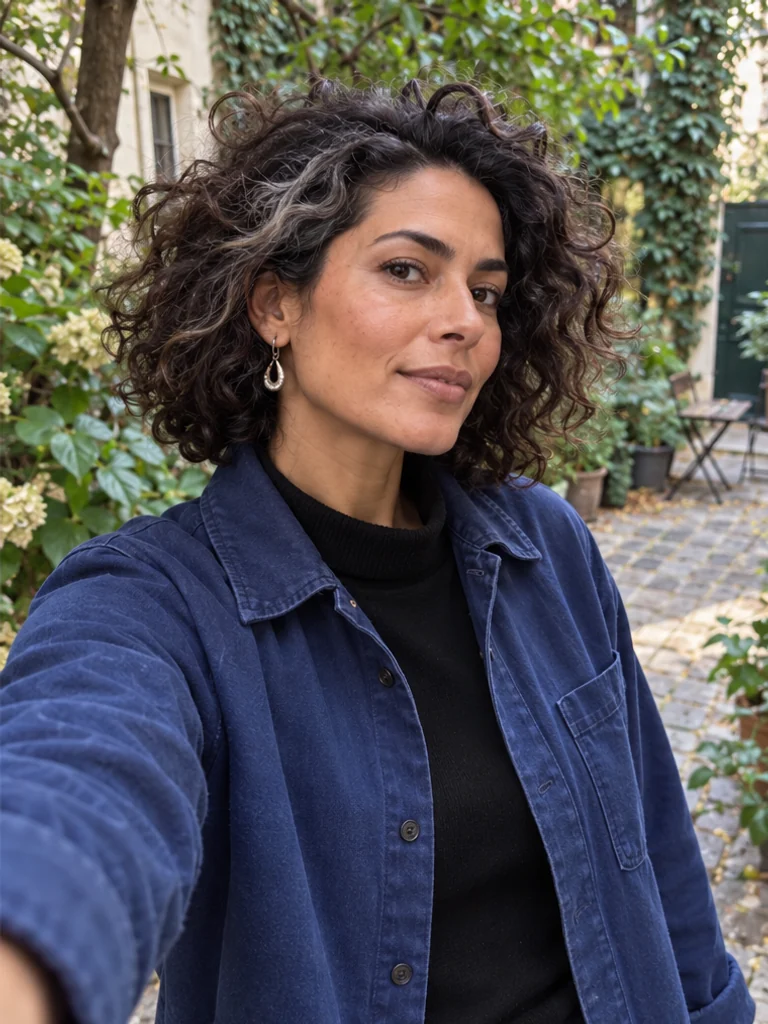
12. Gentle High-Angle Selfie
Instagram Stories, friendly updates
Front camera, slightly above eye-level · Moderate
Pose notes & full prompt
Pose direction: Head tips only slightly up; torso stays neutral; one arm extends toward the camera while the other rests low; legs stay outside the crop; gaze meets the lens; camera sits slightly above eye level.
Use the supplied approved character reference and preserve its existing identity and proportions. Photograph [SUBJECT]. Use a front-camera selfie viewpoint from slightly above eye level and at a comfortable arm's length. Lift the chin only a little, keep the torso neutral and shoulders relaxed, and look into the lens. The extended camera arm exits naturally at the lower corner; the phone itself is outside the image. Keep the other hand low and outside the crop; legs are not visible. Soft outdoor shade beside a leafy courtyard, blue overshirt, natural perspective without exaggerated arm length.
 View larger ↗
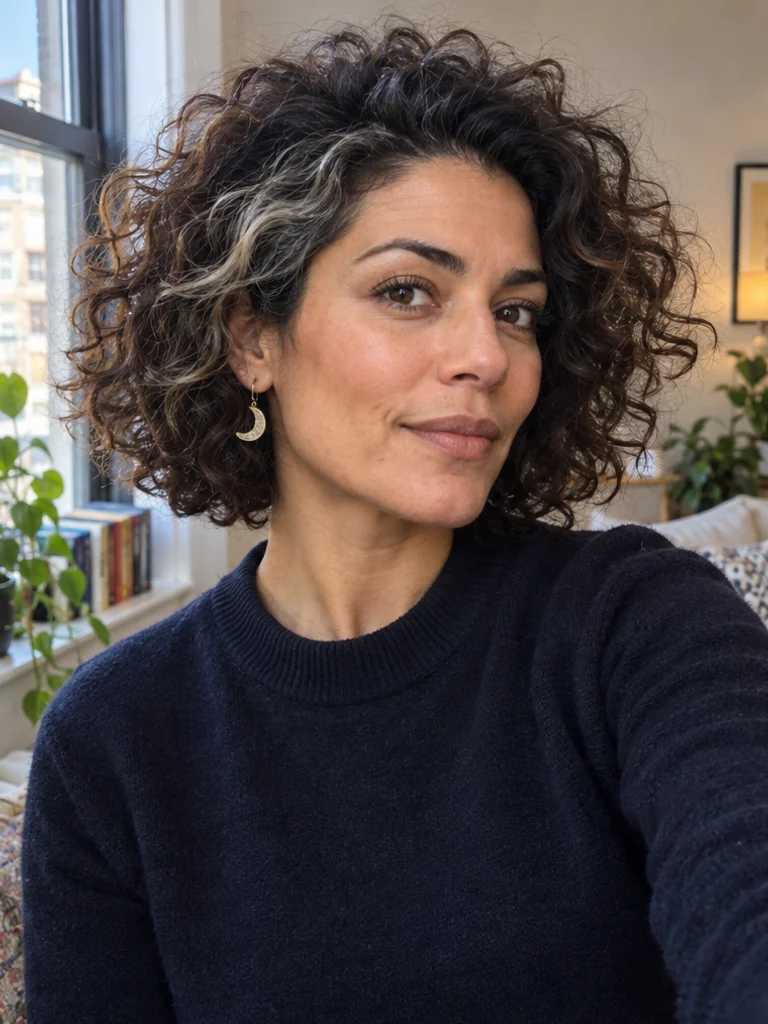
13. Close-Up Window Selfie
Beauty framing, expressive Stories
Eye-level close-up · Easy
Pose notes & full prompt
Pose direction: Head is nearly level with a small turn; shoulders angle slightly; hands and legs stay outside the crop; gaze meets the lens; camera stays at arm's length rather than inches from the face.
Use the supplied approved character reference and preserve its existing identity and proportions. Photograph [SUBJECT]. Create a close-up selfie from an eye-level front-camera viewpoint at a comfortable arm's length. Turn the shoulders slightly and keep the head almost level with a small natural turn toward the light. Look into the lens with an attentive expression. Frame head and upper shoulders with breathing room; both hands, phone and legs stay outside the image. Soft indirect window light in a lived-in room, simple navy top, realistic perspective without wide-angle distortion.
 View larger ↗
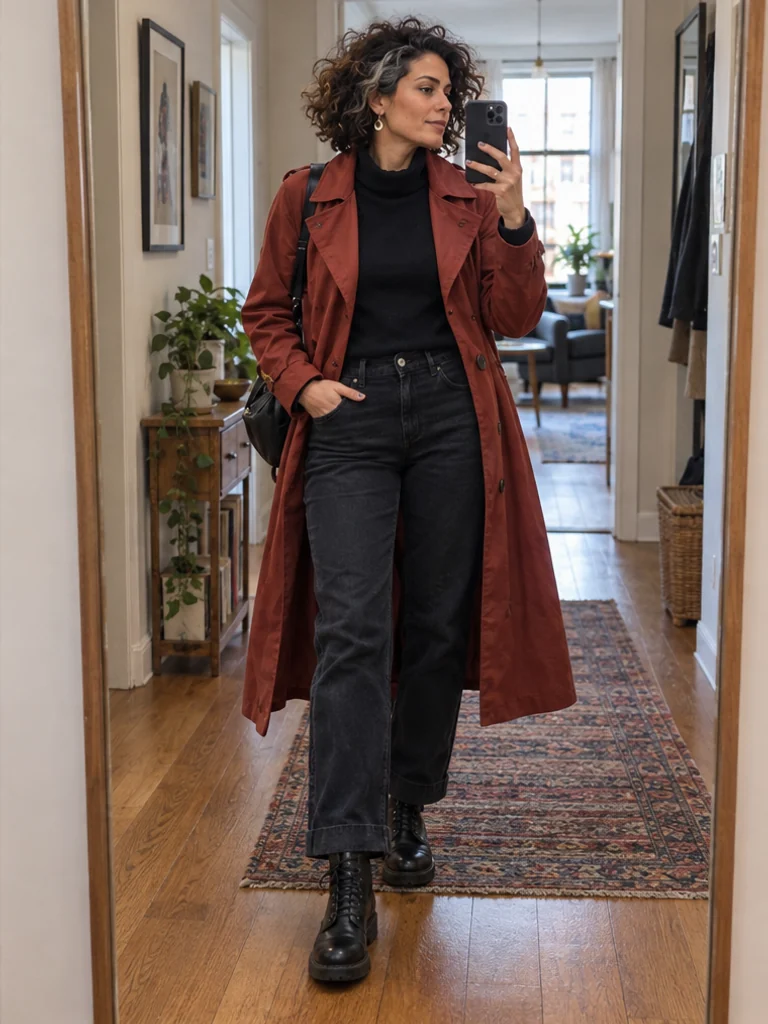
14. Full-Outfit Mirror Selfie
Outfit posts, styling comparisons
Full-length mirror, level camera · Moderate
Pose notes & full prompt
Pose direction: Head faces the reflection; torso stays long; phone hand remains beside the face and free hand rests by a pocket; one foot steps slightly forward; gaze goes toward the screen; mirror includes shoes and floor.
Use the supplied approved character reference and preserve its existing identity and proportions. Photograph [SUBJECT]. Stand before a full-length mirror and photograph the complete outfit, including shoes and a strip of floor. Hold one phone beside the face without hiding it, free hand resting near a pocket. Keep the torso long, shoulders level and one foot slightly ahead of the other, both shoes touching the floor. Look toward the screen. Level reflected camera, coherent single reflection, brick-red coat over dark separates, apartment hallway and soft window light; no stretched mirror proportions.
 View larger ↗
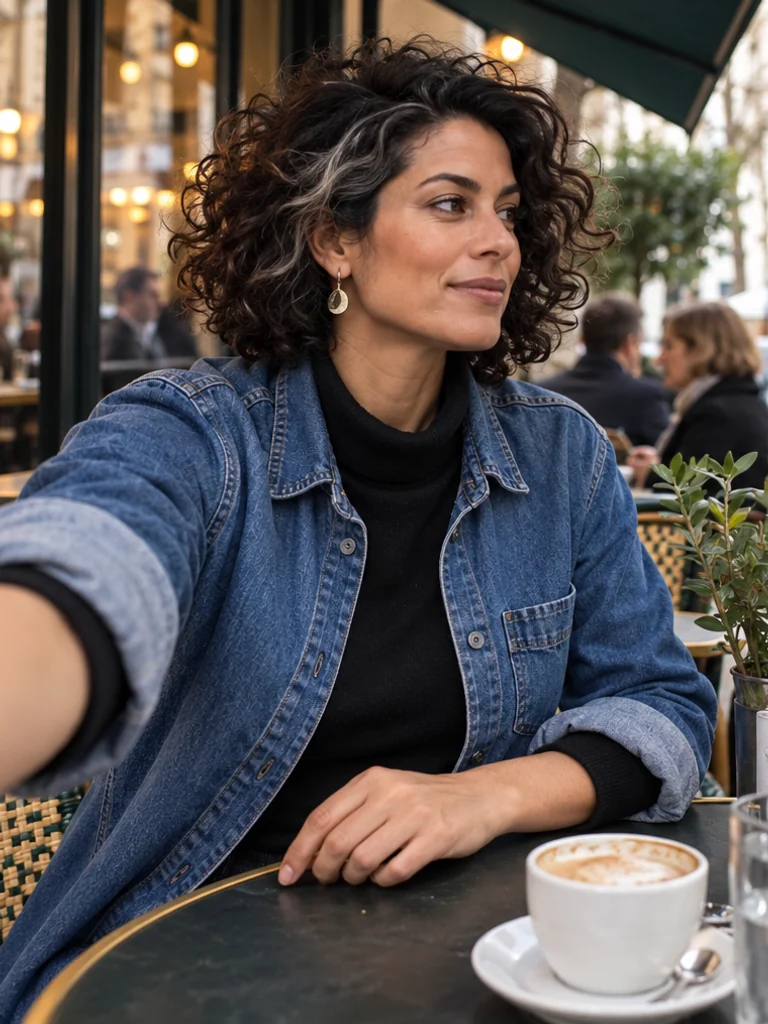
15. Candid Front-Camera Glance
Travel diaries, casual updates
Front camera, medium close-up · Moderate
Pose notes & full prompt
Pose direction: Head turns a little away; torso follows the seated position; one camera arm exits frame while the other rests on a table; legs remain out of view; eyes glance just past the lens; camera stays at a plausible arm's length.
Use the supplied approved character reference and preserve its existing identity and proportions. Photograph [SUBJECT]. Use a candid front-camera viewpoint at arm's length while seated at an outdoor café. Turn the head a little and glance just past the lens, as though noticing someone arriving. Keep the torso comfortably seated, the camera arm exiting naturally at a lower corner and the free hand resting on the table edge. Medium close-up, legs outside the frame, one coherent viewpoint with no mirror or visible second phone. Soft morning shade, denim overshirt and everyday café background.
4. Walking & Dynamic Poses
Describe one instant in an action. Keep a supporting foot visible and leave space in the direction of movement instead of asking for several actions at once.
 View larger ↗
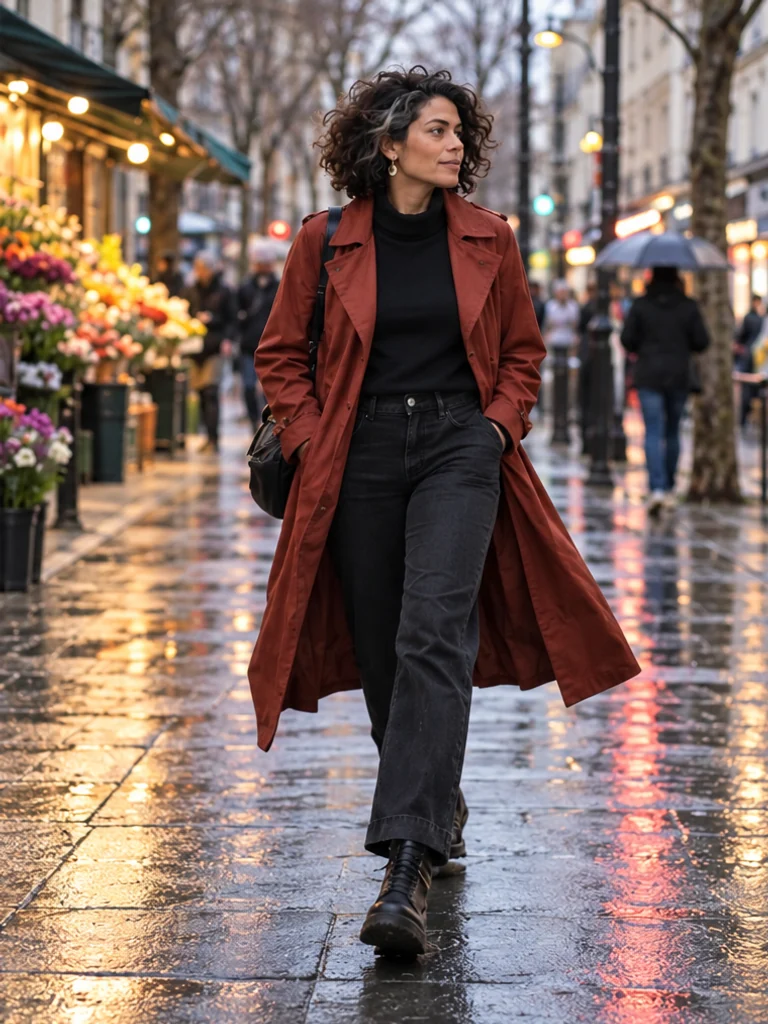
16. Natural Street Walk
Travel, streetwear, lifestyle
Eye-level, full-body · Moderate
Pose notes & full prompt
Pose direction: Head turns a little toward the shopfronts; torso stays upright; hands rest lightly in the pockets while the shoulders stay relaxed; one foot supports the body as the other steps; gaze follows the street; camera leaves space ahead.
Use the supplied approved character reference and preserve its existing identity and proportions. Photograph [SUBJECT]. Capture one instant of a natural walk along a wet city pavement. Keep the torso upright and head turned slightly toward the shopfronts, with hands resting lightly in the pockets and shoulders relaxed. The rear foot pushes off while the leading foot is about to land; show plausible balance and contact with the ground. Eye-level full-body portrait with space ahead of the stride, complete shoes, brick-red trench and dark trousers. Soft overcast light, coherent pavement reflections and one continuous street scene.
 View larger ↗
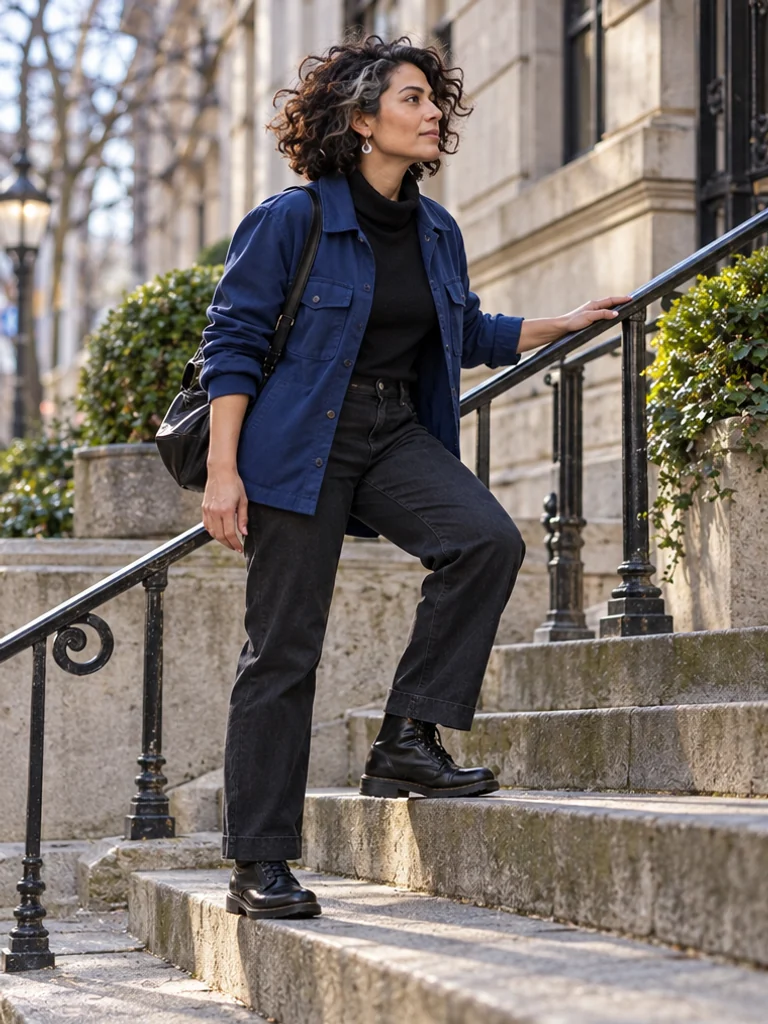
17. One Step Up the Stairs
Urban travel, active lifestyle
Eye-level, side 3/4 · Advanced
Pose notes & full prompt
Pose direction: Head follows the ascent; torso leans gently forward; one hand rests lightly on the rail and the other stays loose; front foot is flat on the step and rear foot pushes from below; gaze follows the route; camera shows both steps and shoes.
Use the supplied approved character reference and preserve its existing identity and proportions. Photograph [SUBJECT]. Capture one careful step up a shallow outdoor stone staircase. Place the leading foot flat on the higher step while the rear foot pushes from the lower step. Lean the torso forward only slightly, head facing uphill. Rest one hand lightly on the railing and let the other arm remain loose. Eye-level side three-quarter full-body view, include both feet, stair edges and railing contact. Cobalt overshirt and dark trousers, soft daylight, shadows matching the stair geometry.
 View larger ↗
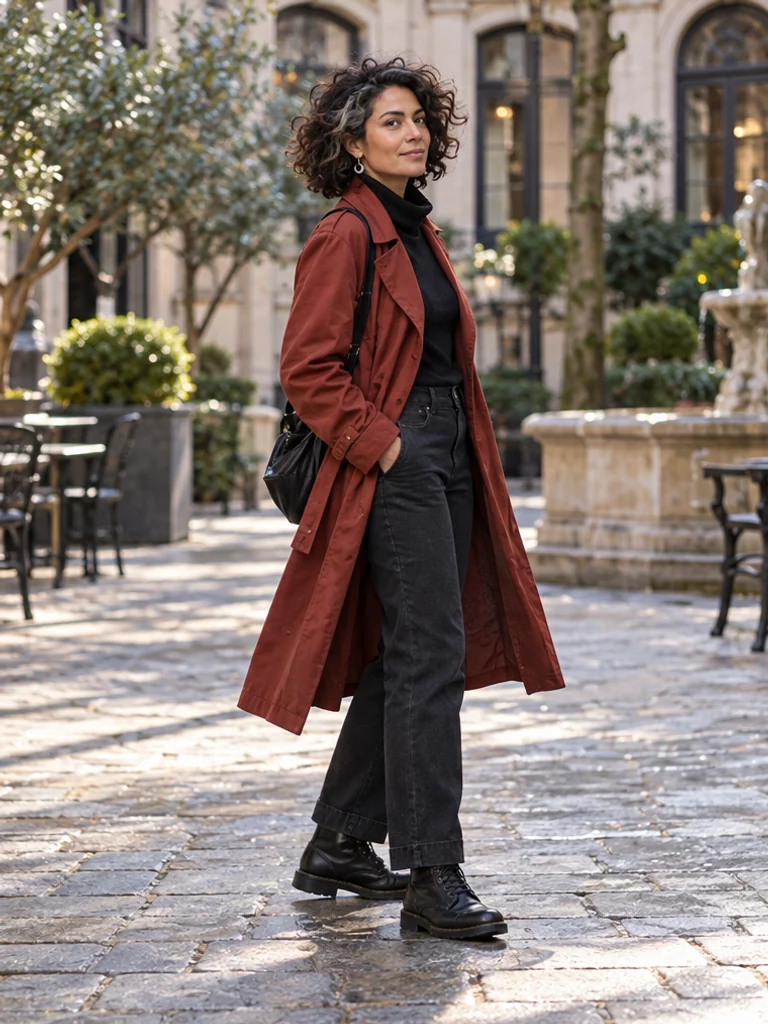
18. Controlled Quarter-Turn
Outfit movement, editorial transitions
Eye-level, full-body 3/4 · Moderate
Pose notes & full prompt
Pose direction: Head follows the turn; torso rotates a quarter-turn; arms remain low and relaxed; supporting foot pivots while the other stays close; gaze turns toward the lens; camera stays level.
Use the supplied approved character reference and preserve its existing identity and proportions. Photograph [SUBJECT]. Capture a controlled quarter-turn toward the camera in a city courtyard. Keep the supporting foot grounded with a small natural pivot and the other foot close, rather than twisting the knees against the hips. Let the torso, shoulders and head turn together; arms stay low and relaxed. Look toward the lens at the end of the turn. Eye-level full-body portrait, red coat moving only slightly, soft afternoon light, complete shoes and coherent floor shadows.
 View larger ↗
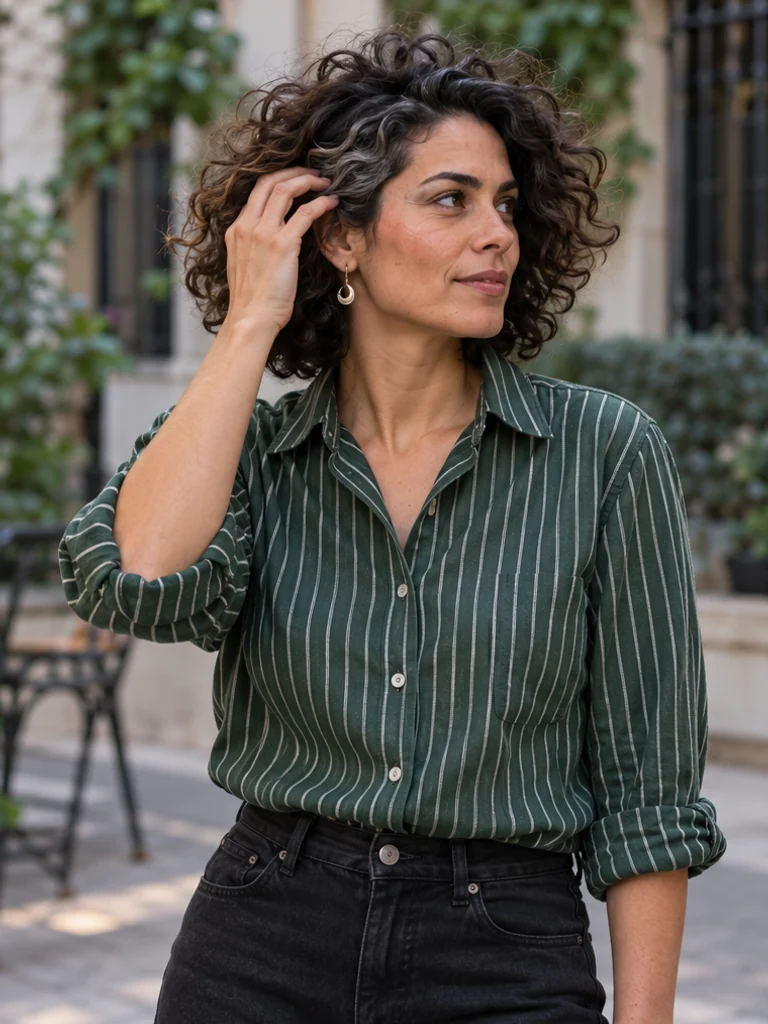
19. One-Hand Hair Adjustment
Beauty, fashion details, lifestyle
Eye-level, waist-up 3/4 · Moderate
Pose notes & full prompt
Pose direction: Head tilts slightly toward the hand; torso remains relaxed; one hand gently touches hair near the temple while the other stays low; legs remain outside the crop; gaze looks just off-camera; camera frames the elbow with space.
Use the supplied approved character reference and preserve its existing identity and proportions. Photograph [SUBJECT]. Create a waist-up three-quarter portrait during one small grooming action: gently touch the hair near the temple with one relaxed hand, without covering the eyes or pressing fingers into the scalp. Keep the other hand low and outside the crop, shoulders loose and head slightly tilted toward the raised hand. Look just off-camera. Include the complete raised elbow with space around it. Soft outdoor shade, green striped shirt, simple city background; no changed styling or extra fingers.
 View larger ↗
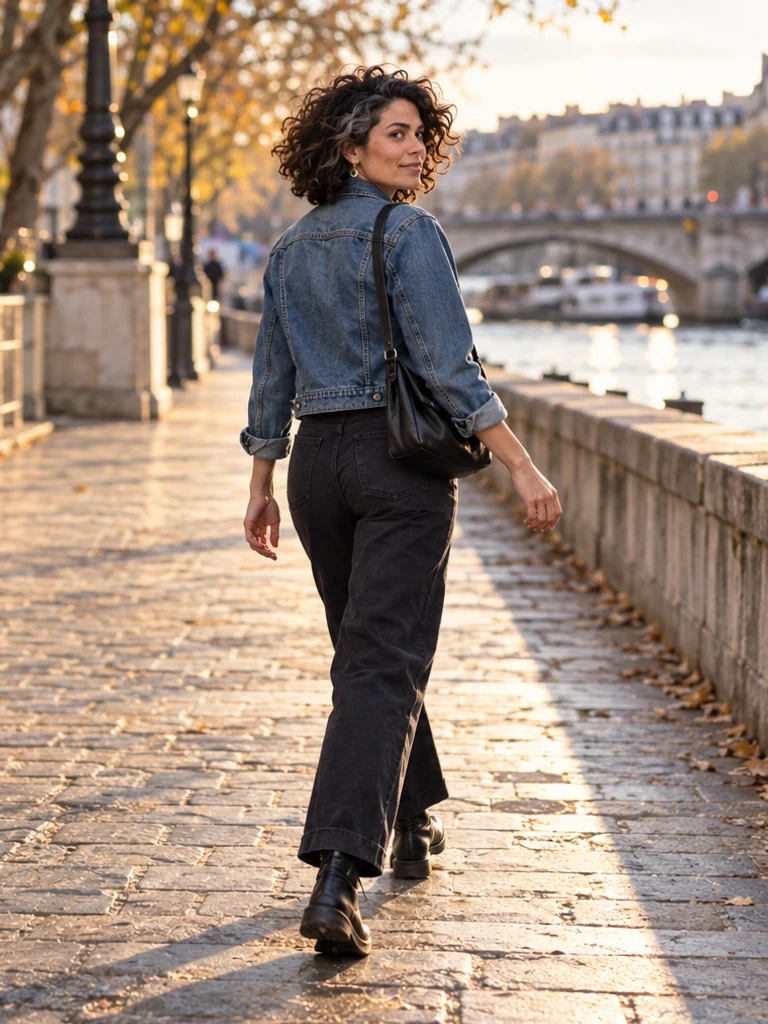
20. Walking Look-Back
Travel stories, cinematic streetwear
Rear 3/4, full-body · Advanced
Pose notes & full prompt
Pose direction: Head turns gently back while the chest keeps its travel direction; hands swing low; one foot stays in contact during the stride; eyes glance toward the lens; camera follows from behind without a steep tilt.
Use the supplied approved character reference and preserve its existing identity and proportions. Photograph [SUBJECT]. Capture a walking look-back from a rear three-quarter viewpoint. Keep the chest facing the direction of travel while the head turns gently back, without an extreme neck twist. Arms swing low and naturally; one foot remains in ground contact during the stride. Glance toward the lens. Full-body eye-level framing on a riverside pavement, complete shoes and space in the travel direction, denim jacket and dark trousers, warm late-afternoon light with a coherent contact shadow.
5. Fashion & Editorial Poses
Use silhouette, angle and negative space deliberately. These five examples use Pip, an original stylized virtual character, to show how pose principles also apply beyond photoreal human creators.
 View larger ↗
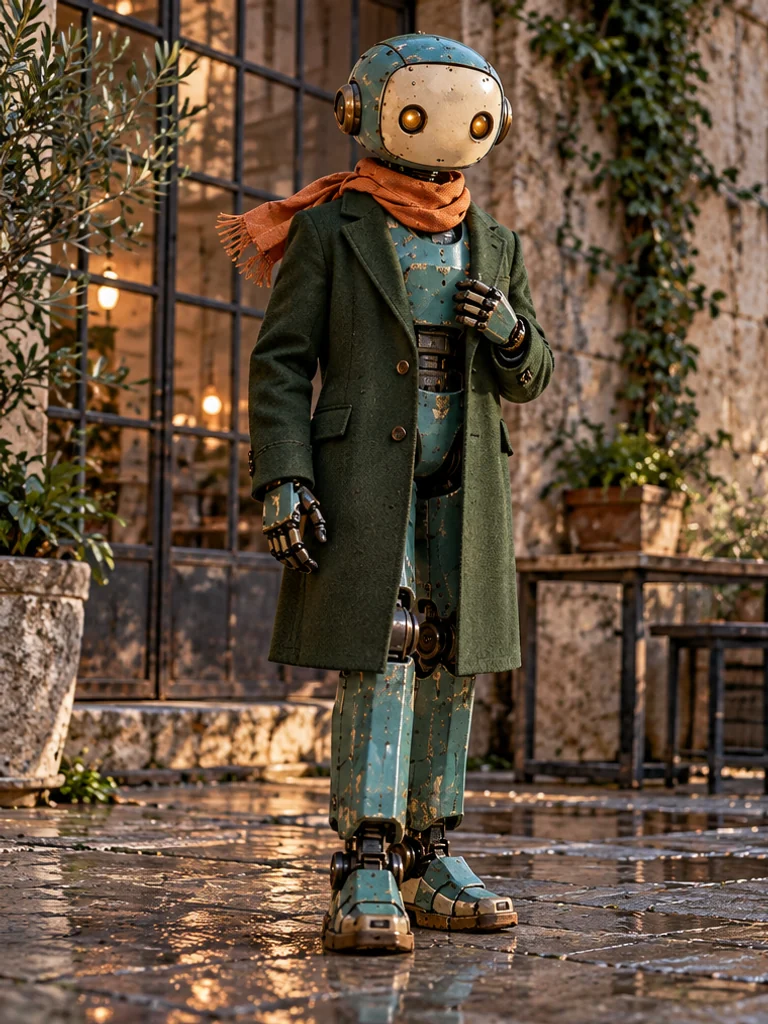
21. Clean Editorial Silhouette
Fashion concepts, virtual-character styling
Eye-level, full-body · Moderate
Pose notes & full prompt
Pose direction: Head faces the lens; torso lengthens without bending; one hand rests on a lapel and the other stays low; feet form a narrow stable stance; optical gaze faces camera; lens stays level.
Use the supplied approved character reference and preserve its existing identity and proportions. Make a full-body editorial portrait of [SUBJECT] in an original deep-green tailored coat. Stand tall with a stable narrow stance and shoulders relaxed. Rest one hand lightly against the coat lapel and let the other hang naturally. Face the camera with a composed gaze. Keep all articulated joints and proportions consistent with the supplied reference. Eye-level framing in a real-looking industrial courtyard, complete feet, textured fabric, soft side light and clear ground contact. No logos or text.
 View larger ↗
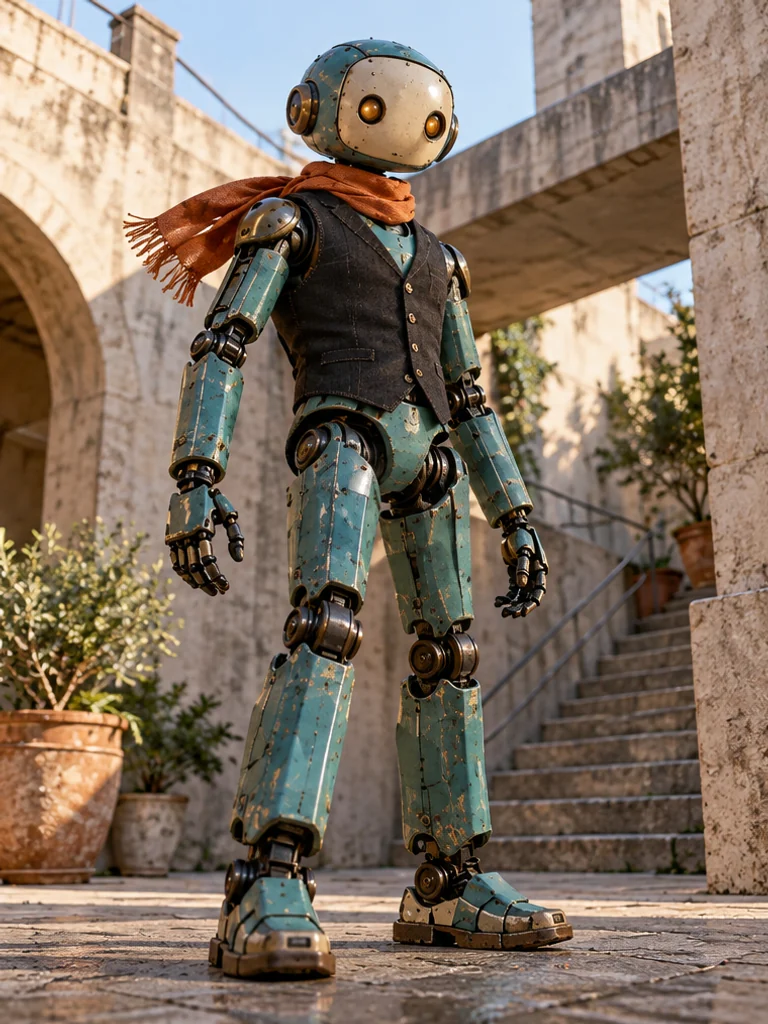
22. Restrained Low-Angle Stance
Footwear, bold fashion compositions
Slight low-angle, full-body · Advanced
Pose notes & full prompt
Pose direction: Head tilts slightly down; torso stays upright; arms rest low; feet are firmly spaced on the same ground plane; gaze follows the lowered lens; camera is only a little below waist level.
Use the supplied approved character reference and preserve its existing identity and proportions. Photograph [SUBJECT] in a stable fashion stance with feet comfortably apart on the same ground plane. Keep the torso upright, arms low, shoulders relaxed and head angled only slightly down toward the lens. Use a restrained low camera position just below waist height, avoiding extreme foreshortening. Full-body portrait with complete feet, an original dark tailored vest over the existing design, weathered concrete architecture, soft open shade and clear contact shadows. Preserve the reference proportions and joint structure.
 View larger ↗
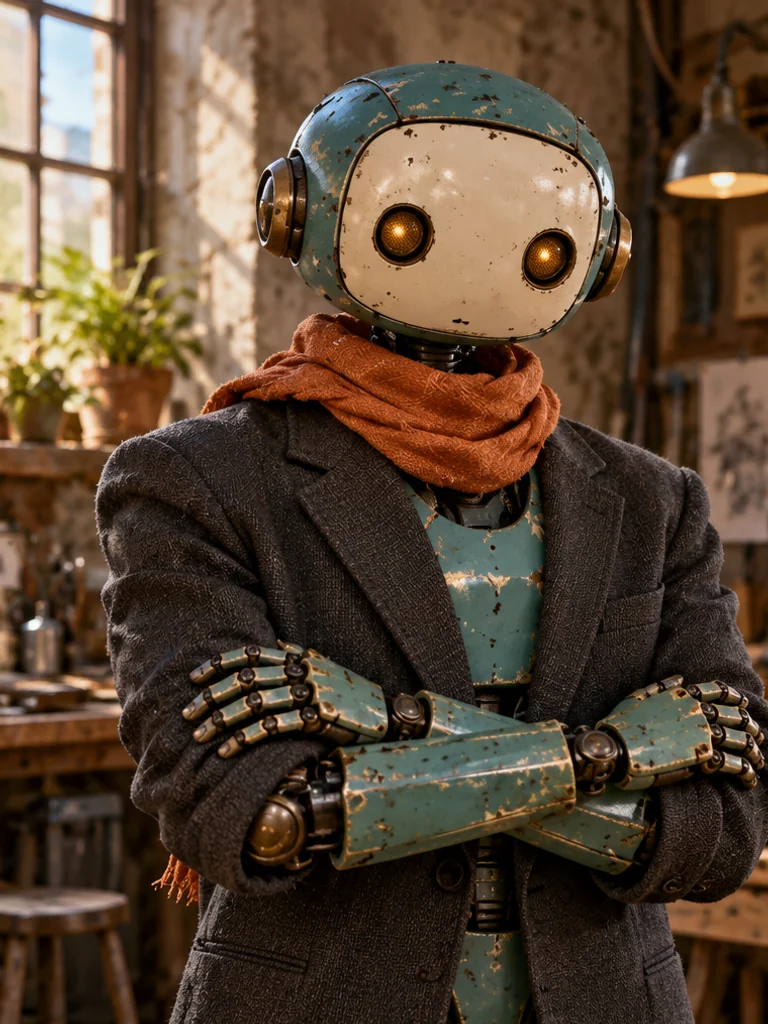
23. Loose Crossed Arms
Creator portraits, confident editorial
Eye-level, waist-up · Moderate
Pose notes & full prompt
Pose direction: Head is level; shoulders stay down; forearms cross loosely with hands visible rather than hidden; stance remains balanced outside crop; gaze meets lens; camera frames elbows and upper torso.
Use the supplied approved character reference and preserve its existing identity and proportions. Frame [SUBJECT] waist-up at eye level with forearms crossed loosely in front of the torso. Keep shoulders down, elbows comfortable and both hands visible resting lightly on the opposite forearms, without squeezing or merging fingers. Head level and gaze toward the lens; the balanced lower-body stance remains outside the crop. Original charcoal structured jacket, a textured workshop wall, soft window side light. Preserve the supplied character design, articulated joints and natural arm-to-body spacing.
 View larger ↗
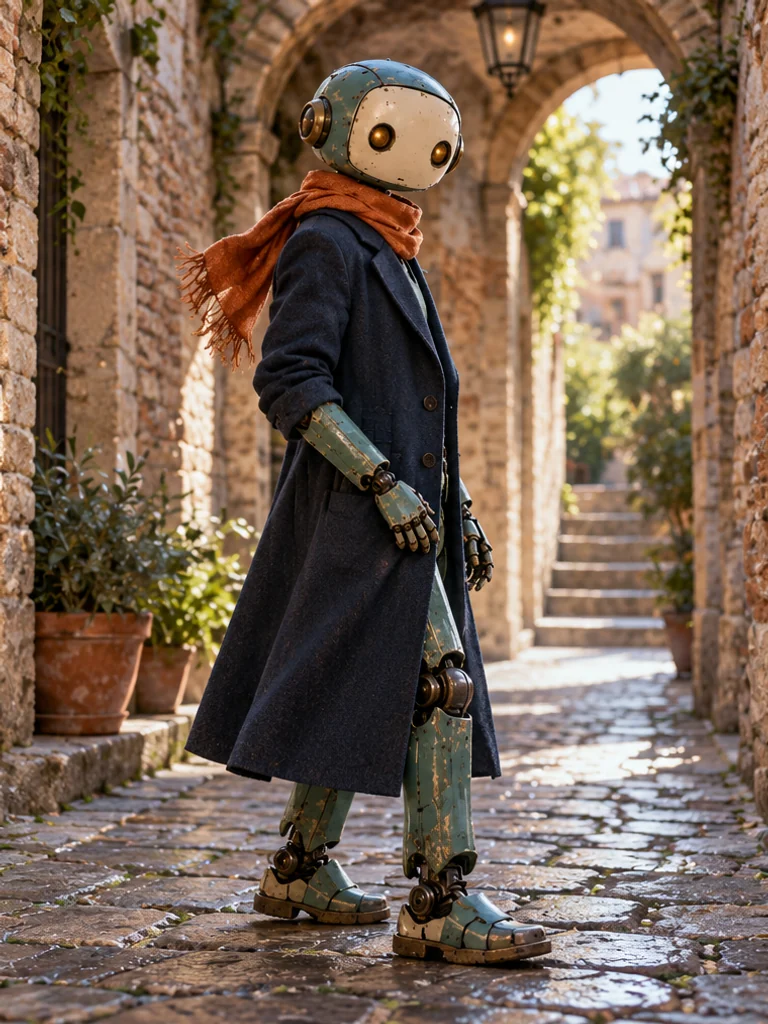
24. Half-Turn Fashion Profile
Garment shape, tailoring, profile studies
Eye-level, 3/4 body · Moderate
Pose notes & full prompt
Pose direction: Head turns back slightly; torso sits between side-on and front; one hand rests by a seam while the other stays low; near knee softens; gaze reaches the lens; camera shows the garment's side line.
Use the supplied approved character reference and preserve its existing identity and proportions. Turn [SUBJECT] halfway between a side profile and a front view so the garment's shoulder and side seam remain legible. Soften the near knee while keeping both feet supported. Rest one hand near the coat seam and the other low, head turning slightly back toward the lens. Eye-level three-quarter full-body composition, original long navy coat in a brick passageway, broad soft daylight. Preserve the character reference, joint geometry, complete feet and believable fabric drape.
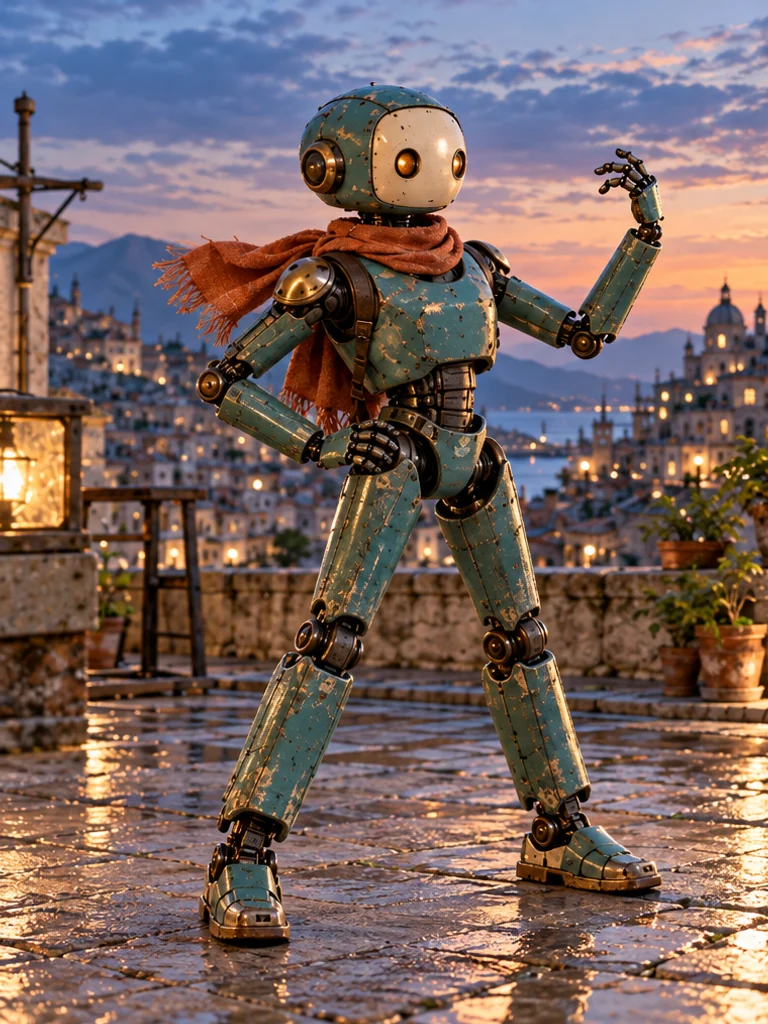 View larger ↗
25. Angular Editorial Shape
Concept fashion, expressive campaigns
Eye-level, full-body · Advanced
Pose notes & full prompt
Pose direction: Head follows the stronger shoulder line; torso inclines slightly; one elbow forms an open angle and the other hand rests on the hip; feet stay planted in a wide stable stance; gaze is off-camera; camera includes every joint.
Use the supplied approved character reference and preserve its existing identity and proportions. Create an expressive but physically possible full-body fashion pose for [SUBJECT]. Plant both feet in a stable wide stance; keep knees aligned with the feet. Incline the torso a little, rest one hand on the hip and raise the opposite elbow into an open angular shape with the hand hovering away from the head. Gaze off-camera along the stronger shoulder line. Eye-level frame with all joints visible and space around the silhouette, a rust-colored scarf, rooftop courtyard and directional evening light. Preserve the reference construction; no disconnected limbs.
6. UGC & Product Poses
Make the product part of an actual use moment. Ivo is a fictional presenter, not a customer; these scenes illustrate pose and contact, not product testing or endorsements.
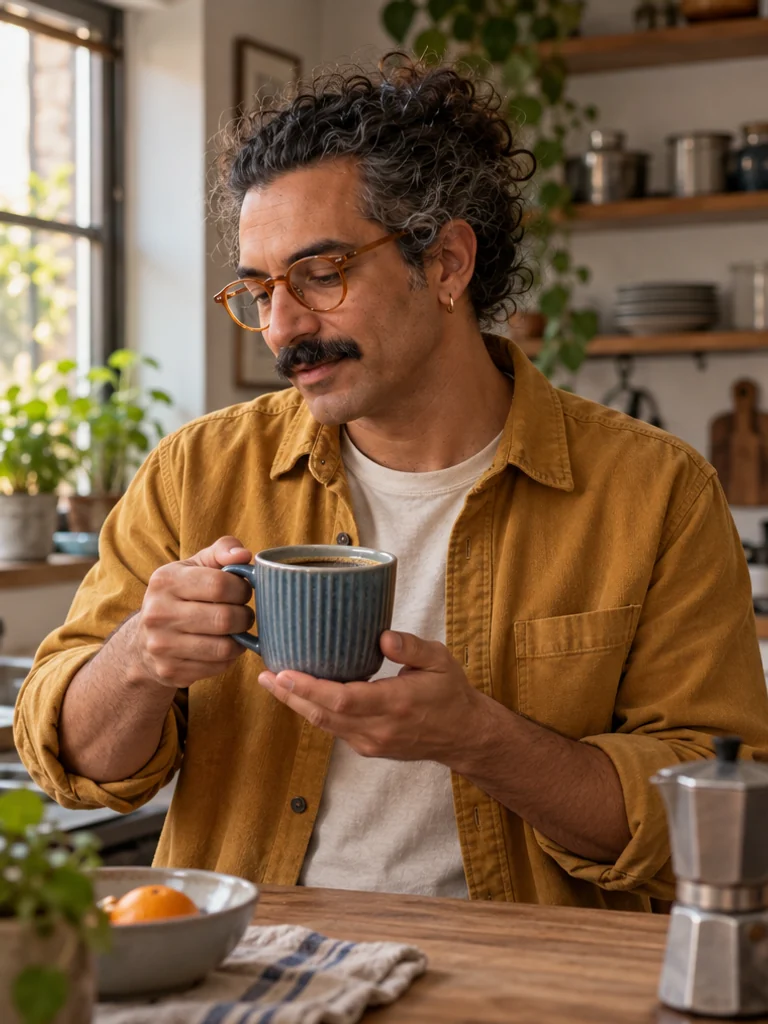 View larger ↗
26. Product Held at a Useful Height
UGC-style stills, product context
Eye-level, waist-up 3/4 · Moderate
Pose notes & full prompt
Pose direction: Head turns toward the object; torso stays upright; one hand grips a cup handle while the other supports its base; legs stay outside crop; gaze follows the cup; camera shows hands and the product together.
Use the supplied approved character reference and preserve its existing identity and proportions. Photograph [SUBJECT]. Hold a functional ridged blue ceramic coffee cup at mid-torso height. Grip its handle naturally with one hand and support the base with the other, fingers distinct and wrist angles comfortable. Keep the torso upright and head turned slightly toward the cup; gaze follows the object rather than performing a testimonial to camera. Eye-level waist-up three-quarter portrait at a kitchen counter, visible coffee inside the cup, mustard overshirt, soft window light and coherent hand-to-object contact. No branding, packaging or text.
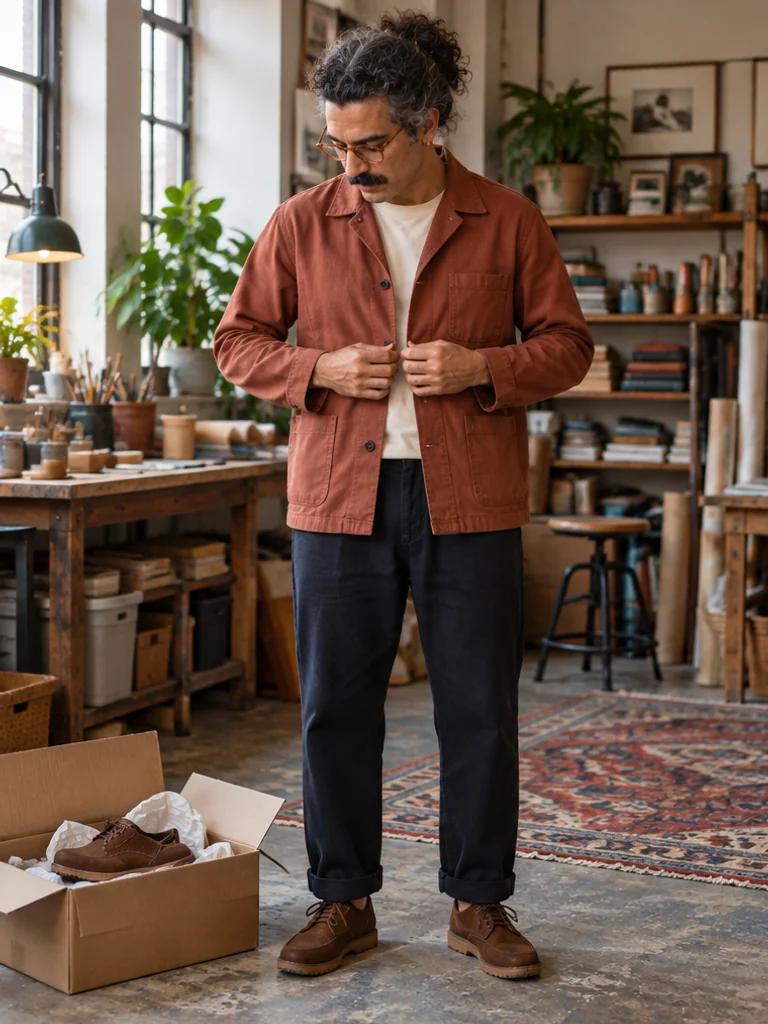 View larger ↗
27. Show the Garment in Use
Fashion UGC, clothing details
Eye-level, full-body · Moderate
Pose notes & full prompt
Pose direction: Head inclines toward the fastening; torso stays neutral; each hand takes one side of a jacket opening; feet support a comfortable stance; gaze follows the adjustment; camera shows the complete outfit.
Use the supplied approved character reference and preserve its existing identity and proportions. Photograph [SUBJECT]. Stand naturally while adjusting the front opening of a practical cotton jacket. Let each hand hold one side of the garment near the middle button, using a light plausible grip without stretching the fabric. Keep the torso neutral, shoulders relaxed and feet fully supported; tilt the head slightly to look at the adjustment. Eye-level full-body portrait in a lived-in workshop, terracotta jacket, dark trousers and complete shoes, soft side daylight. Keep buttons, seams and finger contact coherent, with no logos or price claims.
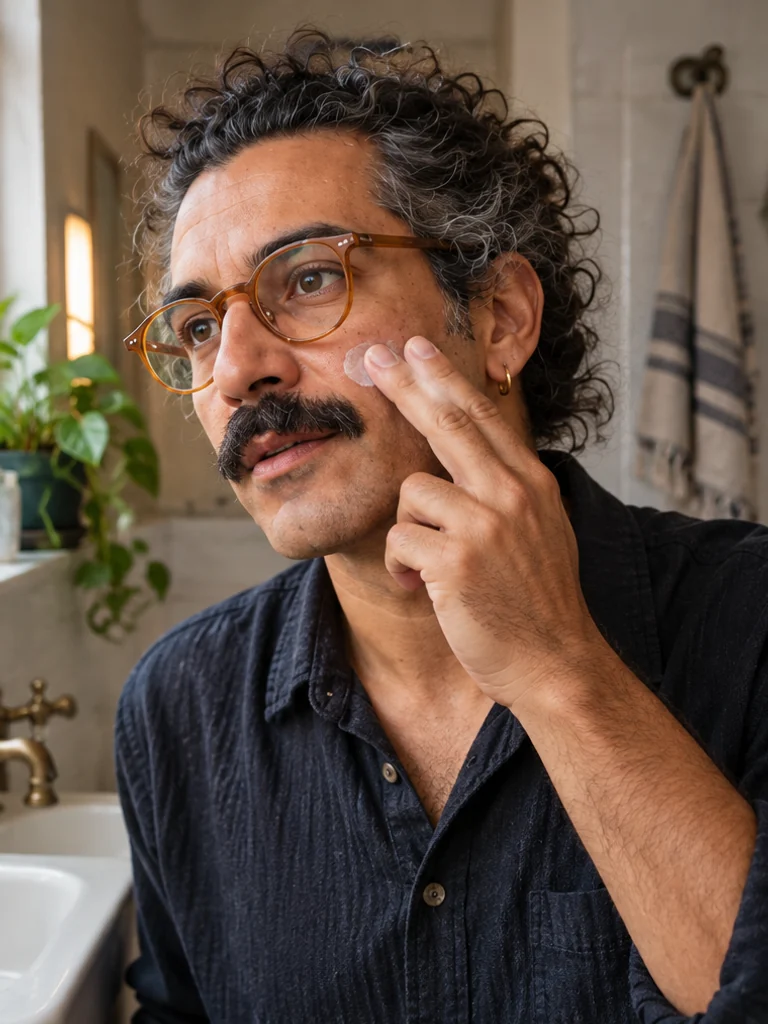 View larger ↗
28. Gentle Skincare Application
Beauty demonstrations, routine scenes
Eye-level, close 3/4 · Advanced
Pose notes & full prompt
Pose direction: Head turns toward the light; shoulders stay level; two fingertips gently touch one cheek while the other hand stays low; legs stay outside frame; gaze goes just past the lens; camera shows hand-to-skin contact clearly.
Use the supplied approved character reference and preserve its existing identity and proportions. Photograph [SUBJECT]. Illustrate one gentle skincare application: two fingertips lightly touch one cheek with a small visible dab of moisturizer, without pressing or distorting the skin. Keep the other hand outside the crop, shoulders level and head turned a little toward soft window light. Gaze just past the camera. Eye-level close three-quarter portrait beside a real-looking bathroom sink, dark cotton shirt, no product container or mirror in frame. Preserve the supplied reference identity; no before-and-after effect, skin improvement or treatment claim.
 View larger ↗
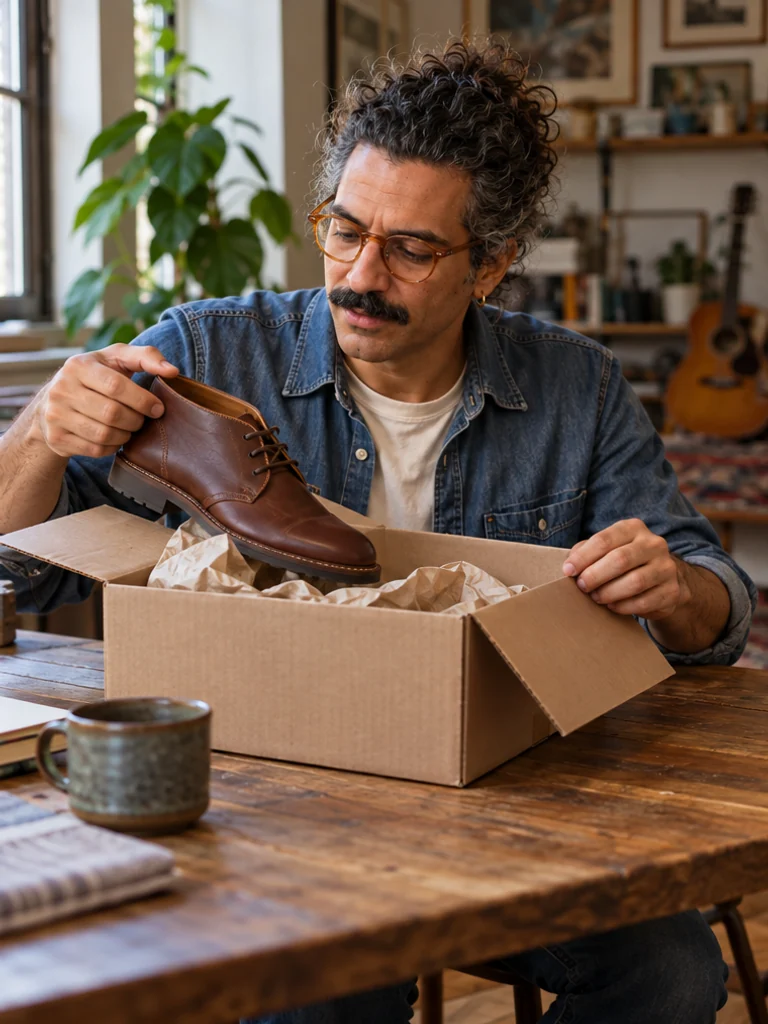
29. Grounded Unboxing Moment
Product explainers, shopping concepts
Seated eye-level, medium-wide · Advanced
Pose notes & full prompt
Pose direction: Head lowers toward the box; torso leans from the hips; one hand steadies the lid while the other lifts one shoe; knees sit under the table with feet down; gaze follows the contents; camera shows table support.
Use the supplied approved character reference and preserve its existing identity and proportions. Photograph [SUBJECT]. Sit at a wooden table and open a plain corrugated shipping box containing a functional brown leather shoe and packing paper. Lean forward gently from the hips, one hand steadying the lid while the other lifts the shoe by the heel with a plausible grip. Look toward the contents. Seated eye-level medium-wide framing with forearms, box and supporting tabletop visible, feet supported below the table. Denim shirt, soft daylight, coherent cardboard folds and one continuous shoe shape. No invented brand, label or customer-review claim.
 View larger ↗
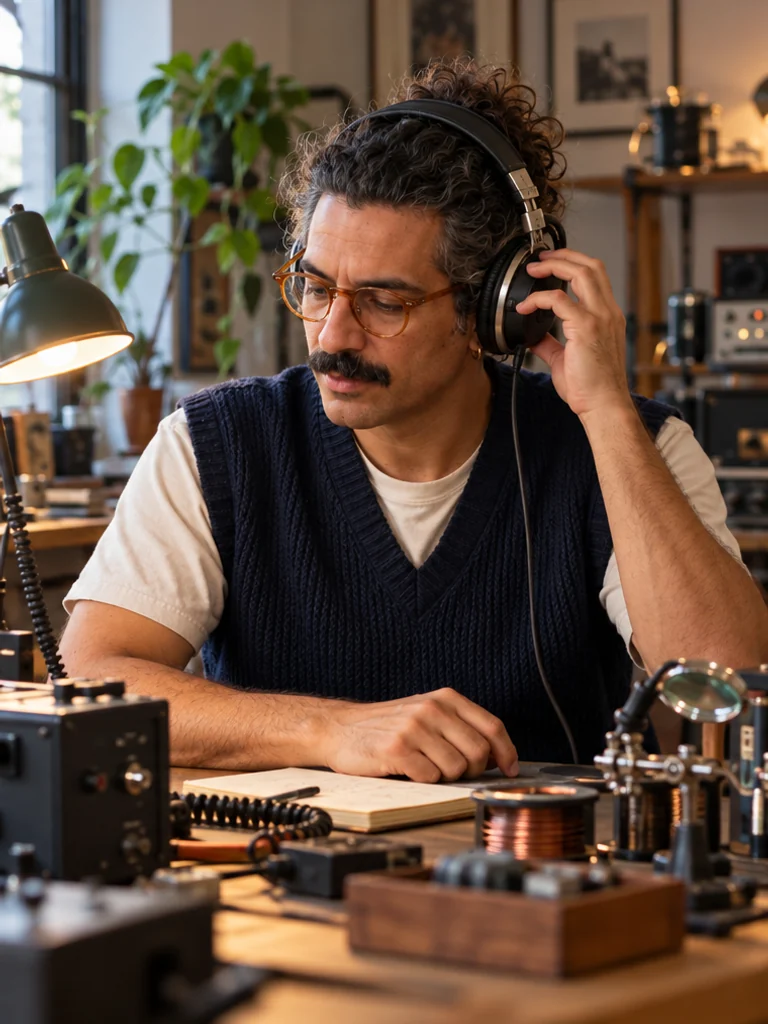
30. Hands-On Product Interaction
Audio products, practical demonstrations
Eye-level, waist-up · Advanced
Pose notes & full prompt
Pose direction: Head tips slightly toward the earcup; torso stays upright; one hand adjusts a headphone earcup and the other rests on the desk; legs remain outside crop; gaze is down toward the desk; lens shows the use action.
Use the supplied approved character reference and preserve its existing identity and proportions. Photograph [SUBJECT]. Show one practical listening action at a radio-workshop desk: adjust one earcup of a functional over-ear headphone with a relaxed hand while the other hand rests on the desk. Keep the head tipped only slightly toward the earcup, torso upright and gaze down toward the work surface. Eye-level waist-up portrait, navy knit vest over a plain T-shirt, warm desk lamp balanced with cool window light. Keep the headband, earcups, cable, fingers and contact with the head physically coherent. No logo, specifications, testimonial or text.
How to Choose the Right Pose
Choose the pose by the viewer’s job. If someone needs to understand an outfit, show the garment and shoes. If the message is an expression or a small application gesture, use a closer frame. A more difficult pose is not automatically a better photograph.
| Content use | Useful poses | Framing | Check before publishing |
|---|---|---|---|
| Lifestyle | Café seat (#6), sofa corner (#7), desk lean (#10) | Seated 3/4 or waist-up | Seat support, cup grip, relaxed shoulders |
| Fashion | Weight shift (#2), mirror outfit (#14), half-turn (#24) | Full-body with complete shoes | Garment seams, fabric tension and silhouette |
| Fitness | Natural stand (#1), a controlled step (#17) | Eye-level full-body | Foot support and safe, plausible movement; get qualified review for exercise instruction |
| Beauty | Close selfie (#13), hair adjustment (#19), skincare (#28) | Close-up or waist-up | Hand-to-skin contact; no synthetic treatment results |
| Travel | Look-back (#4), café seat (#6), street walk (#16) | Full-body with environment | Ground plane, shadows and clear disclosure of imagined scenes |
| Product ads | Cup hold (#26), garment adjustment (#27), headphone use (#30) | Product and contact in one frame | Accurate authorized product references, real claims and commercial disclosure |
Full-body, waist-up and close-up are different decisions
| Term | What it shows | When to use it |
|---|---|---|
| Full-body | Head through complete shoes, plus a little ground | Outfits, walking, stance and footwear; leave safe margins |
| Waist-up | Upper body and deliberate hand placement | Conversation, garment details and product demonstrations |
| Close-up | Expression or a small contact detail | Beauty framing and a single hand-to-face gesture; avoid extreme wide-angle distortion |
| 3/4 angle | A viewpoint between front and side; not a crop length | Create depth or reveal a garment side seam while retaining recognition |
| Eye-level | Camera near the subject's eye height; seated for seated subjects | A useful neutral starting point for portraits and anatomy review |
State the crop and the camera angle separately: “eye-level, waist-up, three-quarter view” is more precise than treating “three-quarter” as a synonym for any medium shot. For mirrors, decide where the real camera sits and make the reflection agree.
How to Generate Consistent AI Influencer Poses
Keep one approved identity source and change the pose direction around it. A reusable text prompt helps you describe the scene, but the selected saved character or authorized reference is the identity anchor. Recraft’s character-reference guide makes the same useful distinction: build new views from the approved reference rather than expecting text alone to keep a character on-model.
1. Create and save the character
Open My Influencers / Character Creation, create an original adult character and save an approved result. Review it before treating it as the source for a whole set. If you are starting from an existing image, use only a reference and likeness you are authorized to use. The Consistent Character page explains the identity workflow.
2. Choose one pose and a suitable frame
Start with #1 or #2, then choose a seated or moving pose for comparison. Keep wardrobe, light and camera similar for the first test so you can judge the pose change. Full-body poses need the entire shoes and a ground plane; close selfies need a separate crop.
3. Copy the prompt and select the saved influencer
Use a Copy Prompt button above. Open Image Generator / Create Photos, sign in when prompted, choose the saved character through Choose AI Influencer or the character reference control, and paste the pose direction into Direction. Tie
[SUBJECT]to that selected character rather than writing a second, conflicting identity description.For a different scene brief, use the actual AI Influencer Prompt Generator; review its identity text before combining it with a saved reference. For a controlled edit of an existing image, use Image Variation and describe only the pose change. Do not assume variation or an identity instruction guarantees a perfect match.
4. Review settings and generate one comparison
Choose the frame, model and output count in the workspace. Inspect the current credit quote before generating; settings and model availability can change. Begin with one output, compare the pose against its brief and keep the approved original reference available.
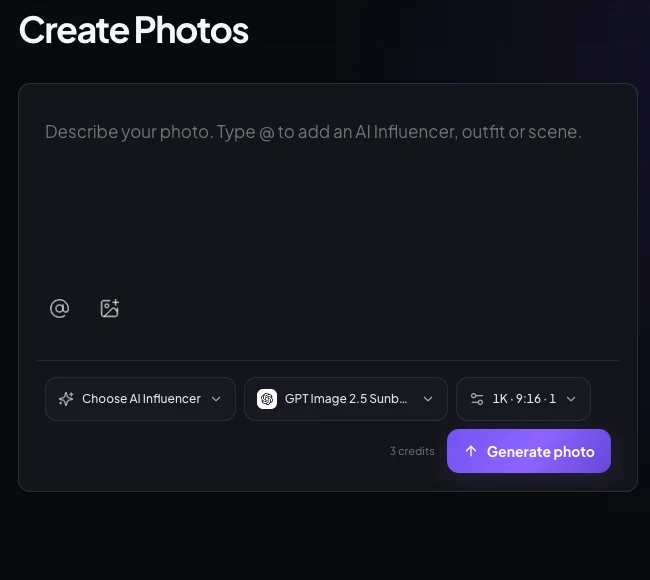
Actual Create Photos interface captured October 18, 2026 in a signed-out preview; no task was submitted. Save a character and sign in before production. The visible settings and quote describe that captured configuration, not a fixed price for every pose. 5. Check, simplify and compare again
Compare identity, head-to-shoulder connection, wrists, individual visible fingers, leg proportions, contact shadows and object grip. If a pose fails, simplify one action and regenerate from the approved identity source. Keep a small set with a neutral stand, side view, seated view and expression reference; label rejects so they do not accidentally become the next reference.
Common AI Posing Mistakes—and How to Fix Them
Inspect the physical relationships before the overall mood. The pairs below are deliberately constructed error/correction illustrations for teaching, not benchmark results, real customer outputs or a claim that one prompt edit reliably fixes a model.
1. Extra fingers or unnatural hands
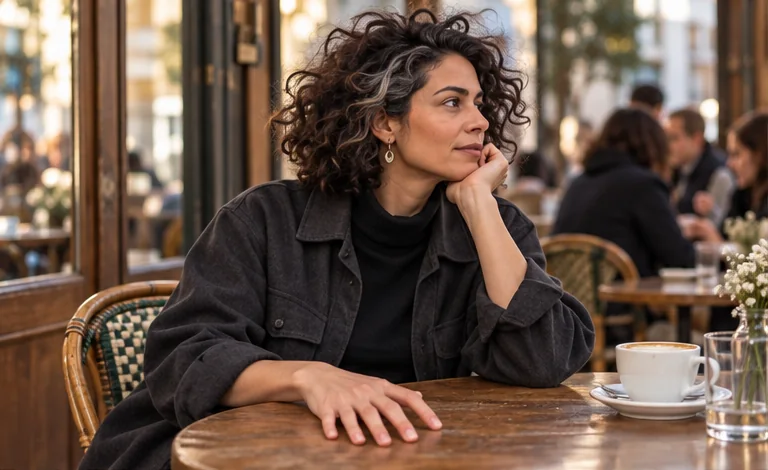
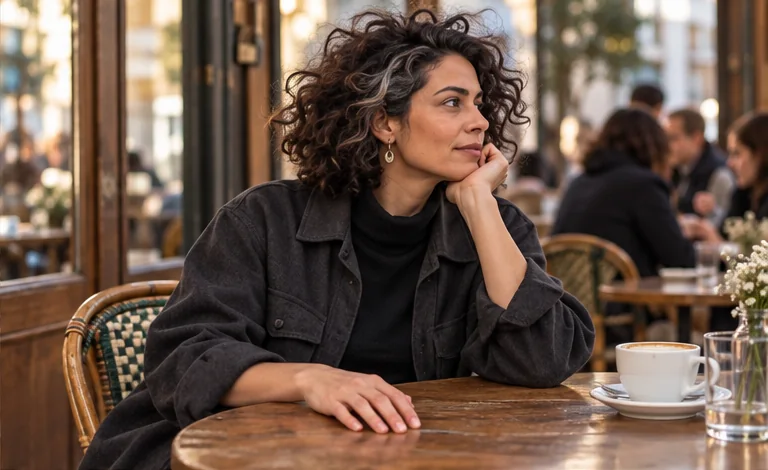
Prompt revision: Rest one open hand flat on the table, fingers naturally separated. Keep the wrist neutral and the other hand outside the crop. One hand, one support surface, no overlapping grip.
2. Awkward body proportions
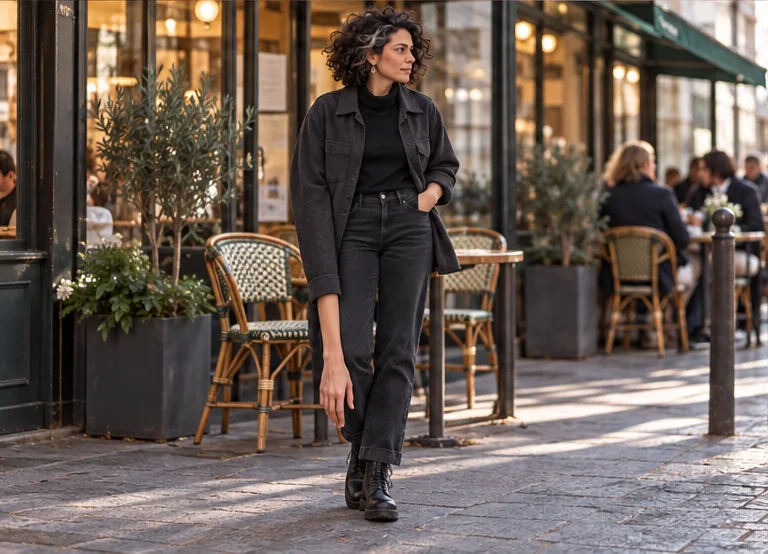
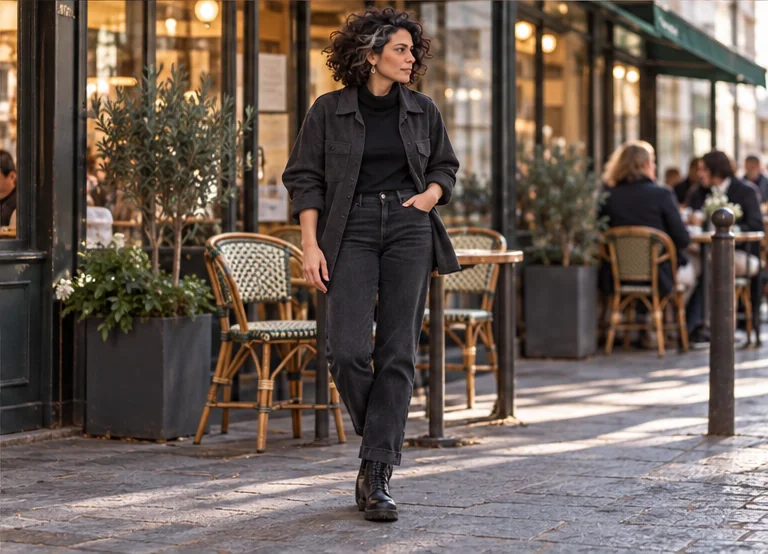
Prompt revision: Use an eye-level camera and preserve the reference proportions. Let the upper arm hang beside the torso, elbow near the waist, relaxed hand near the hip. Avoid extreme lens perspective.
3. Floating feet or incorrect shadows
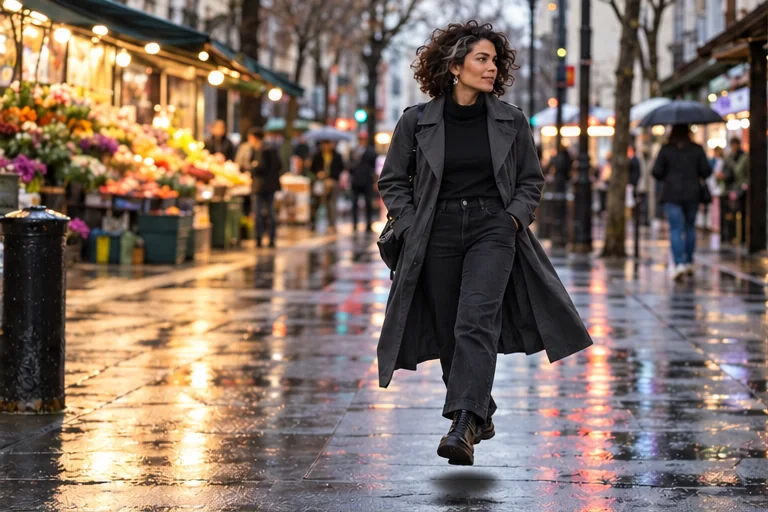
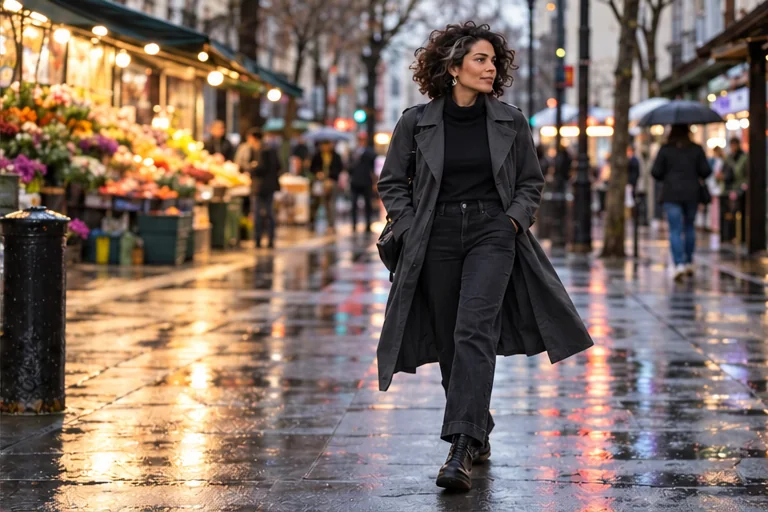
Prompt revision: Place the supporting shoe sole on the pavement plane while the other foot completes a natural stride. Show a soft contact shadow beneath the supporting foot, matching the existing light direction. Keep the supporting knee aligned with the foot.
4. Character identity drift
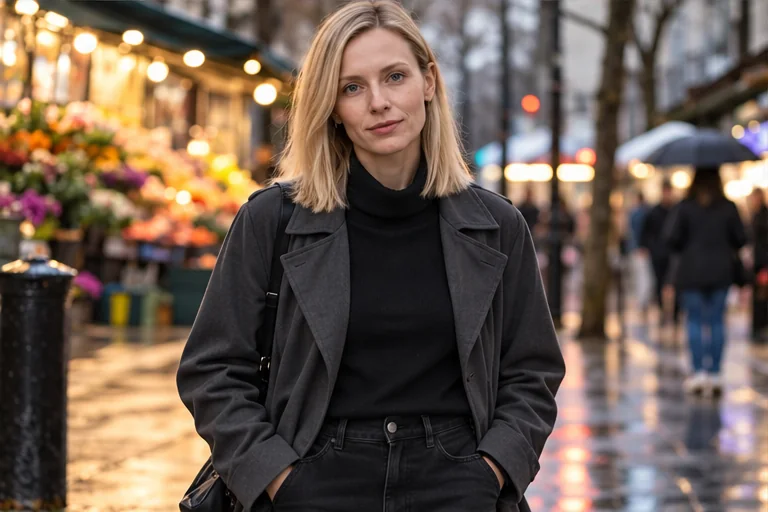
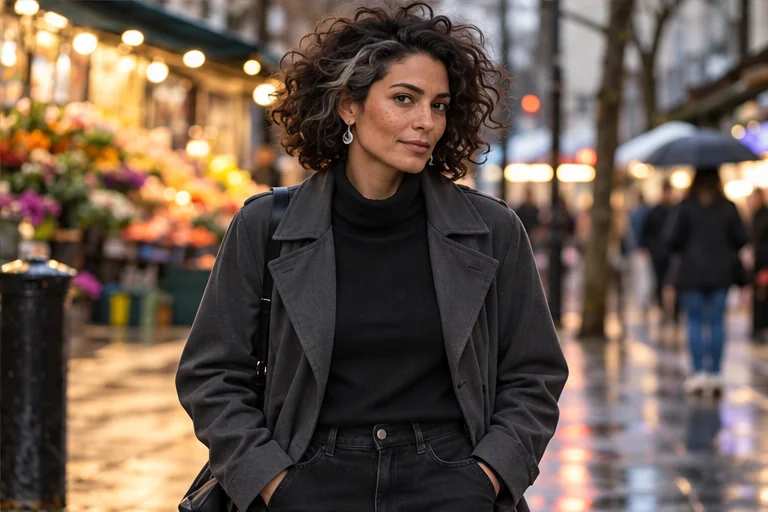
Prompt revision: Use the original approved character reference again. Change only the pose and retain the reference identity, proportions and signature details. Do not use the drifted image as the next identity source.
For hands, a simpler pose often provides a clearer target than repeatedly adding “perfect hands.” For proportions, return to a neutral camera angle. For grounding, specify the support surface and light. For identity drift, restore the approved reference first; anatomy instructions do not repair the wrong identity.
Frequently Asked Questions
What is the best pose for an AI influencer?
A relaxed standing pose with visible hands, level shoulders and supported feet is a useful starting point because anatomy and identity are easy to review. The best finished pose depends on the message: a café seat for lifestyle, a full-body stance for an outfit or a clear use action for a product.
How do you prompt AI to change a person's pose?
Supply an approved reference, keep the subject placeholder tied to that reference, and describe the new head, torso, hands, legs, gaze and camera position. Change one pose variable at a time. A text instruction alone cannot guarantee identity, contact or anatomy, so compare the result with the reference.
What are the best AI influencer poses for Instagram?
Try a natural standing portrait, a café seat, a full-outfit mirror selfie, a grounded street walk and one believable product interaction. Use a full-body frame when the outfit matters and a closer crop when expression is the message. These are editorial starting points, not proven engagement rankings.
How do you maintain character consistency across poses?
Reuse the saved character or an approved identity reference for every new pose. Keep the reference stable rather than using each new output as the next identity source. Compare distinctive features, proportions, styling anchors and accessories side by side, and reject a result that looks like a different character.
What poses work best for AI fashion models?
Use neutral full-body, weight-shift, half-turn and controlled walking poses to reveal garment fit and silhouette. Reserve low angles and angular editorial poses for a deliberate visual story. Check seams, hems, fabric tension, complete shoes and the relation between each hand and the clothing.
How do you fix unnatural hands and body positions?
Simplify the action, separate the hands and name their support or grip. Reduce intertwined fingers, extreme wrist bends and multiple simultaneous actions. Specify stable feet, aligned joints and a plausible camera angle. Edit only the affected region if the selected tool supports that control; otherwise regenerate from the approved reference and compare again.
Can I use the same pose prompt for different AI characters?
Yes. Replace [SUBJECT] with your selected saved character or reference context without adding a new identity description. Adjust the pose for the character's actual anatomy and clothing. Human skincare contact and a stylized robot's articulated joints need different review even when the broad composition is similar.
Do these poses guarantee more likes or comments?
No. The cited 2014 Instagram study compared photos with faces against photos without faces; it did not rank poses or study generative-AI creators. The 2026 marketing survey reports marketer attitudes and plans. Test your own content and compare similar posts rather than treating either dataset as a pose-performance forecast.
Build a Small Pose Vocabulary Before a Large Feed
Start with one neutral stand, one supported seated pose and one purposeful action. Keep the character recognizable, make the body belong to the environment and use the camera to explain the content. Once those three work, expand into selfies, movement and editorial experiments.
Plan Content
Measure Engagement
Build Your Profile
Price Your Work
Write Post Copy
Brand Partnerships