
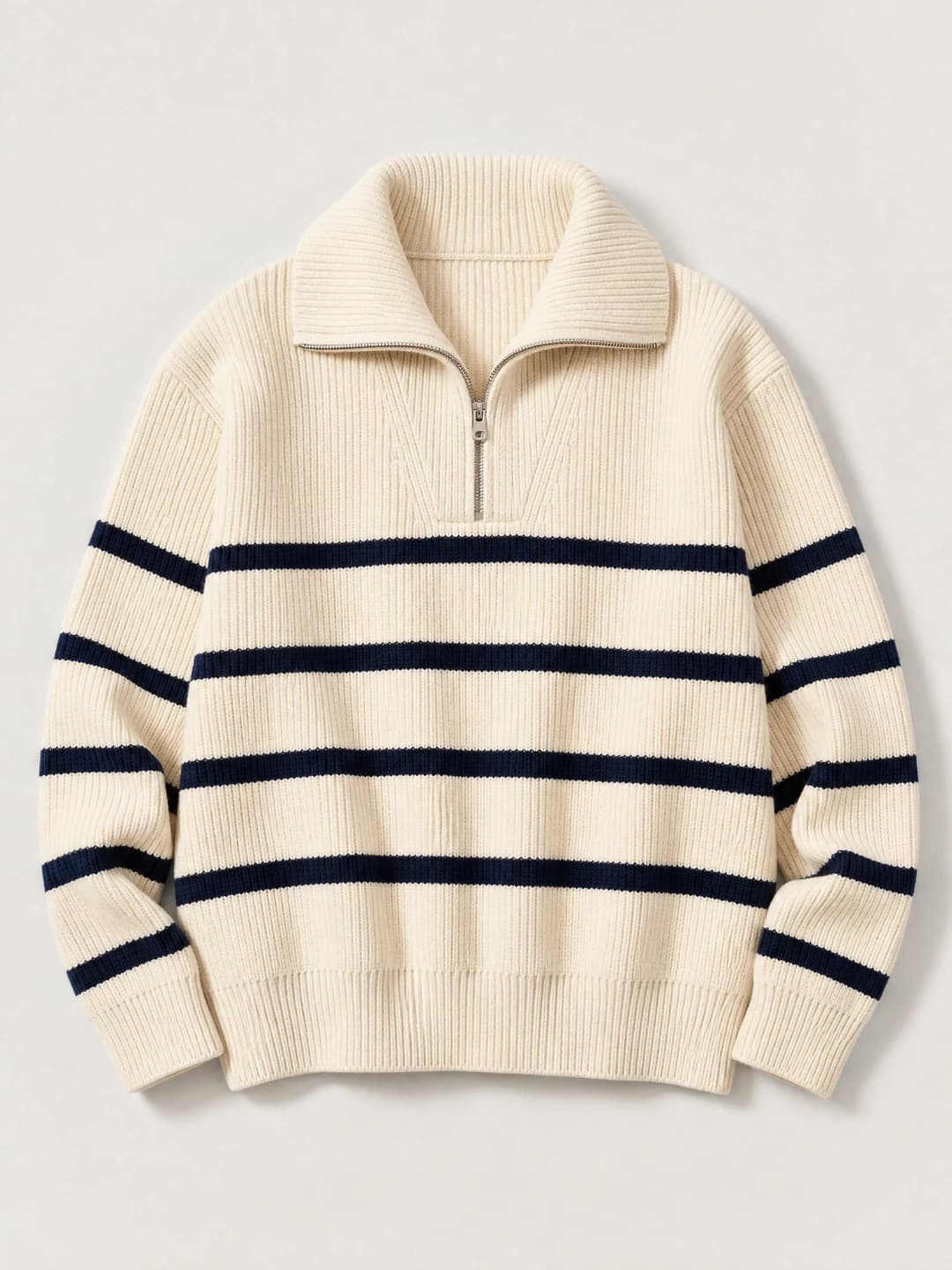
Product first
Use a clean garment image to review color, cut, construction and the details the next workflow should preserve.
A product-led fashion workflow
One fictional adult creator. Three distinct garment references. Separate, reviewable images for ecommerce, editorial and social use.
Try one garment in StudioOne authorized adult identity source or saved adult character + one owned garment image per task.
What the search task really is
AI Influencer Generator helps clothing brands create clearer, more consistent product visuals without rebuilding every shoot from scratch. Use one reusable fictional adult creator, optional garment references, and focused Studio workflows to produce reviewable fashion images, product-led scenes, fit-check concepts, and short-form campaign assets. If you are searching for how to take clothing product shots that feel practical for e-commerce, social, and launch content, this platform gives your team a repeatable creative system instead of a one-off image experiment.
Clothing brands get a private workspace for turning approved garment direction into visual assets with a consistent virtual creator. The platform is built around saved character identity, Studio tasks, reviewable results, and downloadable media, so a brand can move from product shots clothing teams need for a drop to social-ready fashion shoot ideas for Reels, TikTok, Shorts, and campaign previews. AI Influencer Generator connects multiple focused tools, including the AI Fashion Model Generator, Virtual Try-On, AI Product Photo Generator, AI Influencer Image Generator, and AI UGC Video Generator, through its broader tools hub. (aiinfluencergenerator.ai)
This matters because clothing content usually fails in the details. A flat lay may show the garment, but not the outfit story. A lifestyle image may sell the mood, but hide the construction. A social clip may feel lively, but lose the product. AI Influencer Generator is designed for teams that want to separate those jobs, brief each one clearly, and review every output before use.
Start with the AI Influencer Generator homepage to create or reuse a consistent character. Then explore the AI Influencer Tools hub to choose the workflow that matches the asset you need next.
Traditional clothing photography is still essential for final product accuracy, approvals, and commerce requirements. AI Influencer Generator does not replace your responsibility to verify fit, fabric, claims, inventory, or legal rights. What it does well is help your team create reviewable creative assets, campaign concepts, social scenes, and garment-led visuals around a reusable fictional adult model. (aiinfluencergenerator.ai)
That makes the platform especially useful before and between physical shoots. You can explore a launch direction, test styling ideas, prepare moodboard-ready frames, draft product moments, and build visual continuity for a character-led fashion account. Instead of asking, “Can we organize another shoot for every post?” your team can ask, “Which product scene needs to be reviewed next?”
For teams learning how to take clothing product shots with AI support, the key is to treat every output as a directed asset. The prompt should name the garment, model, pose, framing, lighting, and use case. Then the finished result should be checked for garment accuracy, realistic hands, product contact, proportions, and disclosure needs.
AI Influencer Generator works best when your creative process is specific. Each tool has a different job, which helps avoid vague prompts and inconsistent campaign results. Use the product as a connected system, not as a random image generator.
Choose the image job
Use a clean garment image to review color, cut, construction and the details the next workflow should preserve.
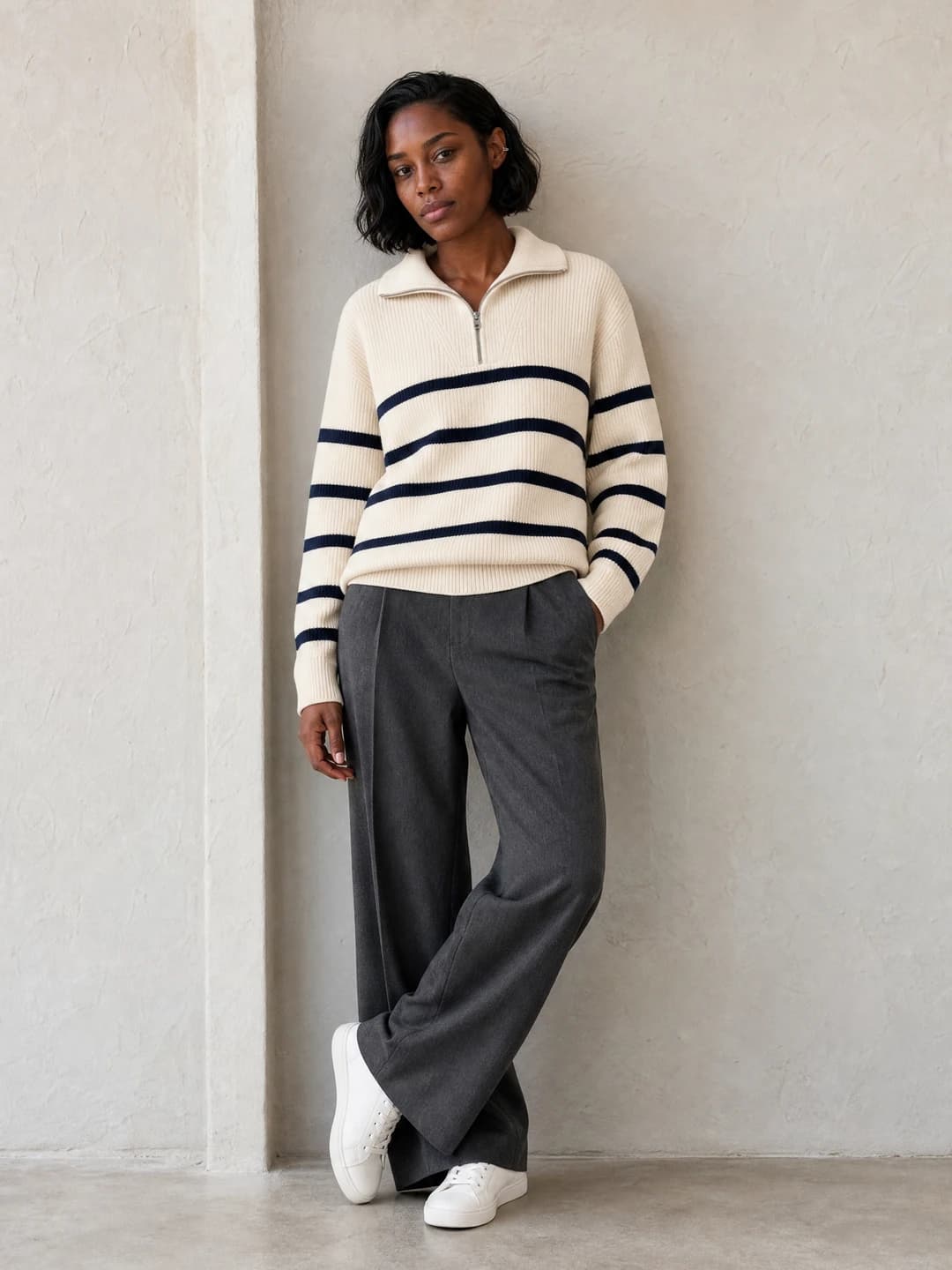
Show silhouette and styling on the recurring fictional creator while keeping the garment easy to inspect.
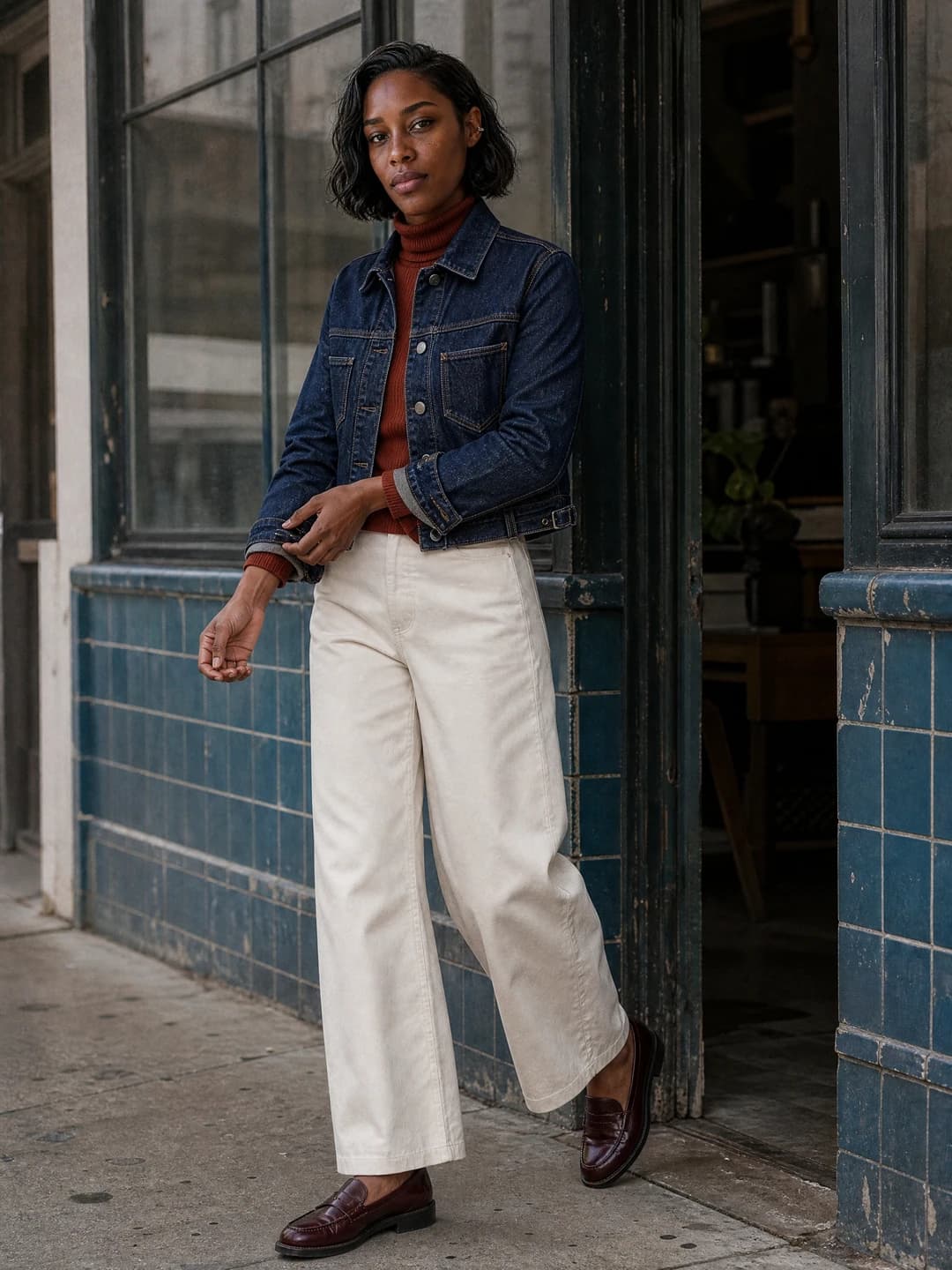
Use a believable scene when mood and channel matter, but keep props, crop and pose from hiding the item.
Plan the broader fashion shootA connected clothing system
The public page explains the choices. Studio handles one focused task and one reviewable result at a time.
Core capabilities for clothing brands include:
Reusable fictional adult characters: Create or choose a saved identity so your clothing product shots can feature a recognizable model across compatible visual workflows.
Fashion model images: Use the AI Fashion Model Generator for editorial fashion frames with a saved adult character and optional garment reference when cut, color, and fabric direction matter. (aiinfluencergenerator.ai)
Garment-led visualization: Use Virtual Try-On when an authorized adult photo or saved character needs to be paired with a garment reference. (aiinfluencergenerator.ai)
Product-only and advertising visuals: Use the AI Product Photo Generator for product-only listing, advertising, and social images from an owned product photo and written art direction. (aiinfluencergenerator.ai)
Influencer-style posts: Use the AI Influencer Image Generator for social-ready creator images for product posts, Instagram, and TikTok. (aiinfluencergenerator.ai)
Short UGC concepts: Use the AI UGC Video Generator to draft short product-led UGC video concepts with a reusable fictional creator. (aiinfluencergenerator.ai)
These features help turn one clothing drop into a complete content set: a clean product frame, a model-led editorial image, a fit-check concept, a social crop, and a short product moment. Each asset has a job, and each can be reviewed before it appears in a campaign.
A clothing brand does not need ten unrelated visuals. It needs a consistent product story that adapts to the channel. A hoodie drop, for example, may need a neutral product image for the store, a full-body fit frame for silhouette, a vertical creator image for social, and a short UGC-style clip showing the garment in a casual setting.
AI Influencer Generator supports that kind of workflow because the saved character can anchor the series. The garment direction changes by asset, but the face, styling universe, and campaign mood can remain more coherent. That continuity is useful for lookbooks, capsule launches, evergreen outfit content, and brand-owned virtual creator accounts.
Real input → output evidence
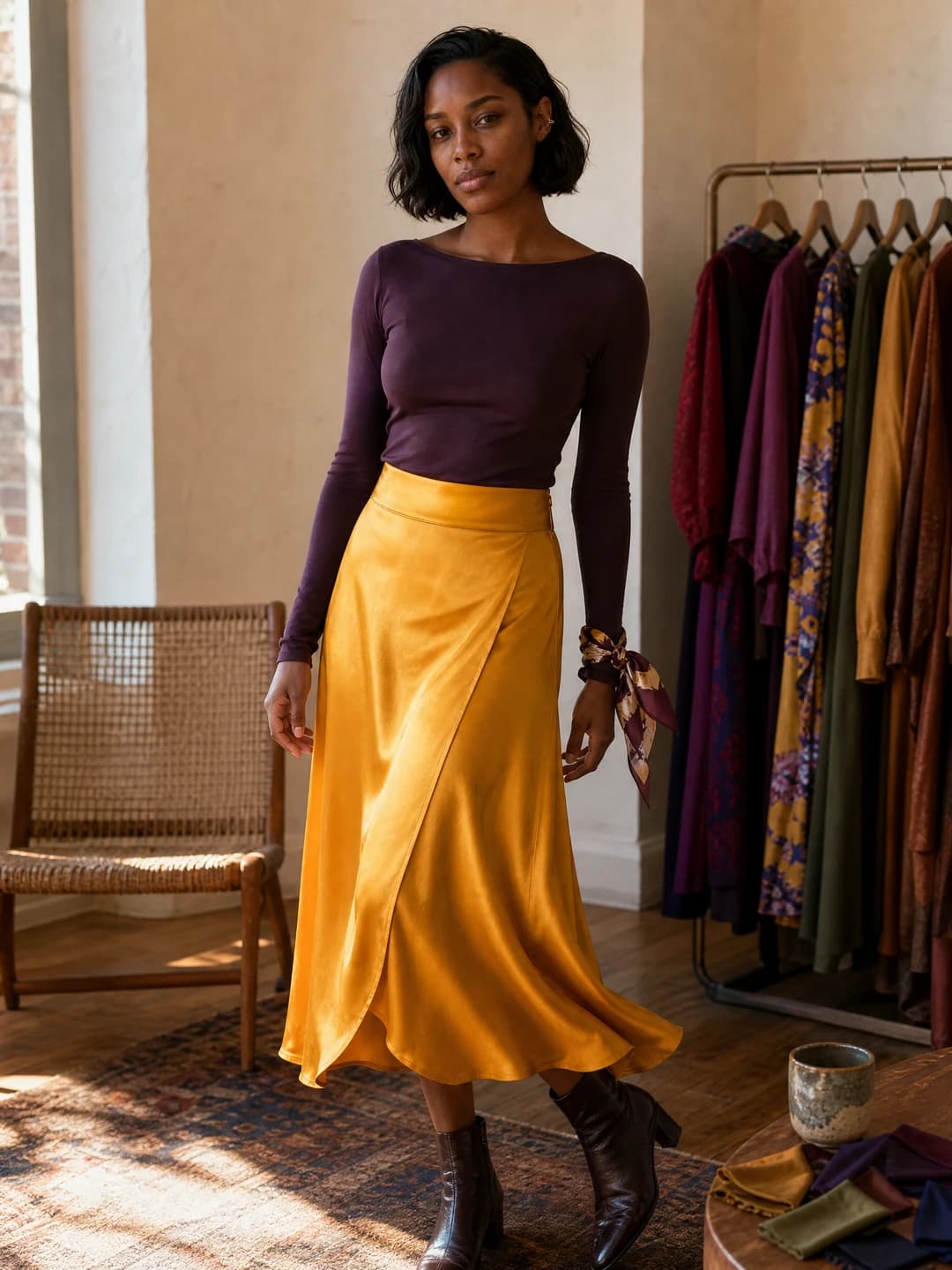
These are fictional workflow examples, not customer work. Each result was created from the same fictional adult identity source and the corresponding garment input shown beside it.
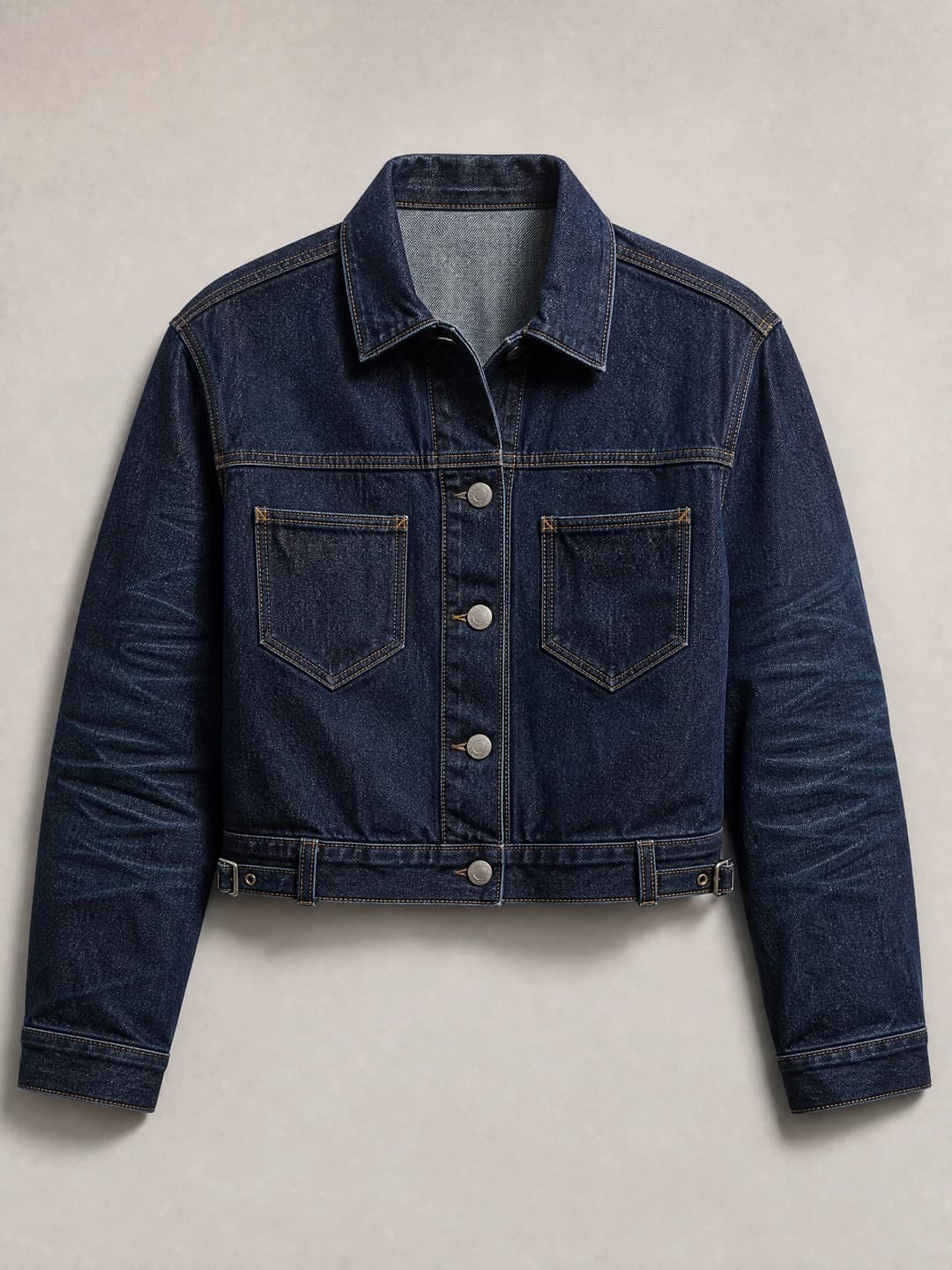
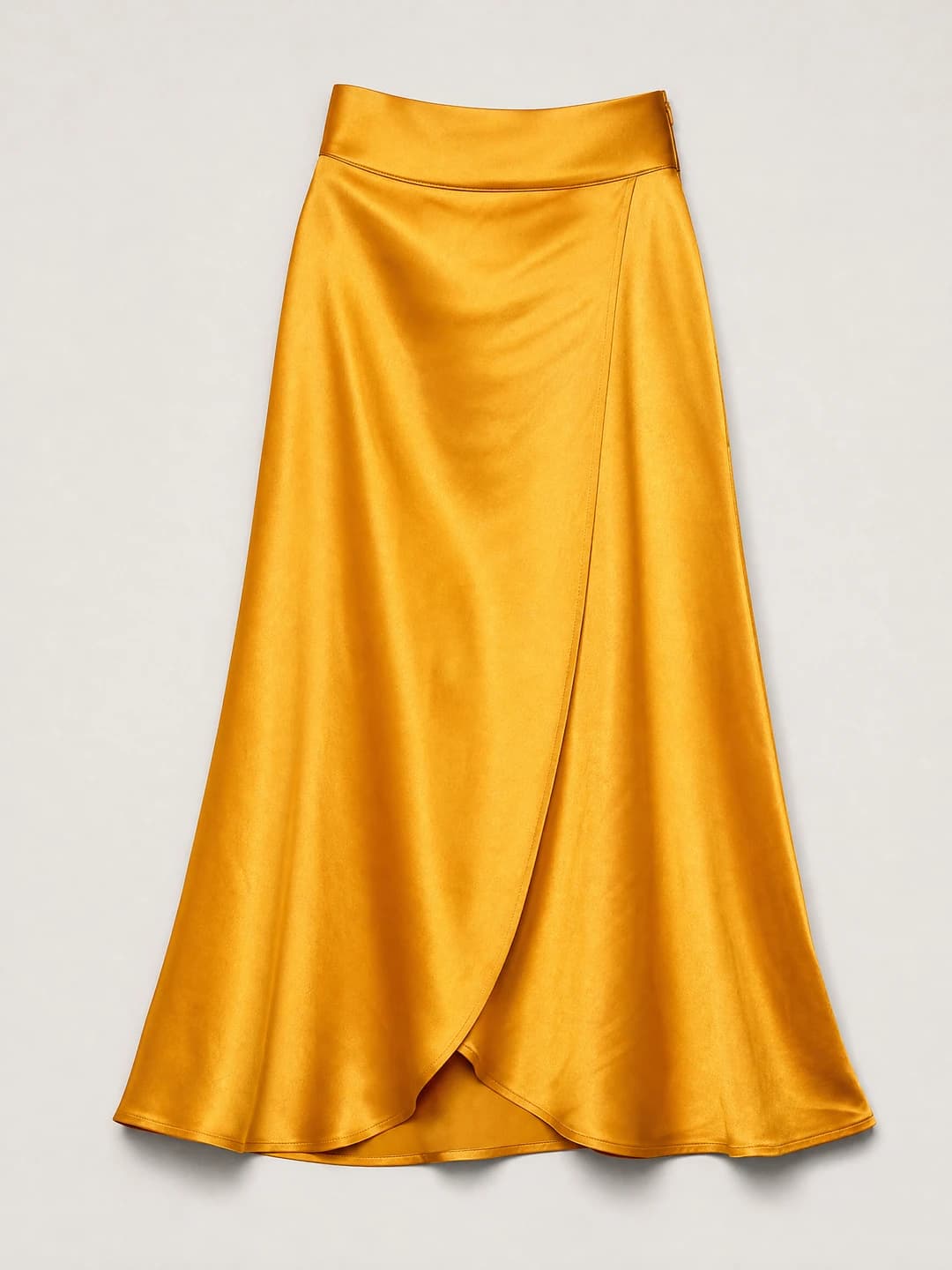
Ready to test one owned garment with an authorized adult image or saved fictional adult character?
Open Virtual Try-OnThe repeatable path
The wider campaign can contain many assets. The Studio task stays intentionally narrow.
A practical campaign sequence could look like this:
Create or select the reusable model. Choose a fictional adult character that fits the brand’s audience, styling tone, and visual world.
Prepare the garment reference. Use an owned image where the clothing item is clear, unobstructed, and easy to review.
Generate the editorial fashion frame. Direct the pose, setting, light, and crop inside the fashion model workflow.
Create product-first assets. Build product-only or garment-focused scenes for listing, ads, or category pages.
Adapt for social. Turn the concept into vertical images, fit-check ideas, UGC-style scenes, or short motion assets.
Review before publishing. Check seams, buttons, proportions, hands, contact points, visible logos, claims, and disclosure requirements.
This workflow keeps creative energy high while adding discipline to the review process. The goal is not to make every visual identical. The goal is to make every image feel like it belongs to the same collection.
Prompt anatomy
Good clothing product shots start with a good brief. In AI Influencer Generator, a strong brief gives the system fewer ways to misunderstand the garment. It also gives your team a clearer checklist for approving or rejecting the result.
When writing prompts for product shots clothing buyers will understand, include:
The exact subject: Name the garment type, color, styling, and any details that matter, such as oversized fit, cropped length, wide-leg silhouette, ribbed texture, or structured shoulders.
The intended use: Say whether the output is for a lookbook, product page concept, paid-social test, organic post, pitch deck, or campaign moodboard.
The model direction: Keep the saved adult character consistent and describe the pose in plain language.
The camera framing: Choose full-body, half-body, close crop, product-first, or vertical social framing based on where the image will be used.
The lighting and setting: Use concrete direction such as soft daylight studio, neutral e-commerce backdrop, city street, boutique fitting room, or editorial gallery light.
The review constraints: Ask for realistic hands, clear garment edges, no unreadable text, no extra logos, and no distorted accessories.
A compact prompt often works better than a mood-board paragraph full of conflicting adjectives. “Full-body studio image of the saved adult character wearing the supplied charcoal wool coat, soft daylight, eye-level camera, neutral background, realistic hands, visible coat length and lapels” gives the workflow a clearer job than “luxury viral fashion editorial aesthetic.”
AI Influencer Generator is useful when your team needs fashion shoot ideas quickly but still wants a controlled brand process. Instead of waiting for a full production calendar, you can draft visual directions, review them internally, and decide which concepts deserve physical production, paid media testing, or social adaptation.
A useful brief has five visible decisions
Type, color, cut and construction
Product page, lookbook, social or pitch
A plain-language body direction
Full body, close crop or vertical
Hands, edges, logos and claims
Campaign directions
Useful clothing campaign concepts include:
Minimal studio lookbook: Clean lighting, full-body framing, and restrained styling for silhouette and outfit clarity.
Streetwear drop preview: A vertical creator image in an urban setting with the garment styled naturally, not buried under props.
Fit-check series: A saved character poses in recurring framing so the audience recognizes the format from post to post.
Texture detail moment: A cropped frame that focuses on fabric, sleeve shape, collar structure, or layered styling.
Seasonal capsule story: A sequence of related scenes built around the same model, color palette, and collection mood.
UGC-style product intro: A short creator-led concept that shows the garment in a simple, believable context.
The best ideas are not the loudest. They are the ones where the viewer can understand the clothing quickly. AI Influencer Generator helps by making it easier to produce variations around a single approved direction and compare which framing makes the garment easiest to evaluate.
Studio and campaign boundaries
AI Influencer Generator is built around focused Studio tasks. Public product pages explain the workflow, while Studio is where users choose characters, add authorized images, see task details, review credit use, submit generations, and return to completed results in History. Pricing and credit details should always be checked on the current pricing page, because the platform shows credits before task submission rather than asking brands to guess. (aiinfluencergenerator.ai)
Important workflow details:
Workspace: A private workspace for building a reusable virtual creator and turning that character into photos and short videos. (aiinfluencergenerator.ai)
Inputs: Depending on the tool, you may use a saved fictional adult character, an authorized adult photo, an owned garment reference, an owned product photo, and written art direction.
Formats: The tools hub includes image, video, motion, talking, UGC, marketing, character, and identity workflows. (aiinfluencergenerator.ai)
Review: Outputs are reviewable assets. Brands remain responsible for checking accuracy, rights, claims, platform rules, and disclosure.
Download: Completed results can be reviewed and downloaded from the relevant Studio history flow.
This structure is especially helpful for lean teams. A founder, marketer, or creative lead can create a clear visual direction before assigning budget to a larger shoot. An agency can use it to present polished concepts without claiming the image is proof of real garment performance.
AI Influencer Generator uses a pricing and credits model shown on its current pricing page and inside Studio before generation. Because cost can depend on the selected workflow, model, resolution, and output choices, the responsible path is to check the live task details before submitting. That keeps budgeting tied to the asset you are actually creating. (aiinfluencergenerator.ai)
For commercial clothing teams, readiness is not only about price. It is about whether the asset can pass review. Before using AI-generated clothing product shots, confirm that the garment reference is authorized, the model identity is fictional or properly licensed, and the final image does not imply unverified fit, inventory, customer endorsement, or performance claims.
Approval, rights and disclosure
Your approval checklist should include:
Garment color, cut, seams, buttons, texture, and proportions
Realistic pose, hands, shadows, reflections, and product contact
Absence of unintended logos, watermarks, text, or brand confusion
Accuracy of captions, pricing, availability, and promotional claims
AI disclosure and platform-specific requirements
Internal sign-off for campaign, product page, or paid ad use
Who this fits
AI Influencer Generator is a strong fit for DTC brands, boutique labels, fashion marketers, creative agencies, independent designers, and social teams that need more visual range around a clothing line. It is especially relevant when the brand wants a recurring virtual creator, repeatable visual formats, and a cleaner bridge between product imagery and social content.
The platform is not the right tool for every job. If you need final garment measurements, verified fit on real customers, manufacturing samples, legal product documentation, or marketplace-required photography, use your standard production and approval process. AI Influencer Generator is best used as a creative production layer: fast enough for ideation, structured enough for review, and flexible enough to support multiple asset types from the same brand world.
That balance is what makes it valuable. Your team can explore how to take clothing product shots in a modern AI-assisted workflow while still respecting the practical limits of fashion marketing. The result is not a shortcut around quality control. It is a better starting point for content that needs to look intentional.
If your brand is planning a launch, refreshing product visuals, or building a virtual creator-led content channel, start with AI Influencer Generator. Create a saved character, prepare an authorized garment reference, choose the right tool, and generate a visual asset your team can inspect before publishing.
Begin on AIInfluencerGenerator.ai, explore the AI Fashion Model Generator, and use the tools hub to add product photos, virtual try-on visuals, influencer images, UGC concepts, captions, scripts, and short-form campaign assets as your clothing story expands.
Questions before you start
It describes product photography made to show clothing clearly for ecommerce, lookbooks, campaigns, ads, or social content. This page focuses on an AI-assisted workflow that pairs one authorized adult identity source or saved fictional adult character with one owned garment reference at a time.
Yes. A saved fictional adult character can anchor separate supported tasks, with a different owned garment reference supplied for each Virtual Try-On result. Identity and garment details can still vary, so compare every output with both inputs before publishing.
No. Virtual Try-On returns one reviewable still image per task. Product-only scenes, creator-and-product images, social crops, and short videos use separate workflows and separate review steps.
It can replace some concepting, social content, launch previews, and small campaign tasks. Use physical photography and qualified review whenever exact size, fit, color, fabric behavior, manufacturing detail, or real-world product evidence matters.
Compare garment color, cut, seams, buttons, texture, proportions, hands, shadows, contact points, logos, claims, availability, disclosure, and input rights. Reject any result that could misrepresent the item.
Commercial use depends on your rights to the identity and garment inputs, product and advertising accuracy, third-party assets, platform rules, and disclosure requirements. Complete a human review before publishing.
Choose an authorized adult identity image or saved fictional character, add one owned garment reference, review the credits shown in Studio, and submit only when the inputs are ready.
Plan Content
Measure Engagement
Build Your Profile
Price Your Work
Write Post Copy
Brand Partnerships