
Create one character, then a photo and a short video
To create an AI influencer, define an original fictional adult, approve a reusable identity, generate a scene image, then animate that accepted image. You need a Studio account, a short character brief and credits; an authorized reference image is optional. Start with one scene you can inspect before buying a larger content pack.
This guide separates archived first-party results from current UI demonstrations that were not submitted. The July 30, 2026 NYC Creator example below contains a selected portrait, two reference-based images and a linked five-second video. It documents a retained production chain, not a new test, customer testimonial or success-rate benchmark.
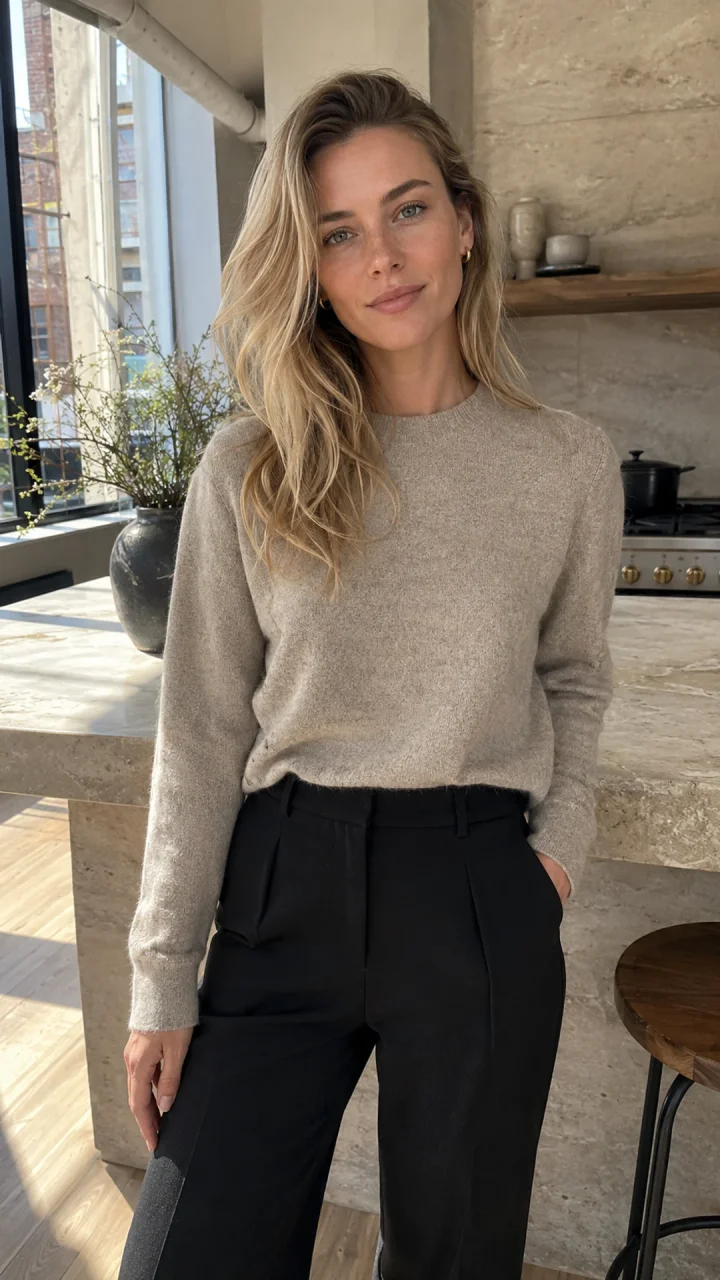
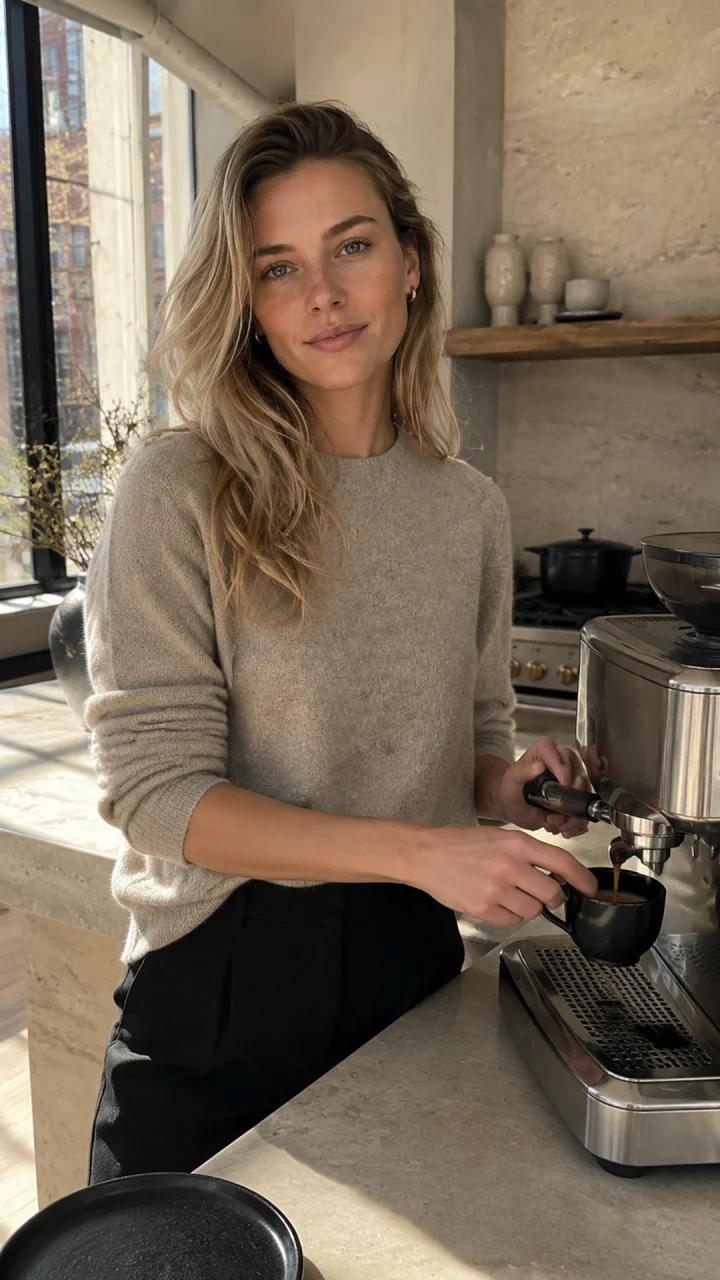
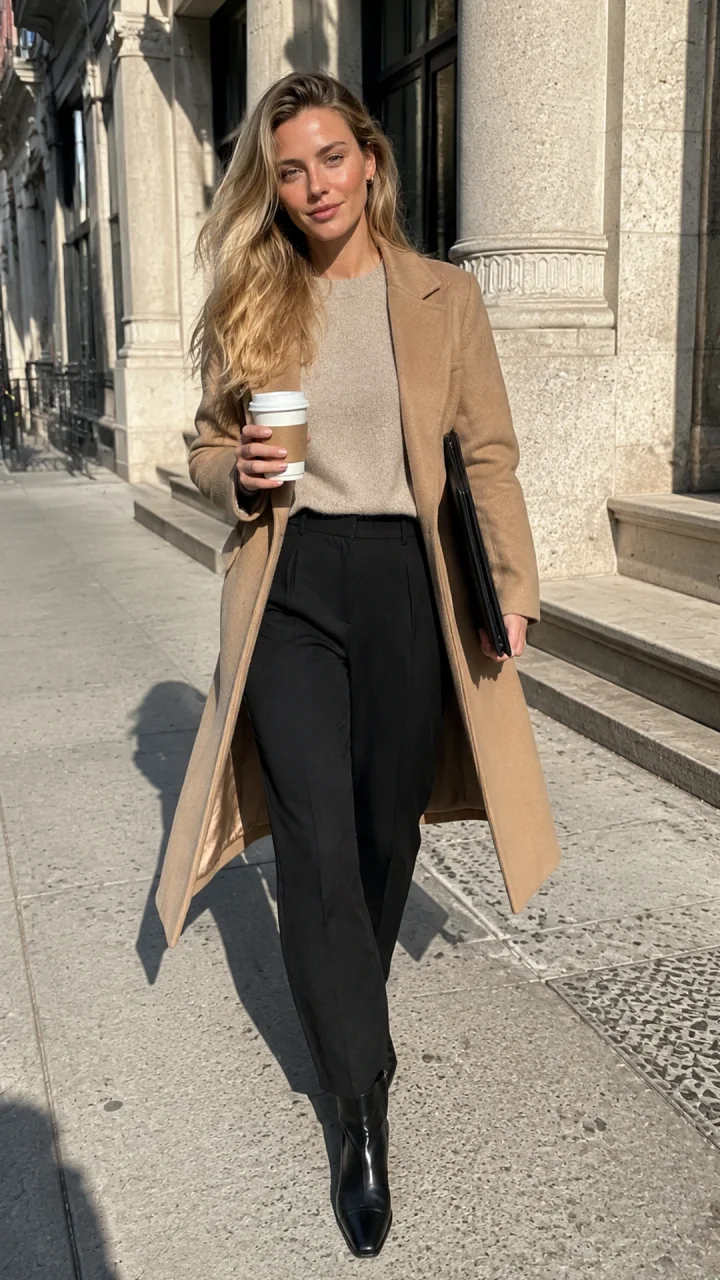
The selected images retain a recognizable face, blonde hair and oatmeal-knit wardrobe across kitchen and outdoor scenes. Framing and apparent facial proportions vary; inspect the espresso-machine details closely. These outputs can illustrate a fictional lifestyle creator, but do not prove that she used a product or has finance expertise.
Who this workflow suits
Use it for a recurring fictional creator, reference-based lifestyle photos or silent short-form video drafts. It requires human review and separate publishing work. For spoken presentation, use the talking-avatar workflow with appropriate audio. A one-off avatar does not require a whole content calendar.
Step 1: Define one fictional adult creator
Write one sentence: A fictional adult NYC creator shares practical workday routines through kitchen and neighborhood scenes. The archive calls this identity “NYC Finance Creator”; that is creative direction, not a professional qualification. Keep the audience promise narrower than “lifestyle.”
Separate fixed identity from scene variables. The archive requests age 29, an angular oval face, fair skin with faint freckles, gray-green eyes and champagne-blonde waves with darker roots. Scene, coat, action, light and crop can change. Choose your own original identity and use the niche guide to develop its topic.
Step 2: Sign in and open Character Builder
Open Studio and sign in with Continue with Google. Then open My Influencers and the creation form. A successful sign-in gives you the workspace and your account balance; a signup offer alone does not prove credits reached the account.

Choose Guided for an original identity. From image needs an authorized adult image. From video is a separate full-length-character route; it is not required for this sequence.
Step 3: Set appearance and review the creation quote
In Set the visible identity, choose character type, adult age range, presentation, complexion, face, eyes and hair. For a human creator, select Human. Expand a trait card, choose its value and use Continue to reach wardrobe. Avoid changing hair color in the later scene prompt.
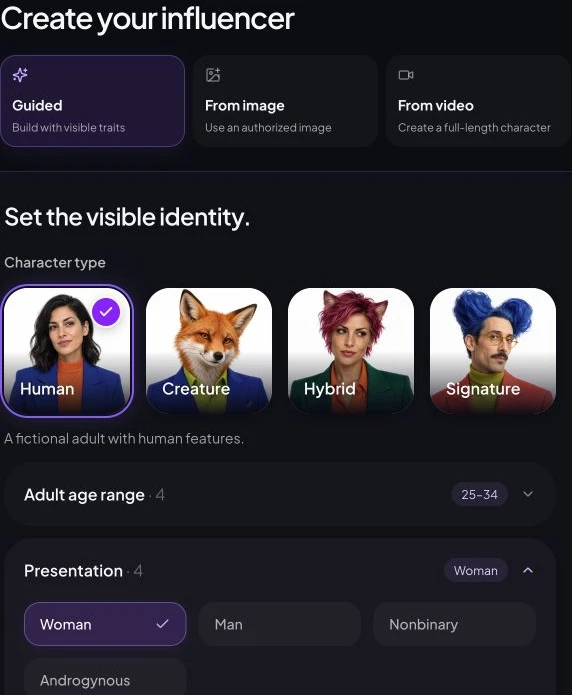
Choose wardrobe, then Continue to the brief and final review. Enter Character name. Check Current setup, Output and Cost. A Flare main image and Sunburst identity reference at 2K cost 10 credits: 5 for the main image plus 5 for the identity reference. Use Create Influencer only after the quote is ready and you accept that spend.
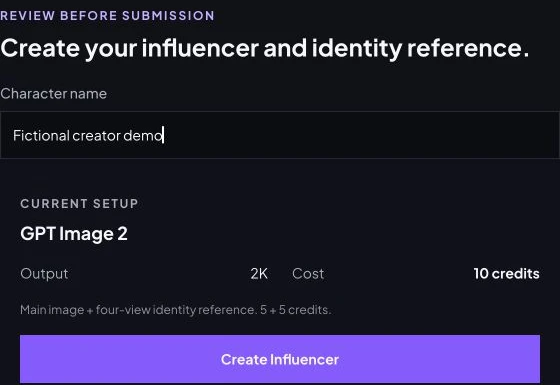
The final review was inspected without submitting. No new character or identity board was generated for this guide. If the quote is unavailable, retry the quote; a blank cost does not mean zero.
Step 4: Review and save the identity
After the task finishes, inspect the main image and identity reference. Check apparent adult age, eye spacing, face shape, hairline, hands, jewelry and whether every reference-board view depicts the same identity. A completed task means a file was returned; it does not mean it passes review.
For an imported image, Save reference character preserves the authorized reference. The July example supplied the selected portrait directly to both scene requests; it predates the current guided main-image plus identity-board flow.
Step 5: Generate one reference-based photo
Open Create Photos with the consistent preset. Under Identity source, select Influencer and Choose character for a saved identity, or Upload photo and Source image for an authorized reference. Confirm the intended reference appears before submitting.
Enter this unsubmitted demonstration in Direction:
The fictional adult creator makes espresso at a stone counter in a lived-in Tribeca kitchen. Oatmeal knit, black trousers, relaxed waist-up phone photo, soft morning window light. Preserve the reference face and hair; one complete vertical frame.
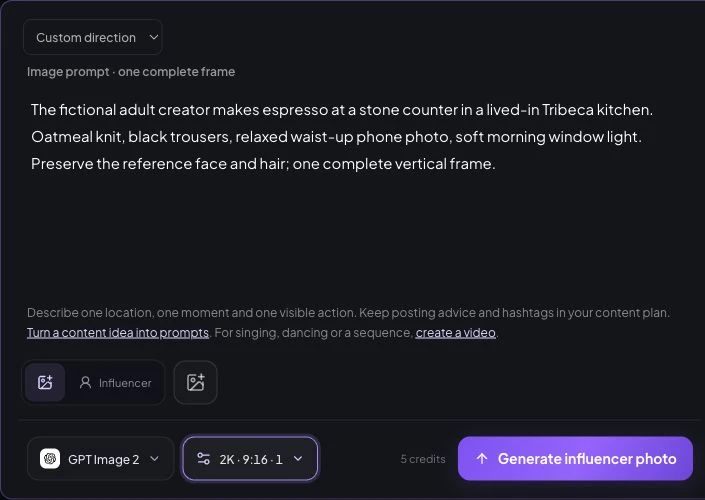
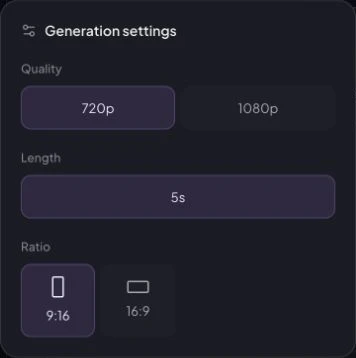
Choose GPT Image 2.5 Sunburst. Open Generation settings: Quality 2K, Ratio 9:16, Outputs 1. 9:16 prepares a vertical frame; 2K is an image-quality setting. The observed quote is 5 credits for one image.
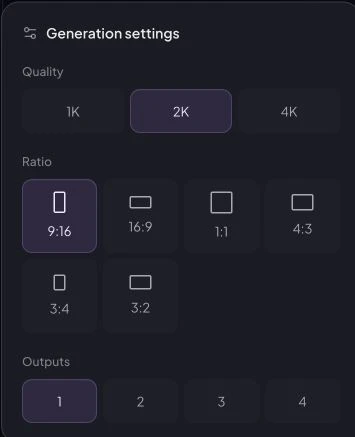
Check reference, prompt and quote, then use Generate influencer photo. Compare the output with the approved portrait. Reject a different face, extra fingers, broken cup contact or inconsistent reflections. Start with one output so a bad direction does not multiply spend.
Step 6: Animate the approved photo
Use the accepted scene in Create Video. Select Upload photo and Source image to animate a specific still. A saved identity is not necessarily the scene you want to animate.
Archived motion prompt — full original text
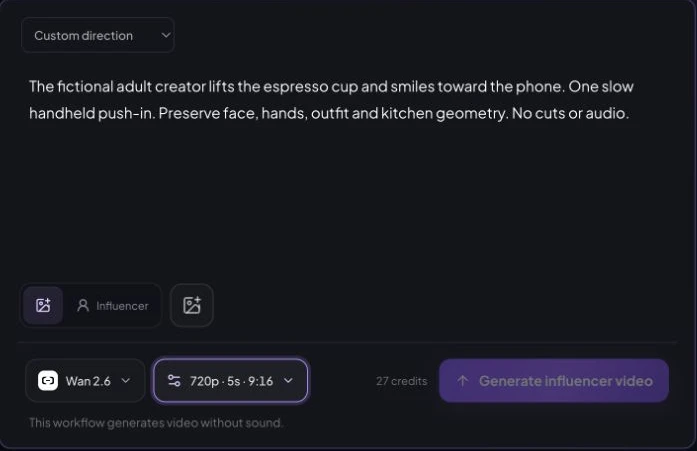
The same fictional blonde adult woman completes one natural action: she lifts the espresso cup from the counter and gives a small confident smile toward the phone. One slow handheld push-in only. Preserve her exact face, freckles, hair, natural skin texture, hands, outfit, apartment geometry, and morning light. No cuts, no extra people, no morphing, no text, no logo, no watermark, no audio.
The current silent-draft UI was inspected with Wan 2.6, 720p, 5s, 9:16, quoting 27 credits. The archived output below used Seedance 2. These are different model choices; current pricing does not reconstruct historical spend. See the video guide before selecting a workflow.
Watch the whole clip. Check cup grip, face stability, hair, hands, kitchen geometry and the final frame. A five-second silent draft still needs any narration, music, captions and final edit prepared separately.
Step 7: Inspect History and download
Open History and the completed task. Compare its retained prompt, source and parameters with the output. If a task is pending, retain its record and inspect status before submitting a duplicate.
Download retrieves media; Use setup reopens retained settings. No public NYC task-detail screenshot, customer credit ledger or download event is retained here. Existing files establish outputs, not whether a customer viewed or downloaded them.
Step 8: Prepare the first post
Prepare one post before a large calendar. Introduce the fictional creator, show a routine or answer a narrow audience question. A proposed caption is “A fictional AI creator exploring simple workday routines.” This is a writing example, not a published post.
Keep the face visible in the mobile crop, leave caption space and check audio rights. Add required AI and advertising disclosures. Continue with the Instagram workflow or TikTok guide. Media generation does not prove expertise, product experience, engagement or income.
Archived NYC Creator: inputs, settings and records
The selected portrait is the single reference for both GPT Image 2 image-to-image scenes. The kitchen image is the video first frame. Historical image inputs retain aspect_ratio: auto, while their prompts request vertical 9:16; explicit resolution was not retained. The video settings were 720p, 9:16, five seconds and generated audio off.
Selected portrait — full original prompt
Fictional adult woman, age 29, who must not resemble a real person or public figure. Identity lock: softly angular oval face, fair neutral skin with faint natural freckles, gray-green almond eyes, straight delicate nose, natural full lips, defined light brows, long champagne-blonde hair in loose layered waves with darker natural roots, slim athletic proportions. Natural pores, subtle under-eye texture, realistic hands, no beauty filter, no cosmetic perfection. Create a photorealistic phone-camera identity portrait in a sunlit Tribeca loft kitchen. She wears an oatmeal cashmere crewneck and tailored black trousers, minimal gold earrings, relaxed self-assured expression, three-quarter standing crop with both hands naturally visible. Soft late-morning window light, lived-in limestone and wood interior, restrained luxury, authentic New York professional lifestyle, slight phone-lens grain, vertical 9:16. No text, logo, watermark, brand packaging, extra fingers, warped jewelry, or plastic skin.
Kitchen scene — full original prompt
Fictional adult woman, age 29, who must not resemble a real person or public figure. Identity lock: softly angular oval face, fair neutral skin with faint natural freckles, gray-green almond eyes, straight delicate nose, natural full lips, defined light brows, long champagne-blonde hair in loose layered waves with darker natural roots, slim athletic proportions. Natural pores, subtle under-eye texture, realistic hands, no beauty filter, no cosmetic perfection. Preserve the exact face, freckles, eye color, hairline, hair color, age, and proportions from the reference. In the same sunlit Tribeca loft kitchen, she makes espresso at a stone counter while glancing toward the phone camera, oatmeal knit with sleeves casually pushed up, candid waist-up composition, realistic working hands, warm natural window light, authentic phone photo with slight grain. Vertical 9:16. No text, logo, watermark, branded objects, extra fingers, or plastic skin.
SoHo scene — full original prompt
Fictional adult woman, age 29, who must not resemble a real person or public figure. Identity lock: softly angular oval face, fair neutral skin with faint natural freckles, gray-green almond eyes, straight delicate nose, natural full lips, defined light brows, long champagne-blonde hair in loose layered waves with darker natural roots, slim athletic proportions. Natural pores, subtle under-eye texture, realistic hands, no beauty filter, no cosmetic perfection. Preserve the exact face, freckles, eye color, hairline, hair color, age, and proportions from the reference. Place her outside a limestone SoHo building on a bright cool morning, wearing a camel wool coat over the same oatmeal knit, holding an unbranded coffee cup and slim black portfolio, mid-step candid full-body phone photo, believable Manhattan street depth, direct sun with realistic shadow, understated executive style. Vertical 9:16. No text, logo, watermark, distorted hands, or plastic skin.
| Output | Model | Recorded task duration | Provider credits |
|---|---|---|---|
| Portrait A | GPT Image 2 text-to-image | 92s | 89 |
| Kitchen | GPT Image 2 image-to-image | 67s | 65 |
| SoHo | GPT Image 2 image-to-image | 72s | 60 |
| Kitchen video | Seedance 2 | 104s | 100 |
Provider credits are not website user credits. Customer charges, end-to-end elapsed time and complete retry/rejection counts are unknown. A second portrait candidate is recorded (105s, 99 provider credits); it is an alternative, not a measured correction. Selected assets passed a release review and were inspected again for this placement. No consistency percentage is claimed.
Current pricing and a separate generation budget
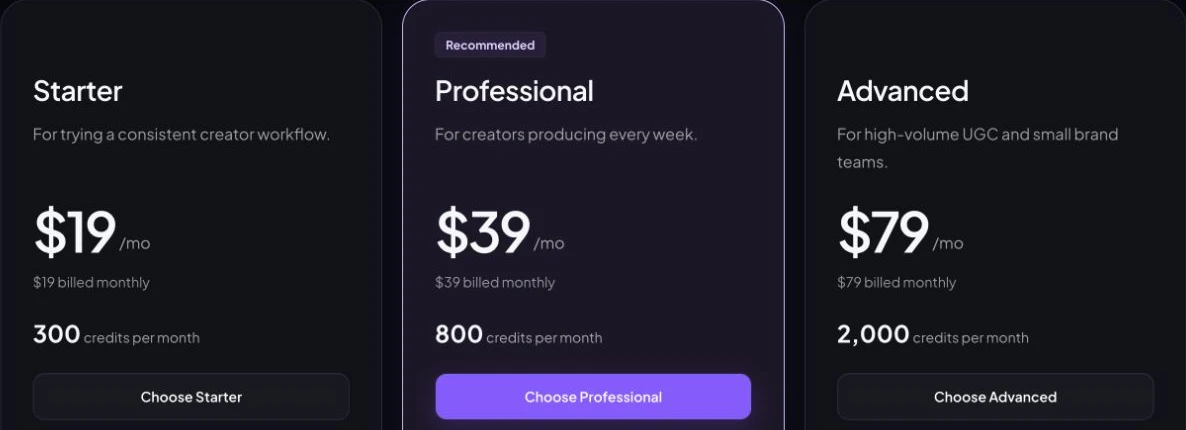
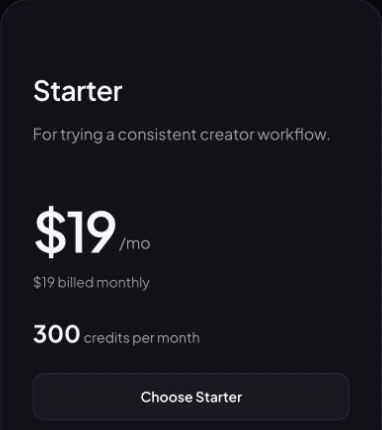
Monthly subscriptions currently provide Starter: US$19 for 300 credits; Professional: US$39 for 800 credits; Advanced: US$79 for 2000 credits, before applicable taxes. Annual billing is a separate purchase with its own allocation. Check current plans and the credits guide.
| Task and settings | Count | Credits each | Subtotal |
|---|---|---|---|
| One complete guided characterFlare main + Sunburst identity reference · 2K | 1 | 10 | 10 |
| Ten reference-based photosGPT Image 2.5 Sunburst · 2K · one output per request | 10 | 5 | 50 |
| Three silent video draftsWan 2.6 · 720p · 5 seconds | 3 | 27 | 81 |
| Estimated generation total | 141 credits | ||
This 141 credits calculation reads product configuration. It is not a content-pack test or cash price per finished post. One complete character, two 2K photos and one five-second Wan 2.6 draft would use 47 quoted credits before additional attempts. Subscription fees are separate from that usage budget.
Every new attempt can add cost. Voice, extra identity images, editing, music and publishing are excluded. A cheaper model may suit drafts, but its quote does not establish equivalent quality. Recheck cost after changing model, duration, resolution or output count.
Practical limits and common fixes
- Different face: return to the original reference, remove conflicting identity text and simplify the scene.
- Awkward hands: inspect the still first; a flawed input can become more visible in video.
- Too much motion: use one action and one camera movement before attempting several transitions.
- Incomplete character: inspect both main-image and identity-reference status, plus settled or returned credits.
- Unsupported claims: distinguish a fictional illustration from a real review or testimonial.
Read commercial-use conditions and disclosure guidance, then recheck platform rules before publishing. For more scene directions, continue to the prompt guide. If you plan a commercial offer, the monetization and tool-stack guide separates production costs from business outcomes.
Frequently asked questions
Do I need my own face or a trained LoRA?
No. Guided creation starts with an original fictional adult. This workflow uses saved identities and reference images without LoRA training. Use another person's face or voice only with permission.
How do I keep the same face in different scenes?
Reuse the approved saved character or identity image, keep face and hair anchors fixed, and change the scene rather than redefining the person. Compare every output with the reference; consistency is not guaranteed.
How much does it cost to create an AI influencer?
The worked budget is 141 credits for one complete guided character, ten 2K photos and three Wan 2.6 five-second 720p drafts. This is a configuration-based estimate, not historical customer spending. Extra attempts, voice, editing and publishing are excluded.
Can I start for free?
The current signup page advertises 30 welcome credits. Check the offer and your balance before generating. Each submitted request has its own quote; the offer does not cover unlimited attempts.
What if the face changes or generation fails?
Keep the task in History and inspect its status before resubmitting. For identity drift, return to the original approved reference and simplify the scene. Check billing for settled or returned credits; do not assume a failed task was charged or refunded.
How do I make and download a short video?
Use an approved image in Create Video, select a supported model, resolution and duration, and describe one action. Review the whole clip in History before using Download. The silent workflow here does not add narration or final social captions.
Does the generation workflow publish my social account?
Prepare captions and audio, add required AI and commercial disclosures, and upload through Instagram, TikTok or YouTube separately. Creating media does not establish audience growth or income.
Plan Content
Measure Engagement
Build Your Profile
Price Your Work
Write Post Copy
Brand Partnerships