
Follow a pose sequence
Use a clean reference when timing and body position matter more than a general motion prompt.
Use a character image for appearance and a separate MP4 for movement. The best results come from compatible framing, visible body motion, and a single reference subject.
Opens Motion Transfer in Studio. Choose from 50 starter characters or upload an authorized image, add a reference video, then review the transferred performance.
50 starter characters
Choose a different fictional adult identity instead of recycling the same demonstration character.
250 reference templates
Browse the current library for dance, gesture, product, lifestyle, and other readable motion patterns.
One reviewed result
This case transfers a male dancer’s sequence to Imani, then checks identity, hands, feet, and framing.
AI motion transfer is for movement you can show, not just describe. The appearance image answers who is moving; the reference video answers how the body moves over time.
Use a clean reference when timing and body position matter more than a general motion prompt.
A full- or three-quarter-body appearance image gives the workflow more useful visual information.
A stable reference makes it easier to separate body motion from camera shake or rapid reframing.
Review hands, crossed limbs, props, floor contact, and moments when the body overlaps itself.
An authorized appearance image
A reference motion clip
Timing and body contact
Motion transfer uses two distinct creative inputs. The appearance image establishes who is on screen; the reference video supplies the visible pose sequence and timing. Keeping those jobs separate gives a team more control than asking a text prompt to invent both at once.
Choose an authorized image with a clear adult subject, useful body visibility, and a silhouette that makes sense for the intended motion. It gives the result its character and visual starting point.
Use a readable clip with the action visible from start to finish. Minimal cuts, stable framing, and clear floor contact make it easier to judge how the transferred performance follows the source.
Creator teams, social agencies, and brand marketers can use it for dance, gestures, product presentation, or a recurring performance pattern when the exact timing matters more than a general motion prompt.
Check hands, feet, crossed limbs, props, contact with the ground, and moments of self-occlusion. A clean reference does not remove the need for a final frame-by-frame review.
Two inputs control different parts of the result. Keep both clear and compatible.
Upload an authorized image with a clear adult subject and a silhouette that fits the target motion.
Use a readable performance with the full action visible and minimal cuts or camera shake.
Generate the output, then inspect pose accuracy, identity stability, hands, feet, and background.
The three cards separate the authorized motion reference, the selected fictional character, and the generated output. Videos use a standard 9:16 frame and are never stretched.
1 · Motion reference
Authorized template · male performer
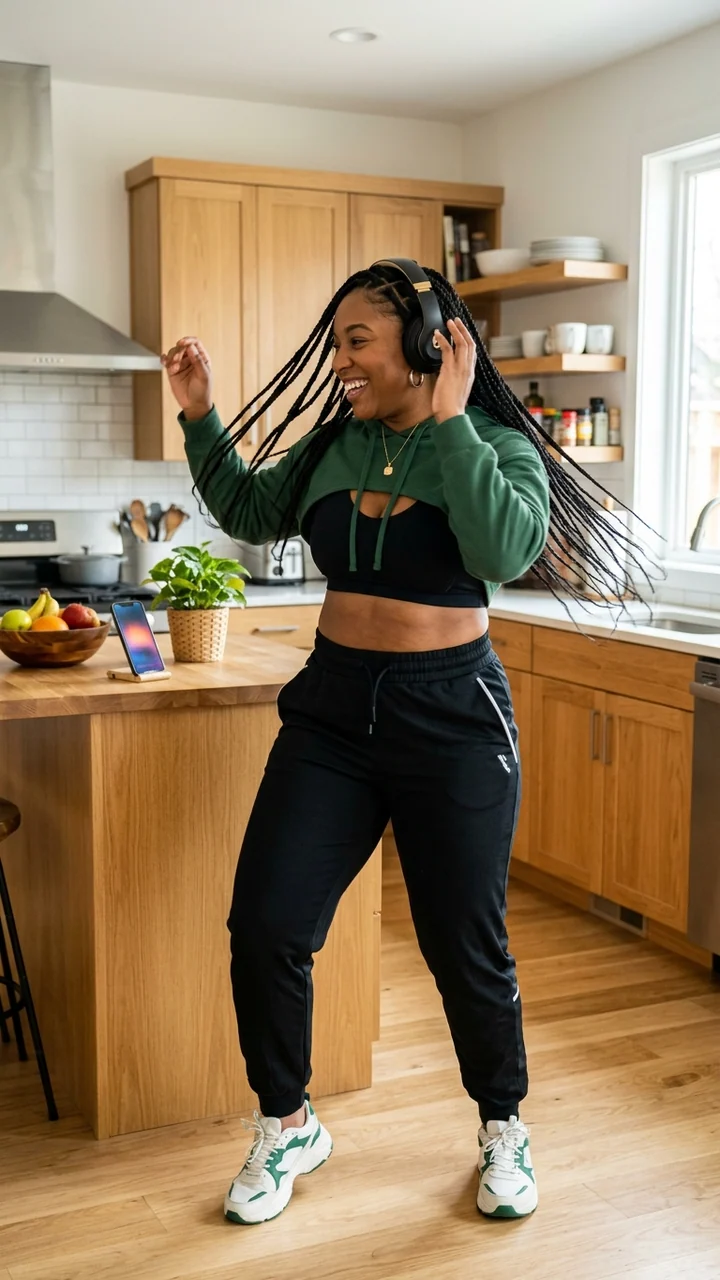
2 · Character
Imani Brooks · fictional adult
3 · Generated result
Female performer · reviewed 720×1280 output
Reference quality matters more than adding extra instructions. Favor one continuous action with a visible body and stable framing.
Not every movement job needs a reference video. Choose the lighter workflow when words are enough.
Best for a visible performance, pose sequence, dance beat, walk, or gesture timing.
Best for subtle motion from a still image when exact choreography is not required.
Best for a new creator-led scene anchored to a saved character and an action prompt.
Use Motion Transfer when the exact timing, pose sequence, or body movement matters. Use Image to Video when a short written action is sufficient.
Use one clearly visible subject, a compatible camera angle, a complete action, and minimal cuts or occlusion.
Large differences in body visibility, camera angle, or proportions make it harder to map the reference movement predictably.
Only use footage you own or are authorized to use, including the performer's movement and likeness where applicable.
Each route starts from a different input or solves a different production task.
Use a text motion prompt instead of a reference clip.
Prepare a reusable character identity before adding motion.
Use a written action when there is no reference performance to transfer.
Use a full-body character and a dance-specific reference performance.
Review the verified model route used for Motion Control.
Follow the practical Motion Control tutorial, compare real frames and troubleshoot inputs.
Use inputs you are authorized to animate, keep the performance readable, and review the entire output before publishing.
Transfer a reference motion
Plan Content
Measure Engagement
Build Your Profile
Price Your Work
Write Post Copy
Brand Partnerships