
Ideas and angles
Turn one product, audience problem, or channel goal into several focused concepts.
ChatGPT can play a powerful role in video creation, especially as the planning, writing, and strategy engine behind the work. Use it to shape ideas, scripts, hooks, storyboards, captions, and prompts. Then use AI Influencer Generator separately to create a consistent fictional creator, images, image-to-video clips, UGC-style scenes, and short social video drafts.
The short answer is: ChatGPT is best understood here as a creative director and production assistant, not the entire video studio. There is no built-in connection or automatic handoff between the two products.
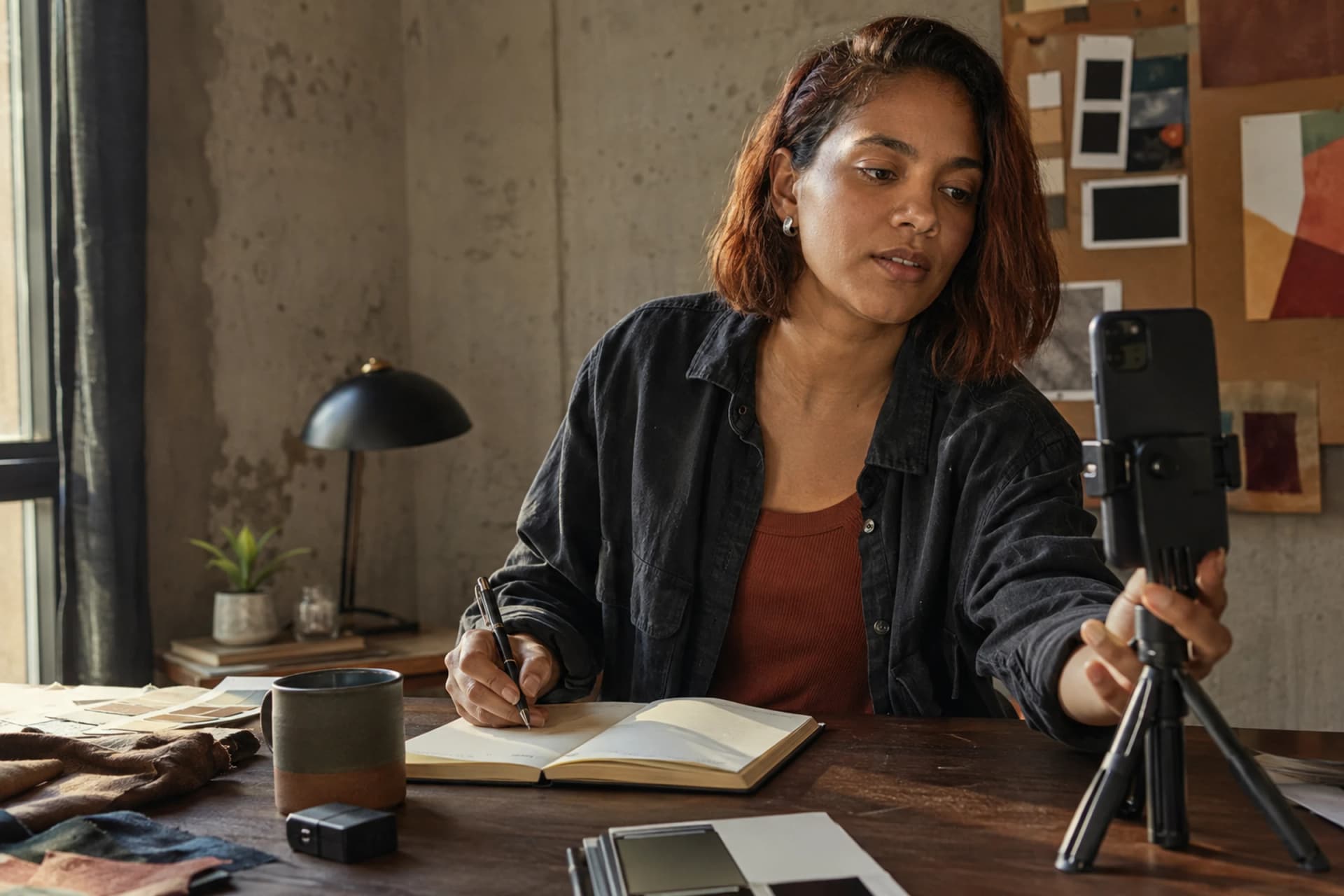
A strong video needs decisions before it needs pixels. ChatGPT can organize those decisions. AI Influencer Generator can then turn an approved direction into visual assets through its own Studio workflows.
Turn one product, audience problem, or channel goal into several focused concepts.
Draft the opening line, spoken beats, pacing, CTA, and safer variations for different audiences.
Describe the order of shots, the purpose of each frame, and what must remain visible.
Specify the setting, subject action, camera position, light, wardrobe, props, and final beat.
Translate a creative brief into concise visual and motion instructions without competing actions.
Adapt one idea for TikTok, Instagram Reels, and YouTube Shorts, then plan the next variations.
A script is not a rendered clip. ChatGPT does not save the reusable character inside AI Influencer Generator, choose Studio settings, spend credits, review anatomy, or publish an approved result. Those steps stay visible and separate.
Older articles often direct people to Sora as the video part of ChatGPT. OpenAI now states that the Sora web and app experiences were discontinued on April 26, 2026, with the Sora API scheduled for discontinuation on September 24, 2026. Do not build a production plan around an old screenshot or subscription claim.
Read the current OpenAI noticeA detailed prompt improves direction, not certainty. Generated faces, hands, products, text, body movement, reflections, and brand details can still fail. Review each still before animation and each clip before it enters an editing or publishing flow.
AI Influencer Generator does not connect to TikTok, Instagram, or YouTube and does not automatically publish, schedule, or analyze posts. Download approved assets, finish any edit or caption work, and publish through the channels you control.
Good prompts reduce guesswork. ChatGPT is useful when it adds only the details that change the visible result: who appears, what happens, where it happens, how the camera behaves, and what must not be implied.
Vague: “Make a fashion video.”
Production-ready: “A fictional adult fashion creator in a lived-in bedroom demonstrates one neutral jacket. Open on a waist-up mirror view, show one natural sleeve adjustment, then move to a three-quarter look at the final styling. Warm window light, vertical frame, quiet handheld movement, no brand logo or sales claim.”
The reliable handoff is manual and reviewable. Copy only the chosen script or prompt into the workflow that matches your actual starting material.
Tell ChatGPT whether the video should educate, entertain, introduce a product, explain a feature, or build awareness.
Name who should care, what they already know, and the one problem or desire the video addresses.
Ask for several short-form angles, then choose one that works with one subject, one setting, and one main action.
Keep the hook, central point, demonstration, and CTA proportionate to a short clip.
Convert the script into reviewable frames. Separate spoken copy from visible action and camera direction.
Build and save an original fictional adult creator instead of changing identity for every post.
Create the still or short video draft, then check face, hands, motion, product details, claims, and disclosure.
Download the approved asset and finish publishing, scheduling, captions, and channel management in your own tools.
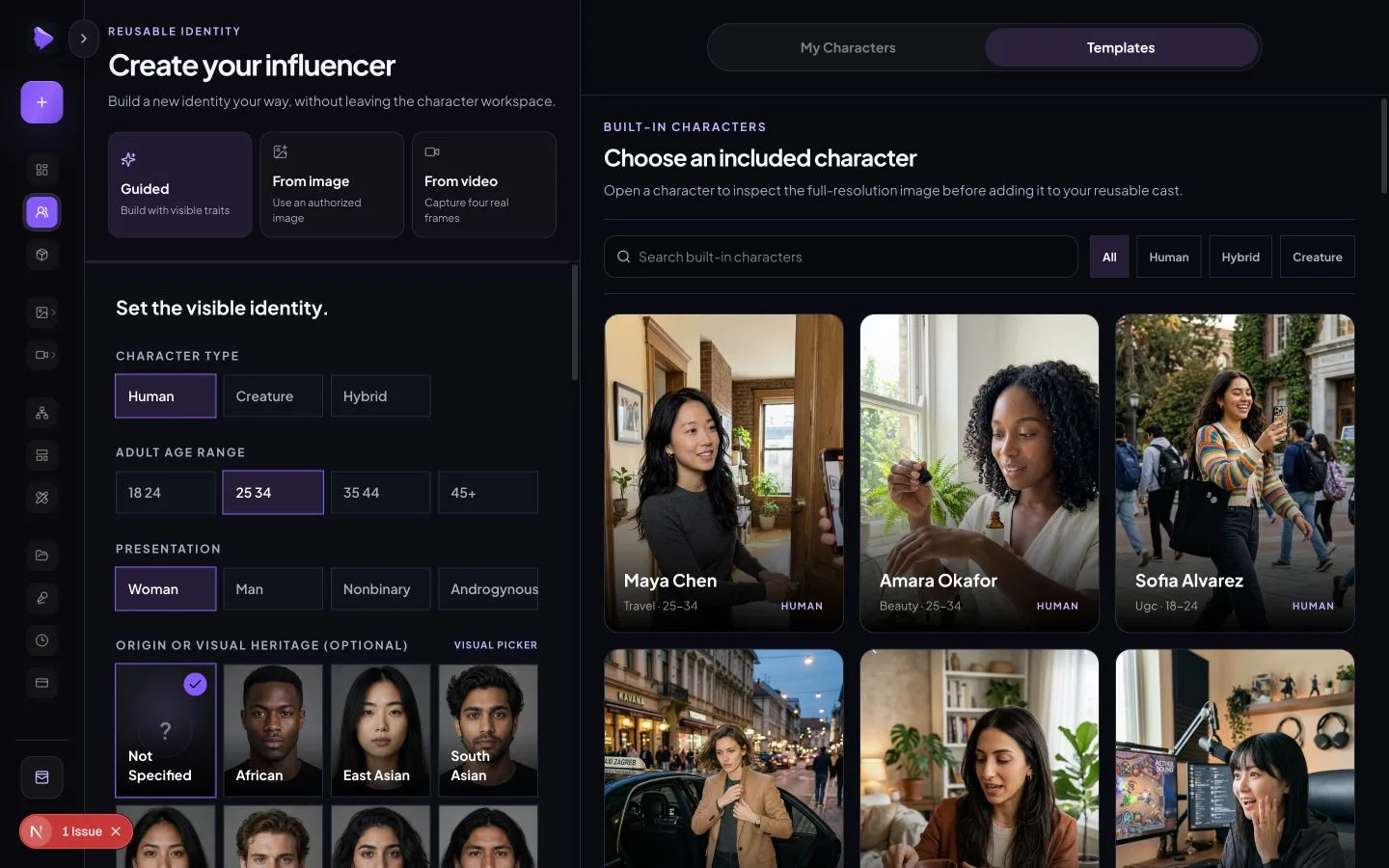
A recurring creator needs a visual anchor. Build an original adult character, inspect the full image, and save only the version you want to reuse. Then create a small set of reviewable stills before asking a video workflow to add motion.
The screenshot shows the real character workspace. It is product interface evidence, not a generated mockup. Current settings and credit quotes remain visible inside Studio before submission.
It can prepare the creative blueprint: audience, hook, script, scene order, visual prompt, caption options, and review checklist. AI Influencer Generator handles a separate production stage for the character and visual draft. This lets you approve the message before spending time on imagery and approve the opening image before adding motion.
For each generation, reduce the plan to one primary subject action and one camera action. A crowded brief with several locations, wardrobe changes, complex product interactions, dialogue, graphics, and transitions is harder to inspect. Build a short series from focused drafts rather than pretending one prompt automatically produces a finished campaign.
ChatGPT can write the motion brief, but the approved image and animation task live elsewhere. Use Animate Photo when a particular still should control the starting identity, wardrobe, composition, or product moment.
Name the subject’s small movement, camera behavior, environmental motion, and final beat. Avoid changing the face, outfit, location, framing, and action at the same time.
Keep the creator’s face, hair, wardrobe, and room unchanged. She places the iced coffee beside the notebook, glances toward the phone, and gives a small natural smile. Slow handheld push-in, sunlight shifts slightly across the table, stable glass and fingers, end on the prepared recording frame.
Each example starts with planning, narrows the scene to a truthful visible action, and ends with a separate visual task. These are illustrative workflows, not customer results or performance promises.
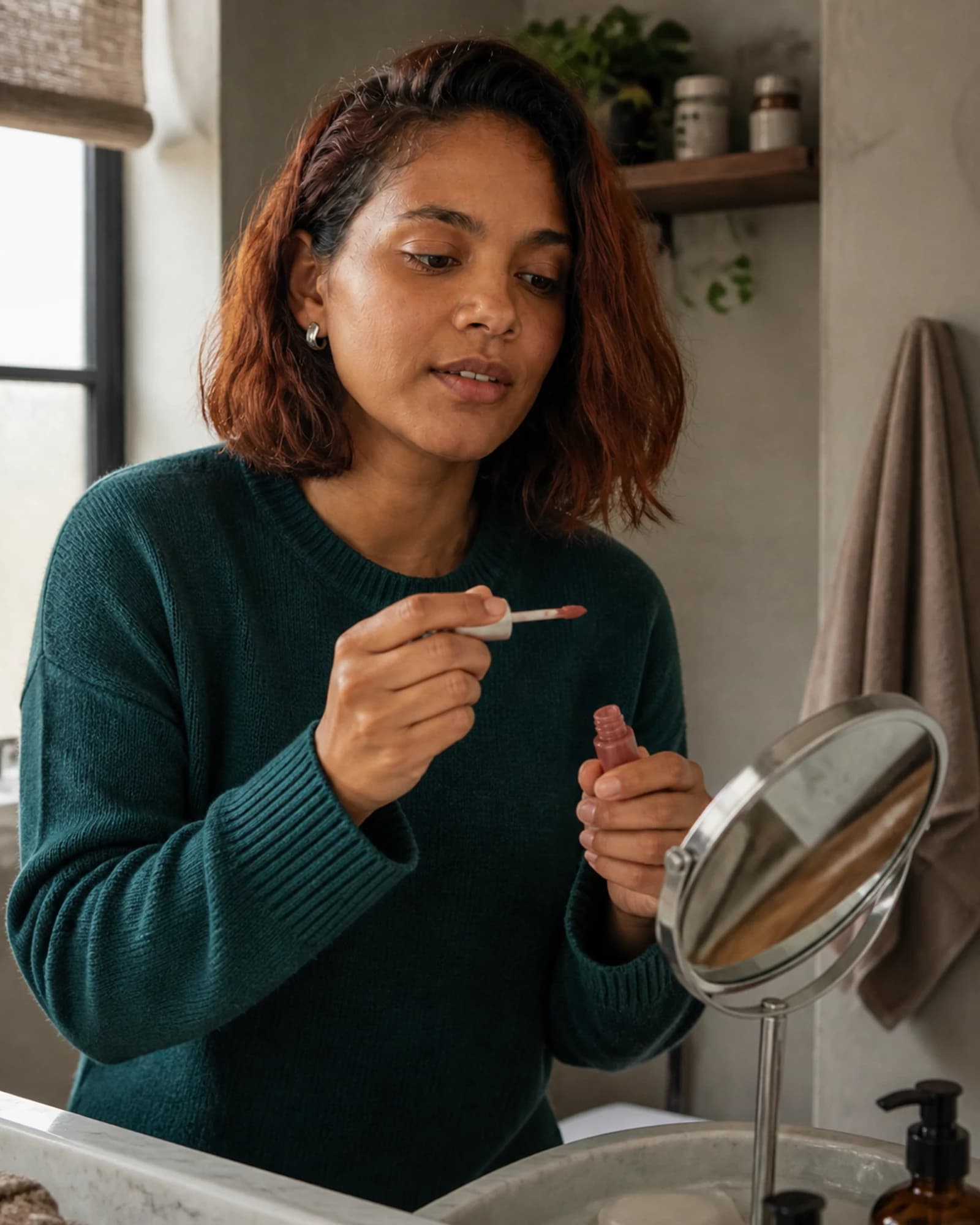
Ask ChatGPT for five honest product-demo angles, then select one physical action. A useful scene might show an adult fictional creator opening an unbranded lip color and delivering approved brand copy. It should not claim she bought, tested, or personally recommends a product unless that statement is truthful and authorized.
Create a short vertical beauty creator scene with one fictional adult presenter at a lived-in bathroom vanity. She opens an unbranded lip color, checks the applicator in a mirror, and gives one concise brand-approved line. Use natural window light, steady phone framing, and no customer testimonial or performance claim.
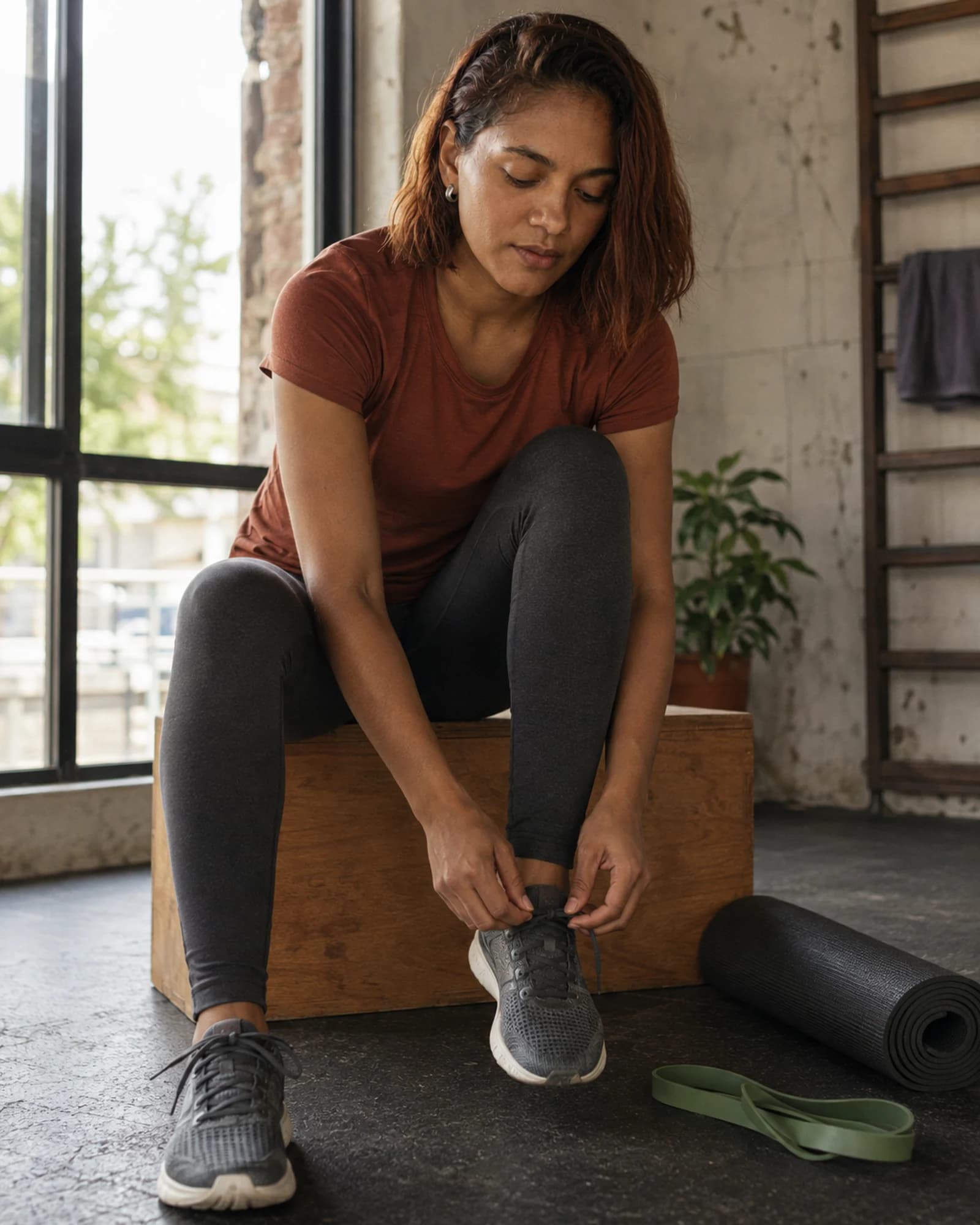
ChatGPT can turn a broad topic such as beginner warm-ups into one concise educational script and shot list. The fictional creator can prepare for the movement and demonstrate a simple visual beat, but the account should not invent qualifications, diagnose pain, or promise health outcomes.
A fictional adult fitness creator ties one sneaker in a bright neighborhood studio, looks to the camera, and introduces one general beginner warm-up tip. Vertical framing, natural daylight, calm camera, no medical claim, no invented coaching credential.
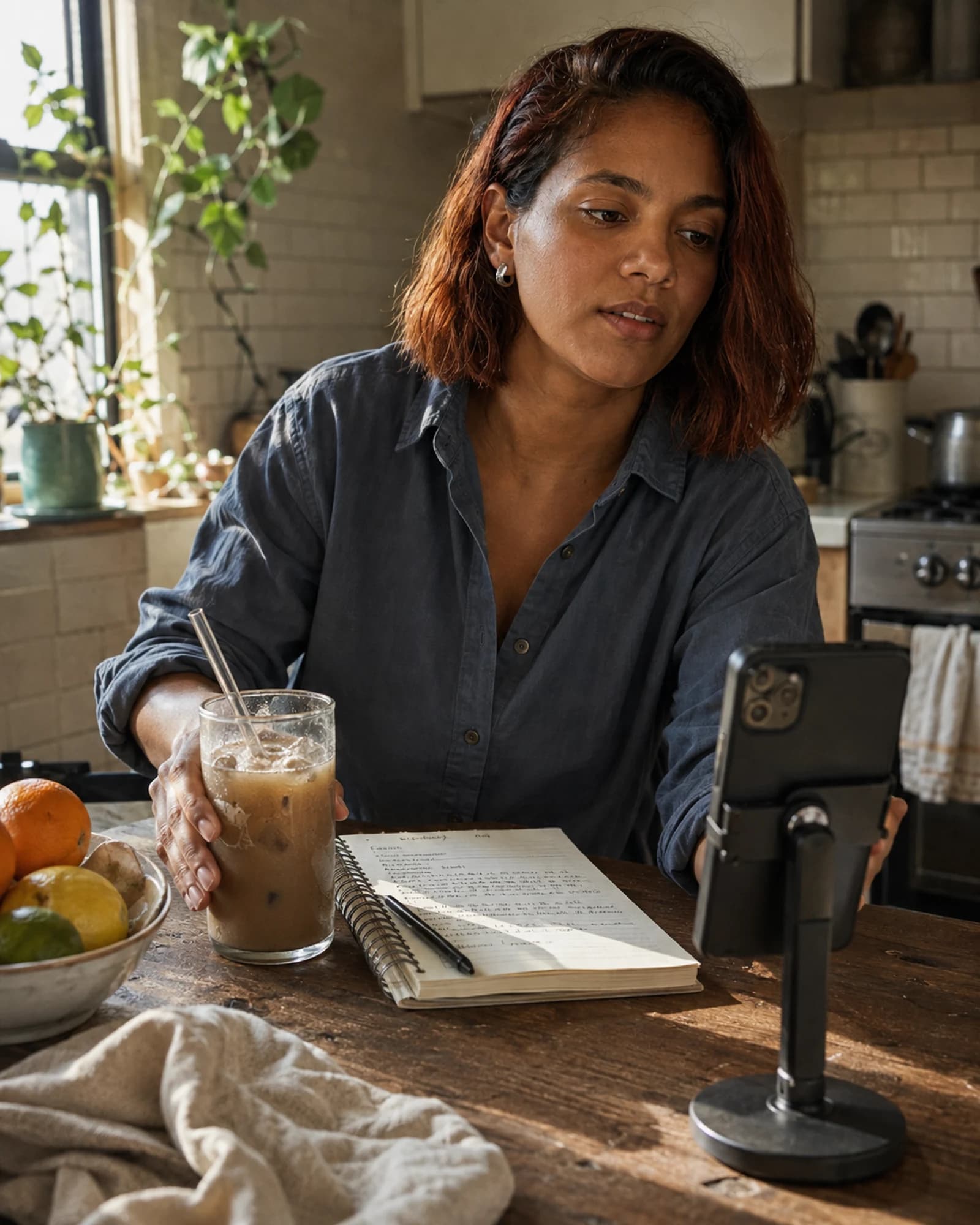
For a lifestyle Reel, use ChatGPT to reduce a vague aesthetic request to one visible moment. An iced coffee, morning notebook, and phone stand establish context without becoming a product endorsement. Reuse the same creator while changing the setting, action, and caption angle.
A fictional adult lifestyle creator places an iced coffee beside a morning notebook, glances toward a phone on a stand, and begins a ten-second routine Reel. Warm sunrise light, candid vertical framing, one gentle camera move, no logo or product claim.
| Platform | Planning emphasis | Useful ChatGPT output | Studio handoff |
|---|---|---|---|
| TikTok | Immediate hook and direct language | Hook variations and spoken beats | One vertical creator action |
| Instagram Reels | Recognizable visual world and saveable idea | Caption, shot order, and visual motif | Consistent creator image or clip |
| YouTube Shorts | Clear promise and educational payoff | Title, tight script, and takeaway | Short, reviewable scene draft |
Synthetic content still carries ordinary advertising, intellectual-property, privacy, and platform responsibilities. Use adults you created or material you are authorized to use. Do not imitate a celebrity or private person, fabricate a customer story, or present an AI character as a credentialed professional.
Check the final channel’s current disclosure rules and make the synthetic nature of the creator clear where required. Also confirm that product claims, sponsorship language, music, logos, and source images are permitted for the intended use.
ChatGPT is useful for video ideas, hooks, scripts, storyboards, prompts, captions, and production planning. This workflow uses AI Influencer Generator separately to create the fictional character, still images, and short video drafts.
It can prepare the creative blueprint for an AI video, but do not assume every ChatGPT account includes a current video renderer. OpenAI discontinued the Sora web and app experiences on April 26, 2026. Check current first-party documentation rather than relying on older tutorials.
ChatGPT can help describe the intended movement, camera behavior, and final beat. In AI Influencer Generator, an approved image can be continued in the separate Animate Photo workflow; review the result before publishing.
No. There is no account connection or automatic handoff. Copy the approved script or prompt manually, choose the Studio task that matches your input, and review the generated result.
No. Studio creates downloadable visual drafts. You remain responsible for editing, captions, disclosure, rights checks, and manual publishing or scheduling in your own social tools.
Use ChatGPT to clarify the idea. Bring the approved brief into Studio manually. Start with a fictional adult identity you can recognize across stills and short clips, then review every result before it reaches a social feed.
Plan Content
Measure Engagement
Build Your Profile
Price Your Work
Write Post Copy
Brand Partnerships