Your first 5-second Fast Video is free. Try it free

Higgsfield Alternative for AI Influencers

Choose a creator-led workflow for consistent AI influencer photos, short videos, UGC, motion and lip sync—or explore Higgsfield when broad creative experimentation is the better match.

Is AI Influencer Generator a good Higgsfield alternative?

Yes, when your goal is to operate one recognizable virtual creator across recurring content. It is not a universal replacement: Higgsfield can be a better fit for broad model exploration, cinematic presets and general creative experimentation.

The practical choice is about the next job. Pick the workflow that gives you the needed final deliverable with the least identity drift, manual repair and handoff friction.

The five things to decide first

Use these checks before comparing a headline feature list or a plan price.

  1. 1Will the same creator return in the next post?
  2. 2Do you need a photo, video, UGC, lip sync or motion result next?
  3. 3Which source material and people are you authorized to use?
  4. 4How much review work will the finished output need?
  5. 5Which workflow fits the way your team publishes content?

AI Influencer Generator and Higgsfield: a workflow comparison

This is a task-fit comparison, not a scorecard. Product availability and plans can change, so verify details on the official pages before you buy.

Workflow comparison reviewed August 11, 2026.
Decision areaAI Influencer GeneratorHiggsfield
Primary fitA recurring virtual creator and the content that creator needs to publish.Broad creative exploration across its current image, video, voice and editing directions.
Creator identityStart with a saved character, then continue into the next photo or video task.Confirm the current approach that best fits your character-consistency requirement.
Influencer photosDedicated creator-photo workflows for social, lifestyle and product-led directions.Explore current image creation and editing options on the official product pages.
Short creator videoA direct route from a creator brief to a vertical video workflow.Explore current video models and cinematic creative directions.
UGC and product momentsTask-specific UGC direction for unbranded product content and creator-led demos.Evaluate current creative options against the exact UGC deliverable you need.
Talking, lip sync and motionSeparate Studio workflows make the next task explicit and keep its review needs visible.Check current voice, video and motion capabilities before committing to a production path.
How to decideBest when identity continuity and a repeatable creator workflow are the priority.Best when cinematic presets, broad exploration or its current creative suite are the priority.

Higgsfield facts in this table are based on its official site and should be rechecked for current availability.

What Higgsfield is positioned to do

Higgsfield presents a broad AI-native creative suite for image, video and voice work, plus editing, upscaling and automation. Its public direction also emphasizes cinematic and viral creative presets.

That can be useful when an idea starts as an open-ended experiment. For a recurring virtual influencer, verify how the current workflow handles the exact character, deliverable and review process you need.

Visit Higgsfield

What AI Influencer Generator is built for

AI Influencer Generator is organized around a creator identity first, then around the content task that comes next: photos, short videos, UGC, talking video, lip sync or motion.

The value is not a generic feature checklist. It is keeping one creator direction reusable as a team moves from a brief to an approved content output.

Who each workflow tends to suit

Choose the route that fits the content system you are actually running.

Choose AI Influencer Generator when

  • One fictional creator needs to return across multiple assets.
  • Influencer photos, UGC and vertical video are recurring deliverables.
  • You want the next content task to have a clear Studio destination.
  • Your team needs a repeatable review checklist for creator-led content.

Consider Higgsfield when

  • You are testing a broad creative suite before choosing a production path.
  • Cinematic presets or a wider model exploration process are central to the brief.
  • The current official capabilities fit the exact output you need.
  • You have verified the current plan, rights and delivery details yourself.

Build a reusable creator identity before the content calendar grows

A saved character gives a campaign a clearer starting point than remaking a person from scratch for every post. Keep a simple visual brief: age range, styling, expression, setting, wardrobe boundaries and the traits that must stay recognizable.

Create a Character

Make influencer photos that have a clear social job

Use creator photos for a product moment, an outfit check, an unboxing direction or a lifestyle post. Treat every example below as illustrative content made with fictional adults and unbranded products, not as customer work.

AI-generated example for product in hand.
Product-led social image
AI-generated example for unboxing.
Unboxing-style photo
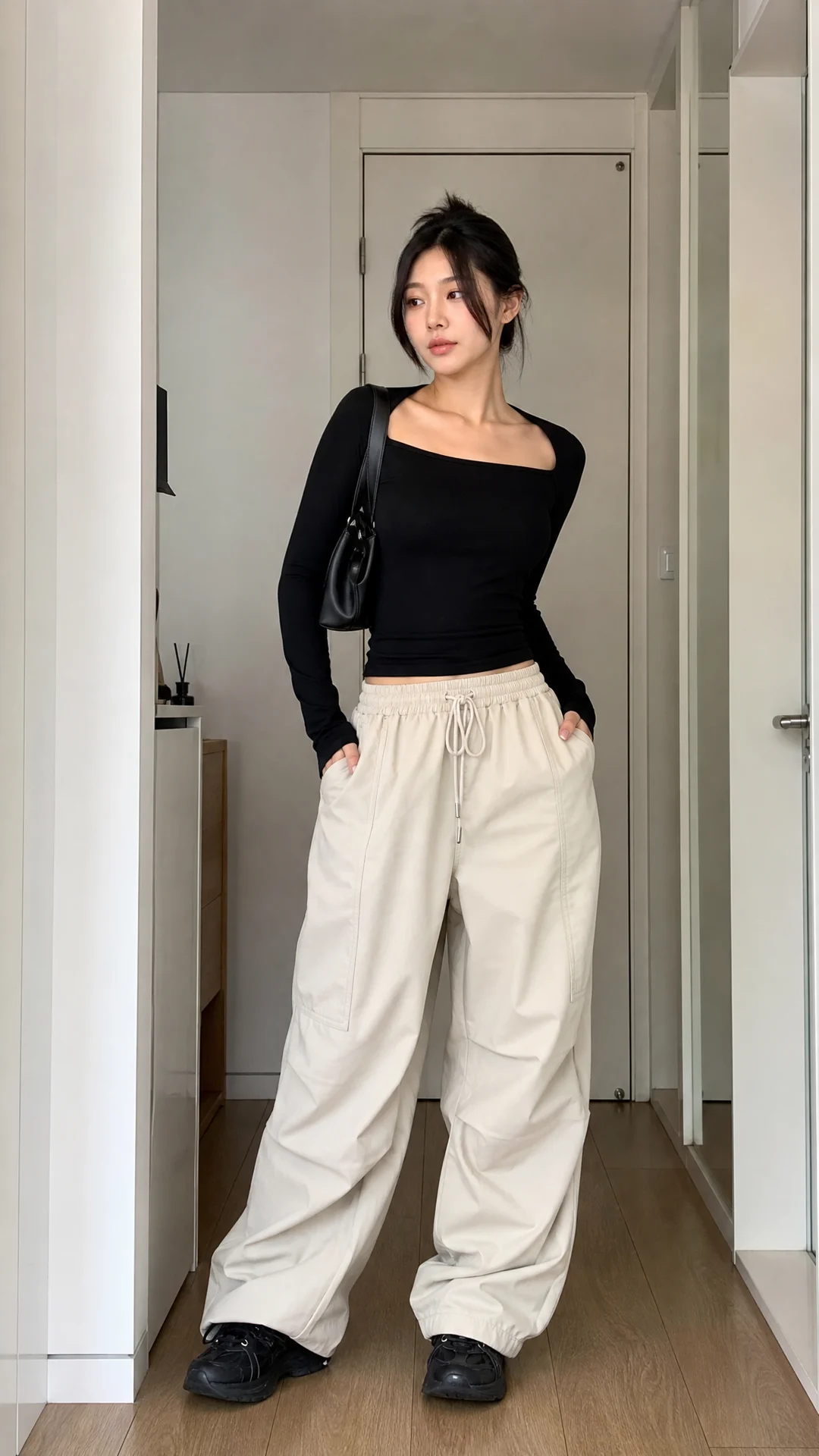
AI-generated example for outfit fit check.
Outfit-focused creator photo
AI-generated example for home lifestyle.
Lifestyle social image
Generate Influencer Photos

Turn a creator brief into a short video

A useful vertical video brief names the creator action, the first frame, the scene, camera movement and the final beat. Review face continuity, hand movement, product details and visible text before publishing.

Create an Influencer Video

Use UGC-style content for a product moment, not a fake review

UGC direction can make a product demo or unboxing feel native to social feeds. Keep the claim, product, person and disclosure truthful. Do not present an illustrative generation as a real customer testimonial.

Make a UGC Video

Choose talking video or lip sync based on the source you have

A talking creator direction is useful for a new short script. Lip sync is useful when you have an authorized creator video and need a spoken line to align. In either case, inspect timing, pronunciation, expression and the final message.

Sync a Creator’s Lips

Use motion transfer when the movement is the creative direction

Describe only the movement you are authorized to use, then check body mechanics, framing, wardrobe behavior and the visual identity of the creator after the transfer.

Transfer Motion

Organize prompts, characters and review notes around the next deliverable

A prompt becomes easier to reuse when it contains a stable creator description, the content job, the setting, camera direction and boundaries. Keep a short record of what made an output usable so the next brief starts closer to the answer.

Creator identity → content job → brief → generation → visual check → disclosure and publishing review.

Move from a one-off generation to continuous content production

Start with one narrow brief and one review standard. Once the creator is reliable, vary only one dimension at a time: product moment, setting, outfit, action, message or channel format.

  1. 1Define the fictional creator and the rights you hold.
  2. 2Create one photo or short video with a clear publishing job.
  3. 3Record what needs correction before a result is approved.
  4. 4Reuse the approved direction for the next channel-specific asset.
  5. 5Add disclosure and commercial checks before distribution.

Match the workflow to your role

These are starting points, not a claim that one product fits every team.

Your roleStart hereWhat to verify
CreatorA saved character and one clear social format.Identity continuity and your publishing disclosure.
Brand or ecommerce teamA product-led photo or UGC brief with an authorized product.Claims, product accuracy and commercial permissions.
AgencyA repeatable creator direction with a documented review checklist.Client approvals, source rights and project-specific delivery needs.
Creative explorerTest the current suite that best fits your cinematic or model-exploration brief.Current availability, pricing and the exact output path.
Create a Character

Use one hour to run a fair trial

Compare two tools with the same brief—not two different ideas. This keeps the decision rooted in the deliverable your team actually needs.

  • Use the same creator direction and authorized source material.
  • Ask for the same platform format and content outcome.
  • Record the real credits or usage used for that job.
  • Check identity, hands, products, text and timing.
  • Note revision work and any need to switch tools.
  • Confirm rights, privacy and disclosure before publishing.

Compare pricing and credits by one representative job

Prices, promotions, model availability and output costs can change. Instead of comparing a headline plan, record the plan, credits or usage required, output length, revision count and usable final deliverable for one comparable task.

Check the current Influence Studio pricing and the current Higgsfield pricing page before deciding.

What this comparison does not claim

This page does not declare a universal winner, compare unverified speeds, make refund claims or state a competitor price that may change. Both sides need a final quality review, and difficult source material may need a different creative approach or a re-shoot.

Recheck any third-party capability, plan or policy directly with its official source. Higgsfield is a trademark of its respective owner. This independent comparison is not affiliated with or endorsed by Higgsfield.

Get permission, protect privacy and disclose AI use

Use only people, products, images, videos, voice and motion you are authorized to use. Commercial use also depends on the plan, source rights and platform rules. Build disclosure into the content review rather than treating it as a last-minute caption.

Continue with the next creator workflow

Each route below takes you to a focused public page or the part of Studio where the next task happens.

Frequently asked questions

Short answers for the decisions that matter before you choose a workflow.

Pick a plan when the workflow fits

Use the same compact pricing choices available on the homepage, then keep your comparison grounded in the real content job you need to deliver.

Create the next piece of creator content

Start with a saved character, choose the content job, then take the prompt into Studio.

Create a Character