
Already have an account? Continue with how to grow an AI influencer on Instagram for a 30-day publishing experiment, content ideas and Insights formulas.
Before testing sponsorships or affiliate links, read the AI influencer monetization and tool guide for revenue conditions, costs and disclosure.
Quick answer
How do I make an AI influencer for Instagram?
To make an AI influencer for Instagram, define a niche and fictional adult persona, create and save one reusable character, produce reviewed photos and Reels from that identity, set up a transparent profile, publish a balanced first seven posts, disclose AI and commercial relationships, then use Instagram Insights to improve the next batch.
Before you start: build a creator, not an image gallery
A creator account needs the same identity, a stable point of view, a recognizable visual world, and useful recurring content—not a feed of unrelated faces. Make it clear that the character is fictional rather than imitating a real person's experiences or endorsements. For the underlying workflow, read how to create an AI influencer.
For a second channel, use the TikTok AI influencer guide to adapt hooks, vertical clips, and disclosures while reusing the character.
How do you define an AI influencer niche and persona?
Start with the audience problem: what would someone save, share, or return for? “Fashion” is broad. “Wearable neutral outfits for small city wardrobes” is a content promise.
Fictional example
Lina Vale — creator brief
- Niche
- Minimal streetwear and capsule wardrobe ideas for city routines.
- Identity anchors
- Visible adult, dark wavy bob, warm complexion, silver hoops.
- Voice
- Concise and practical; never claims lived experience.
- Visual world
- Transit, café corners, wardrobe mirrors, and phone-photo texture.
- Audience
- People seeking repeatable outfit formulas.
- Boundaries
- No likeness theft, body claims, fake testimonials, or undisclosed sponsorships.
How do you create an AI influencer and keep the same face?
Open Character Builder. Create an original identity, use an adult reference you are authorized to use, or choose a reviewed starter. Save only the approved version you want to reuse.
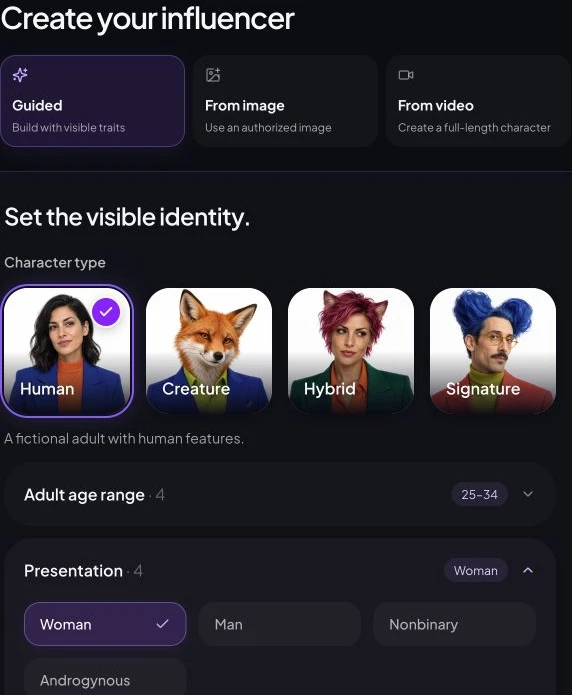
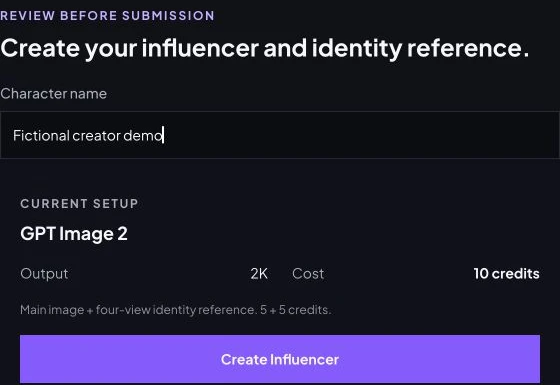
Keep face shape, complexion, hair silhouette, apparent age, and one signature accessory stable. Change location, pose, outfit, crop, and lighting in controlled steps. Inspect face, hands, teeth, hair edges, jewelry, reflections, and background geometry before publishing.
Start with identityBuild a fictional adult creator in Character BuilderHow do you create Instagram photos and Reels?
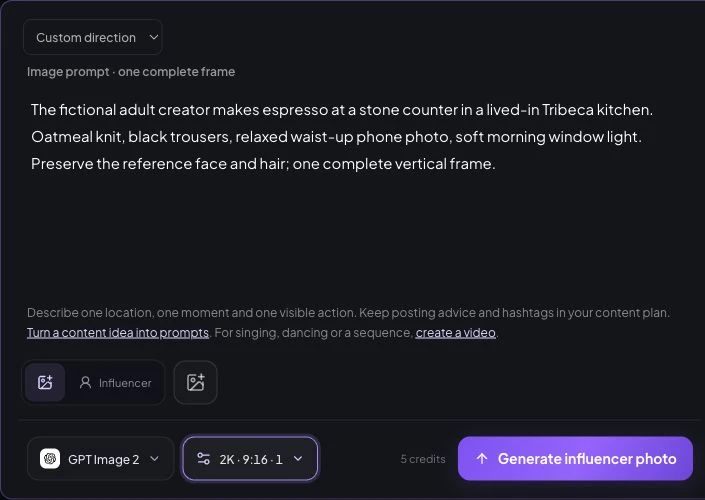
Create a compact reference set, then reuse the saved identity in the consistent-character photo workflow. Describe one location, one action, the camera treatment, and the intended format.
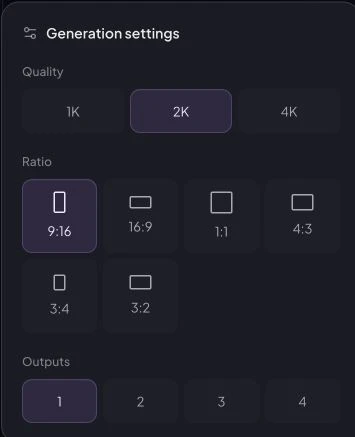
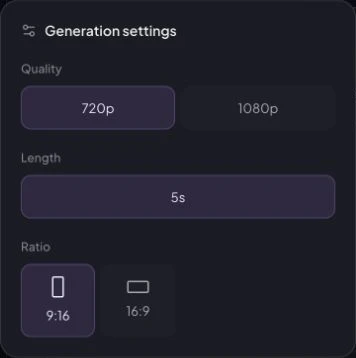
Choose the saved identity or Source image, enter Direction, select GPT Image 2, 2K, 9:16 and one output; the current photo quote is five credits. For silent Reels source shots, the demonstrated Wan 2.6 720p, 5s, 9:16 quote is 27 credits. These current forms were not submitted.
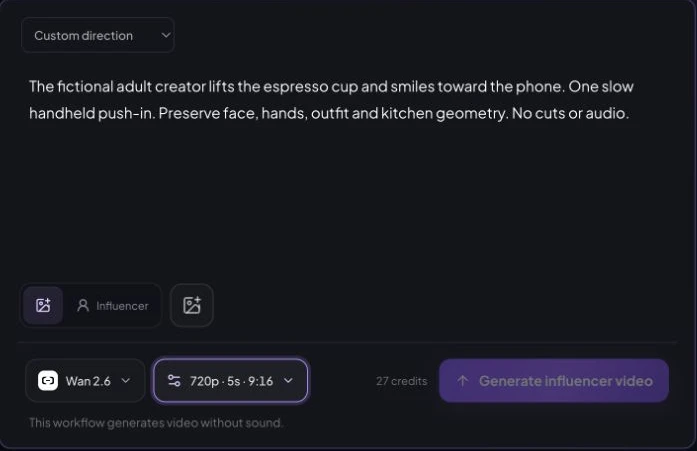
For Reels, start with an approved still in AI Influencer Video. One subject action and one camera movement are easier to review than a crowded brief. Use templates for supported structures and find completed outputs in History.
How long does generation take, and how many credits does it use?
The retained July 30, 2026 NYC Creator archive links the selected identity to a kitchen photo, a street photo and a kitchen-first-frame video. Three GPT Image 2 tasks record 92, 67 and 72 seconds and 89, 65 and 60 provider credits respectively. The Seedance 2 video records 104 seconds and 100 provider credits. Provider credits are not customer site charges; customer ledger, retries and end-to-end waiting time are unknown. This is one archived input-to-output chain, not an Instagram account, published Reel, success rate or controlled benchmark.
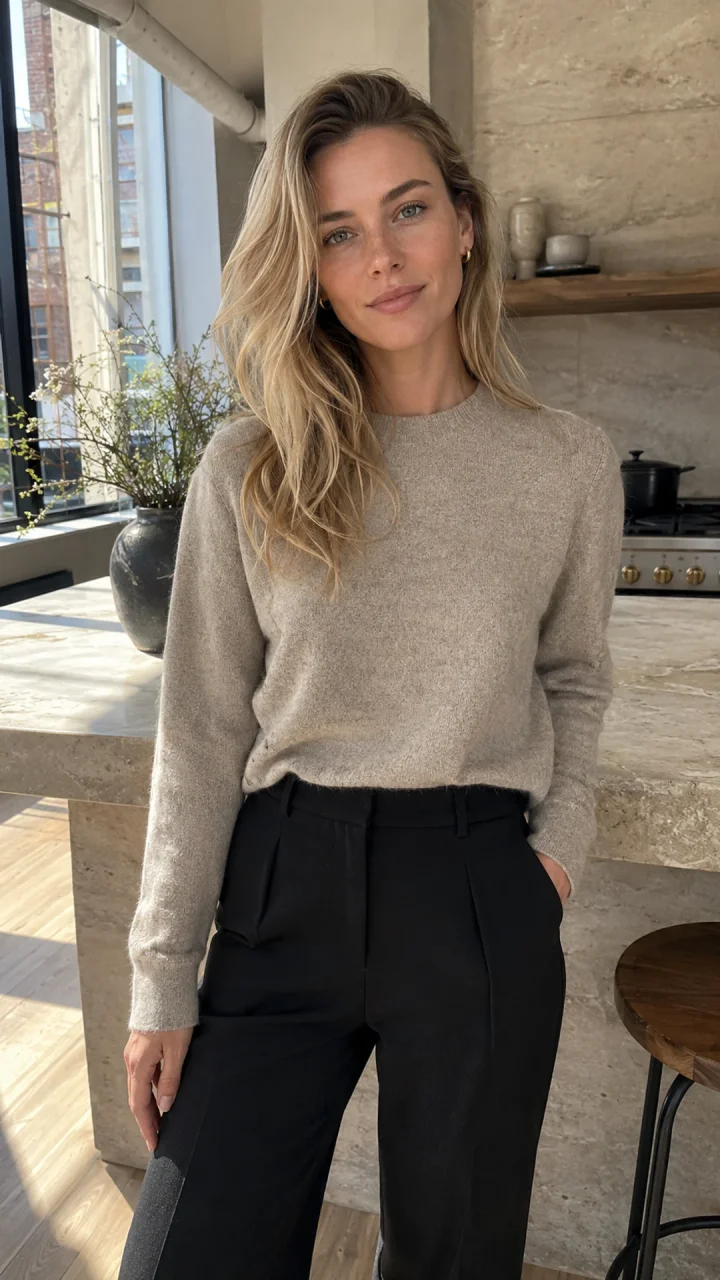
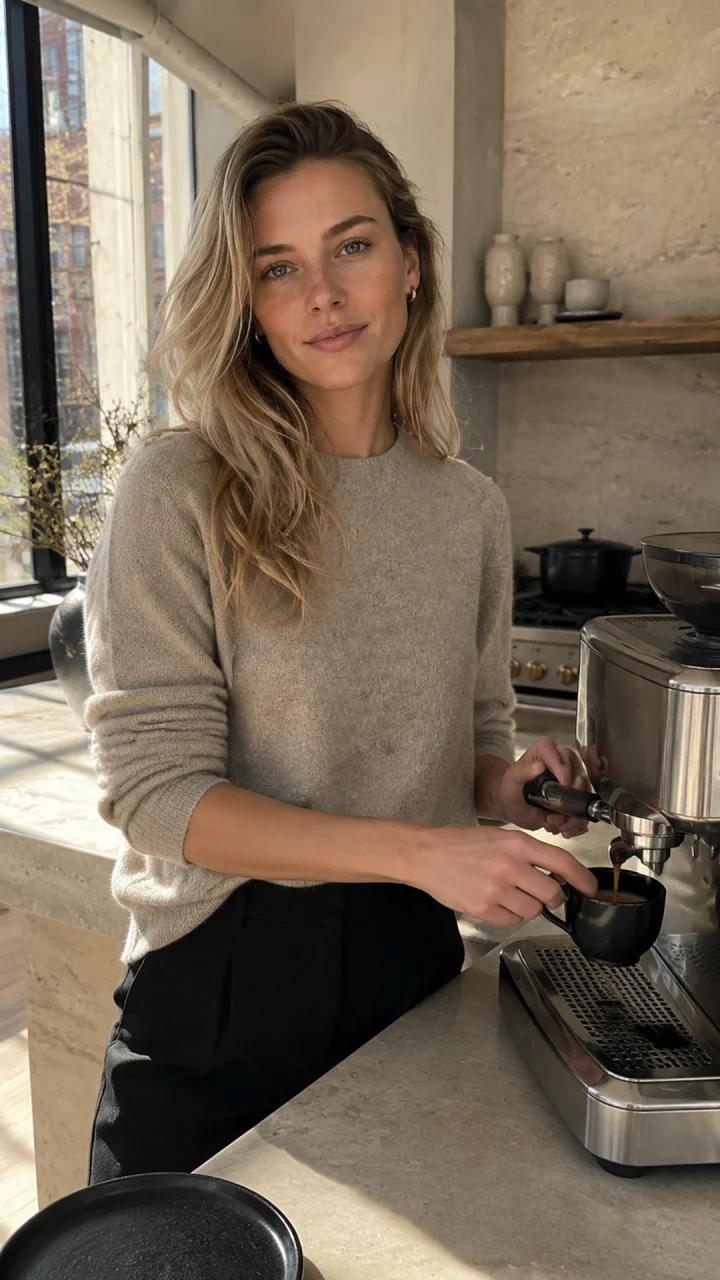
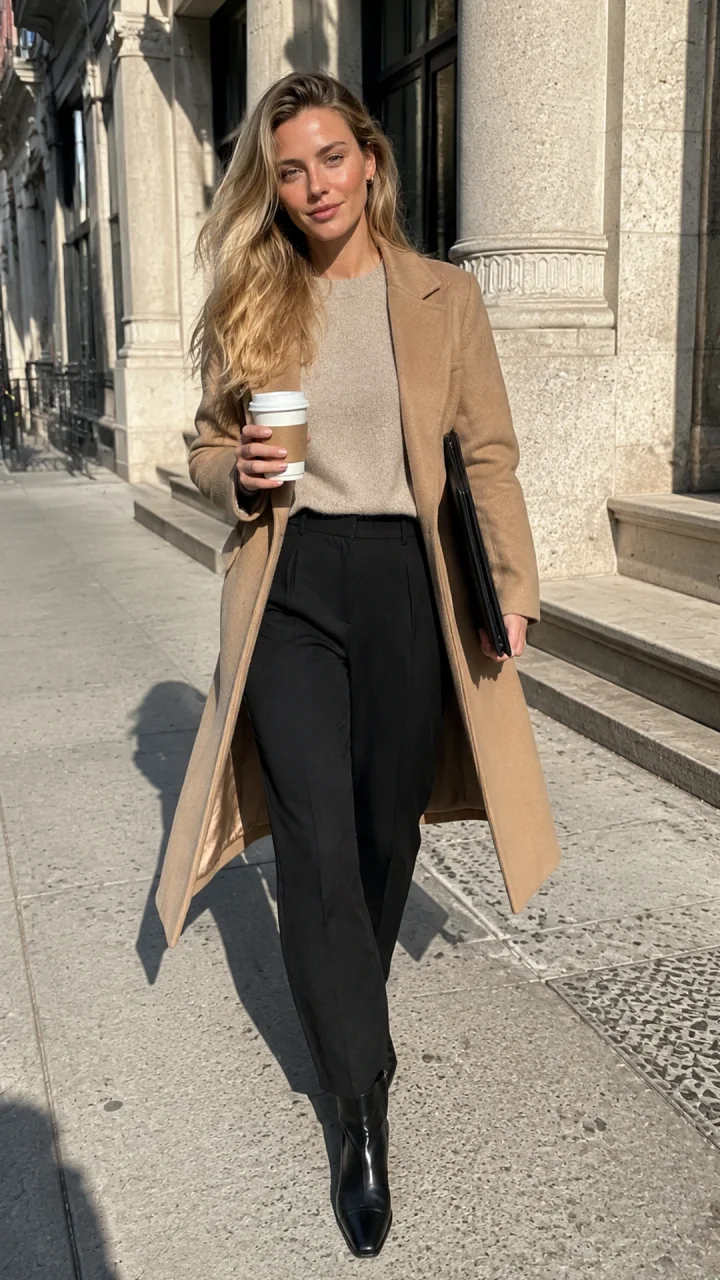
See the full original prompts, inputs and settings. Current monthly subscriptions are $19/300 credits, $39/800 and $79/2,000. Subscription fees, current quoted generation usage and archived provider costs are separate. Check current pricing and the Studio quote before submitting.
What should an AI influencer post on Instagram?
Use three to five content pillars tied to an audience job. Mix useful carousels, recognizable lifestyle moments, Stories, and Reels instead of repeating the same centered portrait.
Sustainable cadence
A practical weekly rhythm
- Two value posts
- A carousel, comparison, checklist, or niche formula.
- One identity post
- A believable moment that strengthens the visual world.
- One or two Reels
- Short concepts with one hook and one readable action.
- Stories
- Process, choices, and questions without inventing a human life.
How do you set up the Instagram profile?
Use a readable handle and display name. The bio should identify the creator as virtual or AI-generated, state the niche, give a reason to follow, and provide a contact direction when relevant.
Profile checklist — not Instagram UI
Make the account understandable in seconds
- Display name
- Lina Vale | Virtual Style Creator
- Bio promise
- Minimal outfits, capsule wardrobe ideas, and city-inspired looks.
- Transparency
- Clearly identify the character as virtual or AI-generated.
- Pinned posts
- Introduction, strongest value post, and transparent process post.
- Highlights
- Start Here, Looks, Reels, Process, and Partnerships.
- Profile image
- A recognizable portrait that survives a small circular crop.
What should the first seven Instagram posts be?
The opening sequence should explain the account while testing formats. Do not pretend the fictional creator already has a community, brand deal, personal history, or product experience.
Launch sequence
The first seven posts
- 01 · Introduction
- Portrait, niche, and content promise.
- 02 · Signature Reel
- Three related scenes with one hook.
- 03 · Value carousel
- Teach one useful niche formula.
- 04 · Lifestyle post
- Show a believable niche-relevant action.
- 05 · Process post
- Explain how the fictional creator is made.
- 06 · Second Reel
- Test a new hook with the identity stable.
- 07 · Community prompt
- Ask a specific question for the next post.
How do you disclose, measure, and improve the account?
The paid Publish workflow supports connecting an Instagram Business account and publishing or scheduling supported single-image posts and videos. Export multi-photo carousels for manual posting. AI Influencer Generator does not read your Instagram audience analytics; review performance inside Instagram Insights.
Meta explains when creators should disclose branded content on Instagram and its approach to AI information labels. Check current controls at publication time because policies can change.
Instagram's August 31, 2026 profile-label update says profiles featuring an AI-generated person should enable the AI-generated profile label in Edit profile. Missing labels may affect recommendation eligibility; use Account Status to check notices. This profile label is separate from an individual post's AI label and advertising disclosure.
For U.S.-facing commercial posts, use the FTC's Disclosures 101. Platform labels do not replace commercial disclosure. Also review AI disclosure guidance and commercial-use guidance.
Use Instagram Insights—not invented metrics—to review saves, shares, comments, profile visits, follows, Reel retention, and Story replies. Change one or two variables in the next batch while keeping the identity and content promise stable.
For a focused character-building walkthrough, continue with how to create a reusable AI woman.
Frequently asked questions
How do I make an AI influencer for Instagram?
Define a niche and an original fictional adult persona, save one reusable character, create reviewed photos and Reels from that identity, set up a transparent Instagram profile, publish a balanced first seven posts, and use Instagram Insights to improve the next batch.
How much does it cost to create an AI influencer for Instagram?
The Instagram account itself is separate from AI Influencer Generator. In our reviewed historical sample, three image tasks used 214 provider credits total (60–89 each), while one video task used 100 provider credits. These are past production records, not a current quote; Studio shows the current credit cost before submission.
How do I keep the same AI influencer face on Instagram?
Save one approved adult character, document stable identity traits, reuse that identity in supported Studio workflows, and change location, pose, outfit, crop, and lighting in controlled steps. Review every result because character consistency can still vary.
Should an AI influencer disclose that the character is fictional?
Yes. Make the virtual or AI-generated nature clear where viewers can understand it, use Instagram's current AI-labeling tools when applicable, and disclose commercial relationships clearly. Platform labels do not replace advertising disclosures.
Does AI Influencer Generator publish directly to Instagram?
The paid Publish workflow connects a supported Instagram Business account and publishes or schedules supported single-image posts and videos. Native multi-photo publishing is not supported; export carousels for manual posting. Apply Instagram disclosures and review audience performance in Instagram Insights. AI Influencer Generator does not sync Instagram audience analytics.
Plan Content
Measure Engagement
Build Your Profile
Price Your Work
Write Post Copy
Brand Partnerships