
Learning how to create an AI woman is less about finding one perfect prompt and more about building a reusable fictional adult character. The useful outcome is an identity you can save, place in believable social scenes, and bring into short-form video without pretending the result is a real person.
This guide follows the current AI Influencer Generator Studio workflow from planning to Character Builder, consistent photos, video, and History. Available models, formats, and prices can change; Studio shows the current options and a credit quote before you submit.
The workflow at a glance
- 01
Plan an original fictional adult AI woman
- 02
Open Character Builder and choose a starting path
- 03
Define and save the reusable identity
- 04
Create a consistent social photo
- 05
Turn the still into a short video
Plan an original fictional adult AI woman
Start with a compact character brief. It prevents the design from becoming a pile of disconnected adjectives and gives every later image a clear editorial job.
Make the character original. Use only adult fictional identities or a real-person reference you are authorized to use. Do not ask the system to imitate a celebrity, private individual, or an underage-looking person.
Open Character Builder and choose a starting path
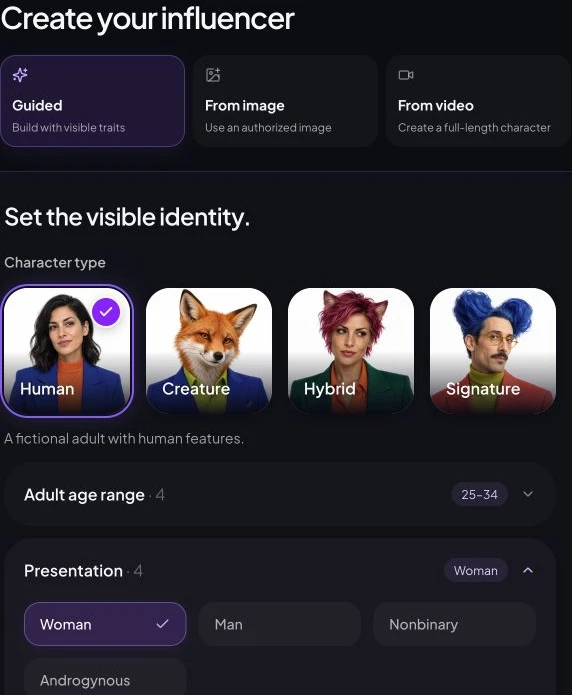
In Character Builder, choose the path that matches your source material: Guided for a new fictional identity, Image when you have an authorized reference, or a reviewed starter when you want a faster creative direction. The path changes the input—not the need to review and save the result.
Define and save the reusable identity
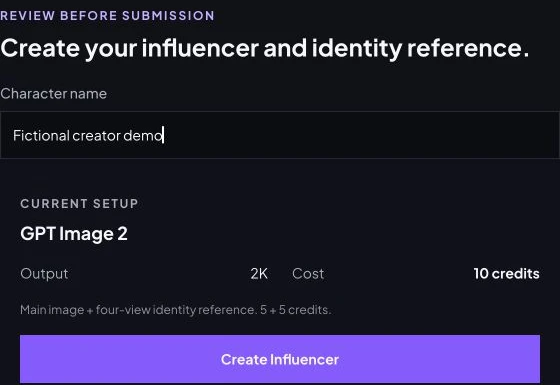
Choose details that a viewer could recognize again: hair shape, face structure, complexion, characteristic styling, and a small set of recurring accessories. Avoid locking the character to one outfit, pose, or room; those belong to the content scene, not the identity.
A saved character is a stronger reference, not a guarantee. Generative results can still drift. Build a small approved reference set and reject frames that change defining facial features, apparent age, body proportions, or signature details.
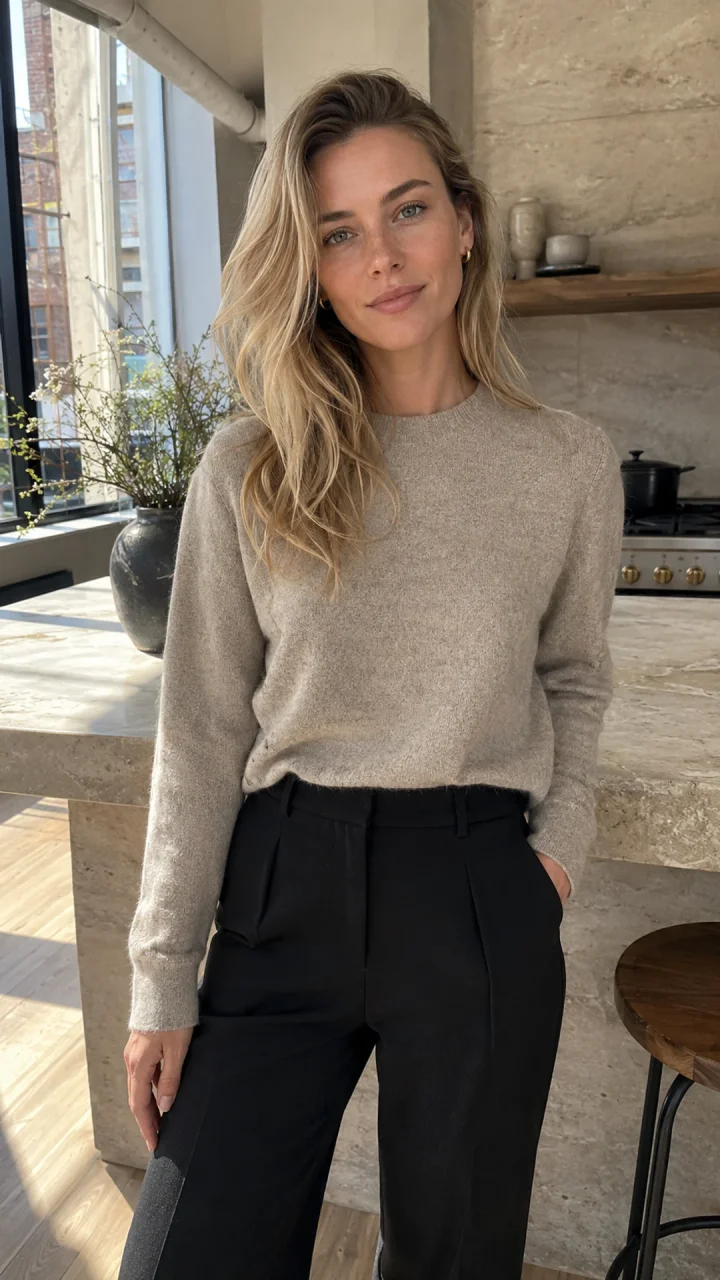
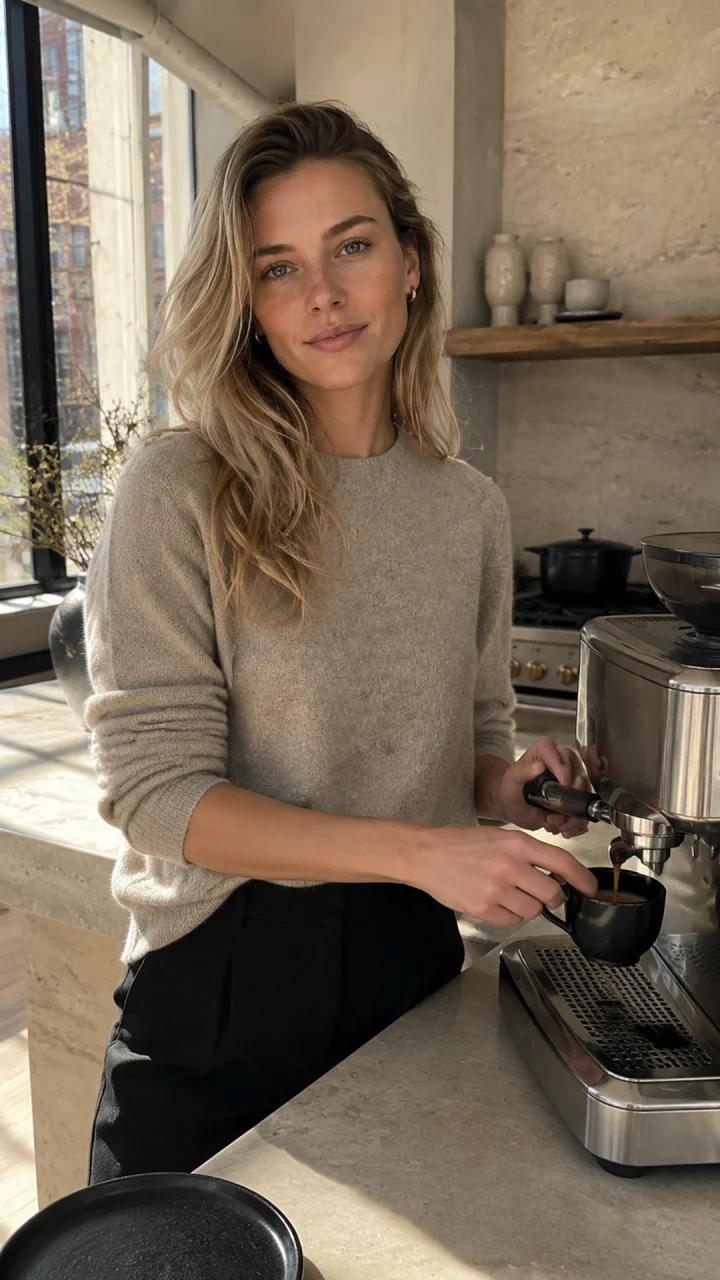
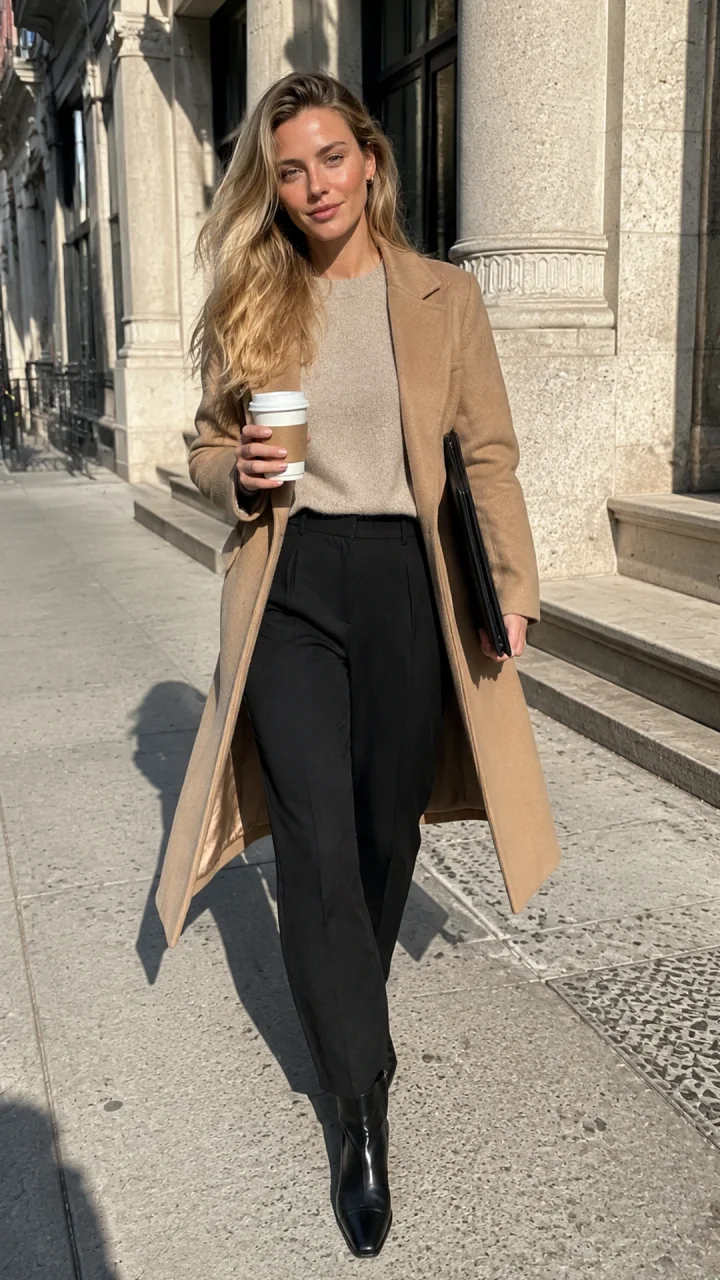
The retained July case below uses one fictional 29-year-old reference in two separate scenes. These outputs were generated before the current Guided main-image and identity-reference flow. GPT Image 2 used auto ratio with vertical 9:16 in the prompt; exact resolution and customer charges are unknown. See the complete prompts and recorded settings.
Create a consistent social photo
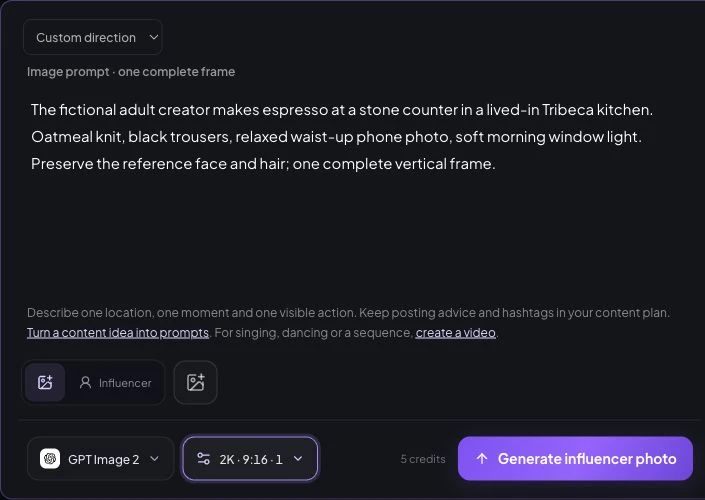
Open the consistent-character photo workflow and select the saved character. Write a scene as a short production brief: location, action, wardrobe, light, camera distance, and intended format. Change one major variable at a time so you can identify what caused a good or bad result.
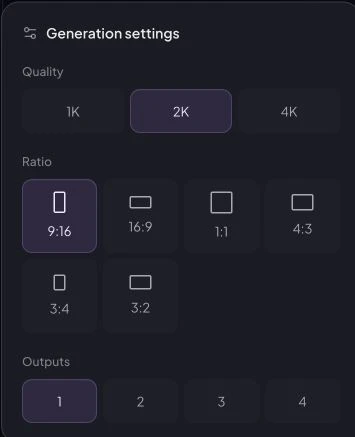
In Direction, try one espresso scene, then select GPT Image 2, 2K, 9:16 and one output. The current demo quotes five credits. The screenshot has no reference attached and was not submitted; attach your approved identity before generating.
Review the still before you animate it
Check the face and apparent age first, then hands, clothing seams, product labels, reflections, and background geometry. If a product appears, verify that its scale and placement make physical sense and that the image does not imply an unperformed test or fabricated testimonial.
Build the approved stillCreate a consistent character photoTurn the still into a short video
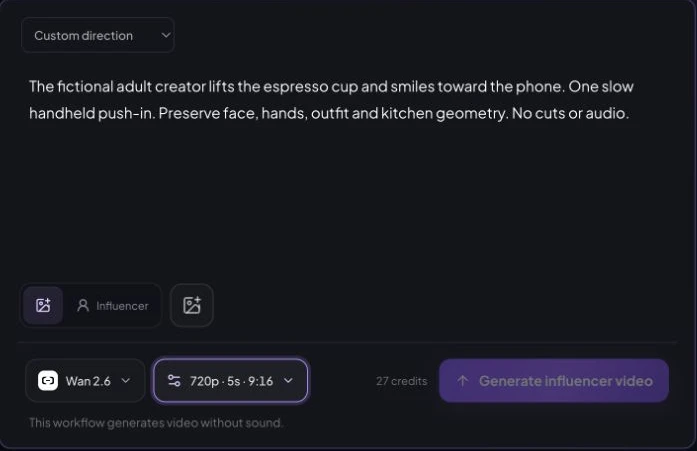
Start with the strongest approved still, then open AI Influencer Video or Animate Photo. Use one main subject action and one camera movement. A concise motion brief is easier to review than a sequence full of competing actions.
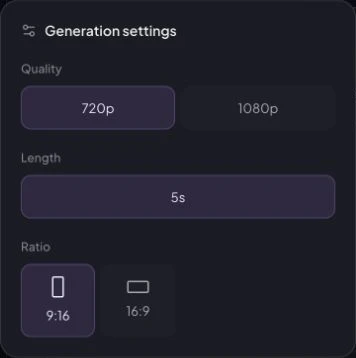
For the demonstrated silent draft, select Wan 2.6, 720p, five seconds and 9:16. The current quote is 27 credits. The historical video below instead used Seedance 2 with the kitchen first frame; its provider time was 104 seconds and provider charge 100 credits, not a current site charge.
When processing finishes, open History. Review face morphing, hands, product shape, background motion, and clothing continuity before downloading. A completed task is not automatically an approved asset.
Add motionTurn an approved creator image into a short videoBuild a repeatable AI woman content system
Consistency improves when the workflow is boring in the right places. Keep one saved identity and a small reference set. Create a few repeatable content pillars—such as routine, tutorial, product context, and behind-the-scenes—and vary the story inside those lanes. Browse Studio templates for supported formats rather than assuming every model offers every size or motion style.
For a campaign-focused example, see how to reuse the same character across AI women videos for TikTok, Reels, Shorts, ads, and multiple content accounts.
Before spending credits, confirm the quote shown in Studio. The pricing page explains current plan structure, but the workflow quote is the source of truth for a specific task.
Disclosure, provenance, and safe claims
Be clear when media is synthetic and when a relationship is commercial. The FTC's social media disclosure guidance is a practical reference for U.S.-facing promotions. C2PA explains an open standard for content provenance, while platform-specific labeling requirements should be checked before each post.
A fictional creator can have a viewpoint, but should not make medical, financial, performance, or first-person product claims without appropriate evidence. Never present synthetic content as a real customer testimonial or hide a paid relationship.
Create responsiblyBuild your reusable AI woman in StudioFrequently asked questions
Can I create an AI woman for free?
You can inspect the current Studio workflow before submitting a task. Generation costs depend on the model and settings you choose, and Studio shows the credit quote before submission. Check the pricing page for current plan details.
How do I keep the same AI woman across different images?
Save one approved adult character, reuse that saved identity, and change one creative variable at a time. Consistency can improve, but every result still needs review because no generative workflow guarantees a perfect identity match.
Can I turn an AI woman image into a video?
Yes. Use an approved still in a currently supported Studio video workflow, keep the motion brief simple, review the quoted credits, and inspect the completed result in History before downloading it.
Do I need to disclose that the woman is AI-generated?
Use clear disclosure where synthetic media or a commercial relationship could affect how viewers interpret the content. Platform rules and local law vary, so review the relevant guidance for every channel and campaign.
Plan Content
Measure Engagement
Build Your Profile
Price Your Work
Write Post Copy
Brand Partnerships