
To grow an AI influencer on Instagram, give a specific audience a repeatable reason to follow: useful ideas, a recognizable character, and a clear point of view. Use Reels to test discovery, carousels to earn saves and shares, Stories to maintain relationships, and your profile to explain the promise. Start with three to five quality feed posts weekly, disclose the AI identity, and review Instagram Insights at consistent intervals. Keep the persona stable while testing one content variable at a time. Build around evidence from your own account, not promised follower counts.
 Photo · a useful observation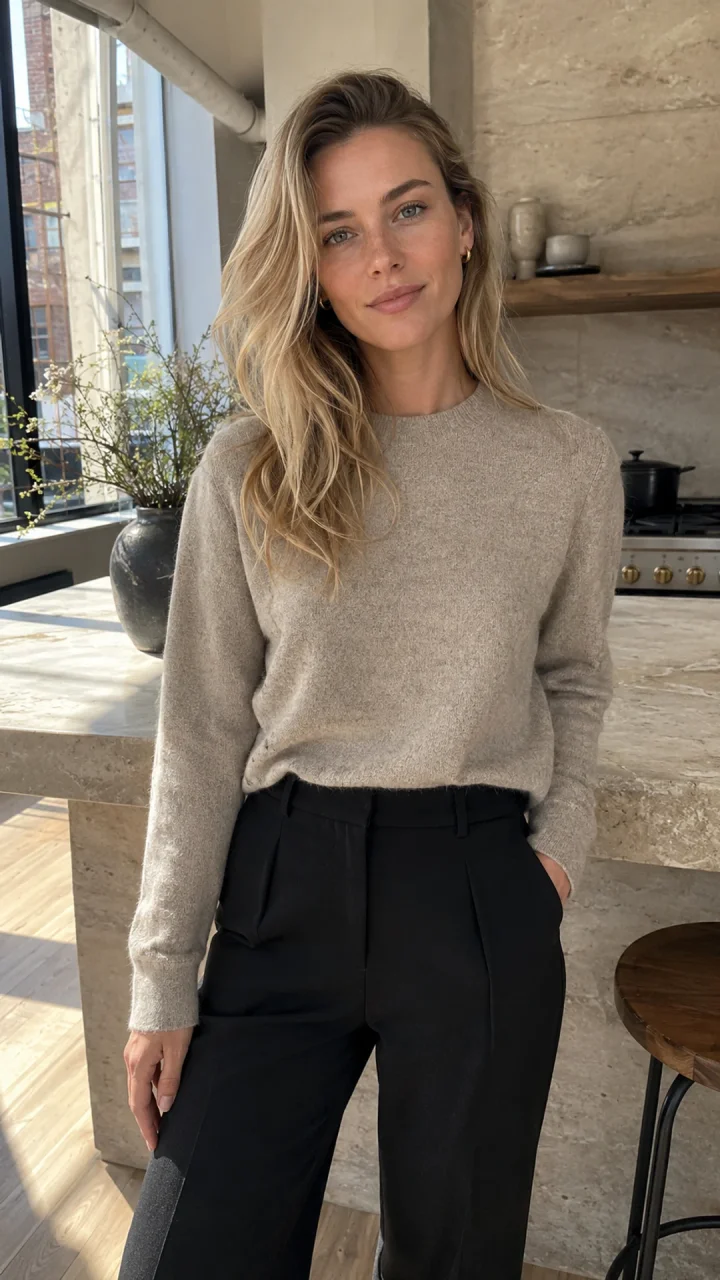
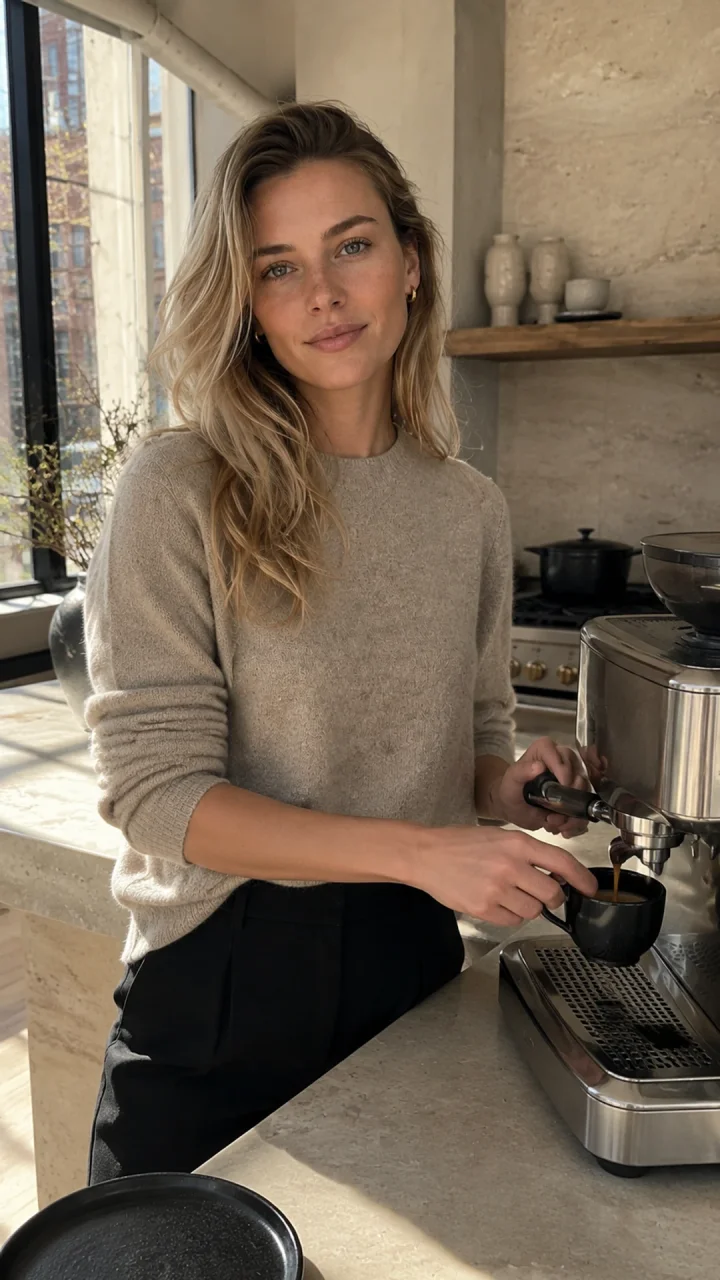 Carousel · a connected sequence
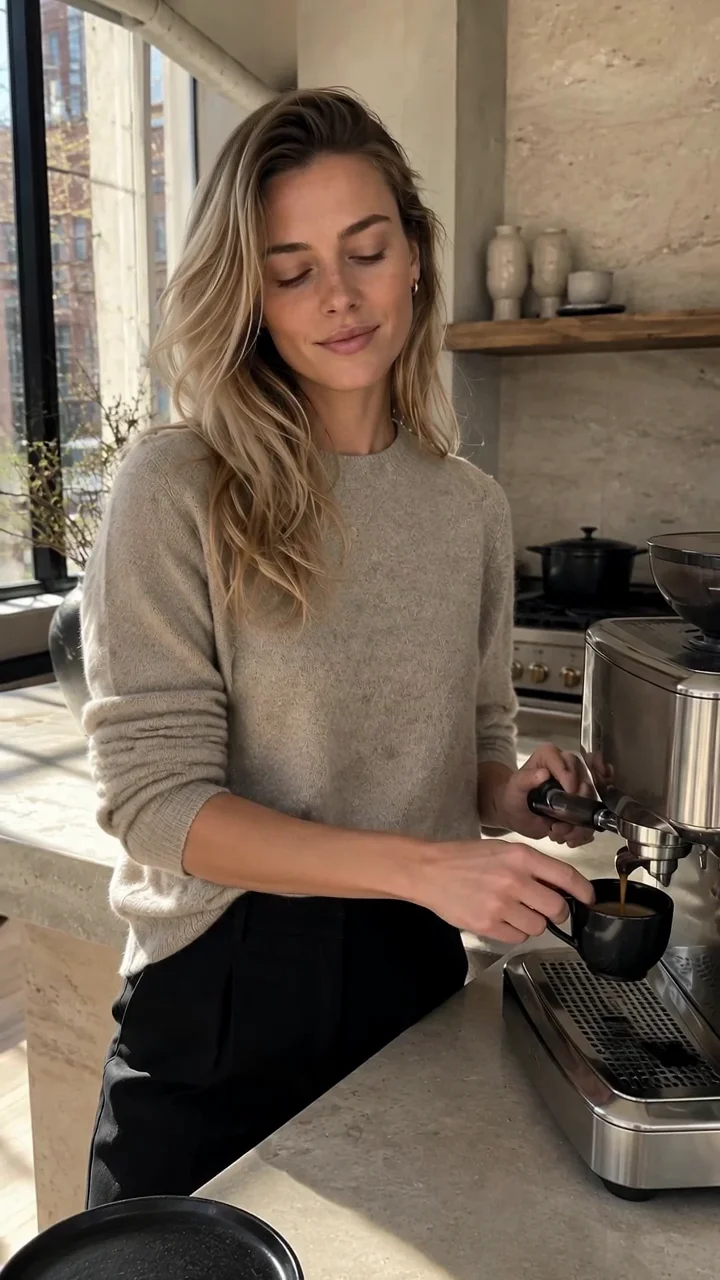 Reel · one clear action
Key Takeaways
- Optimize the whole path: discovery → useful content → profile visit → follow.
- Compare formats by their job. A higher engagement rate does not prove more follower growth.
- Label an AI-generated person at profile level; check content and advertising disclosures separately.
- Use the 30-day calendar as an experiment. Measure performance in Instagram Insights.
Evidence boundary: the benchmarks below concern general Instagram accounts using Buffer. None establishes an AI-influencer-specific growth rate. Our original contribution is the operating plan, diagnostic framework and verified product workflow—not a fabricated account experiment.
How Does Instagram Growth Work for AI Influencers?
Growth requires both discovery and conversion. A Reel can introduce the character to strangers, but the next post and profile must explain why those people should stay. Instagram uses different ranking systems across its surfaces; there is no universal “AI influencer algorithm.”
| Format | Purpose | Important metrics |
|---|---|---|
| Reels | Reach people who do not follow you | Non-follower reach; average watch time; follows |
| Carousels | Teach something worth keeping or sharing | Saves/reach; shares/reach; profile visits |
| Stories | Listen and build existing relationships | Replies; poll responses; exits |
| Profile | Turn curiosity into a clear reason to follow | Profile visits; attributed follows |
Carousels lead on engagement per account reached
Engagement rate (%) · zero baseline
- Carousels6.90%
- Single images4.44%
- Reels3.31%
Reels’ 3.31% is not evidence that you should stop making video. Discovery may bring in less familiar viewers who interact less. Match the metric to the job, then compare your own posts within the same format.
Original posts in US Instagram recommendations
Meta’s January 28, 2026 disclosure says the share reached 75% in Q4 2025, up 10 percentage points. Scope: US recommendations, not all global posts, AI posts or follower growth. No underlying sample count was disclosed.
The practical implication is to develop original, useful series rather than repost other creators’ clips. Originality is one part of eligibility and ranking, not a promise of distribution.
Step 1. Choose a Niche and Build a Recognizable AI Persona
Choose a specific audience problem before choosing an aesthetic. “Fashion” is a category; “repeatable city outfits from a small wardrobe” is a followable promise. Define three pillars: outfit formulas, practical comparisons and transparent creative process.
Write a one-sentence brief: “A fictional adult virtual style editor helping city commuters reuse what they own.” Lock face structure, adult age, complexion, hair and a signature accessory. Define voice through behavior: explain choices, acknowledge uncertainty and avoid invented lived experience.
For creation, use the AI influencer persona guide. If you still need an account, follow the Instagram account setup tutorial. This guide starts where setup ends: attracting and retaining an audience.
See the real Character Builder workflow
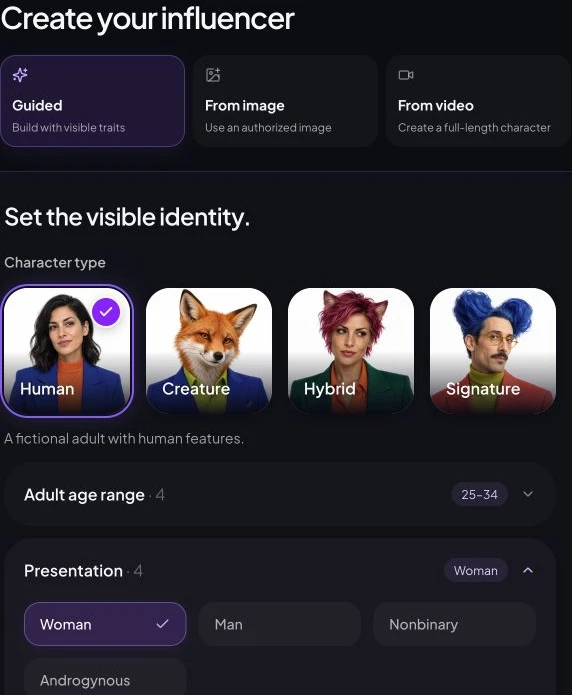
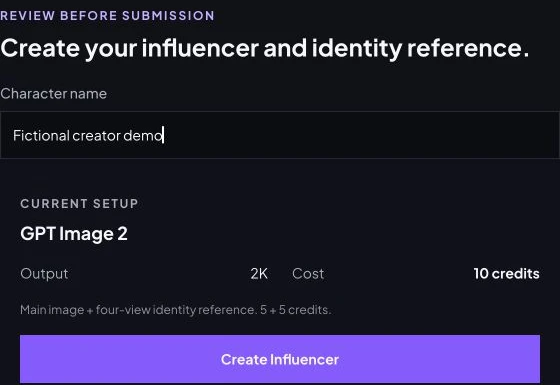
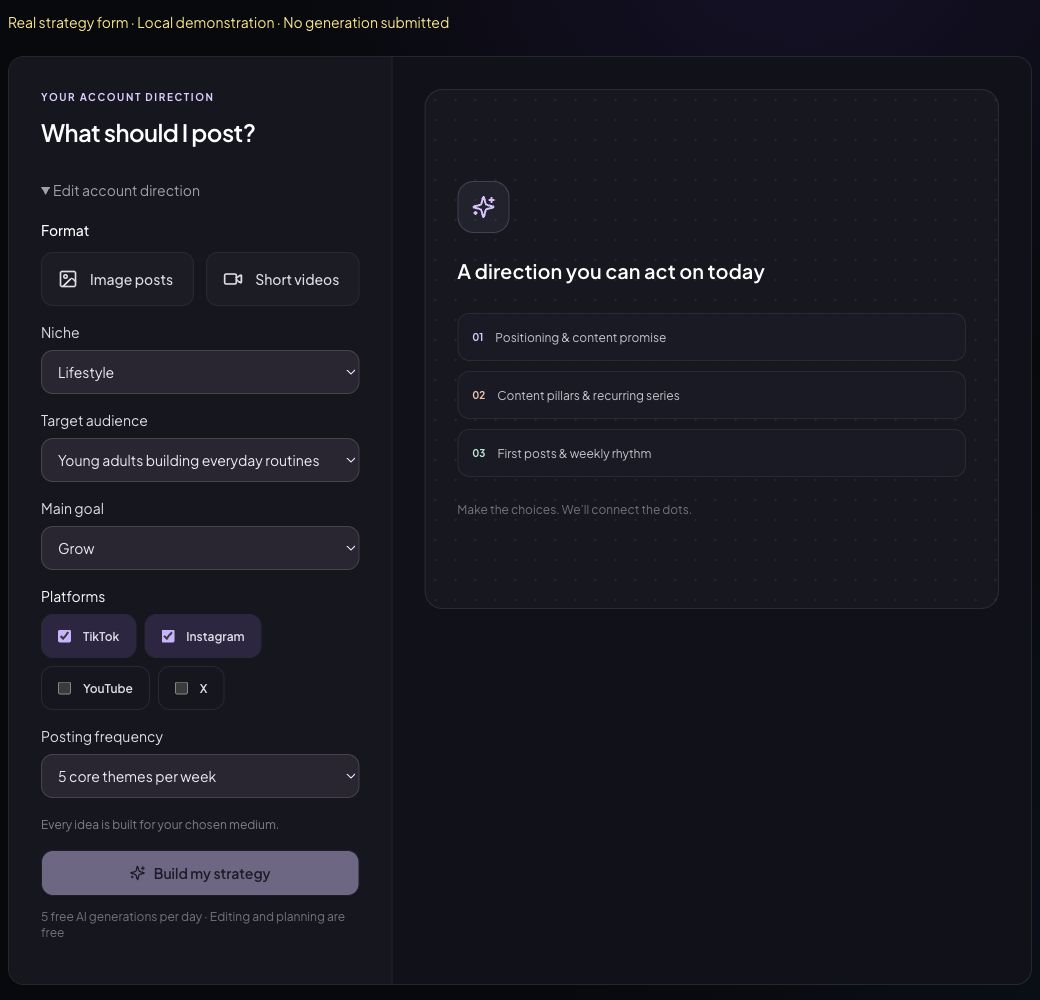
In My Influencers, open a character’s Content Strategy and Creator Kit to organize the promise and content ideas. Treat generated suggestions as drafts requiring editorial judgment.
Step 2. Optimize Your Instagram Profile for Discovery
Your profile should tell a first-time visitor who the creator is, what they will learn and why they should follow. Use a readable username and a descriptive Name. Add the main niche keyword naturally; do not repeat it in every field.
| Field | Example or action |
|---|---|
| Username | @linavale.style — example only; availability not checked |
| Name | Lina Vale | Capsule Wardrobe Ideas |
| Profile photo | One clear face; check a small circular crop |
| Bio | AI-generated style editor. Small wardrobes, more outfit ideas. Weekly formulas for city routines. ↓ Start with the capsule checklist. |
| Relevant keywords | Capsule wardrobe, outfit formulas, city style — only where relevant |
| Profile link | One useful checklist or relevant destination you maintain |
| Pinned posts | Start here; strongest practical guide; how the virtual creator is made |
| AI-generated profile | Enable the actual Instagram profile label; bio text alone is insufficient |
Keep the pinned promise aligned with the current series. If a packing Reel performs well but your profile only shows unrelated glamour portraits, the visitor has no clear next step.
Step 3. Create Instagram Content People Want to Share
Make each post solve a small problem, clarify a choice or express an observation someone wants to send to a friend. A beautiful character can attract attention; a useful recurring idea gives that attention somewhere to go.
Ten executable ideas for a virtual style creator
- Reel: one coat styled three ways for different weather.
- Carousel: a five-piece weekday capsule with outfit combinations.
- Reel: demonstrate why changing a hem length changes proportions.
- Carousel: three layering mistakes and a visible fix for each.
- Photo: annotate one outfit with a concrete styling explanation.
- Story: ask followers to choose the next wardrobe constraint.
- Carousel: a packing checklist for a defined trip and climate.
- Reel: turn a real comment into a concise visual answer.
- Carousel: show reference selection and explain AI disclosure.
- Collaboration: two creators interpret the same styling brief, with permission.
Adapt the underlying job to your niche: a travel creator compares packing choices; a home creator explains a layout. Do not invent travel experience, product testing or professional qualifications.
Reel hooks: show the problem immediately
Test “Before you buy another coat, try these three combinations,” “One hem change, two different proportions,” or “Packing for rain? Start with these five pieces.” Put the promised visual in the first frame. Skip a long logo introduction. Deliver the answer quickly and add readable captions; use audio you have rights to use.
A six-slide carousel with an actual teaching sequence
1: “Five pieces, three workday outfits.” 2: Show the five pieces. 3: Explain outfit A. 4: Change one layer for outfit B. 5: Show outfit C and a weather caveat. 6: Recap the formula and invite a save. Add final text in an editor and verify garment continuity and legibility.
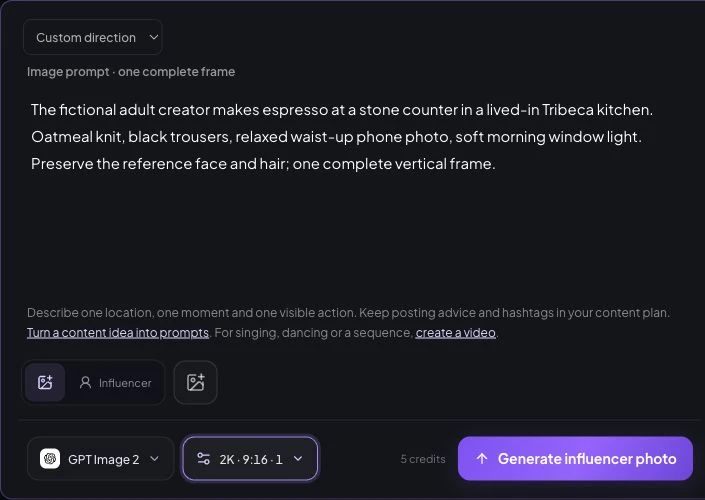
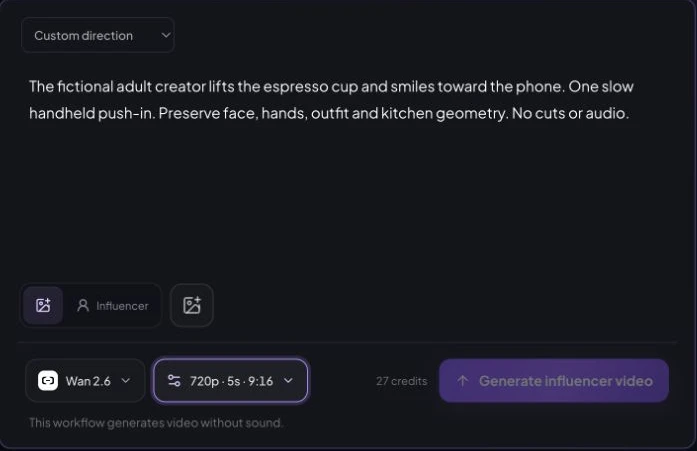
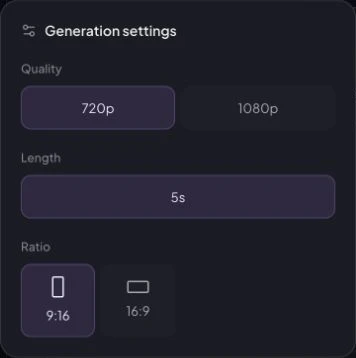
Reuse one approved identity reference across image templates, Carousels and video workflows. Carousels creates coordinated photos; it does not automatically turn every image set into a finished educational slide deck. Review face, hands, clothing, reflections and scene continuity before export.
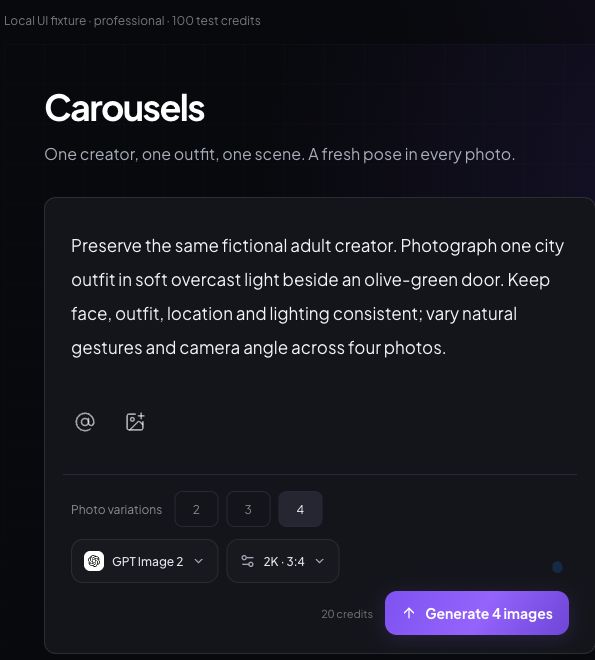
See real photo and video input controls
Step 4. Build a Consistent Posting Schedule
Start with three to five feed posts weekly only if you can preserve quality. Buffer’s frequency study examined 2M+ posts from 100,000+ accounts, covering photos, Reels and carousels—not Stories. Higher posting frequency was associated with faster growth; an observational study cannot prove that publishing more caused it.
Source: Buffer, published August 13, 2025; article framed for 2026. General Buffer-connected accounts. Research association informs the starting cadence; the calendar below is our editorial plan, not a study result.
A workable week is two Reels and two carousels, with a photo replacing one when it serves the idea better. Batch references and captions, leave time for review, and choose two audience-relevant publishing windows. There is no universal best time; test in your audience’s timezone.
Step 5. Grow Through Instagram SEO, Engagement, and Collaborations
Make the subject easy to recognize in the Name, bio, caption and on-screen wording. Start with Instagram search suggestions and real audience questions. Semrush’s Instagram SEO guide explains how search text, activity and popularity affect discovery. Use relevant topic hashtags and location context; avoid irrelevant keyword blocks and treat alt text as an accessibility description.
Spend a short, sustainable daily block answering meaningful comments and contributing specific observations to relevant conversations. Turn recurring questions into a named series. “Small Wardrobe, Monday Formula” builds recognition more effectively than another disconnected portrait.
For collaborations, agree on audience, brief, permissions, credit and disclosure before production. Use Instagram’s collaboration tools where available; never impersonate a collaborator or imply a partnership without agreement. Do not buy followers, join engagement pods, automate generic comments or flood the feed with near-duplicate posts.
Step 6. Understand Instagram's AI Content and Profile Rules
Profiles featuring an AI-generated person should use Instagram’s AI-generated profile label. The official August 31, 2026 announcement renamed the earlier AI creator label and introduced reach limits for undisclosed profiles. Merely using AI tools during a human creator’s creative process does not trigger this account-level requirement.
| Disclosure | What it tells viewers | What to do |
|---|---|---|
| AI-generated profile | The person represented by the profile is generated | Edit profile → enable the applicable label |
| Content-level AI label | A specific image, video or audio uses AI | Review current labeling controls for each upload |
| Advertising disclosure | A commercial relationship exists | Use clear ad disclosure and applicable branded-content tools |
Instagram says proactively applying the profile label will not change profile reach. Undisclosed AI-person profiles may become ineligible for recommendations. That is different from saying every AI post is automatically demoted; labeling also does not exempt a post from other rules.
- Open Instagram → your profile → Edit profile. Read and enable the AI-generated profile setting when it applies.
- Open the profile menu and find Account Status. Check recommendation eligibility and any notices; menu wording varies by app and region.
- If restricted for a missing label, add it. If the detection is wrong, use the appeal route described in Account Status.
- Before each commercial post, check AI and advertising disclosures independently.
Meta’s media-label guidance covers individual content separately. For brand work, disclose the relationship clearly and follow applicable rules such as the FTC’s influencer guidance for US-facing promotions. A fictional character must not claim to have personally tested a product, visited a hotel or achieved a health result.
Step 7. Measure Your Growth with Instagram Insights
Use Instagram Insights for real performance data. In an eligible professional account, open the Professional dashboard or a post’s View insights; availability varies. AI Influencer Generator’s Publish calendar tracks publishing activity, not Instagram audience analytics. Instagram’s Insights guidance is the platform reference.
| Metric | Definition / calculation | What to change |
|---|---|---|
| Reach / non-follower reach | Unique accounts reached; non-followers are the discovery subset | Low discovery: test the topic and first frame; check eligibility |
| Shares / saves | Each count ÷ accounts reached × 100; report separately | Low shares: improve relevance. Low saves: make the reference more useful |
| Reel watch time | Use total and average watch time as reported in Insights | Early loss: remove setup, show the payoff sooner; compare similar lengths |
| Profile visits | Visits during the selected period; not unique followers | High reach, few visits: clarify the series and next step |
| Follows per 1,000 reached | Attributed follows ÷ reach × 1,000, using matching scope | Visits without follows: align bio, pins and content promise |
| Engagement rate by reach | (Likes + comments + saves + shares) ÷ reach × 100 | Compare similar formats; separate organic and paid posts |
| Follower growth rate | (End followers − start followers) ÷ start followers × 100 | Review net growth alongside reach and unfollows |
Zero denominator means “not calculable,” not 0%. If post-attributed follows are unavailable, track account-level follows and reach over the same period and label the result an account-level ratio. Do not attribute every new follower to one Reel. Sum of post reach can double-count people; use account reach for account-level calculations.
Worked example, invented for arithmetic: 12 attributed follows from 3,000 accounts reached equals 4 follows per 1,000 reached. It is a conversion signal, not a benchmark. Track it alongside audience relevance and production cost.
Engagement benchmarks vary with account size
Engagement rate (%) · zero baseline
- 0–1K5.2%
- 1K–5K4.6%
- 5K–10K4.1%
- 10K–50K3.7%
- 50K–100K3.6%
- 100K–500K3.5%
- 500K–1M3.7%
- 1M+5.0%
Use a similarly sized account cohort as context, then prioritize your own baseline. With small reach, one extra save can move a rate sharply. Review several comparable posts and keep counts beside percentages.
A 30-Day AI Influencer Instagram Growth Plan
Use four weeks to identify two repeatable content series. This example follows a fictional capsule-style creator: week one establishes the account, week two tests hooks and themes, week three repeats promising ideas, and week four reviews Insights. It schedules 3, 4, 4 and 4 feed posts in the four complete weeks; Stories and operating tasks are additional.
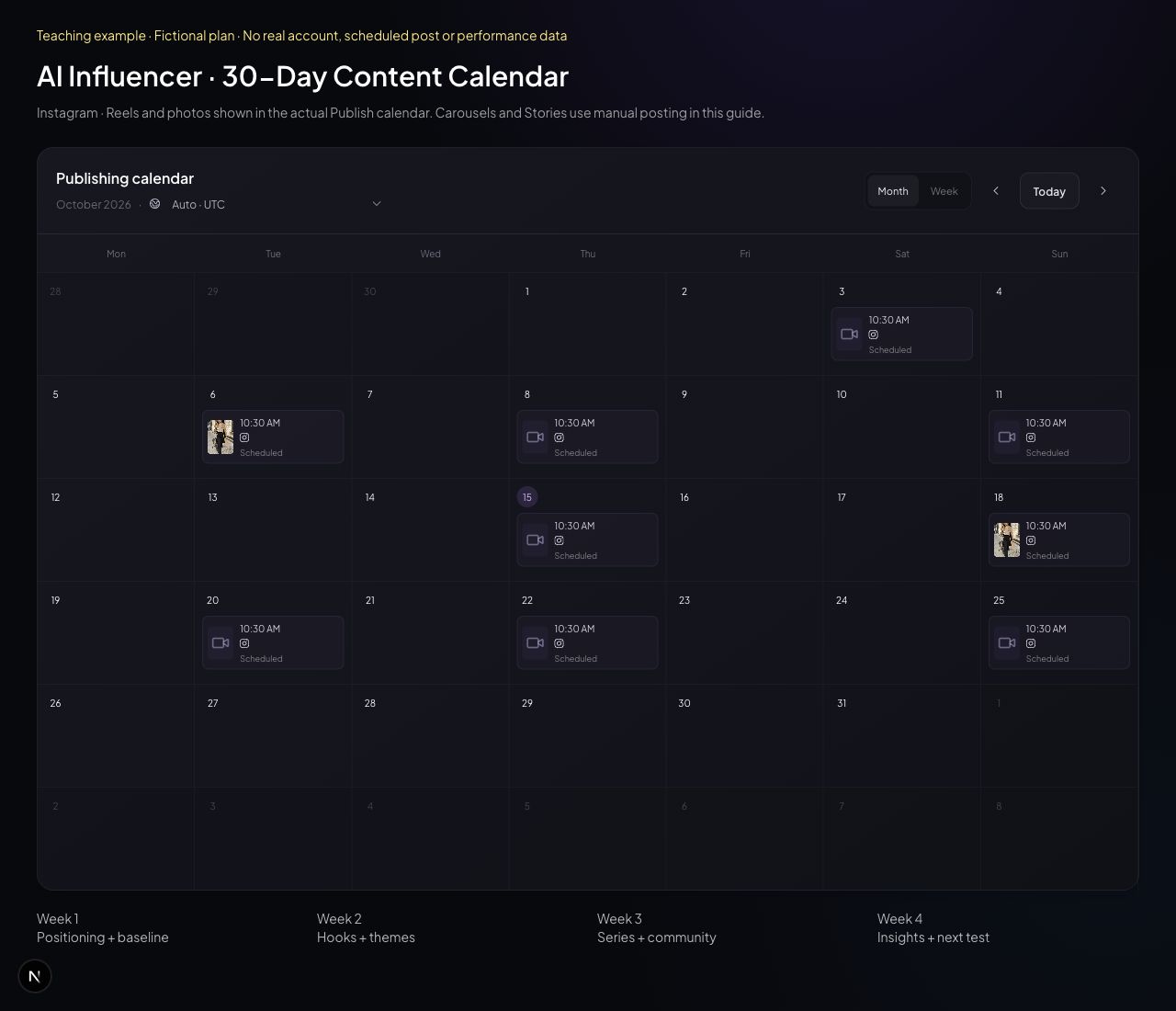
Open Publish, connect a supported Instagram Business account, choose approved media, enter the caption, select the date/time and confirm the timezone. Publishing requires a paid subscription and available publishing quota. Single images and videos are supported; videos default to Reels. Review final status rather than assuming queued means published.
Current limit: native multi-photo publishing is not supported. Keep a carousel as a draft or download the images and publish the carousel manually in Instagram. Splitting images makes separate posts. This plan also uses manual Instagram Stories; it does not promise Stories automation or analytics syncing.
Day 1 can be any date. For feed posts, test 12:30 and 18:30 in your audience’s timezone as example windows, not universal recommendations. Log the actual timestamp. Community and review days need no public post.
Week 1: Set the promise and establish a baseline
| Date | Content type | Topic / action | Goal | KPI |
|---|---|---|---|---|
| Day 1 | Setup | Define capsule-style audience + three pillars | Positioning | One written promise |
| Day 2 | Setup | Bio, AI label, reference set + baseline | Readiness | Checklist complete |
| Day 3 | Reel | One coat, three outfit formulas | Discovery | Non-follower reach |
| Day 4 | Carousel | Five-piece weekday wardrobe | Utility | Saves / reach |
| Day 5 | Story | Poll: office or weekend next? | Listen | Responses |
| Day 6 | Photo | City outfit + explain the proportions | Profile interest | Profile visits |
| Day 7 | Review | Log 72-hour results; inspect identity drift | Baseline | Three posts logged |
Week 2: Test hooks and useful themes
| Date | Content type | Topic / action | Goal | KPI |
|---|---|---|---|---|
| Day 8 | Reel | Hook A: stop buying another coat | Hook test | Average watch time |
| Day 9 | Carousel | Three layering mistakes, three fixes | Topic test | Shares / reach |
| Day 10 | Community | Answer comments; collect wardrobe questions | Relevance | Useful questions logged |
| Day 11 | Reel | Hook B: three ways to restyle one coat | Hook test | Watch time + reach |
| Day 12 | Story | Show references and disclose the process | Transparency | Replies |
| Day 13 | Carousel | Office-to-weekend outfit checklist | Save intent | Saves / reach |
| Day 14 | Review | Compare hooks at the same post age | Choose a hypothesis | One test decision |
Week 3: Repeat promising series and listen
| Date | Content type | Topic / action | Goal | KPI |
|---|---|---|---|---|
| Day 15 | Reel | Winning hook structure, new wardrobe problem | Replication | Follows / 1K reached |
| Day 16 | Carousel | Part 2 of the strongest useful series | Repeat value | Saves / reach |
| Day 17 | Community | Discuss a joint brief with a relevant creator | Collaboration fit | One agreed brief, if accepted |
| Day 18 | Photo | Answer a real audience outfit question | Trust | Relevant comments |
| Day 19 | Story | Vote on next series installment | Community | Poll responses |
| Day 20 | Reel | Joint styling prompt, only with permission | Relevant discovery | Non-follower reach |
| Day 21 | Review | Check series medians and production cost | Sustainability | Time + credits logged |
Week 4: Review Insights and choose the next test
| Date | Content type | Topic / action | Goal | KPI |
|---|---|---|---|---|
| Day 22 | Reel | Strongest series: a new weather constraint | Validate repeatability | Follows / 1K reached |
| Day 23 | Carousel | Audience-requested packing checklist | Useful depth | Saves / reach |
| Day 24 | Community | Reply, audit bio and Account Status | Remove friction | Issues reviewed |
| Day 25 | Reel | One-variable test: clearer first frame | Retention | Average watch time |
| Day 26 | Story | Ask what people want explained next | Next-month input | Specific requests |
| Day 27 | Carousel | Month-one best ideas, one practical guide | Consolidate value | Shares + saves |
| Day 28 | Review | Export or record Insights; compare formats | Learning | Review template complete |
| Day 29 | Production | Batch next month's approved references | Quality buffer | Four reviewed concepts |
| Day 30 | Review | Keep two series; stop one; set next test | Next-month plan | One written experiment |
Keep a short decision log: observation → possible explanation → next test. If reach improves but follows do not, revise the promise and pins before increasing output. If saves improve but production costs become unsustainable, simplify the format while keeping its useful explanation.
Common Reasons Your AI Influencer Isn't Growing
Diagnose the weakest stage of the journey before producing more content. These are possible explanations, not proof that Instagram is suppressing your account.
| Problem | Possible cause | How to fix it |
|---|---|---|
| Generic AI content | Interchangeable portraits with no point of view | Build a named series around one specific audience problem |
| Inconsistent appearance | References, face or age change between posts | Reuse the approved identity; review a contact sheet before release |
| Low-value posts | Attractive scene, nothing to use or discuss | Add a concrete comparison, explanation or checklist |
| Weak Reel hooks | Slow setup or a payoff the video never delivers | Show the subject first; test two honest hook formulations |
| No recognizable niche | Each post serves a different audience | Return to three pillars and align bio and pins |
| Missing AI disclosure | Applicable profile label not enabled | Apply the label and inspect Account Status |
| No engagement or review | Questions ignored; decisions based on likes alone | Answer relevant comments; log comparable Insights weekly |
Frequently Asked Questions
Can AI influencers grow on Instagram?
Yes, an original AI persona can attract an audience by serving a specific interest with useful, recognizable content. The studies here describe general Instagram accounts, not a proven growth rate for AI influencers. Results depend on audience fit, quality, disclosure and execution.
Does Instagram allow AI influencers?
Instagram permits AI-generated profiles subject to its rules. Its August 31, 2026 announcement says profiles featuring an AI-generated person should add the AI-generated profile label. Content, impersonation, advertising and other platform rules still apply.
How often should an AI influencer post?
Start by testing three to five feed posts per week, including Reels, photos and carousels, if you can maintain quality. This is an editorial starting point informed by Buffer's observational research, not an Instagram requirement. Stories and community work are separate.
Are Reels or carousels better for growth?
Use Reels to test discovery and carousels to teach something worth saving or sharing. Buffer's 2026 report gives carousels a higher median engagement rate by reach, but engagement rate is not the same as new-audience reach or follower conversion.
How can I get my first 1,000 followers?
Make a clear niche promise, publish a repeatable useful series, improve hooks, respond to relevant comments and measure which posts lead to follows. Use the 30-day plan to learn what earns attention. There is no reliable deadline or method that guarantees 1,000 followers.
Does Instagram reduce reach for AI-generated profiles?
Instagram says proactively adding the AI-generated profile label will not change profile reach. Unlabeled profiles featuring an AI-generated person may face reach limits or become ineligible for recommendations. Labeling does not override other recommendation or content rules.
Can I schedule AI influencer posts?
AI Influencer Generator's paid Publish workflow can connect a supported Instagram Business account and schedule supported single-image posts and videos, with videos defaulting to Reels. Native multi-photo publishing is not supported: keep a carousel draft or export it for manual posting. This guide does not promise automated Stories or Instagram analytics syncing.
Can AI influencers make money on Instagram?
Potential routes include clearly disclosed brand creative, affiliate promotions and your own offers. Eligibility, rights, audience trust and production costs matter. Do not invent product experiences or results, and do not assume that platform monetization programs accept every AI profile.
Build the next batch with one saved character, coordinated photos and Reel source clips. Then use Publish for supported posts and return to Instagram Insights to decide what deserves another episode.
Sources and Further Reading
Sources checked October 15, 2026. Figures are reproduced as original HTML/CSS charts, not copied third-party images. Product claims were checked against the current repository and local UI; no live social post or paid generation was submitted for this guide.
- Buffer: State of Social Media Engagement 2026 — format medians and methodology.
- Buffer: Instagram posting frequency — 2M+ posts, 100K+ accounts.
- Buffer: Engagement by follower size and engagement glossary — separate denominator caveat.
- Meta: 2026 AI Drives Performance — Q4 2025 US originality share.
- Instagram: AI-generated profile labels, August 31, 2026; Account Status; Meta: content-level AI labels.
- Instagram: using Insights; FTC: Disclosures 101.
- Semrush: Instagram SEO; Instagram analytics — discovery and measurement background.
- Ahrefs: creating great content; 2026 SEO trends — editorial references, not Instagram growth evidence.
Related: Create your Instagram account · Build the persona · Understand monetization.
Plan Content
Measure Engagement
Build Your Profile
Price Your Work
Write Post Copy
Brand Partnerships