
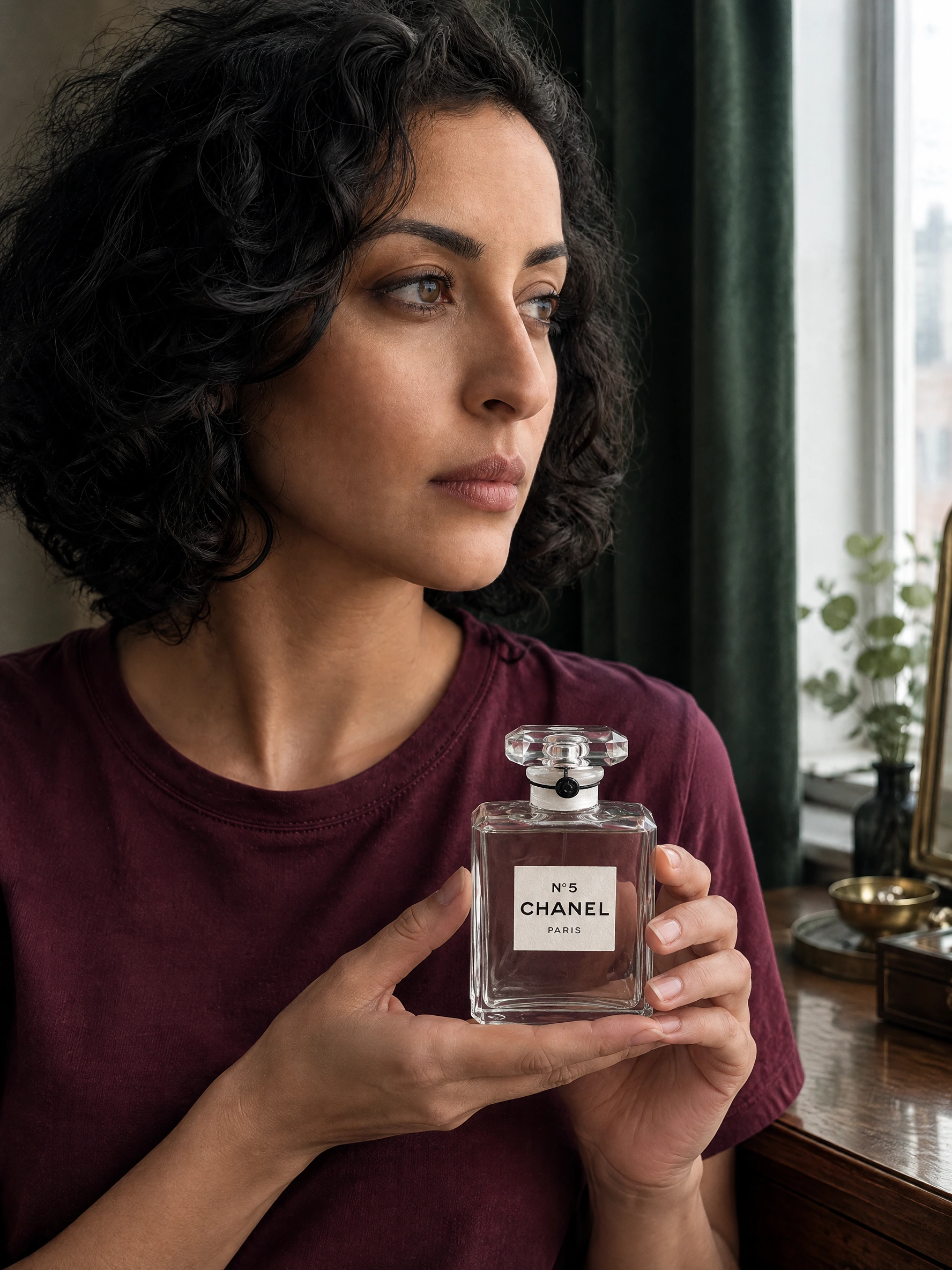
What you need before generating
An AI influencer holding product image combines two separate identities: the person and the package. Give each a reference. A prompt naming a brand is not a substitute for the exact bottle, box or variant you sell.
- One approved creator reference: a clear fictional adult face, consistent hair and a repeatable identity. Use a saved character rather than describing a different “beautiful model” each time.
- A sharp product photograph: show the full silhouette, cap or closure, material and front label. Keep the original file; a screenshot of a tiny shop thumbnail discards information.
- Matching front and side angles: use photographs of the same packaging revision. A front packshot cannot reveal the text on an unseen side.
- Approved brand materials and dimensions: keep the real logo artwork, label copy and package height/width available for inspection or external compositing. Do not ask AI to invent missing ingredients, certifications or claims.
For an exact ecommerce packshot without a person, start with AI Product Photo Generator. For a creator actually holding or using the item, use the AI Product Image Generator below.
Step by step: make the product-holding image in Studio
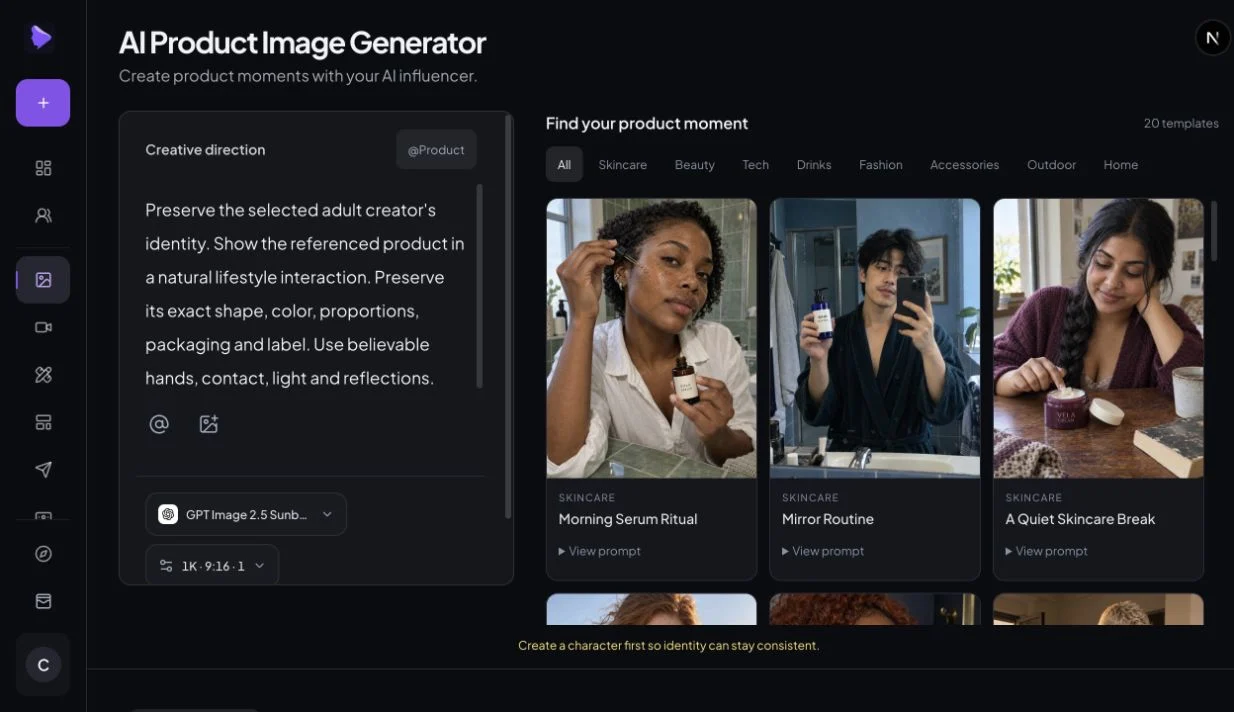
Choose the creator and product first; let the template supply the scene. The steps below follow the current Product Image workspace inspected on October 22, 2026. A sign-in is required to use saved assets and generate. You can read this guide and use its prompt builder without registering.
Open Product Images and attach the creator
Open the tool and continue to AI Product Image Generator in Studio. The heading reads “Create product moments with your AI influencer.” In Creative direction, use the @ asset control (“Add creator or asset”) to select your saved AI Influencer. If you need an identity first, create one in My Influencers. An authorized person image can also be added through Upload reference image; keep its role explicit.
Add the real product, not just its name
Use @Product to choose a saved item from your Product Library. If you have not saved it, add it through Products with its reference images and checked facts, then return to the composer. Confirm the product reference appears. Merely typing “@Product,” a brand name or a filename does not attach the package.
Choose a template with a compatible physical action
The right-hand panel is Find your product moment, with 20 templates and category filters including Skincare, Beauty and Drinks. Click a template image to apply it; View prompt reveals the direction. “Before the Evening” is a useful starting point for perfume, while “A Sparkling Afternoon” supplies a drinks scene. A dropper application template does not suit a closed cream tin: replace the action sentence.
Write the grip, angle and preservation brief
Edit Direction. State which image controls identity, which controls packaging, where the thumb and fingertips touch, and which label panel must remain visible. Match your source angle. Use the prompt builder to draft this instruction, then add the actual product dimensions.
Choose settings and generate one reviewable frame
The workspace has a model selector and Generation settings for resolution, aspect ratio and output count. The examples here used GPT Image 2.5 Flare, 2K, 3:4; the workspace may initially select Sunburst, so deliberately choose Flare if you want to match this test. Review the live credit quote, then click Generate Product photo. A quote is not evidence that a task completed.
Inspect before downloading or adding motion
Open the completed result from My Images or History. Compare it with the source at full resolution and at the final ad size. Reject changed wording, floating contact or identity drift even if the overall scene looks attractive. Keep the first output and the repair as separate files.
How to preserve logos and packaging
Decide what must remain exact
Separate “recognizable” from “accurate.” A familiar blue tin or red can can remain recognizable after its wordmark, volume or promotional text changes. Mark critical regions before generating: logo, product name, variant, quantity, claims and required warnings. Review those regions independently from the face and scene.
Match the reference angle and leave the label visible
Use a product image close to the desired viewpoint. For a front-facing logo, photograph that front panel and keep the hand below or beside it. For a three-quarter scene, supply the same angle plus a front reference if available. Do not mix an old package with a new label. Rasgo’s reference-and-grip tutorial emphasizes matching geometry; GESTEL’s label guide usefully distinguishes critical copy from background detail. These are practical third-party recommendations, not our test results.
A preservation prompt is a constraint, not a lock
“Keep the logo exactly the same” tells a model what matters; it does not turn generated text into copied pixels. OpenAI’s image documentation describes limitations in precise text rendering, recurring brand elements and composition control. Our Flare results below must stand on their own; general API documentation does not certify a supplier model or this website’s output.
Use a local mask when the error is local
In an external editor with masks, protect the approved package and label, then edit only the hand edge, contact shadow or surrounding background. A mask reduces the region you ask to change, but generated masking can still affect boundaries. OpenAI explicitly describes its mask as guidance rather than an exact shape guarantee. The current Product Image workspace does not expose a brush mask or a guaranteed logo lock.
Keep original product pixels when exact text is non-negotiable
For a launch asset or ecommerce detail view, composite the original product photograph into the approved scene. Align perspective and scale, place the finger occlusion on a separate layer, and adjust the contact shadow and surrounding light. Keep the label protected. If the angle differs substantially, take a matching product photograph instead of stretching the logo into place. Adobe documents layer masking and blending for composites; automatic blending still requires checking seams and color.
This external finishing method was not part of our generation comparison. It preserves the original label pixels before geometric transforms and export, but that alone does not make a composite physically believable or ready for an ad. Inspect the final file.
Three real product-reference tests
These are editorial demonstrations using a fictional adult creator and licensed photographs of named-brand packaging. They are not brand partnerships, endorsements or customer campaigns. Each example retains the source, first result, repair brief and review. Use the sliders to see what changed, then enlarge the label crops.
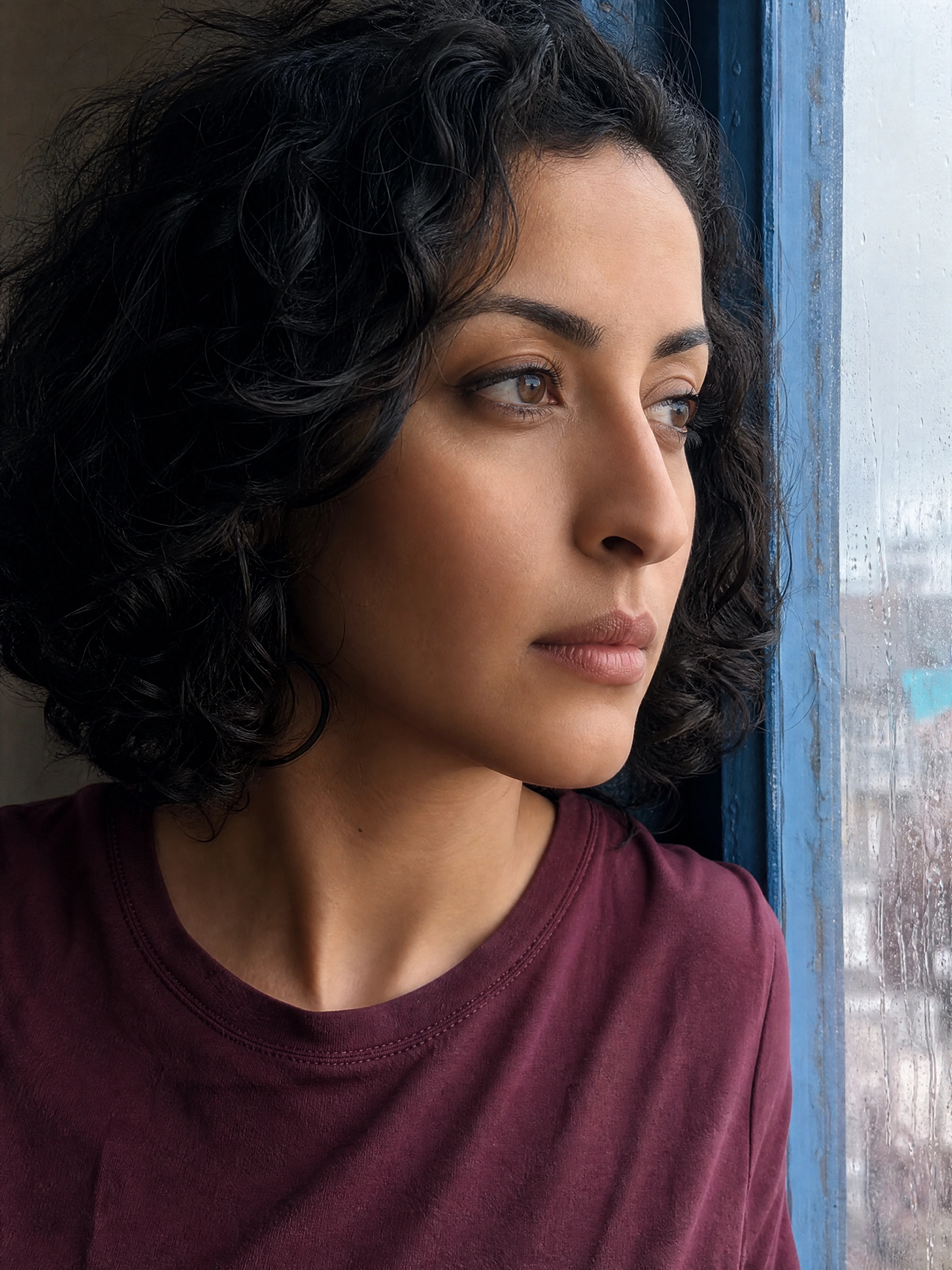
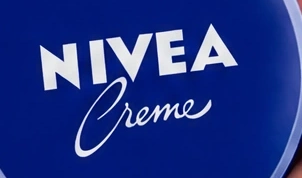
1. Cream tin: readable words are not an exact wordmark
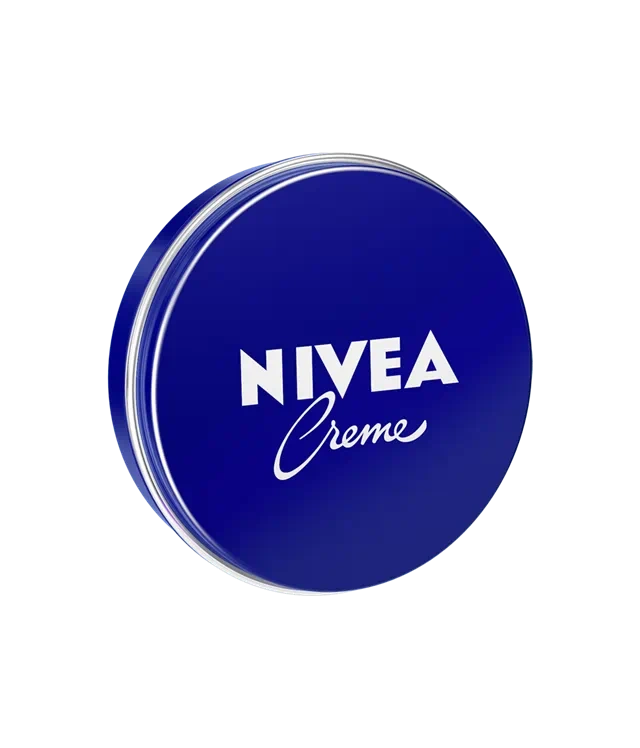
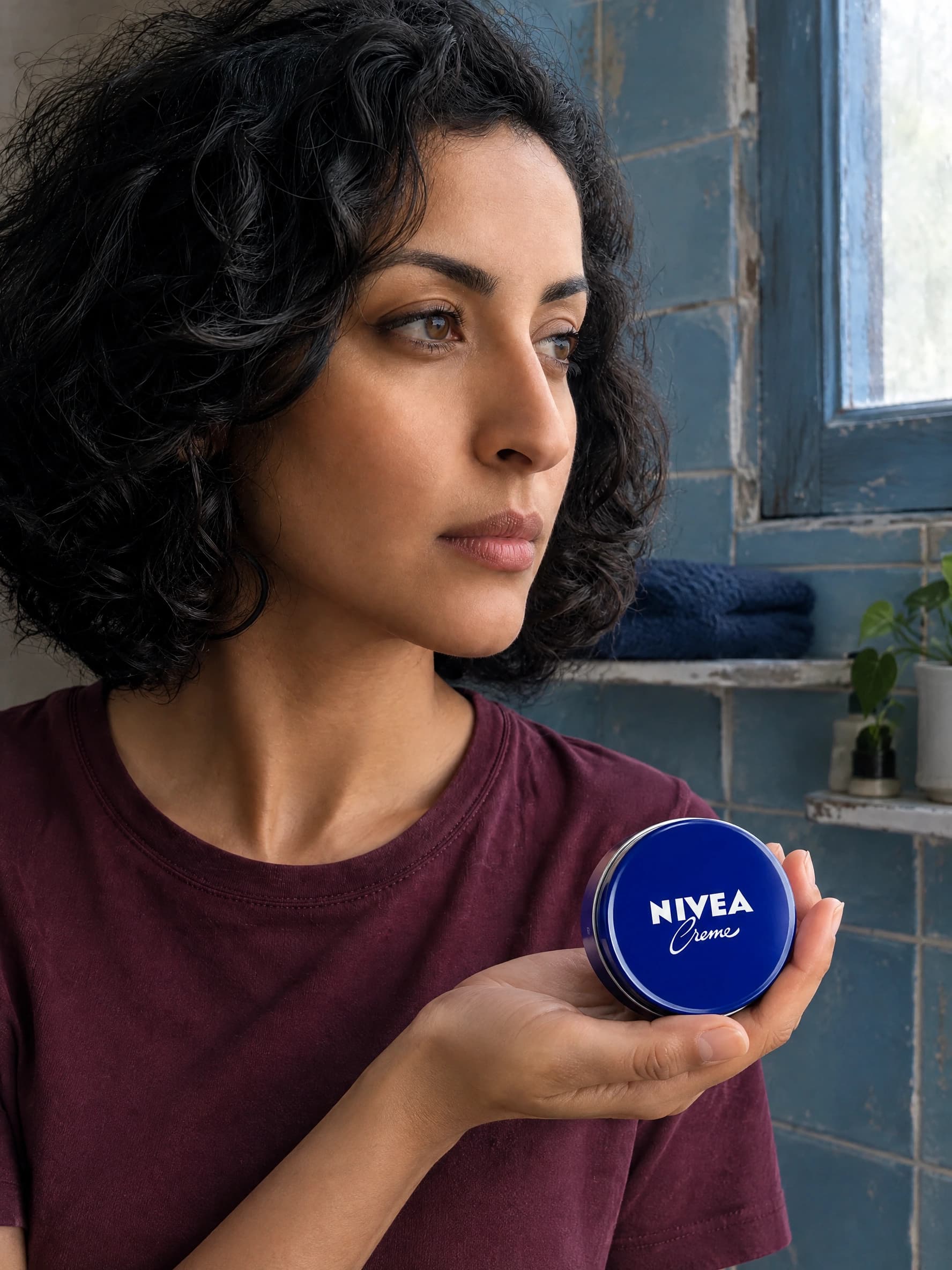
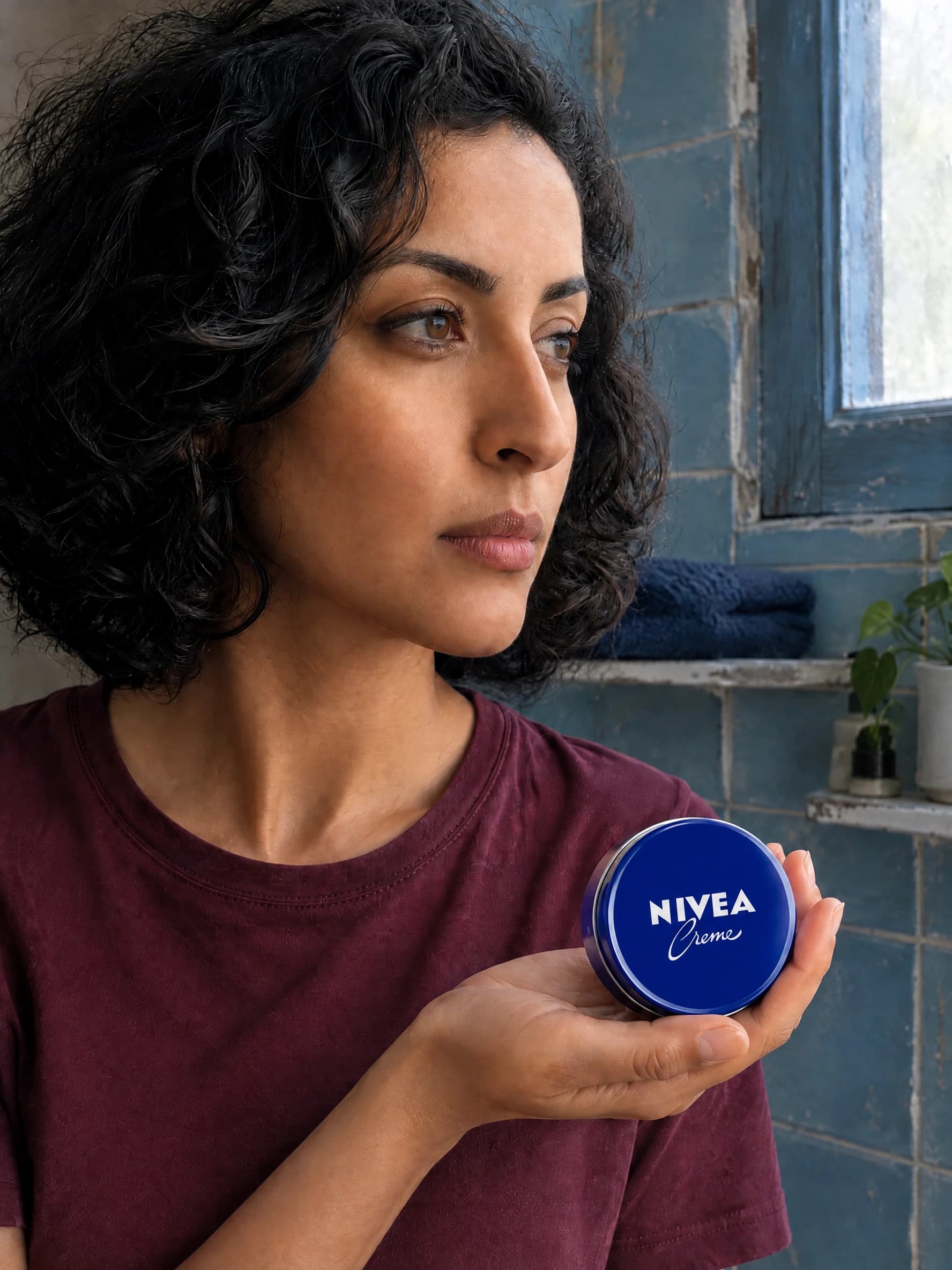
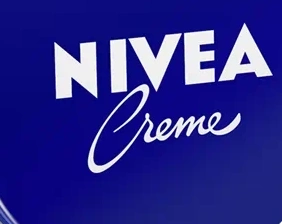
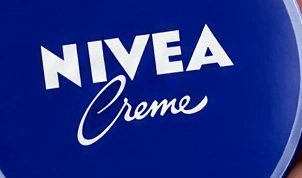
Observed: The first output gives the tin a plausible palm support and keeps NIVEA Creme readable. Against the source crop, the handwritten Creme curves and spacing are redrawn. This is a mark-fidelity problem rather than a spelling error.
Repair instruction: Use the original tin again, enlarge the leading C stroke and restore the source lettering placement while keeping the existing face, light and supporting hand.
After re-editing: The C becomes more prominent and the scene remains stable. The lettering still is not a source-identical mark, so we do not approve it as an exact-logo asset. A local composite of the approved product or artwork is the next step; more prompt pressure is not proof of preservation.
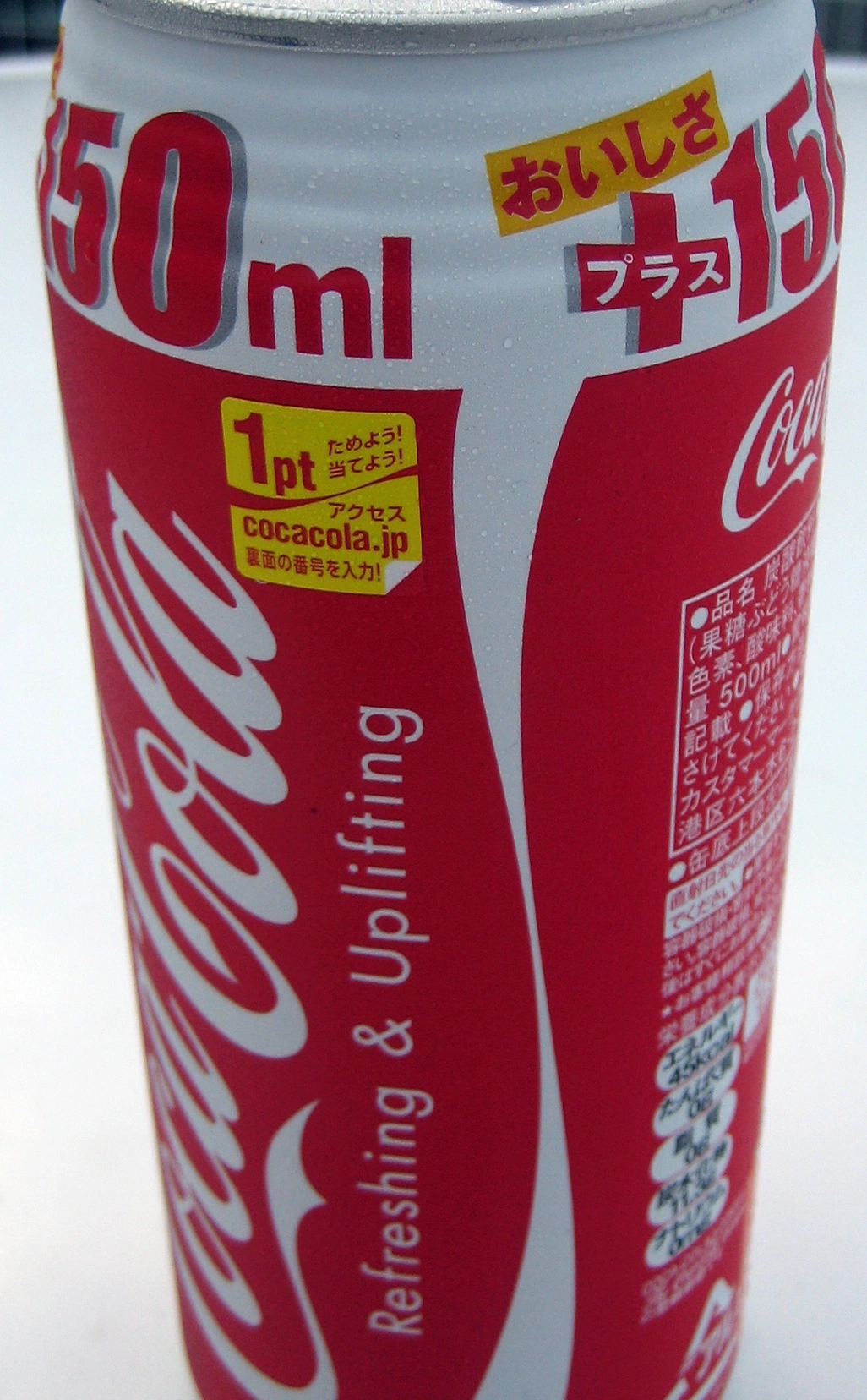
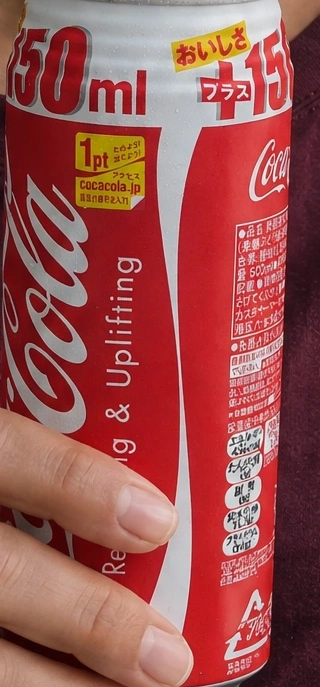
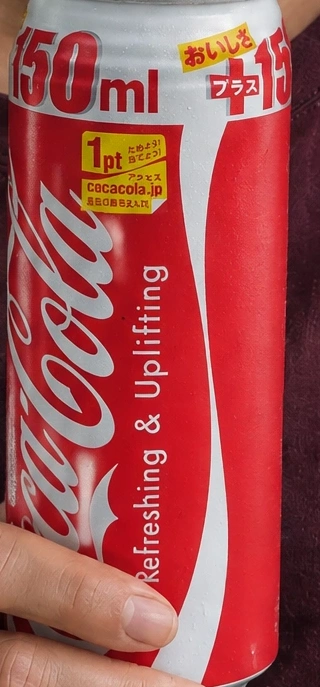
2. Drinks can: a better grip can still lose packaging text
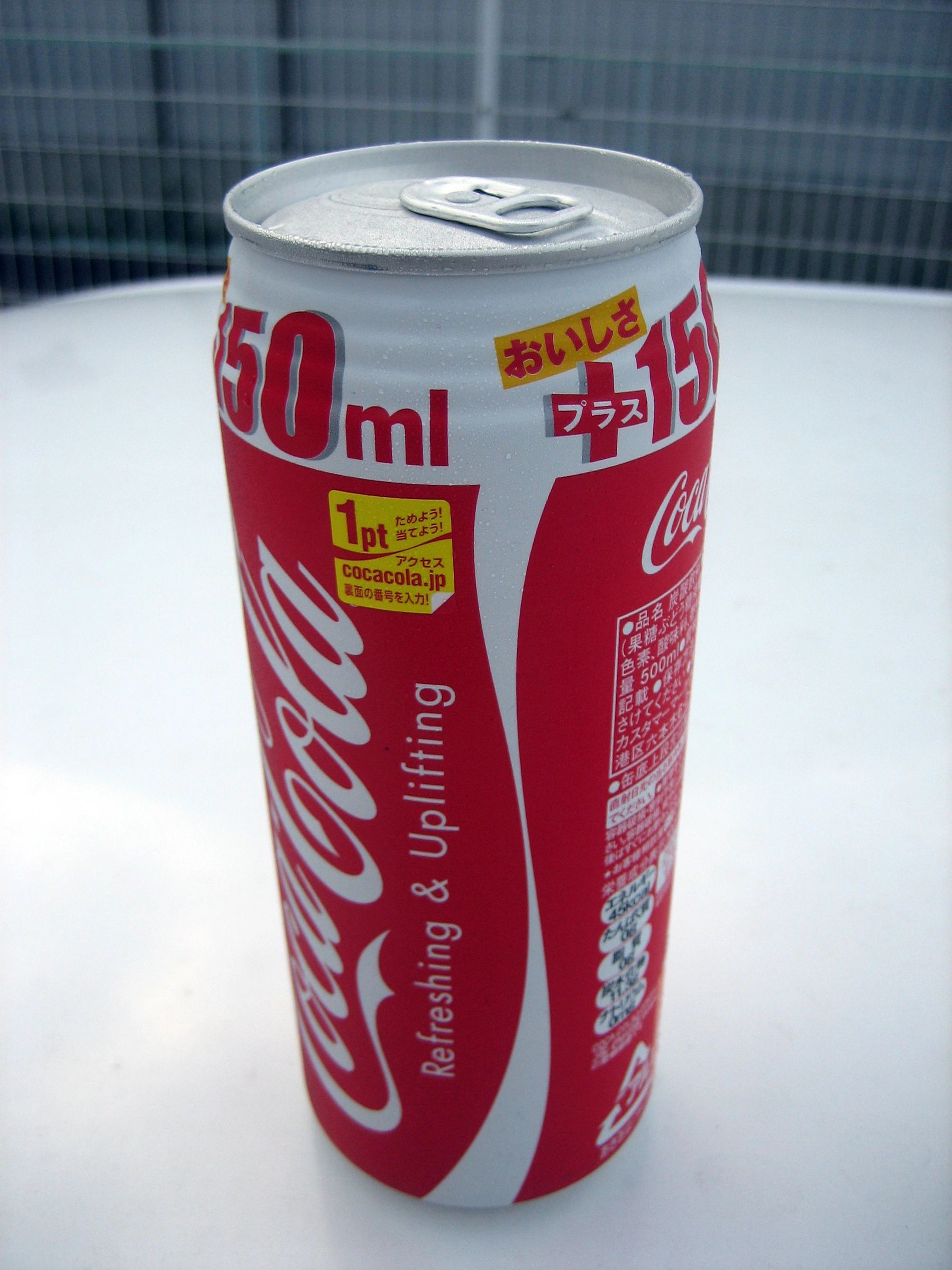
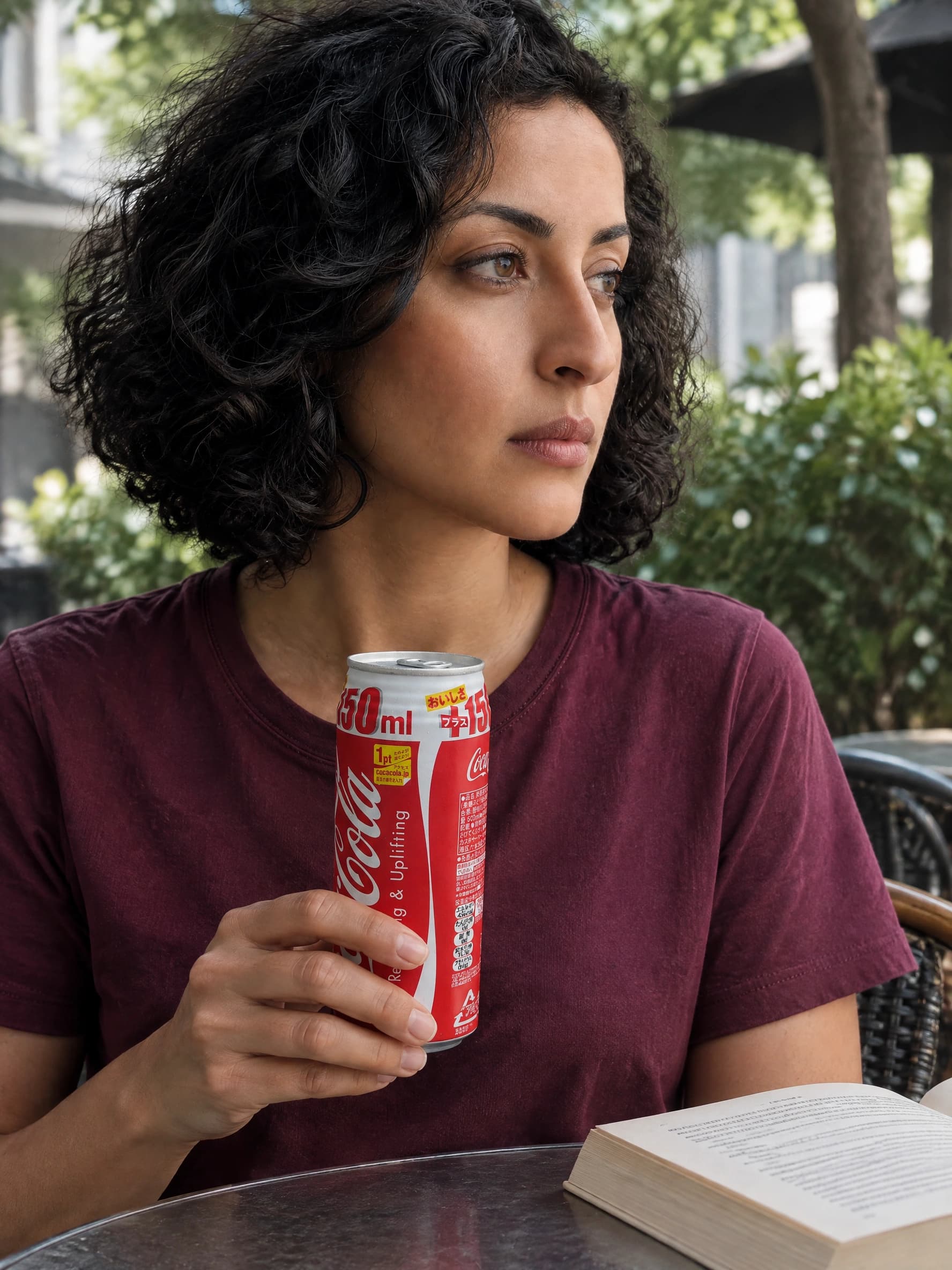
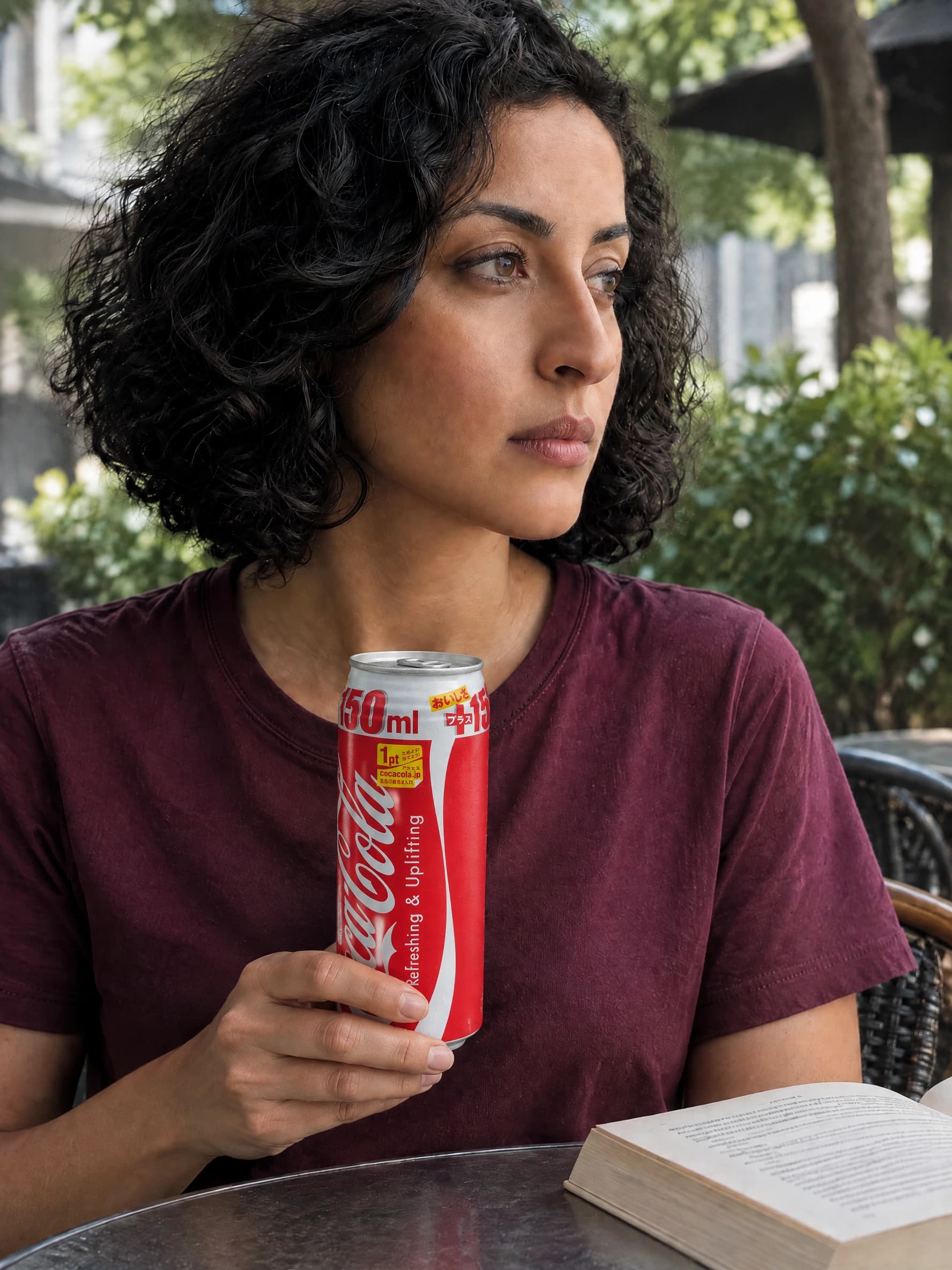
Observed: The tall can is believable beside the hand, but fingers cross the lower script and the Japanese/promotional copy is reinterpreted. The source already has a curved, angled label; a request for a front view adds a reconstruction problem.
Repair instruction: Move contact toward the base and far side, keep the main lettering clear, and match the original numeric band, promotional panels and multilingual copy without inventing characters.
After re-editing: The grip moves lower and more of the white script is visible. However, the small side information panel disappears as the label turns, and fine copy is still unreliable. We reject this as an exact-packaging result. Re-photograph the intended angle or composite the authorized product image instead of using this generated label as evidence.
3. Perfume: correct words can sit on the wrong label geometry
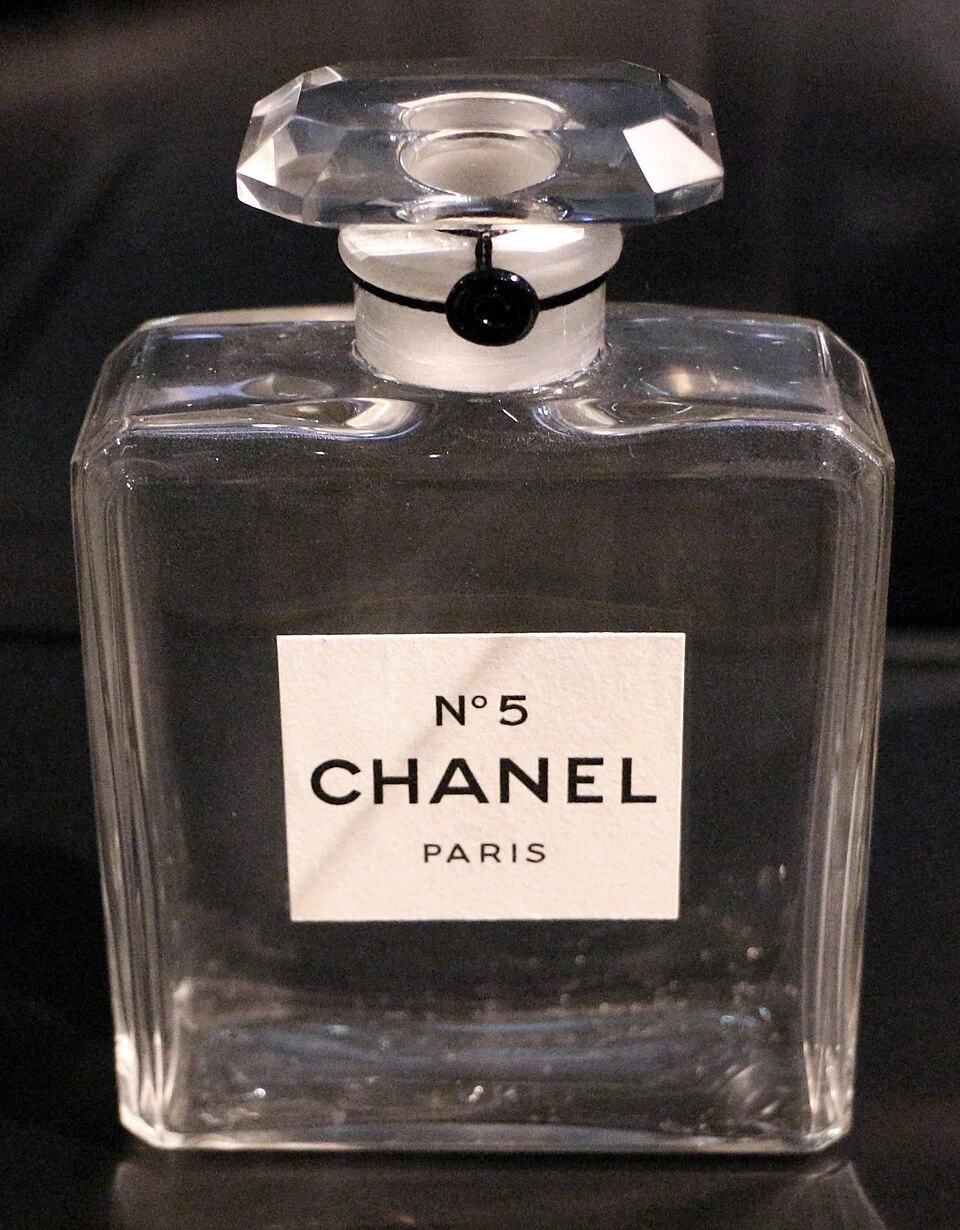
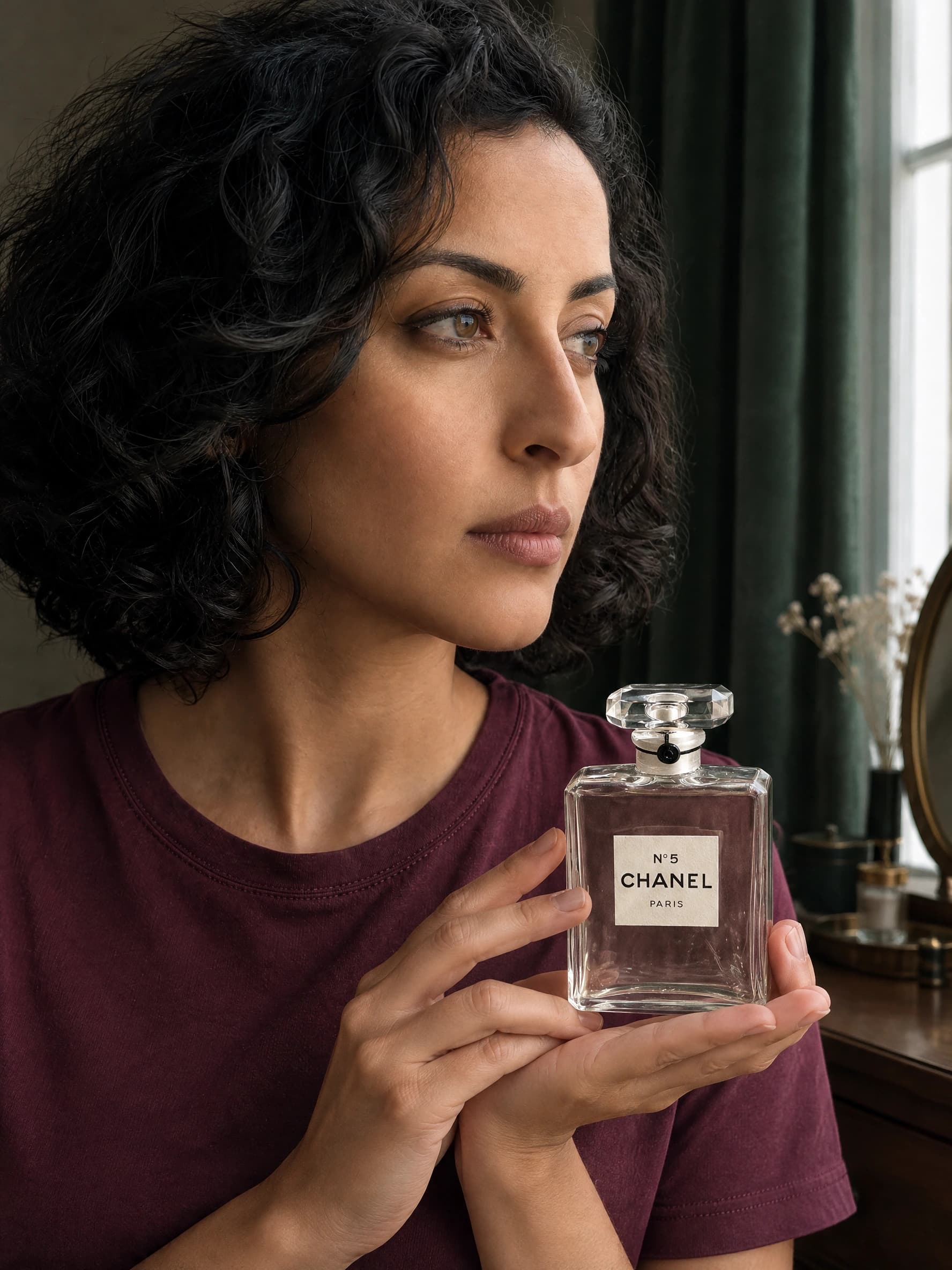
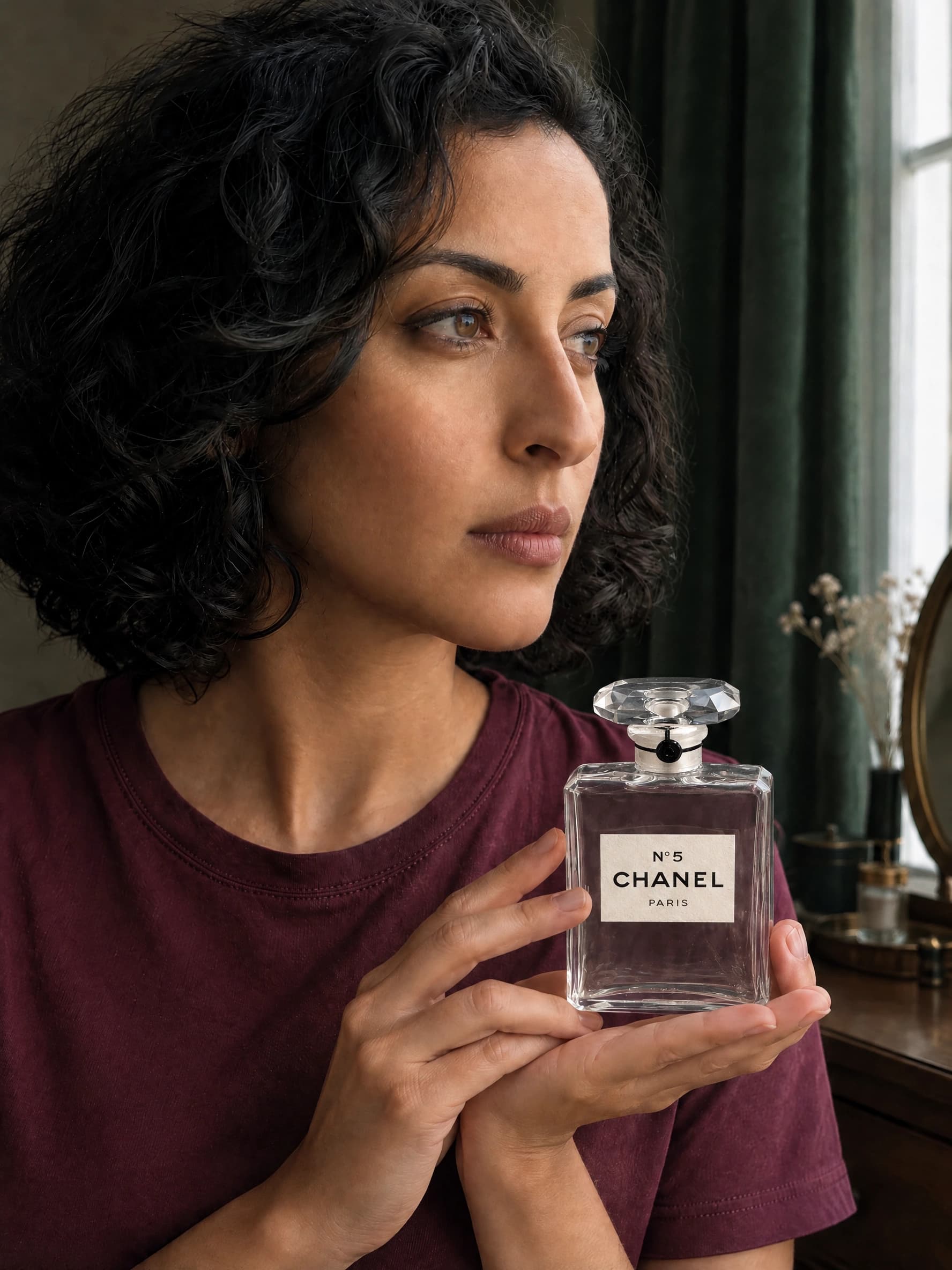
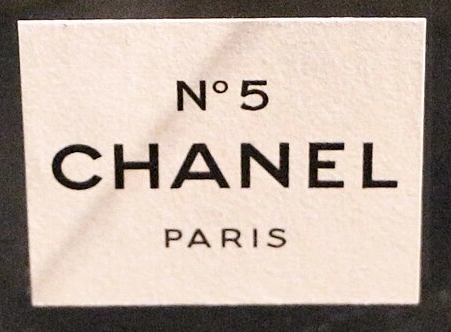
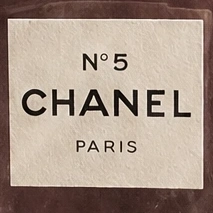
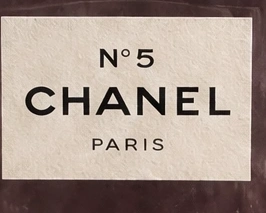
Observed: N°5 CHANEL PARIS is readable and the hands leave it clear. The first output makes the label squarer and the stopper narrower than the reference. Checking only spelling would miss the packaging error.
Repair instruction: Restore the wider label rectangle, original type layout and broad faceted stopper; preserve the supporting palm, adult identity and camera position.
After re-editing: Both label and stopper visibly widen. The label now occupies a different proportion of the bottle front, so the edit still fails our packaging-proportion check. It is a useful scene draft, not a replacement for an exact brand packshot. The before/after slider shows a real repair attempt, not a claim that every defect was solved.
What the experiment did—and did not—prove
These are paired editorial tests, not an industry benchmark. We completed three products × two first attempts × one repair each: 12 confirmed generation tasks. Two HTTP submissions were interrupted before returning a task ID. We froze them, checked the authenticated supplier history, and made new recorded submissions only after finding no corresponding accepted task. The interruptions remain in the downloadable record; they are not counted as image outputs.
All confirmed outputs used GPT Image 2.5 Flare, 2K, 3:4, one saved fictional adult portrait and the same product photograph within each pair. Method A is a reference-guided first pass. Method B adds that output as a third reference and a visually grounded repair instruction. It is a whole-image re-edit, not a masked edit or a second model. No face, logo or hand was manually retouched in these results.
Outputs passing all six visual checks
Zero-based bars. A pass requires logo, visible text, hands, proportions, identity and light to pass together.
| Method | Logo | Visible text | Hands | Proportions | Identity | Light |
|---|---|---|---|---|---|---|
| A · first pass | 2/6 | 4/6 | 6/6 | 4/6 | 6/6 | 6/6 |
| B · re-edit | 2/6 | 4/6 | 6/6 | 4/6 | 6/6 | 6/6 |
See every confirmed attempt and its review
| Attempt | All six | What the reviewer observed | Supplier credits |
|---|---|---|---|
| cream-first-1 | Reject | Readable NIVEA Creme and plausible palm support; the script mark is smaller and redrawn relative to the source lid. | 10 |
| cream-first-2 | Reject | NIVEA Creme is readable; the Creme script curves/spacing are redrawn. Palm support and creator identity remain plausible. | 10 |
| can-first-1 | Reject | Fingers cover part of the script; small Japanese/promotional text is reinterpreted. The can rests convincingly at the table. | 10 |
| can-first-2 | Reject | The tall can and supporting grip are plausible; the main mark is partially obscured and small label copy differs. | 10 |
| perfume-first-1 | Reject | N°5 CHANEL PARIS remains readable and unobstructed. Label aspect ratio and stopper proportions differ from the original. | 10 |
| perfume-first-2 | Reject | Main label wording is preserved and fingers avoid it. The label is squarer and stopper narrower than the reference. | 10 |
| cream-repair-1 | Reject | A restrained re-edit keeps the scene and contact, but the Creme script still follows the generated version rather than precisely matching the reference. | 10 |
| cream-repair-2 | Reject | The leading C is larger and closer to the source. Letter curves and spacing still differ, so exact mark preservation is not accepted. | 10 |
| perfume-repair-1 | Reject | The label widens and wording stays readable, but the stopper and label-to-bottle proportions still do not match the reference. | 10 |
| perfume-repair-2 | Reject | A visibly wider label and stopper address the brief, yet the label now occupies more of the bottle front than in the source; not an exact packaging match. | 10 |
| can-repair-1 | Reject | Lower hand contact reveals more script, but part remains covered and the side copy mostly disappears; small promotional characters still differ. | 10 |
| can-repair-2 | Reject | Grip moves lower and more of the mark is visible. The side information panel is lost and fine promotional text remains reinterpreted, so the packaging is rejected. | 10 |
Download the test record, task IDs and scores. The confirmed outputs consumed 120 supplier credits in total; each task’s actual returned usage appears in the table. These are Kie supplier units, not the website’s customer credits or a dollar invoice. We do not substitute a quoted estimate or a shared-account balance change for an actual task charge. Human review and external editing time are not included.
Limits: one creator, one model, three specific packaging references and six completed pairs. The NIVEA reference is only 640 × 748; the perfume reference is a historic bottle photographed in an exhibition. The can shows multilingual promotional text and an angled label. These inputs test difficult real reference conditions, not current brand campaigns. Repairs depend on their first attempts, so the two methods are not independent groups. No claim of conversion lift or brand approval follows from this experiment.
Best product-holding poses by package type
Choose a grip that supports weight before choosing a flattering pose. A product-holding hand has a job: support, stabilize, open or demonstrate. Use one job per frame. Pinterest’s hand-holding product photography references informed pose exploration only; none of those pins supplied our source products or claimed outputs.
| Product | Grip and occlusion | Viewpoint and common failure |
|---|---|---|
| Perfume bottle | Palm under the base; fingertips along side edges below the label. Keep the stopper attached unless opening is the intended action. | Front or gentle three-quarter. Watch glass thickness, stopper geometry and fingers visible through the liquid. |
| Skincare bottle / jar | Side grip for a narrow bottle; support a wider jar underneath. Keep fingers off the brand panel. | Use the source angle. Do not add a pump or dropper to a screw-top package. |
| Drinks can | Wrap fingers around the lower third with the thumb behind. Leave a clear load-bearing contact. | Keep the cylinder round and the logo visible. Curved labels make text inspection harder; check the volume and side copy. |
| Rigid paper box | Palm under the base; second hand along the side if needed. Preserve corners and seams. | Match the reference perspective. Avoid fingers cutting into corners or a front panel turning trapezoidal without perspective justification. |
| Flexible pouch | Light corner pinch plus base support if heavy. Keep the front panel under minimal tension. | A gentle angle with visible seal. Folds may legitimately bend print; do not confuse a plausible fold with a redrawn mark. |
Product Holding Prompt Builder
Choose the product, grip, label direction and scene. The builder writes a concrete English brief for an AI model holding product image; it does not promise logo fidelity or attach references for you.
Attach the actual references in Studio. Copying this text does not attach images or generate a photo.
Four copyable AI influencer holding product prompts
Attach the real creator and product images, then adapt these starting points to the actual package. Add height and width from the product specification. Avoid adjectives that compete with accuracy, such as “redesign,” “futuristic packaging” or “luxury logo.”
Product display: a readable front label
Use the attached fictional adult creator reference for identity and the attached product photo for the exact item. Preserve the creator's face, hair, apparent adult age and identifying details. Show the creator holding the referenced glass perfume bottle. A relaxed product presentation beside a textured wall in soft window light. Support the bottle base with an open palm; stabilize the side edges below the label with two relaxed fingertips. Keep the front logo panel nearly parallel to the camera, readable and unobstructed. Preserve the package silhouette, proportions, color, material, closure, logo placement and visible wording from the reference. Specify the actual product dimensions before generating; keep its scale believable beside the hand. Match light direction, perspective, reflections and contact shadows. One purposeful hand action; no floating product or fingers through the package. Do not add words, badges, claims, testimonials, prices or watermarks. Inspect the output against the source; a prompt is not a guarantee of exact packaging.
Skincare UGC: one action, one product
Use the attached fictional adult creator reference for identity and the attached product photo for the exact item. Preserve the creator's face, hair, apparent adult age and identifying details. Show the creator holding the referenced skincare package. A candid morning routine at a lived-in bathroom counter, with believable window light. Support the base with one hand and keep the thumb and fingertips along the side edges, clear of the label. Match the supplied product photograph's viewpoint. Do not invent an unseen panel or rotate hidden label text into view. Preserve the package silhouette, proportions, color, material, closure, logo placement and visible wording from the reference. Specify the actual product dimensions before generating; keep its scale believable beside the hand. Match light direction, perspective, reflections and contact shadows. One purposeful hand action; no floating product or fingers through the package. Do not add words, badges, claims, testimonials, prices or watermarks. Inspect the output against the source; a prompt is not a guarantee of exact packaging.
Product ad: retain room for real copy
Use the attached fictional adult creator reference for identity and the attached product photo for the exact item. Preserve the creator's face, hair, apparent adult age and identifying details. Show the creator holding the referenced drinks can. An editorial product campaign at a textured tabletop in soft side light, with room for separately added ad copy. Use a relaxed side grip, with thumb behind the package and fingers away from important lettering. Match the supplied product photograph's viewpoint. Do not invent an unseen panel or rotate hidden label text into view. Preserve the package silhouette, proportions, color, material, closure, logo placement and visible wording from the reference. Specify the actual product dimensions before generating; keep its scale believable beside the hand. Match light direction, perspective, reflections and contact shadows. One purposeful hand action; no floating product or fingers through the package. Do not add words, badges, claims, testimonials, prices or watermarks. Inspect the output against the source; a prompt is not a guarantee of exact packaging.
Ecommerce lifestyle: support a rigid box
Use the attached fictional adult creator reference for identity and the attached product photo for the exact item. Preserve the creator's face, hair, apparent adult age and identifying details. Show the creator holding the referenced rigid product box. A simple ecommerce lifestyle frame beside a neutral table, with the whole product and contact point visible. Use a supporting palm under the product, with a second hand stabilizing the rear edge only if needed. Use a gentle three-quarter view only if the supplied product reference shows that same angle; keep the main logo visible. Preserve the package silhouette, proportions, color, material, closure, logo placement and visible wording from the reference. Specify the actual product dimensions before generating; keep its scale believable beside the hand. Match light direction, perspective, reflections and contact shadows. One purposeful hand action; no floating product or fingers through the package. Do not add words, badges, claims, testimonials, prices or watermarks. Inspect the output against the source; a prompt is not a guarantee of exact packaging.
Troubleshooting: fix the smallest failing part
A second generation is useful only when you know what should change. Keep the original reference beside the result, name one defect and protect what already works. A repair that improves the logo but changes the person is still a failed campaign asset.
| Problem | Likely cause | Fix |
|---|---|---|
| Logo bends or changes | The model redraws a curved or partly hidden mark; the reference angle differs. | Use a matching product angle and a simpler grip. If the logo must be exact, composite the original product or approved artwork rather than generating it again. |
| Packaging words are wrong | Tiny type is ambiguous or occupies too few output pixels. | Make the product larger in frame, supply a sharp label reference, and compare letter by letter. Do not guess or invent unreadable microcopy. |
| Fingers pass through the package | Grip, depth and contact were underspecified or the action is too complex. | Show one hand supporting the base. Re-edit the contact region; in a mask editor protect the approved product and label. |
| Product floats | No clear load-bearing hand or contact shadow. | Name the supporting palm and exact contact point. Ground the product with a coherent shadow; inspect the wrist and product base. |
| Product is too large or small | The scene lacks a size anchor; the model infers dimensions. | Give actual height/width and a familiar hand-scale relationship. Compare cap-to-body proportions, not only overall size. |
| Light does not match | The product photo and generated scene use different light directions or reflections. | Match the scene to the reference light. For composites adjust the surrounding light and contact shadow without repainting critical label pixels. |
| The influencer looks different | The product or a repair image overwhelms the creator reference. | Reuse the same approved identity reference, assign each image a role, and change one action at a time. Reject identity drift even if packaging improves. |
From an approved still to AI UGC product ads
Use an approved still as the opening frame in AI Image to Video Generator. Ask for a small wrist movement or gentle camera move, not a bottle rotation that reveals unreferenced label panels. Inspect the first, middle and last frames and the hand-contact transition. A still-image pass does not carry over automatically to video.
If exact text is central to the message, cut to real product footage or an approved packshot instead of asking generated motion to prove it. Never script a fictional creator as a real customer claiming personal results. See the AI influencer UGC guide for scripting, motion and review, and the product-promotion guide for the broader campaign workflow.
Frequently asked questions
Can AI keep my packaging text exactly the same?
Not reliably through generation alone. A logo can look convincing while fine text changes. For a label that must be exact, keep the original product pixels or approved label artwork in a layered composite, then review perspective, occlusion and the final exported file. A reference image or a mask is guidance, not a pixel lock.
What is the best AI influencer holding product prompt?
A useful prompt assigns separate roles to the creator and product references, names one physical grip, keeps the label visible, matches the product angle and light, and lists what must stay unchanged. Replace vague instructions such as ‘perfect hands’ with a concrete contact description. Always verify the resulting logo and text.
How do I keep the same AI influencer across product photos?
Use the same saved fictional adult character and the same approved identity references. Keep facial structure, hair, apparent age and signature details stable. Assign the product reference to packaging only, then change one pose or scene per generation. Compare each new face with the original rather than with another drifting output.
Can I use a real brand such as Louis Vuitton, NIVEA or CHANEL?
Use product photos and brand materials you are authorized to use, and check the rights for your intended channel. Permission to use a photograph does not imply brand approval or endorsement. Our named-brand examples are editorial packaging tests with credited source photographs, not sponsored campaigns or customer results.
Does AI Influencer Generator have a logo-lock or local mask tool?
The Product Image workspace currently provides creator and product references, scene templates, an editable direction, model selection and generation settings. It does not provide a guaranteed logo lock or a brush-based local mask in that workspace. Perform precise masking or pixel-preserving compositing in an external editor when required.
Can I turn an approved product image into an AI UGC video?
Yes. Start an image-to-video workflow with the approved image and ask for one restrained movement. Motion can change labels, hands and faces, so inspect frames throughout the clip. Use a real product cutaway when a close-up must show exact wording. Do not turn a synthetic presenter into a fabricated customer testimonial.
Should I keep generating until the logo looks right?
Set a small attempt budget first. If the same lettering or geometry error returns, improve the reference or move to compositing. Repeated whole-image edits can also change the face and hands. Keep every attempt in the test record, including failures, so a selected good-looking image does not hide the actual effort.
Sources, image credits and editorial method
Prepared and visually reviewed by the AI Influencer Generator editorial team, October 22, 2026. We operate the linked product. The procedure is a product demonstration, not independent certification. Our scoring is manual, with no automated OCR, blinded second reviewer or pixel-equivalence measurement.
- OpenAI image generation documentation: text, consistency, composition and mask limitations. General technical context, not a result claim for our experiment.
- Adobe Photoshop compositing documentation: layer masks and blending. External editing recommendation; not a feature claim for our Studio.
- Rasgo, Virse and GESTEL: current peer workflows reviewed for reference angles, hand contact and label preservation. We did not adopt their fidelity guarantees as facts.
- NIVEA Creme source: Susana22BN, CC BY-SA 4.0; resized source, detail crops and generated derivatives are credited and shared under the same license.
- Coca-Cola source: Corpse Reviver, CC BY 3.0; resized source, crops and generated derivatives.
- CHANEL reference bottle source: Sailko, CC BY 3.0; a circa-1960 bottle photographed at an exhibition, downloaded at 960 × 1230, then used for generated derivatives.


.jpg)
Full media provenance and modification notes · Generation and review record. Trademark ownership remains with the respective brands. A photo license does not imply endorsement or permission for every advertising use.
Start with one product, one grip, one review
Keep your exact product reference, choose a physically simple hold and inspect the label before producing a campaign series. If it is still wrong, change the reference or finishing method before spending on more variations.
Plan Content
Measure Engagement
Build Your Profile
Price Your Work
Write Post Copy
Brand Partnerships