
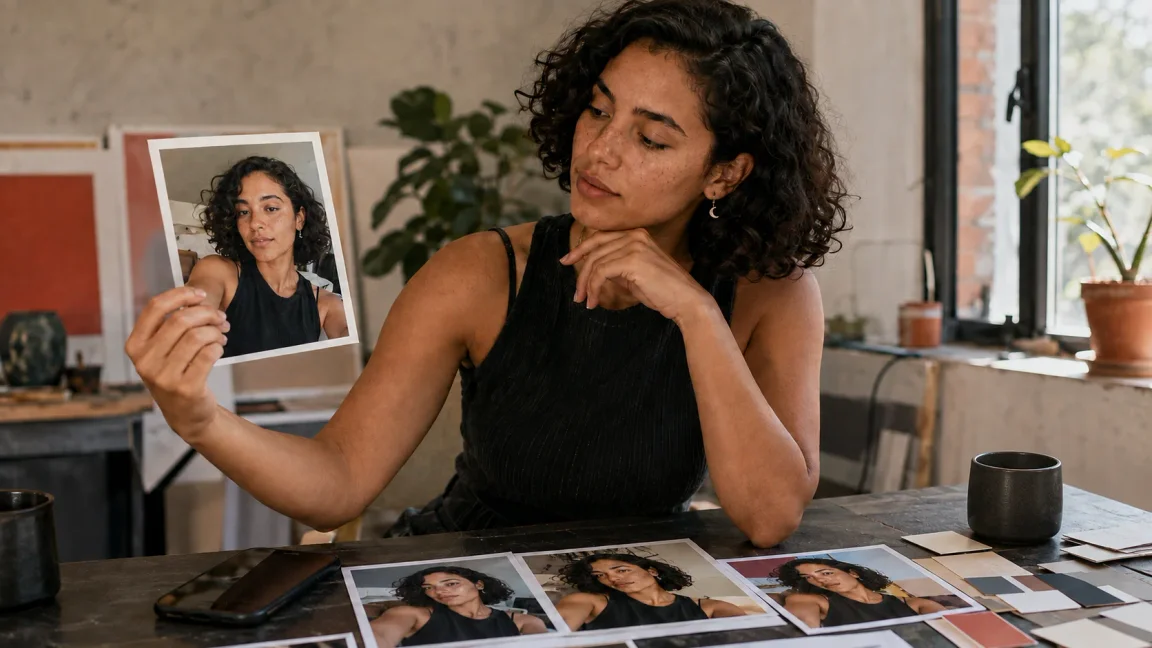
AI photo editors improve selfies by analyzing the image, correcting distracting flaws, and enhancing the details that make a face clear, polished, and camera-ready. For AI influencer content, that can mean a stronger profile photo, a cleaner lifestyle image, or a social post that fits the character's visual identity.
The goal is not to erase personality. A useful edit still looks like the same person or fictional adult character. It balances light, color, framing, and detail without turning natural skin into plastic or inventing features that were never present.
How do AI photo editors improve selfies?
Traditional retouching often requires several separate selections and adjustments. An AI editor can interpret a written direction and propose a new version in one workflow. Depending on the editor and source image, that direction may involve skin appearance, lighting, background cleanup, facial clarity, color balance, crop, or overall image quality.
AI Influencer Generator's AI Photo Editor accepts an authorized source photo and a clear direction, then produces one version to review. It is designed for scene, style, crop, and campaign changes—not as a promise that every correction will happen automatically or without identity drift.
Edit Your Selfie with AISet up one restrained edit in the current Studio
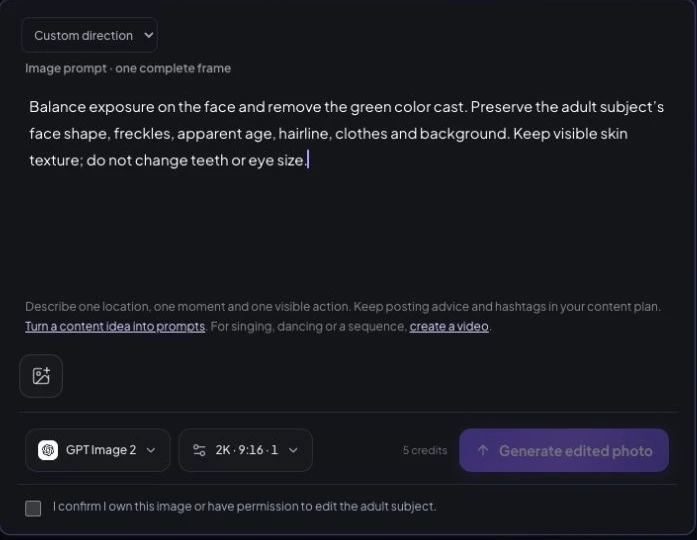
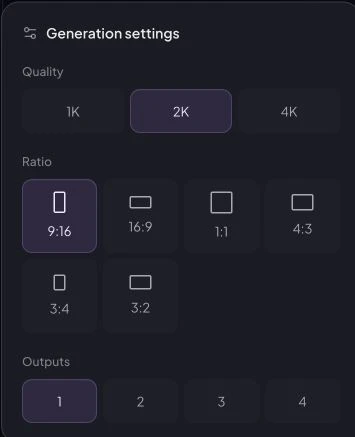
Open Edit Photo, add the authorized selfie through Source image and choose Custom direction. In Direction, ask to balance exposure and remove a color cast while preserving face shape, freckles, apparent age, hairline and visible skin texture. Select GPT Image 2, 2K, 9:16 and one output. The observed quote is five credits; confirm ownership only when true and review the quote before Generate edited photo. Review the returned image at full size in History. These screenshots were not submitted and no source was uploaded; a measured Studio before-and-after result remains missing.
Prepare the selfie before you edit
Start with the clearest source you have. Keep the face visible, avoid severe motion blur, and make sure important features are not hidden by deep shadow, hair, or objects. AI can refine information in an image; it cannot reliably restore detail the camera never captured.
| Use case | Prioritize | Protect |
|---|---|---|
| Profile photo | Facial clarity, balanced light, simple crop. | Recognizable features at small sizes. |
| Lifestyle image | Natural color, plausible environment, composition. | The story and lived-in character of the scene. |
| Social post | Feed palette, crop, subject separation. | Identity and brand tone across posts. |
Only upload a photograph you own or are authorized to use. For a reusable fictional creator, start with an influencer persona and a reviewed identity reference rather than treating each selfie as an unrelated face.
Six ways AI editing can improve a selfie
1. Refine skin while keeping texture
Skin refinement can reduce temporary distractions such as uneven tone, mild redness, or harsh texture created by poor light. Restraint matters. Freckles, pores, expression lines, and the contours that define identity should remain visible.
For an AI influencer, this is less about making a face flawless and more about preventing one badly lit image from feeling disconnected from the rest of the character's content. Compare the result with the source: if the apparent age, complexion, marks, or face shape changed, reject the edit.
2. Correct lighting for a clearer face
Lighting correction may lift an underexposed side of the face, soften a harsh highlight, or restore contrast to a flat image. A window selfie, for example, can keep its natural direction of light while making the shadow side easier to read.
A believable result still has depth. Brightening everything equally can make the face look pasted into the room. Check whether shadows, reflections, and the surrounding environment still agree.
3. Clean up the background
A strong selfie loses impact when random objects or awkward framing compete with the subject. Background cleanup can simplify clutter, remove an unwanted object, change the crop, or place the authorized subject into a more useful scene.
Inspect edges around curls, ears, jewelry, shoulders, and fingers. These are common places where a cleanup becomes obvious. For a single-purpose cutout, the dedicated AI Background Remover is a clearer workflow than asking for a broader scene edit.
4. Enhance facial details carefully
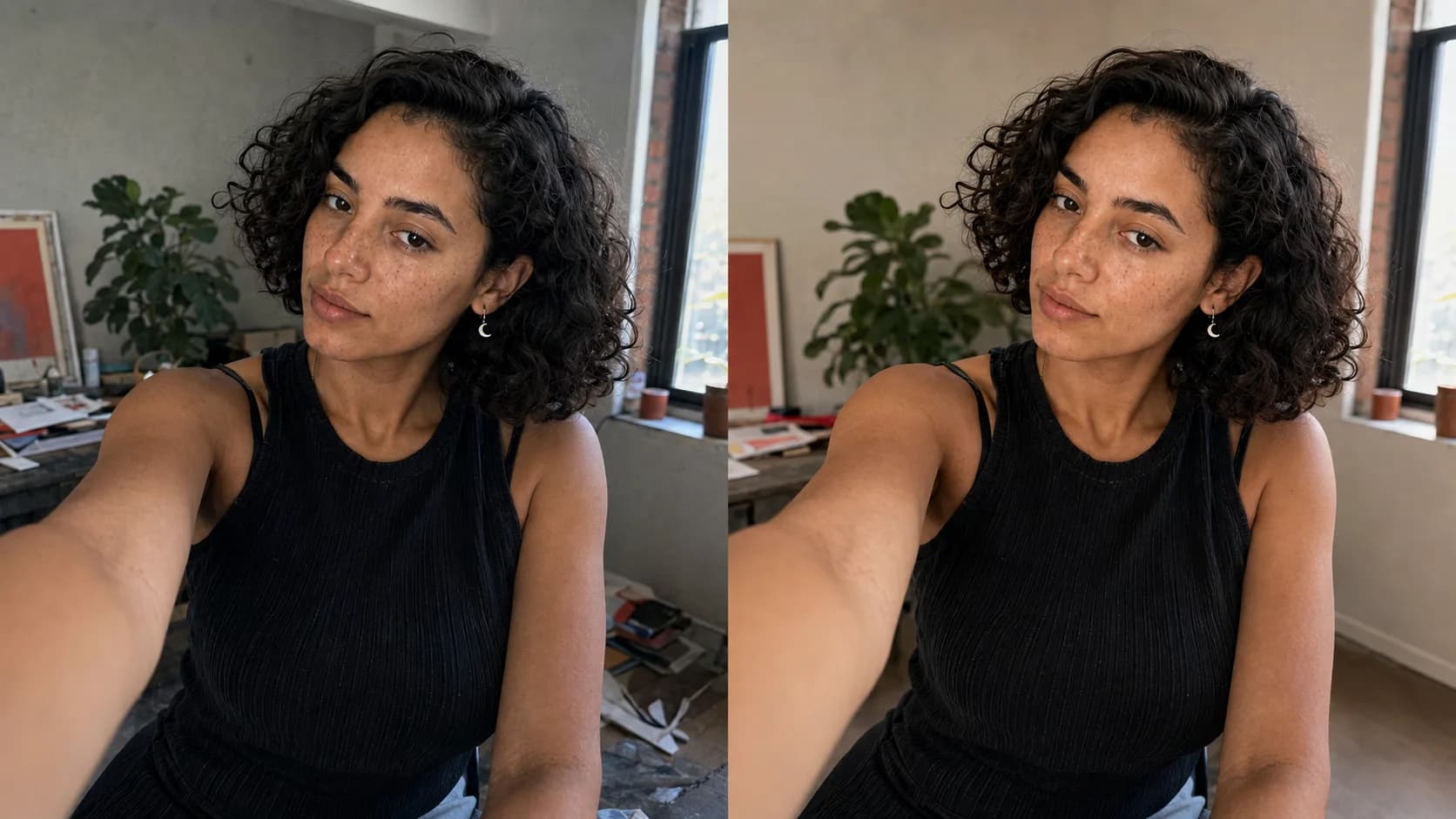
Facial detail enhancement can make eyes, brows, lips, hair edges, and expression easier to read when a source is mildly soft. It should not redraw the jaw, enlarge eyes, replace teeth, or create a different expression. Sharper is not automatically more accurate.
If the original is genuinely too small, try the AI Image Upscaler, but treat its output as an interpretation. Enlarging an image cannot prove that reconstructed micro-detail existed in the source.
5. Adjust color for a consistent mood
Color correction can reduce a green fluorescent cast, calm an overly orange sunset, or bring several posts into a shared palette. A wellness creator may use bright neutral daylight; a fashion persona may prefer controlled contrast; a travel creator may use warmer environmental color.
Keep skin tone plausible under the scene's light. The aim is a related feed, not an identical filter on every location.
6. Improve overall image quality
Final refinement may reduce visible noise, balance contrast, improve a soft crop, and prepare the image for small mobile displays. Social platforms compress uploads, so review both the full-size file and a phone-sized preview before publishing.
Quality improvement has a ceiling. Heavy blur, blocked highlights, and missing facial detail cannot be recovered with certainty. When the source is too weak, creating a new authorized selfie with the AI Selfie Generator may be more honest than aggressive repair.
Turn one polished selfie into an AI influencer system
A profile image is only the beginning. Save the identity anchors that matter—apparent adult age, face shape, complexion, hair, proportions, and signature accessory—then vary pose, location, wardrobe, and story deliberately. The consistent-character workflow helps place a saved fictional adult character into new scenes, while the AI Influencer Image Generator supports new social-ready concepts.
Review the images as a set. A café portrait, a wider lifestyle post, and a campaign image can use different light and composition while still looking like the same creator. The practical AI influencer launch workflow explains how those assets fit into a publishable content batch.
Create a Consistent AI InfluencerReview every edit before publishing
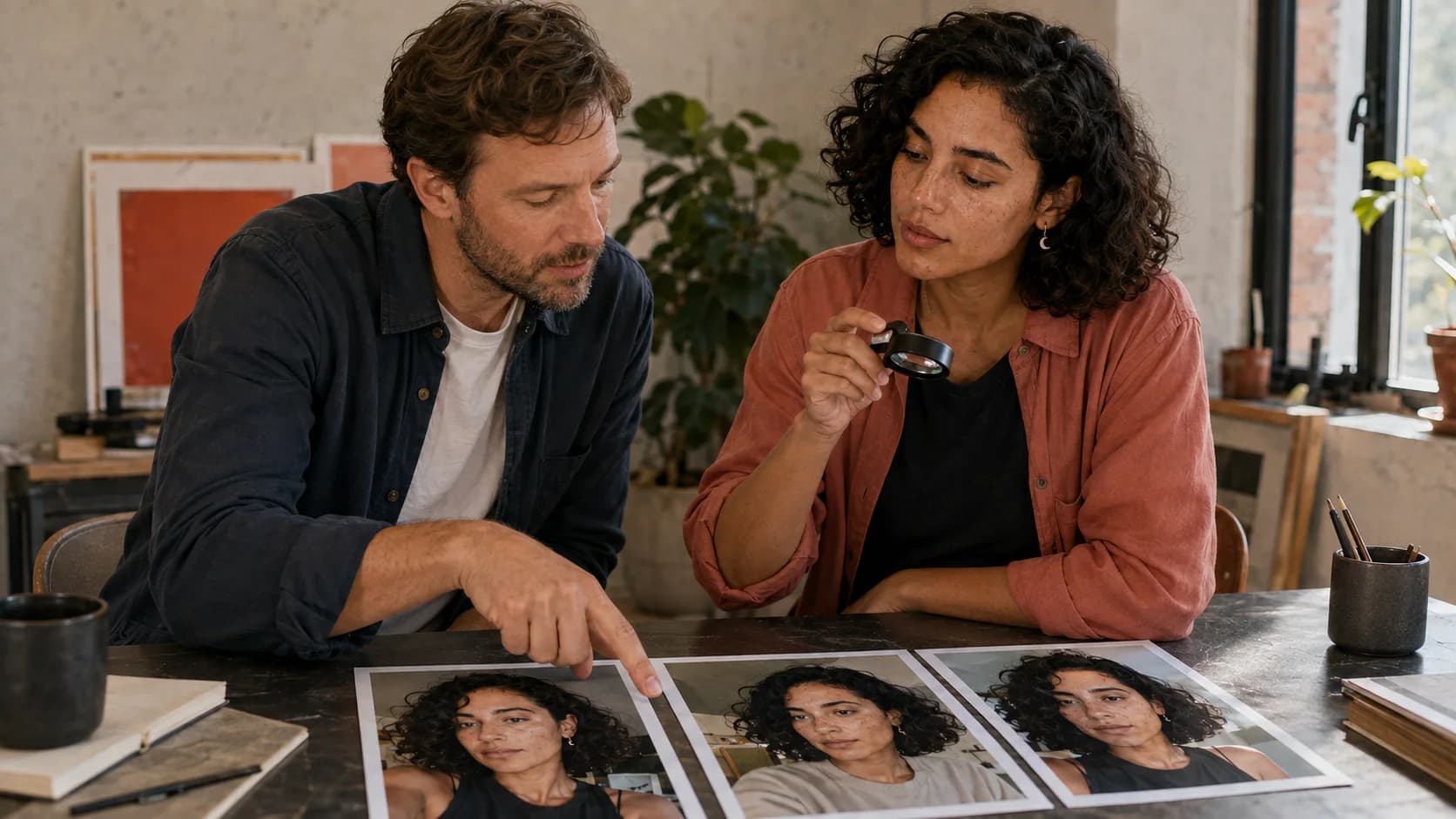
Look at the result as a viewer would, then inspect it like an editor. Identity comes first; polish comes second. A beautiful image that depicts a different-looking person is not a successful edit.
- Skin retains believable texture and defining marks.
- Eyes, teeth, hairline, ears, and jewelry remain coherent.
- Hands and phone contact are physically plausible.
- Light, shadow, reflections, and background geometry agree.
- Color supports the intended feed without changing identity.
- The crop remains clear at mobile size.
If the content promotes a product, follow the FTC's endorsement disclosure guidance. Meta explains its approach to AI-generated media labels, while C2PA Content Credentials provides a standard for media provenance. Editing quality never replaces clear disclosure or a named human approver.
Make each selfie useful, not merely smoother
For a new background or imagined setting, follow our guide to how to edit yourself in a picture, with AI steps, a before-and-after illustration, and manual blending tips.
Learning how AI photo editors improve selfies is useful because each correction should serve a content job. A clean profile photo needs recognition at small size. A lifestyle image needs a believable scene. A social post needs continuity with the creator's wider visual identity.
AI Influencer Generator brings photo editing, fictional adult characters, and influencer image workflows into one creative system. Start with an authorized image or a saved character, describe the change clearly, and review every result before it becomes public content.
Start CreatingFrequently asked questions
How do AI photo editors improve selfies?
They analyze the photo and can make requested changes to lighting, color, background, facial clarity, skin appearance, crop, and overall presentation. Results vary with the source image and still need human review.
Can AI improve a blurry selfie?
AI may make a mildly soft image clearer, but it cannot reliably recover details that were never captured. A sharp, well-lit source is the safer starting point.
How do I keep an edited selfie looking natural?
Preserve skin texture and defining features, request one restrained change at a time, and compare the result with the authorized source at full size and on mobile.
Can I use AI-edited selfies for an AI influencer?
Yes, when you own or are authorized to use the source and review the result for identity, disclosure, platform rules, and brand safety. Saved fictional adult characters can also anchor later images.
What can AI Influencer Generator edit?
Its AI Photo Editor accepts an authorized photo and a written direction for a reviewable change such as scene, visual style, crop, or campaign treatment. It does not guarantee every correction or perfect identity preservation.
Plan Content
Measure Engagement
Build Your Profile
Price Your Work
Write Post Copy
Brand Partnerships