
The short answer: choose the workflow you will repeat
AI Influencer Generator is our recommended Sloosh alternative for recurring virtual-creator content. Its core flow starts with a saved influencer and leads into photos, product scenes, templates, video, content planning and eligible social publishing. It is a practical first option when your recurring job is “make my creator’s next post.”
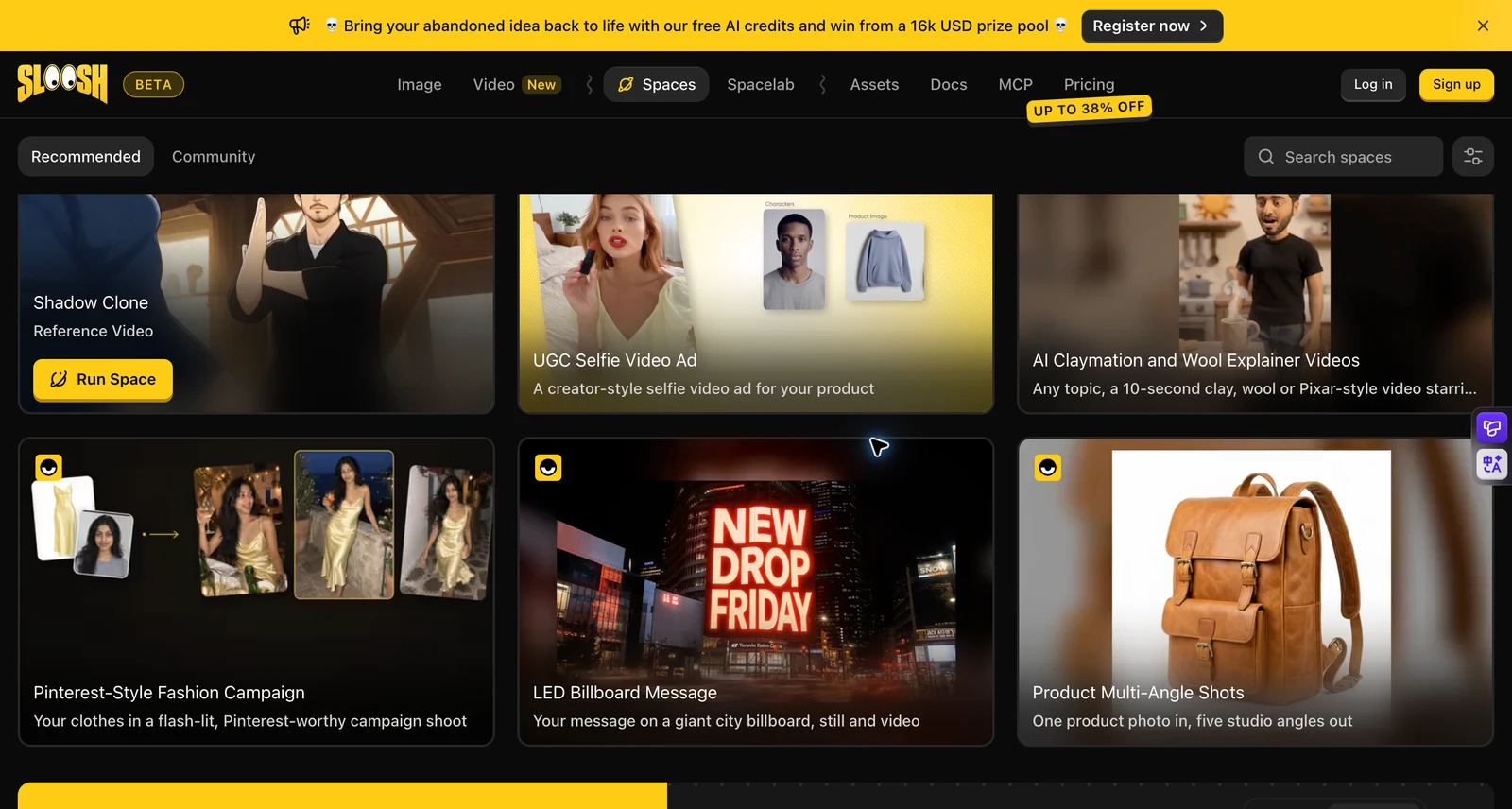
Sloosh is a strong fit for reusable creative automation. Its existing Spaces already simplify many jobs; custom Spacelab graphs and MCP add automation depth. You do not have to build nodes to run a Space, and Sloosh also supports reusable characters through AI Influencer and Elements.
This is a workflow-fit recommendation from the team behind AI Influencer Generator. We have not established a universal quality, speed or price winner. For the product introduction, read Sloosh AI Influencer: features and tutorial.
Sloosh vs AI Influencer Generator
Feature scope checked October 24, 2026. “Not verified” means this review lacks evidence; it does not mean a feature is absent. Model access and output quality depend on settings and account eligibility.
| Job / feature | Sloosh | AI Influencer Generator |
|---|---|---|
| Primary starting point | AI Influencer, Studio or a ready-made Space; Spacelab for custom flows. | Create and save an influencer, then use creator tools or templates. |
| Character consistency | AI Influencer characters and saved Elements reused through reference tags. | Saved character identity and references reused across separate photo/video tasks; review each result. |
| Character creation | Dedicated AI Influencer feature. Elements can store character references. | Guided original characters; authorized image/video character creation on eligible paid plans. |
| Image and video templates | Ready-made Spaces include product and creator workflows. Nodes are optional for running an existing Space. | Image, scene, UGC and dance templates in the creator workspace; no node construction required for these routes. |
| Product / UGC ads | Product-in-hand UGC, product placement and other advertising Spaces. | Product-photo and UGC/video tools; select the saved influencer and authorized product references. |
| Motion reference | The Spaces catalog includes Shadow Clone with a Reference Video label. We did not test it against our Motion Transfer tool. | Dedicated Motion Transfer tool accepts a character image and motion reference video. Output depends on input compatibility. |
| Popular-video inspiration | Workflow and community Space discovery. No claim here about trend detection or performance. | Use an authorized reference to adapt motion and format. This is not automatic viral-video discovery or a virality guarantee. |
| AI models | Multi-model image/video platform; selection and reference limits vary by model. | Model choices inside photo/video tools, including GPT Image and supported video models. Check the live selector and quote. |
| Workflow reuse and batching | Spacelab publishes reusable Spaces; batch generation on eligible plans. | Reuse saved characters, templates and media across separate tasks. The tutorial below is manual sequencing, not an automatic batch workflow. |
| MCP / automation | Documented remote MCP on Pro/Max, with daily spend limits and workspace-credit usage. | This comparison does not claim a public MCP equivalent. Creator tools are the workflow described here. |
| Planning and publishing | Publishing a Space shares a reusable workflow. Social scheduling was not verified in this review. | Content/caption planning plus paid-plan publishing to supported connected accounts, subject to platform and media requirements. |
| Free start | 20 new-account credits per current FAQ. | 30 signup credits. Free-account settings and feature eligibility are limited; inspect the task quote. |
| Paid pricing | Yearly observation: Creator $204/year; Pro $528/seat/year; Max $1,068/seat/year. | Starter $19/month or $190/year; Professional $39/month or $390/year; Advanced $79/month or $790/year. |
Four Sloosh alternatives, matched to real jobs
1. AI Influencer Generator — recurring creator operations
Our first pick when a consistent original person is the asset you want to build around. Save the influencer, use scene or UGC templates, change products and make reference-led videos. Planning and supported publishing extend the flow beyond the output file.
Choose it for: a recurring virtual creator, a series of product concepts or a social-content routine. Check first: plan gates, task quotes and platform eligibility. This tutorial’s separate scene submissions are not an automated batch pipeline.
2. OpenArt — character creation within a broad media toolkit
OpenArt Character Builder documents creating and reusing characters from prompts, references or guided presets. Its public toolkit also lists image/video tools, Motion Control and UGC/product-ad workflows.
Choose it for: exploring a broad character and media workspace. Check first: the specific model, reference limits and production plan you need. These are documented capabilities, not a head-to-head consistency test.
3. Higgsfield — motion-led creative exploration
Higgsfield’s creative suite emphasizes video models, presets and motion recasting with characters, locations and products. Its current public site includes AI Influencer and Content Factory entry points.
Choose it for: a video-first concept or motion-format exploration. Check first: identity reuse, commercial-input rights and the quote for the chosen model. Read our Higgsfield alternative guide for another workflow comparison; verify its dated feature statements against current product pages.
4. HeyGen — scripted presenters and localization
HeyGen centers on script-to-avatar video, photo avatars, authorized personal avatars and localization. It fits a presenter delivering a message more directly than a lifestyle-photo production routine.
Choose it for: explainers, lessons and multilingual presenter content. Check first: avatar consent, language requirements and the current plan. See our HeyGen alternative guide.
The three external alternatives were selected for distinct production jobs. No paid competitor output was generated for this comparison, and we have not ranked their image quality, delivery time or conversion rates.
Why a character-first flow can help a recurring creator
A series needs more than a good single image. The audience must recognize the person while the creator changes what happens around them. Save an approved identity, use it as a reference and keep the scene brief focused on one activity.
In our live test we created Mara Vale, saved her and reused that identity across three separate product concepts. The reference is the stable starting point; it is not a guarantee against drift. Review hair texture, face shape, complexion and proportions in every output before adding it to a series.
Start with an original adult character and an approved reference.
Use a template or write one purposeful action with a clear crop.
Keep only coherent outputs, then plan the next task or post.
Neither that workflow nor Sloosh’s saved Elements should be described as magic identity locking. The value is an organized reference source and a repeatable review habit. Learn the consistent-character workflow.
One saved character, three product concepts
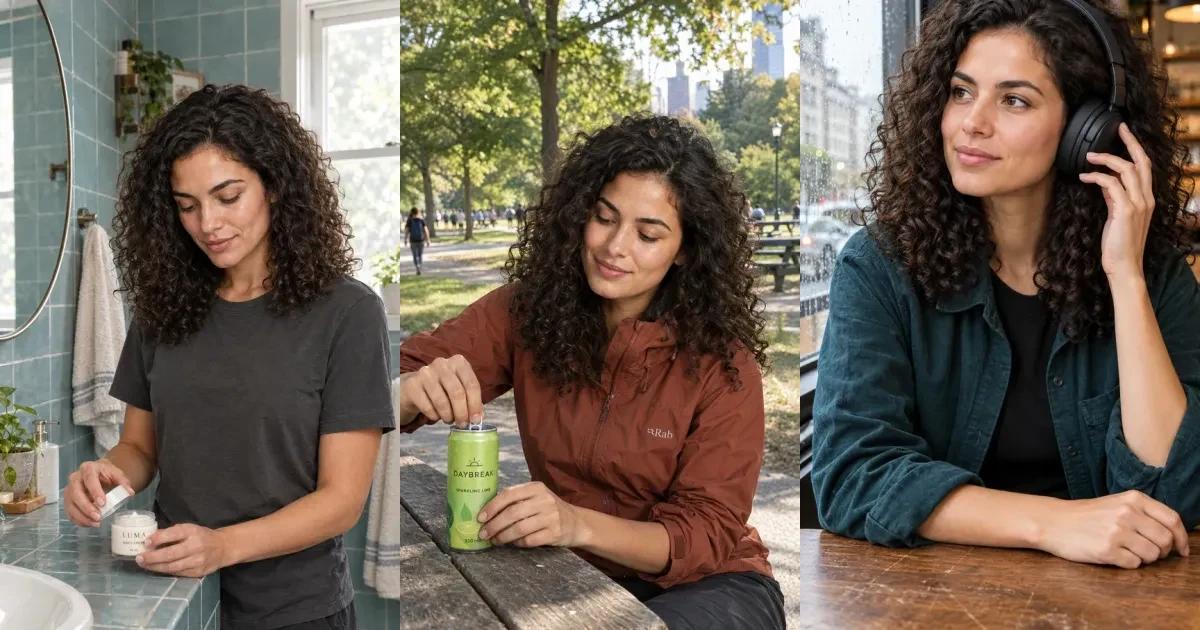
Mara Vale is an original fictional adult creator made for this review. We reused her saved identity in separate generation tasks, then changed the setting, wardrobe and purposeful action. These are AI Influencer Generator outputs, not Sloosh outputs, customer campaigns or evidence of ad performance.

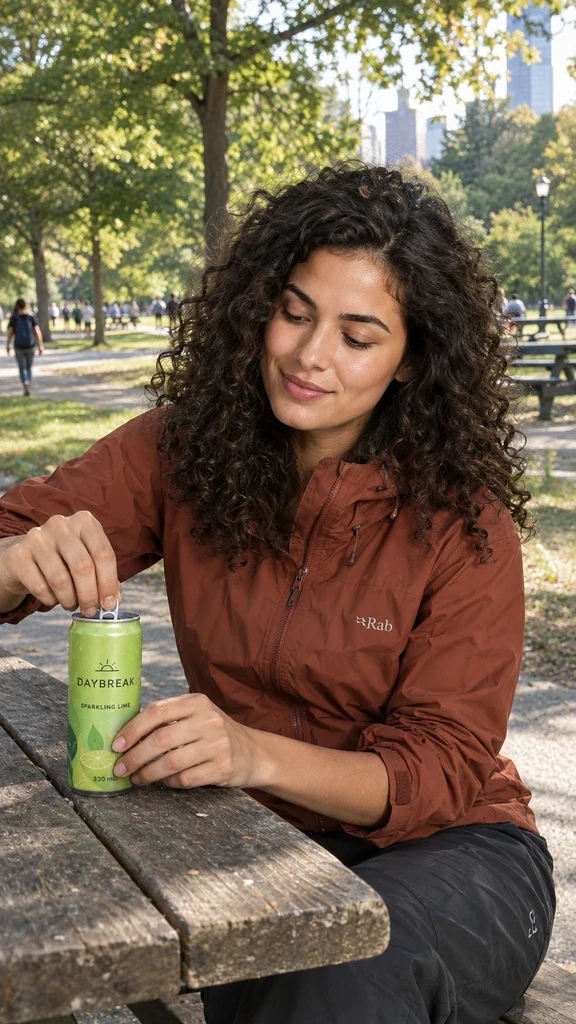

The useful change is the action: opening cream, opening a drink, adjusting headphones. It gives hands a job and makes the product belong to a scene. A generated label is not a proof of exact real-world SKU preservation. For a real campaign, supply authorized product references and check every letter, cap, seam, scale and contact point.
Templates reduce setup; they do not replace direction
Browse our photo, UGC and dance templates when you already know the person but need a shot format. Choose the saved character, adapt the scene and inspect the quote before generation. You do not need a node graph for these creator routes.
Sloosh also has ready-made Spaces. The difference is the starting emphasis: a creator’s identity and next content task here, versus a broad library of reusable creative recipes there. If your goal is a complex team production pipeline, Sloosh’s workflow model may be the more relevant advantage.
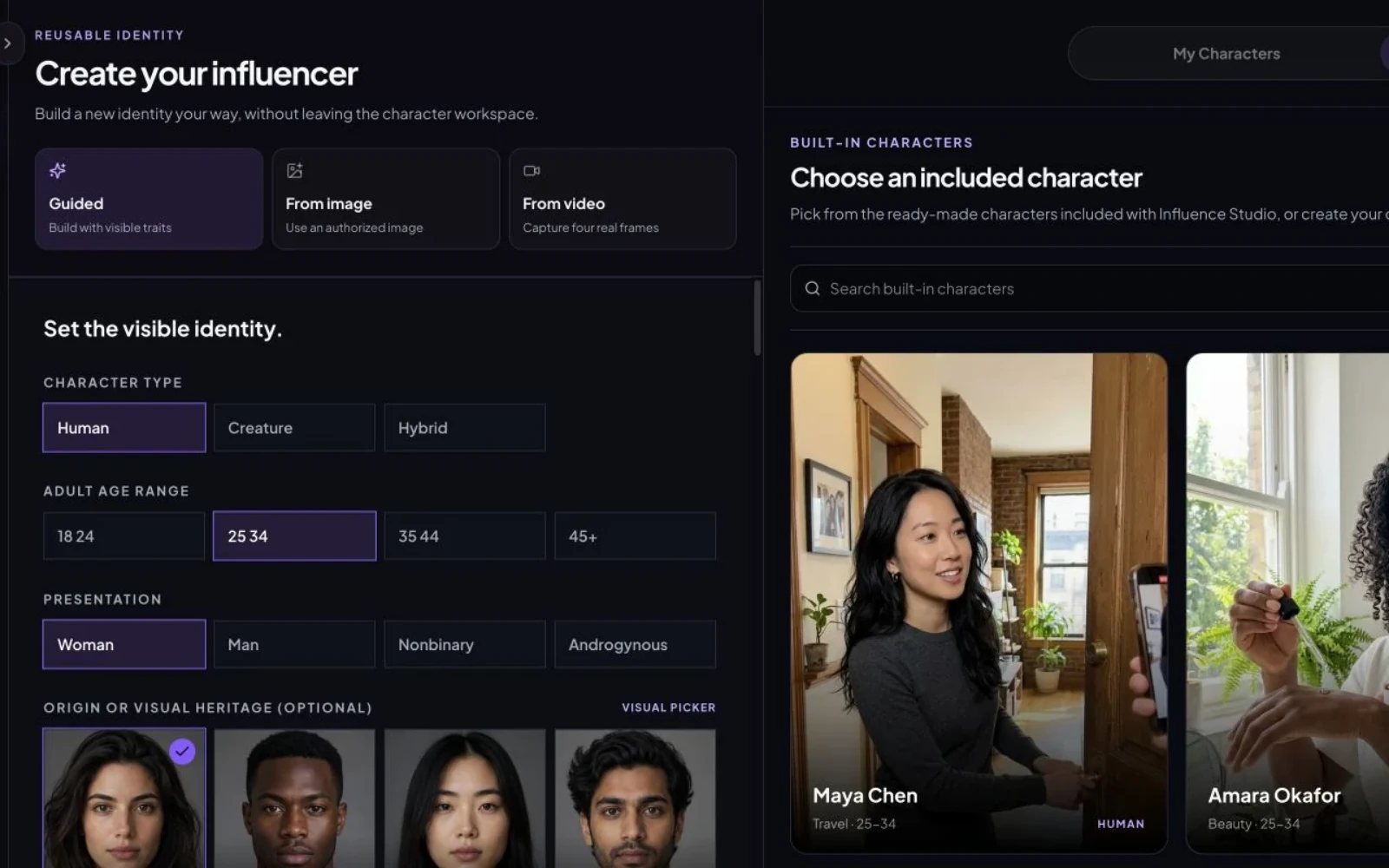
For the complete prompts and sequence, follow the saved-character tutorial. For advertising-specific work, open AI UGC Video Generator.
Use motion inspiration without copying a creator
Motion Transfer combines a character image with a reference video to guide movement. Begin with footage you filmed or have permission to adapt. Keep the motion idea while changing the character, setting and creative direction; separately check music, footage and likeness rights.
Use a clear body view and a compatible action. Review the face, limb continuity, foot contact and background throughout playback. Trend-inspired describes a creative format; it does not establish reach or permission. This feature does not automatically find popular videos or operate a whole content calendar.
Beyond generation: plan, write and publish
A recurring influencer needs an identity, editorial point of view and a review queue. Use Content for supported planning and copy tasks, then decide which scenes actually belong in the feed. Keep a record of the approved identity, prompt, product reference, task result and disclosure for each post.
Publish supports eligible connected accounts on Instagram Business, TikTok, YouTube, Facebook Pages, X, LinkedIn, Threads and Pinterest. It is a paid-plan feature. Account type, connection permissions, media format and platform requirements apply; do not assume every file can be sent to every destination.
Current allowances are 30 posts per UTC calendar month on Starter, 100 on Professional and 300 on Advanced; Starter allows one platform and one account. We checked the enabled feature and implementation, but did not submit a social post for this article. Generation, review, scheduling and successful platform delivery remain separate events.
Publishing a Sloosh Space means sharing a reusable creative workflow. That should not be read as an Instagram publishing claim. We did not verify Sloosh social scheduling.
Pricing: compare the billing period, then the task
Credit counts measure different products, so 300 credits on one platform cannot be treated as more output than 195 on another. Compare your actual scene, model, duration, resolution and retry allowance.
| Platform / plan | Monthly billing | Annual billing | Included credits |
|---|---|---|---|
| Sloosh Creator | Check live monthly checkout | $204/year ($17/month equivalent) | 195/month |
| Sloosh Pro / Max | Check live monthly checkout | $528 / $1,068 per seat/year ($44 / $89 equivalent) | 535 / 1,135 per month |
| AI Influencer Generator Starter | $19/month | $190/year | 300/month or 3,600 annual pool |
| Professional / Advanced | $39 / $79 per month | $390 / $790 per year | 800 / 2,000 monthly; 9,600 / 24,000 annual pool |
Sloosh’s annual view was the verifiable live price in this review. Inc42 reported launch plans starting at $19/month; we do not substitute that dated figure for an unverified current monthly checkout. Sloosh lists 20 free credits, monthly plan-credit resets without rollover, and paid-plan top-ups valid for 12 months.
Our signup includes 30 credits. Starter includes custom character creation; character creation from an authorized image or video requires Professional or higher. Free settings and paid features differ. Our annual credits are issued upfront and expire at term end. Monthly rollover rules differ by plan; purchased packs do not expire. See current pricing and credit rules before choosing.
When staying with Sloosh makes sense
Choose Sloosh if reusable Spaces, custom Spacelab logic, batch execution or MCP are central to the production job. A team repeating the same input transformations across a catalog may benefit more from a reusable recipe than from any single creator template.
Its official workflow guide shows how a graph can become a form others can run. Its MCP documentation provides assistant access on eligible plans with spend controls. These are substantive strengths; our recommendation for recurring influencers does not erase them.
A useful first session: one identity, one approved scene
- Create an original influencer and check the reference before building a series.
- Choose one template or product scene. Keep the action simple.
- Inspect the current quote, submit one task and review face, hands and product geometry.
- Make an eligible short video or use Motion Transfer with an authorized reference.
- Draft the caption and disclosures, then connect an eligible account if you want paid-plan publishing.
You can learn more from one reviewed end-to-end scene than from a list of model names. For other purchase decisions, see Creatify alternatives and our Sloosh AI Influencer guide.
Don’t just generate AI content. Build and grow your own AI influencer.
Start with an identity you can recognize and a content idea worth repeating.
Questions creators ask
What is Sloosh AI Influencer?
Sloosh AI Influencer is the character-creation feature in ShopOS’s Sloosh creative platform. Sloosh also offers Studio, saved Elements, ready-made Spaces and the Spacelab workflow editor. ShopOS announced the global launch on October 22, 2026.
Do I need to build nodes to use Sloosh?
No. Existing Spaces are ready-made workflows. Spacelab is for building and publishing custom workflows; a published Space can expose a simpler input form. Character references can also be reused through Elements in Studio.
Can I keep the same AI influencer across different products?
Both platforms document reusable character references. In AI Influencer Generator, save an original character, select it for each product scene and review the face, hands and product details after generation. This does not guarantee exact identity or packaging in every output.
Is AI Influencer Generator a free Sloosh alternative?
It offers 30 signup credits for trying supported tasks. Sloosh’s FAQ lists 20 new-account credits. These are trial balances, not equivalent image or video counts; each task has its own quote and eligibility limits.
Can Motion Transfer make a viral video?
Motion Transfer can use a reference video to guide movement with your character image. Use footage you own or have permission to use. It does not guarantee reach, reproduce a creator’s identity, or make someone else’s footage yours.
Does AI Influencer Generator publish to social platforms?
The product has paid-plan publishing for eligible connected accounts on Instagram Business, TikTok, YouTube, Facebook Pages, X, LinkedIn, Threads and Pinterest. Platform connection, permissions, media compatibility and plan limits apply. This editorial review did not submit a live social post.
Plan Content
Measure Engagement
Build Your Profile
Price Your Work
Write Post Copy
Brand Partnerships