
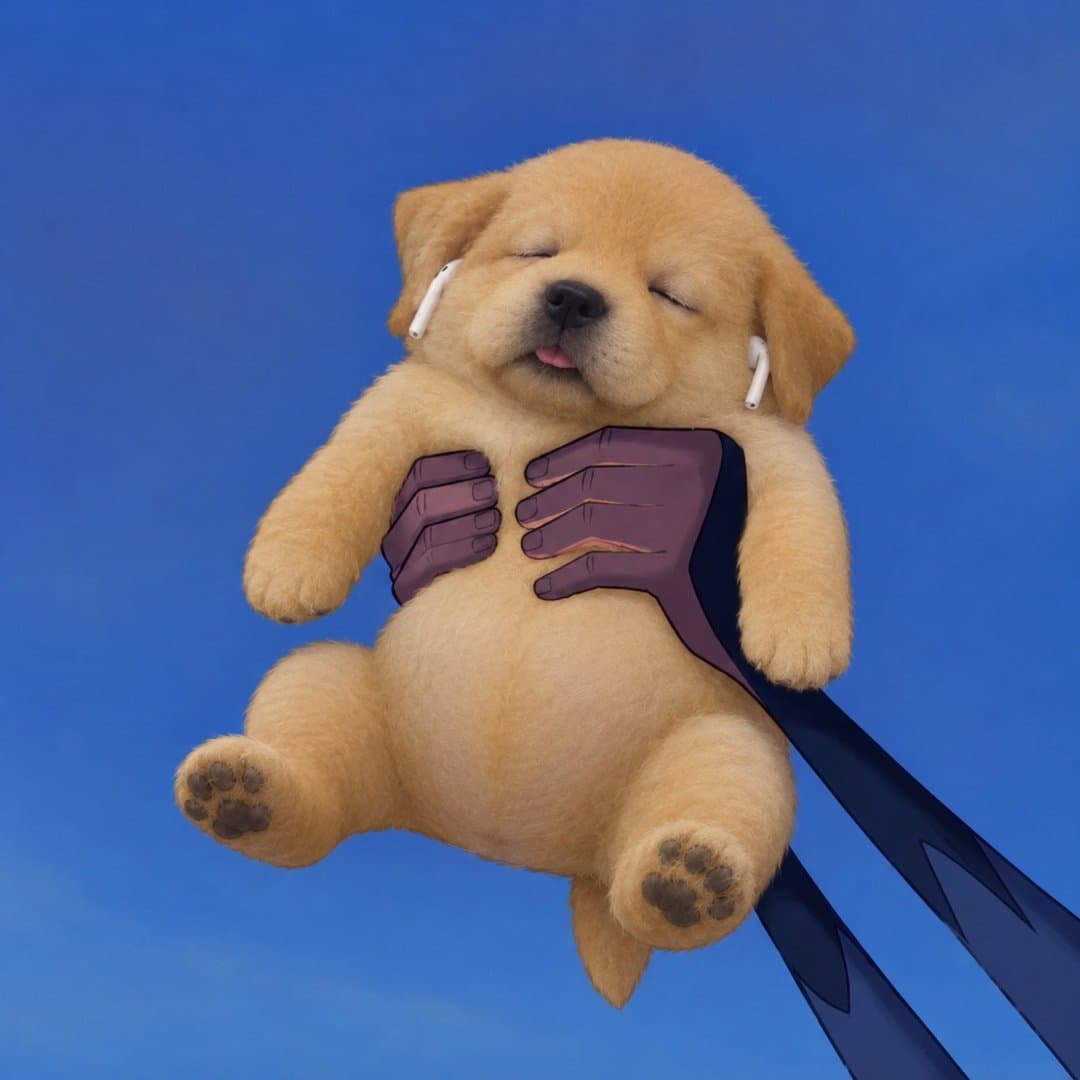
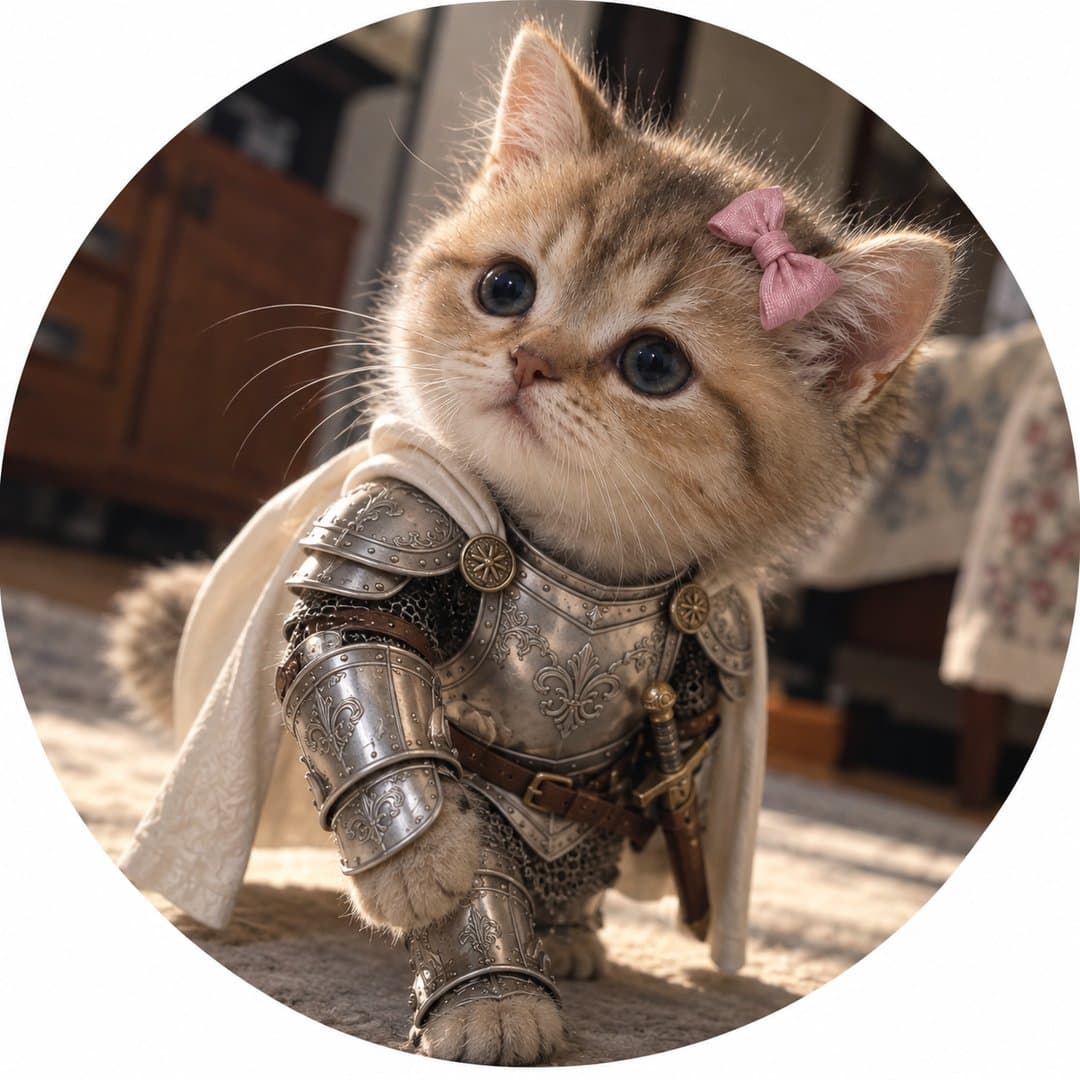
What happens in the Eepy Dog × Sickman cinema Reel?
Two costumed animal characters appear together in a quiet shared setting. The visible original post is attributed to both accounts, and its caption uses a heart, crossed swords and popcorn. In the moment we inspected, the golden dog holds a red-and-white popcorn tub while the gray cat, wearing a pink bow, has a pink drink. Their heads touch and their eyes are closed.
The scene suggests companionship, but we did not verify that they exchange or share food. We could not establish the exact music title, its license, the complete sequence, the first two seconds or the post’s play count. A viewer’s impression of a date or ongoing romance is an interpretation, not a fact established by the visible account information.
View the official Instagram embed
Instagram may block this preview or require sign-in. If it stays blank, use the original-post link above.
The platform hosts the original; this is not a licensed download or a timed opening-frame capture.
At 11:30 UTC on October 28, the post displayed approximately 8.2K likes and 29 comments. One comment said “Love it” and another called the characters “fofinhos” (“cute”). These are two visible reactions, not a representative audience survey.
Who are Eepy Dog and Sickman?
Eepy Dog is the character presented by @eepydoog; Sickman’s profile describes its character as a Knightcat. Eepy’s profile carried Instagram’s “AI-generated profile” label when we checked. Sickman’s sampled posts include AI-content labels, but we did not see a corresponding AI label in the profile information we inspected.
On October 28, Eepy’s profile displayed approximately 42.6K followers and Sickman’s approximately 124K. Those displays are rounded and date-specific; their precise observation times were not retained. A jointly attributed post does not establish common ownership, a paid partnership or an enduring fictional relationship.
One separately sampled Sickman post credits Wizstar, and a different third-party collaboration mentions Higgsfield. Neither credit establishes which tool made the cinema Reel. The account operators and original production files were not verified. See the Eepy and Sickman Trends profiles for their sources.
Why might these cozy AI animal stories work?
| Visible detail | Possible appeal — not a proven cause | Try it with your own characters |
|---|---|---|
| Fur and silver armor | The soft animals and protective metal create an immediate visual contrast. | Choose one readable costume feature that belongs to a new animal’s own identity. |
| Knight-like outfits in a cinema | A character associated with adventure appears in an ordinary outing, making the situation surprising. | Place an original explorer in a low-stakes everyday setting. |
| Heads touching, eyes closed | A small physical gesture can suggest comfort without a spoken explanation. | Plan one quiet gesture and specify natural contact; check the result for floating or merged bodies. |
| Separate popcorn and drink | Distinct props make a shared outing legible. We did not observe an exchange of food. | Give each character a different, physically plausible object or action. |
| Joint attribution on one Reel | One account’s viewers may encounter another character through the shared post; the extent is unknown. | Create a genuine collaboration with clear credit and permission rather than assuming audience transfer. |
Minimal visible action can be understood without extensive dialogue, but we did not measure international reach or verify that the whole Reel is silent. We also did not establish the track title or music rights. For an original video, select audio you are licensed to use and check the platform’s rules; do not copy the source soundtrack on the assumption that a public Reel grants reuse rights.
The recognizable costume may help a viewer identify a character in the next scene. The interpretation that warmth, cuteness or a relationship caused follows, shares or retention remains untested: we did not obtain account analytics, distribution history, paid-promotion data or an experiment.
Do the characters continue the relationship in other posts?
The sampled accounts each have other character-led posts, but this small sample does not prove that Eepy and Knightcat appear together repeatedly. The cinema post is our confirmed shared example.
- Eepy’s beach collaboration shows the dog with other animal characters, one in a banana costume. We could not identify Knightcat in the observed moment.
- Eepy at a meal shows the dog wearing a pink bib and sitting in a chair.
- Sickman with a large white cat and Knightcat in a misty field show the armored cat in other settings. Eepy was not visible in the sampled moments; that does not establish absence from the full videos.
For a series, separate what a post actually shows from the story you want to develop. A useful planning formula is one recognizable animal + a signature look + a consistent disposition + a relationship + a new everyday problem. The relationship is a creative premise, not a claim about the people behind the accounts.
Three original sequels for an AI pet video series
These are fictional ideas for a different original pair, not unpublished episodes from either source account.
| Episode | Small situation | Relationship beat |
|---|---|---|
| A rainy-day umbrella | Moss the terrier and Pip the rabbit shelter beside a bookshop. | Moss looks toward Pip; Pip looks up. The shared shelter makes their closeness visible. |
| The grocery trip | The pair stops beside a small canvas bag of carrots and apples. | Pip notices a rolling apple; Moss pauses beside it. The characters solve one simple problem. |
| A birthday surprise | A paper garland and a wrapped parcel wait on a low table. | Moss arrives first and Pip discovers the surprise. Use readable props, not a fabricated celebration claim. |
Keep each character’s fur, size, silhouette and one signature garment recognizable. Change the setting and objective in every episode; a recurring format needs a fresh moment, not a duplicate image. Track your own results if the platform provides analytics instead of assuming that any one element guarantees growth.
Explore Cozy Animal Stories and Character Crossovers in AI Influencer Trends.
How to plan and create original AI pet characters
Prepare original references, build a two-character still, plan a simple beat and then test image-to-video. The workflow below is grounded in the local interface and code, but this animal example has not been generated in Studio: the workspace was signed out and no credits were used. The images below were made separately with the conversation’s image-generation tool. They are editorial illustrations, not AI Influencer Generator results or a finished video.
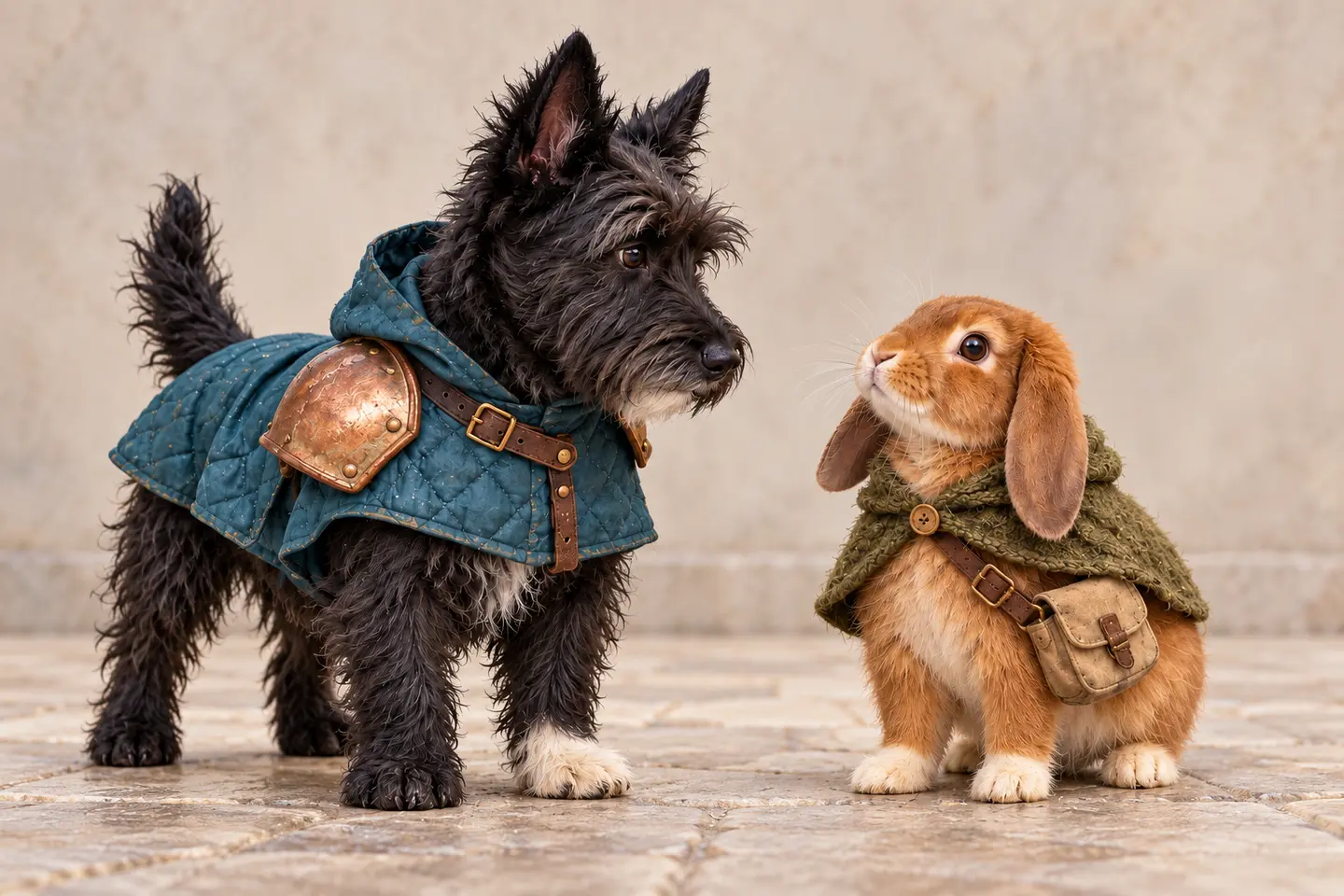
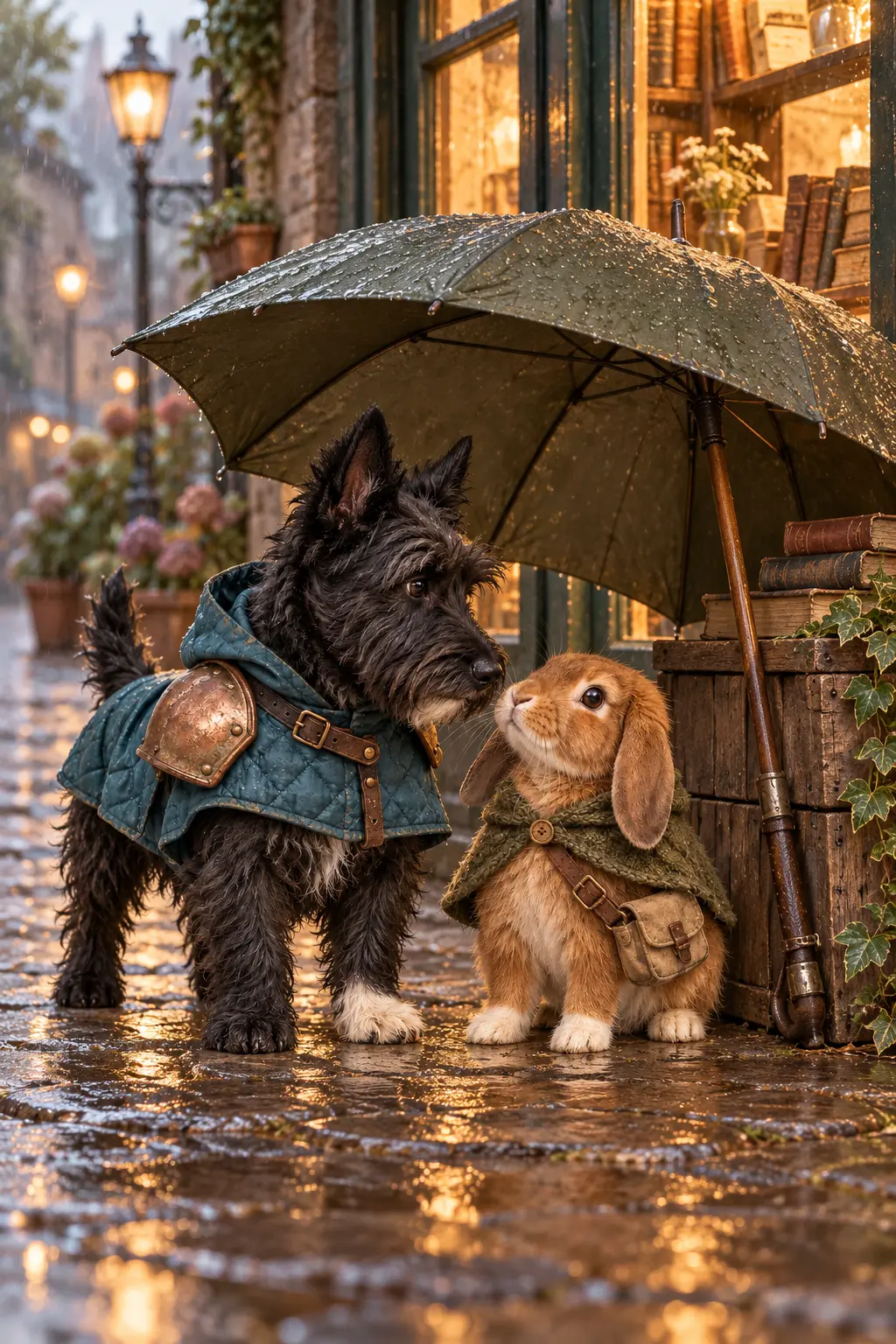
- Make or prepare the identities. Define each animal separately: species, fur, markings, body size, ears, costume and personality. Keep your own authorized reference files. The guided character builder supports upright creature types in code, but it is not a tested small-pet workflow.
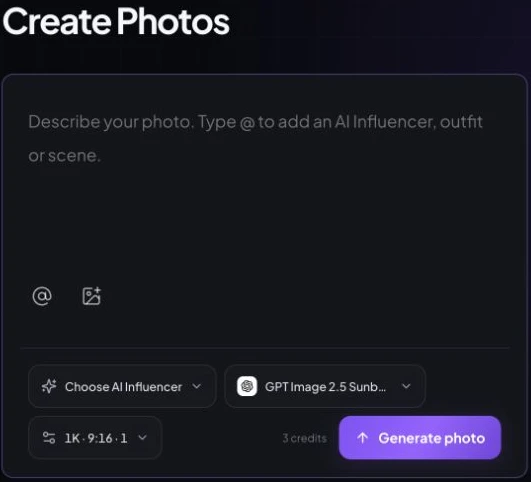
- Make a shared still. Open Create Photos, attach original image references and use a model that accepts the number of images you supply. The general photo editor supports multiple uploaded references within the model’s limit; its compiler accepts at most one saved influencer selection. A two-animal output and its consistency have not been verified here.
- Assign ownership and positions. In the prompt, identify the dog and rabbit separately, name the viewer’s left and right, and assign the copper shoulder guard only to Moss and the knitted cape only to Pip. Start with one shared action and inspect both faces, paws and proportions.
- Plan the beats. Write a short manual storyboard before animating: a quiet establishing moment, Moss turning toward Pip, and Pip looking up. A storyboard plan is not an automatic Studio storyboard feature.
- Animate the approved still. Open Image to Video, add your approved still, replace any people-specific default prompt with the animal action, and select a supported vertical setting. Review the cost before submitting. Two-animal motion, 9:16 output and identity retention depend on the chosen model and have not been verified with this example.
- Review and export. Watch every frame for merged paws, changing fur or swapped positions. If the output is suitable, download it from the result view or History and assemble your vertical edit. We have not produced or published that clip.
Design two original fictional animal companions, not Eepy Dog or Sickman. Moss is a small charcoal Scottish terrier with pointed ears, wiry fur, a white chin and one white front paw; Moss wears a deep teal quilted coat with one rounded weathered copper shoulder guard. Pip is a smaller cinnamon lop-eared rabbit with a cream muzzle and cream paws, a moss-green knitted cape and a small canvas satchel. Keep their relative sizes, fur markings and clothing consistent.
Use the original references for Moss and Pip. Place Moss on the viewer's left and Pip on the viewer's right, both fully visible under an olive umbrella supported by a wooden crate outside a bookshop on a rainy street. Moss looks gently toward Pip; Pip looks up. Preserve their distinct fur, ears, size, coat, copper shoulder guard, cape and satchel. Keep paws grounded, umbrella and crate physically supported, wet cobbles and a warm window behind them. Compose a vertical 9:16 scene.
Animate the approved two-animal still in one short shot. Keep the camera steady. Moss slowly turns toward Pip; Pip looks up and blinks once. Let rain move softly behind them and the umbrella remain supported by the crate. Preserve the left/right positions, fur markings, sizes, wardrobe and all paws; no new characters, speech or text.
Reference images guide generation; they are not guaranteed identity locks. Check fur markings, relative size, copper armor, wardrobe ownership and left/right placement in each still and throughout any later video.
Start with original animal references and inspect each result before making a video.
AI Influencer Generator vs. Higgsfield for a pet story
Our site offers separate photo and image-to-video workspaces, which can be useful when you want to review the still before animating it. Higgsfield’s public builder includes animal categories and its Genjutsu interface offers reference inputs. Neither service was tested here on the same two-animal story.
| Decision | AI Influencer Generator | Higgsfield |
|---|---|---|
| Steps and references | Create Photos supports uploaded references; approve a still, then use Image to Video. The general photo compiler permits at most one saved influencer selection, while multiple uploads depend on the selected model. | The public AI Influencer builder shows animal types; Genjutsu offers motion and multiple reference-image inputs. Two-animal identity retention was not tested. |
| Templates | Photo and video workspaces include templates, but the Group Photo tool adds people-specific instructions and should not be presented as a proven pet workflow. | The official workflow describes selected trend motions and uploaded motion references; availability and rights depend on the chosen item. |
| Cost visibility | The guest Create Photos screen showed 3 credits for its selected Flare option; local code configures a five-second 720p Wan 2.6 Flash draft at 15 site credits. A signed-in final quote was not checked. | Official help says generation cost appears before confirmation. The observed pricing table listed Kling 3.0 720p at approximately 7 Higgsfield credits per five seconds; a final quote and this story’s access were not checked. |
| Best fit | Creators who want to inspect a scene still and choose animation as a separate step. | Creators who prefer its animal builder and reference-motion ecosystem. |
The video examples above share duration and resolution but use different models and different credit currencies; they do not establish a comparable dollar cost, quality or completed result. Character references, still-image attempts, plan access, unused credits, promotions and taxes affect the total. Our local Starter configuration lists $19 and 300 monthly credits; the checked Higgsfield monthly Starter table listed $19 and 270, with a stated AI Influencer allowance. Check the current site pricing and Higgsfield pricing and review actual generation quotes before purchase.
Frequently asked questions
Are Eepy Dog and Sickman the same account?
No. The cinema Reel is jointly attributed to @eepydoog and @sickmanai. That attribution does not establish whether the accounts share an operator.
Do the characters appear together in every video?
We verified the shared cinema post. In other sampled moments, each account showed its own character in different situations; we did not establish a continuing partnership across the full feeds.
Can I use two reference images for an AI animal story?
The local Create Photos code supports multiple uploaded references within the selected model’s limit, but this pet example has not been tested. Review the resulting still for separate identities and positions.
Can I reuse the original characters or music commercially?
A public post or an AI label is not permission to reuse character designs, footage, voices or music. Use original assets or obtain the rights needed for your intended use.
Is the Moss and Pip video a finished Studio example?
No. The images are independently generated editorial illustrations. We did not create, test or publish a video through Studio for this article.
Sources and research limits
- Original joint cinema Reel, Eepy profile and Sickman profile: public attribution, selected visible details and dated counters.
- Eepy’s beach post, meal post, Sickman’s white-cat post and misty-field post: selected moments from each account.
- Higgsfield AI Influencer, official help and pricing: vendor-stated tools and public estimates.
We did not verify the whole movie Reel’s sequence, music license, audience analytics, account operators, a paid product test or a finished original pet video.
Give your own characters a story to return to
Start with two original animals, one recognizable feature for each and a small everyday moment. Preserve the references, review the details and let the relationship develop across scenes you have the rights to create.
Start with original animal references and inspect each result before making a video.
Plan Content
Measure Engagement
Build Your Profile
Price Your Work
Write Post Copy
Brand Partnerships