

Our original AI character
Create your own original Jean Phil-style AI influencer, keep the character consistent, and recreate viral movements with motion transfer.
Lavender sculpted hair. Coral tailoring. An artist's point of view.
Customize the look in Signature. Review the cost before generating.
Jean Phil's look is the inspiration. Your character is the result. Original footage and our generated examples are labeled below.
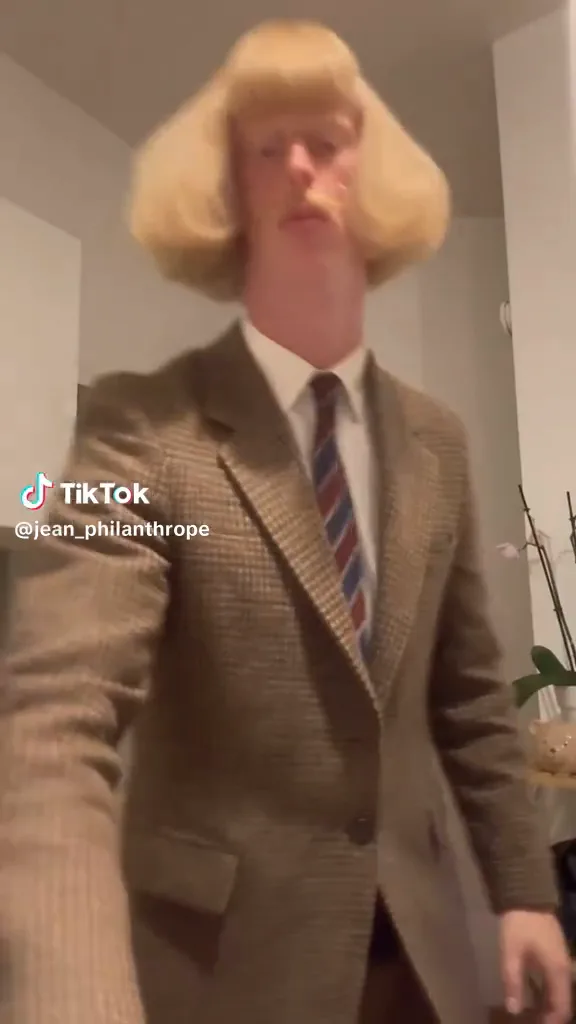
Give your original adult character one look people remember. A sculpted hairstyle, a distinctive moustache or facial feature, a signature outfit and a deadpan expression can turn a simple action into a recurring personality.
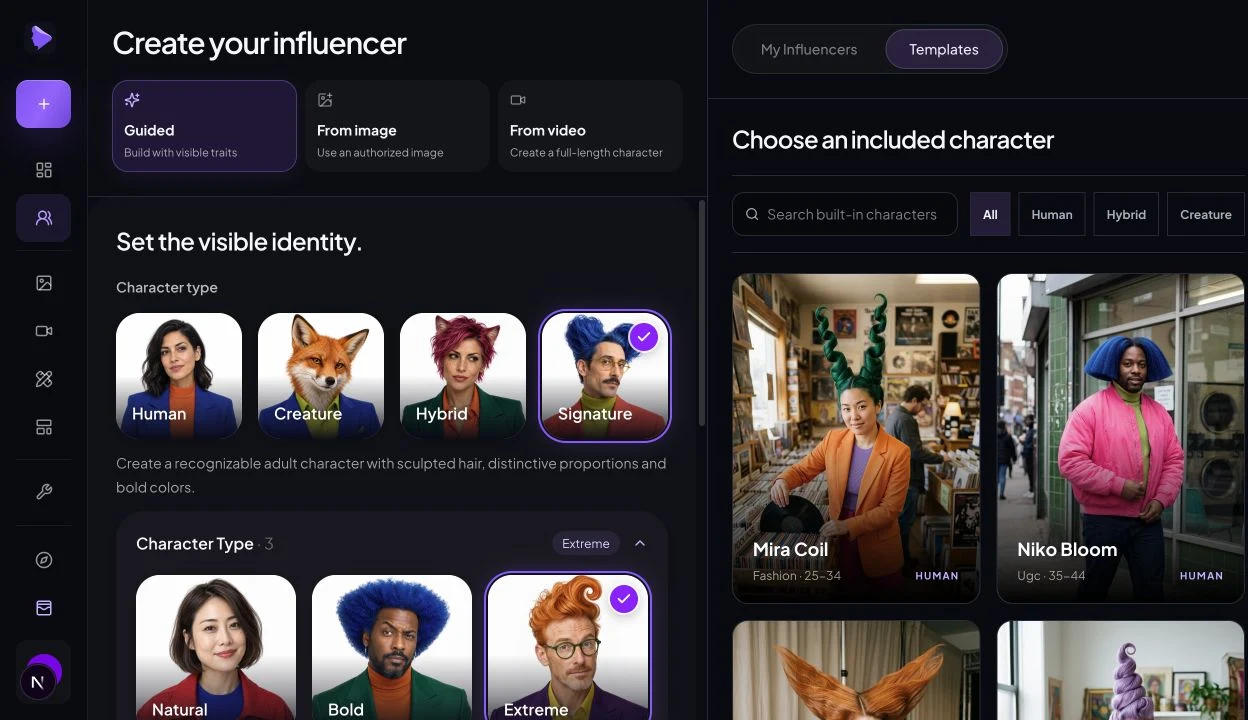
Choose a saved AI influencer and a reference video. Motion Transfer uses the movement and timing to guide a new performance. Review the face, clothing, hands and motion before sharing.
The example uses a short excerpt. In Studio, you can choose your own saved character and an authorized reference video.
Start from one of these fictional adult creators, then edit the details to make the style yours.
Lavender sculpted hair. Coral tailoring. An artist's point of view.
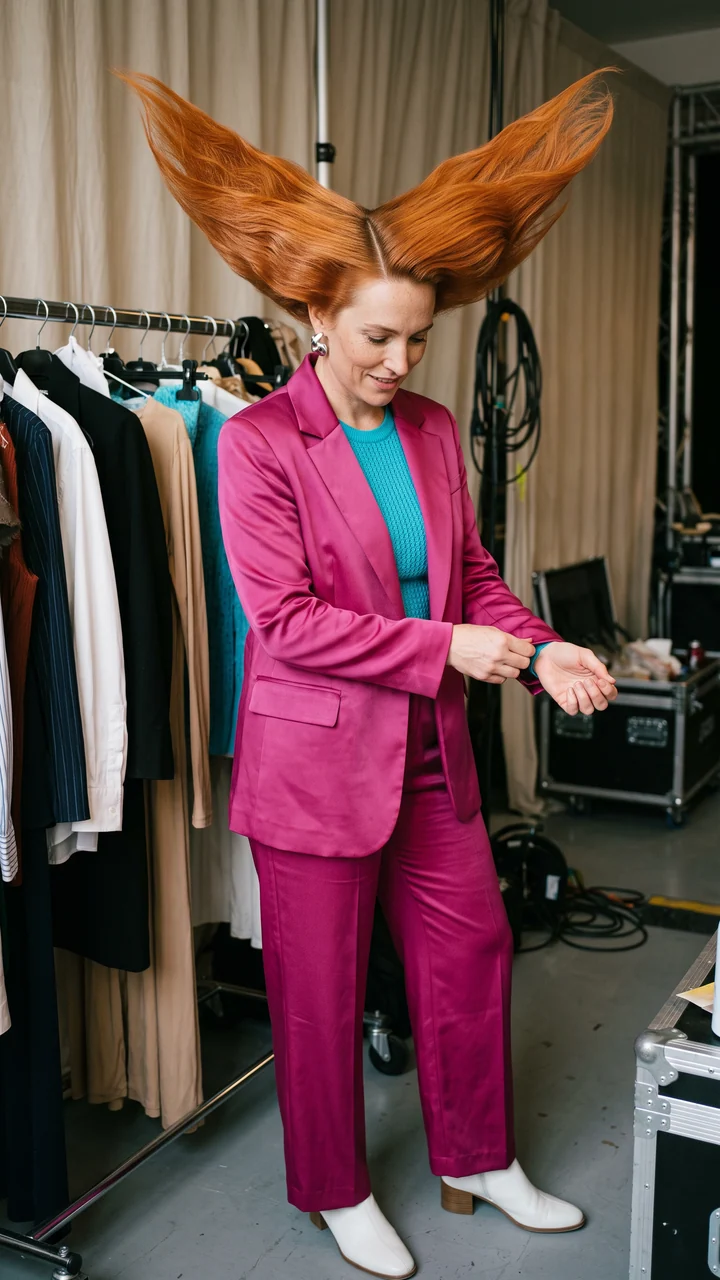
Ginger hair wings. Magenta suit. Backstage confidence.
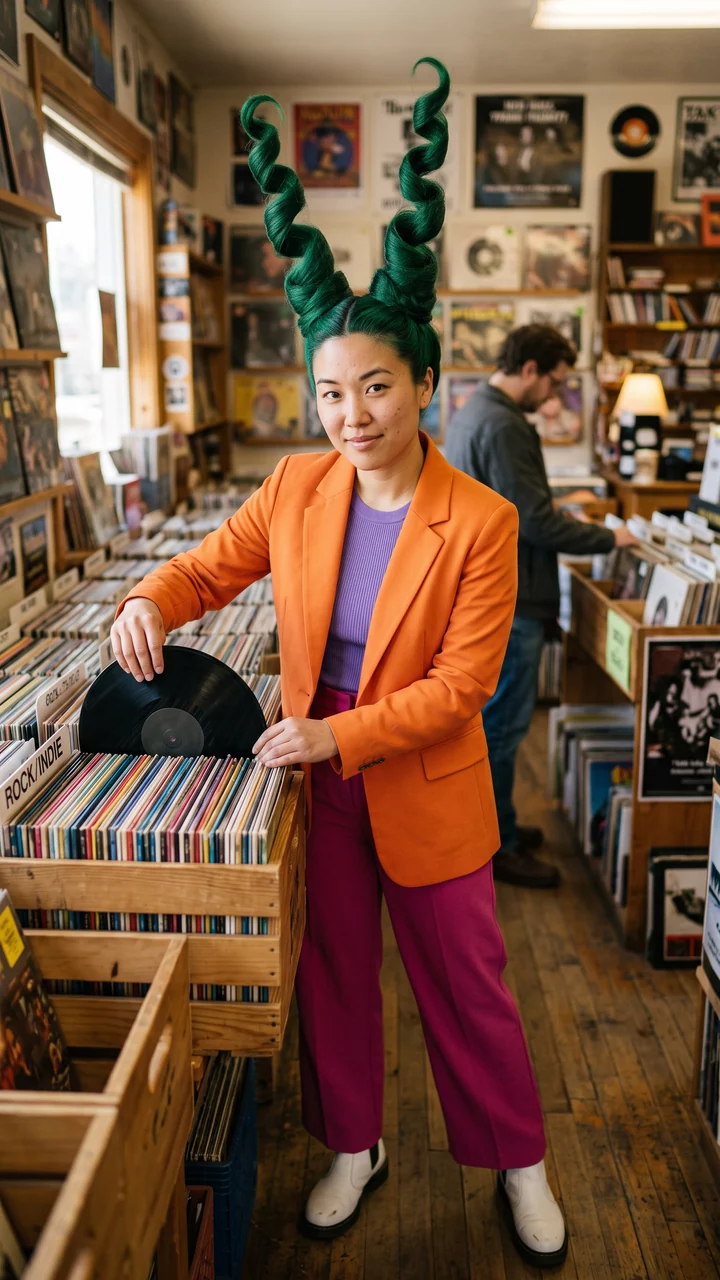
Green corkscrew hair. Orange tailoring. Record-shop energy.

Green spikes. Blue tracksuit. Arcade regular.
Recognizable at thumbnail size. One signature look. One repeatable action. A consistent character. Change the location, keep the identity.
Apply these principles to your own character: make the silhouette distinct, give the personality a recurring beat, and reuse the same approved reference.
The practical method: establish one original identity, pair it with a clear performance, then review and repeat. Character creation and motion transfer are separate generation steps.
Open Character Creator in Signature mode. Pick one distinctive silhouette, an adult age range, a hairstyle, a color and an outfit. Give the character a simple recurring personality, such as a serious artist who unexpectedly shadowboxes.
You should have: A saved original character with a clear, reusable reference image.
Open Character CreatorOpen Motion Transfer and select your saved character. Attach one of the references above, or upload your own authorized video. Begin with a single visible performer, a stable camera and a short sequence of punches, steps or gestures.
You should have: One character identity and one movement reference attached to the same task.
Open Motion TransferCheck the selected motion model, resolution, reference duration and credit quote in Studio. Confirm you can use the reference, then generate. Watch the entire result before keeping it; a good first frame alone does not prove a good performance.
You should have: A reviewed video and a repeatable process for the next post.
Explore AI Influencer VideoOur demo settings: Kling 3.0 Motion Control, 720p, 9:16 output, a 5-second shadowboxing excerpt and one original character image. The result follows the source performance while keeping each character's own setting. The matching reference audio has been added to these examples. Use Play with sound or open Preview to hear it.
Studio offers Kling 2.6 and Kling 3.0 Motion Control at 720p or 1080p. Reference sound is kept when the source has audio; it is not newly generated speech. Check the current credit quote before generating.
Describe visible traits and one personality beat. Start with this original Remy-inspired brief, then change the hair, outfit and setting to fit your own creator. Paste it into the editable character description; the image result still needs review.
Create an original fictional adult creator with a tall lavender spiral hairstyle, angular gold glasses, a coral tailored jacket, lime shirt and teal trousers. Give them a composed, deadpan expression and the personality of a serious artist with an unexpected shadowboxing habit. Show the full body with both hands visible in a lived-in art studio, soft window light, natural skin texture and believable adult proportions. Keep the face, hairstyle and wardrobe consistent in later images.Edit a Signature character
A short, readable clip is a useful starting point. Use the authorized excerpt on this page, or record your own movement with the body clearly framed.
The character image supplies the appearance; the video supplies the performance. A text prompt alone does not reproduce the exact timing of a reference video. Keep using the same approved identity image rather than asking the model to invent the face again.
Prepare my motion in StudioWatch once at normal speed, then pause on turns and fast gestures. Adjust the input that caused the problem before spending credits on another attempt.
| What you see | What to check | What to try |
|---|---|---|
| The character looks different | The identity reference is unclear or a fresh character was created. | Select the same saved character. Use a clear reference with the defining hair and face visible. |
| Hands or feet distort | Fast movement, overlapping limbs or a cropped performer makes the reference harder to follow. | Choose a simpler excerpt with separated limbs and enough space around the body. |
| The action misses the beat | The clip includes cuts, several performers or an unclear start to the motion. | Trim to one continuous performance. Compare the result with that exact excerpt. |
| The background changes | Character image and motion footage can have different scene layouts. | Inspect the whole frame and choose compatible framing. Motion transfer does not guarantee an identical background. |
| The next post loses the signature look | Too many identity details were changed at once. | Keep the face, hairstyle and baseline outfit. Change one scene detail and review each output. |
Jean Phil is a viral internet character associated with a distinctive hairstyle, moustache, tailored outfit and deadpan performance. A Jean Phil-style AI influencer uses that idea of a recognizable recurring character, with your own original identity and signature look.
Start with Signature in Character Creator. Choose a memorable hairstyle, facial feature, outfit and expression, then save your original character. Select a motion reference and use Motion Transfer to create a recurring video.
You can use an authorized Jean Phil video as a movement reference. Motion Transfer guides the action and timing while your saved character supplies the identity. Results can vary, so review the movement, face and anatomy before publishing.
Save one character and reuse its approved reference image. Keep the defining hair, face and outfit stable, and compare every new result with that reference. Changing the setting gives a series variety without changing its identity.
Yes. Open Motion Transfer, select your saved character and upload a reference video you have permission to use. The editor checks supported files and duration and shows the generation cost before you submit.
Yes. Use the principles of a strong silhouette, signature wardrobe and repeatable personality to create a different adult character. The examples on this page are original fictional characters made with our tools.
A character sheet shows one identity from several angles and can help guide consistent artwork. This page uses individual character reference images and style presets; it does not generate a four-view character sheet. Save and reuse your approved character reference in Studio.
Yes. You can preview and download the examples on this page. Your completed Studio images and videos are available in History. Jean Phil reference footage is labeled separately from our generated examples.
Plan Content
Measure Engagement
Build Your Profile
Price Your Work
Write Post Copy
Brand Partnerships