
One virtual creator, three outfits
Start with a recognizable face, hair and a few signature details. Then change the clothing, setting and activity to suit each post. These three looks use the same fictional adult character as their visual reference.
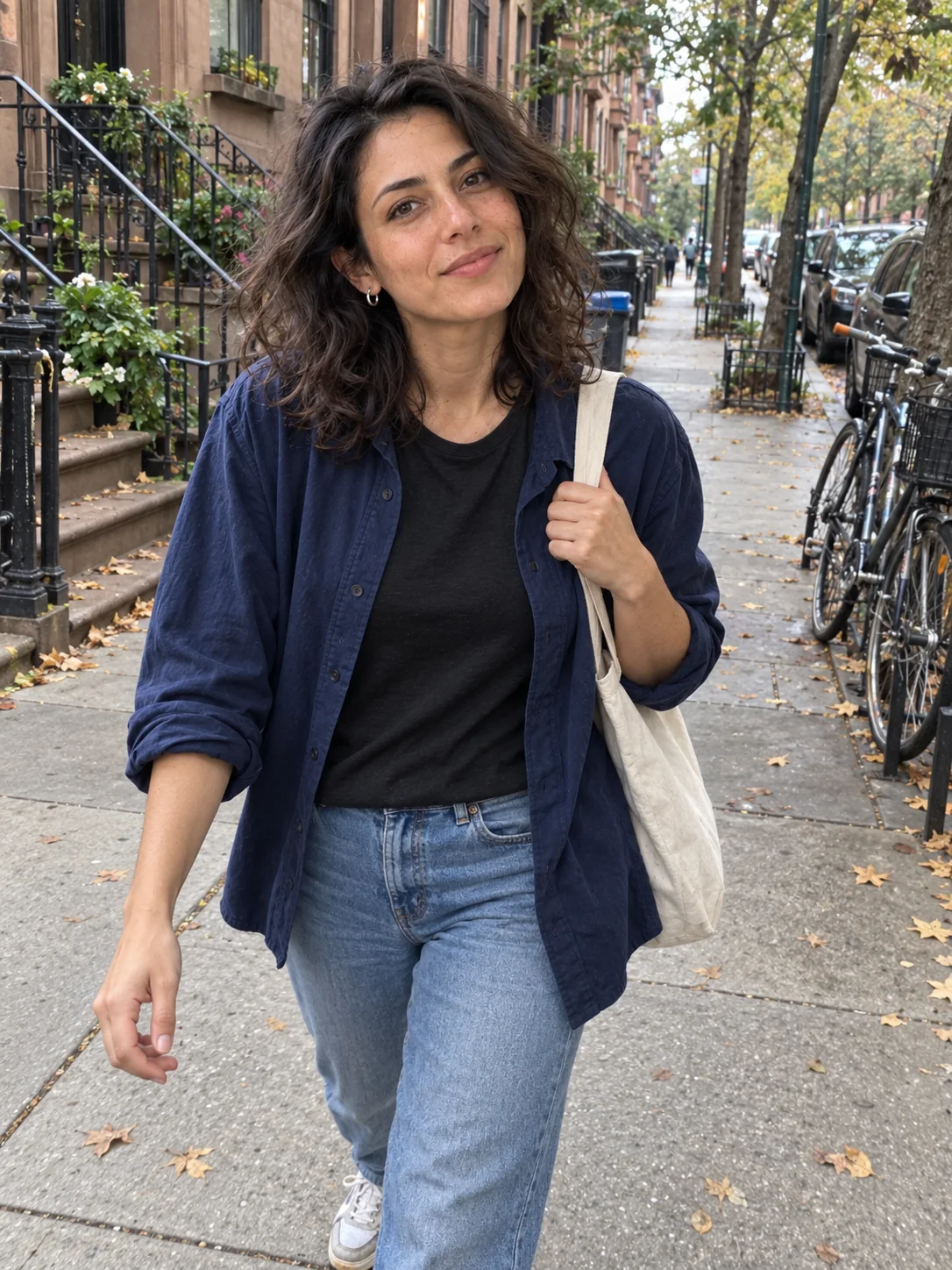
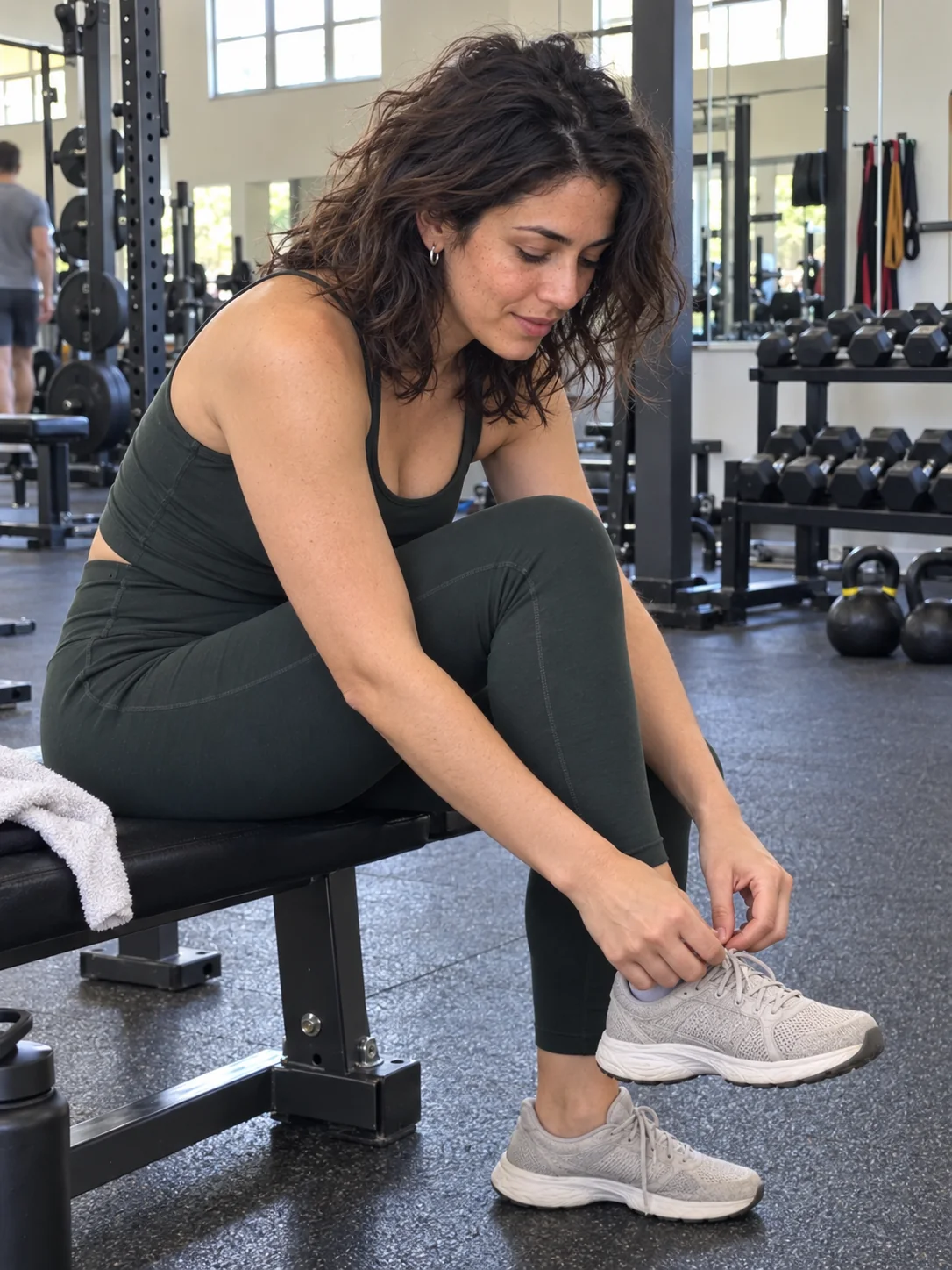
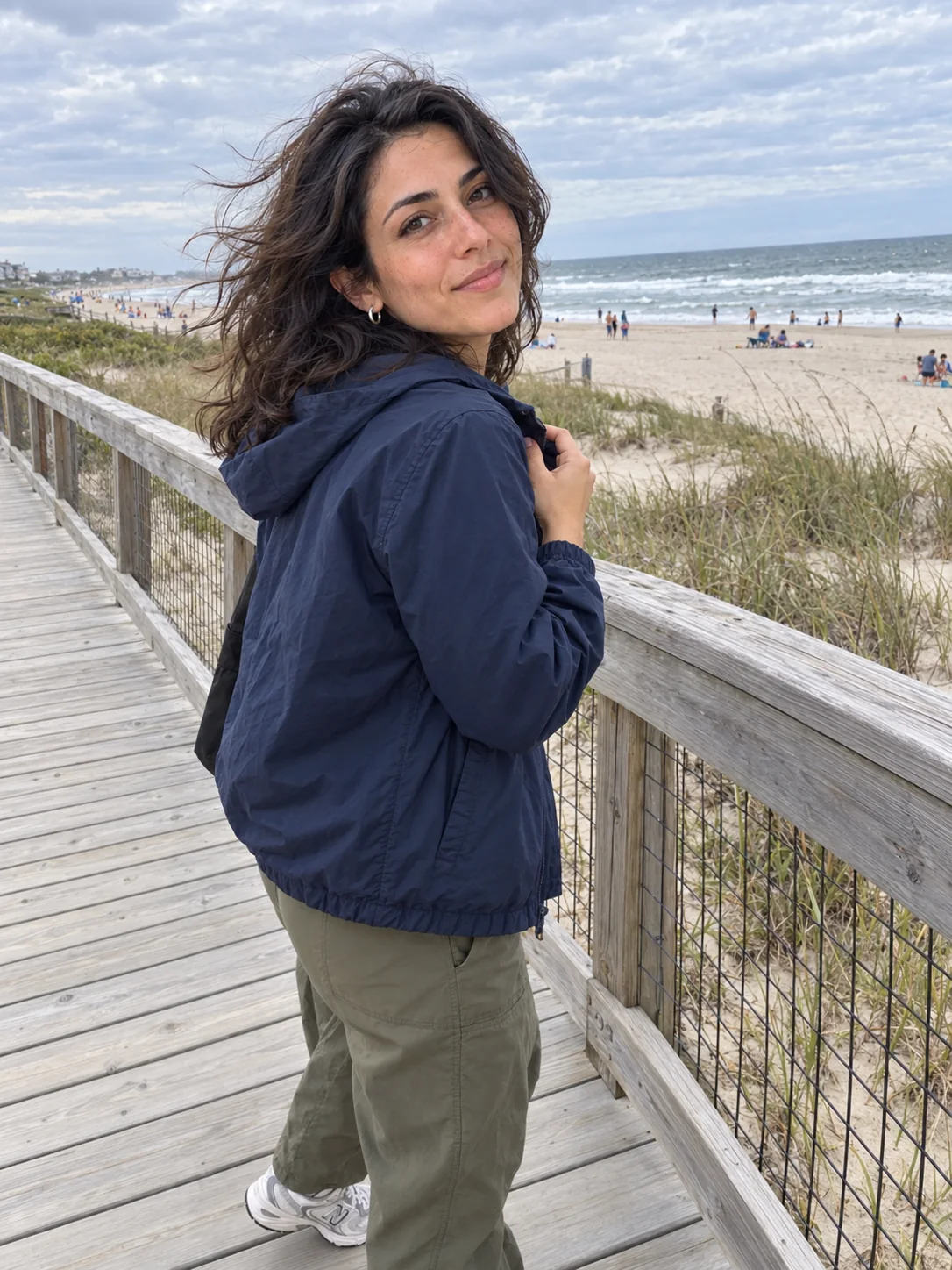
AI-generated illustrations using the same fictional reference; not outputs from either product. Review identity and details in every image.
For a set like this, keep the identity reference fixed and write a separate brief for each look. A saved reference helps carry an identity across images; it does not guarantee identical features.
Change a color without starting the scene over
Keep the source image and describe one change: make the navy overshirt rust while preserving the person, pose, jeans and street. Compare the original with the edited illustration below.
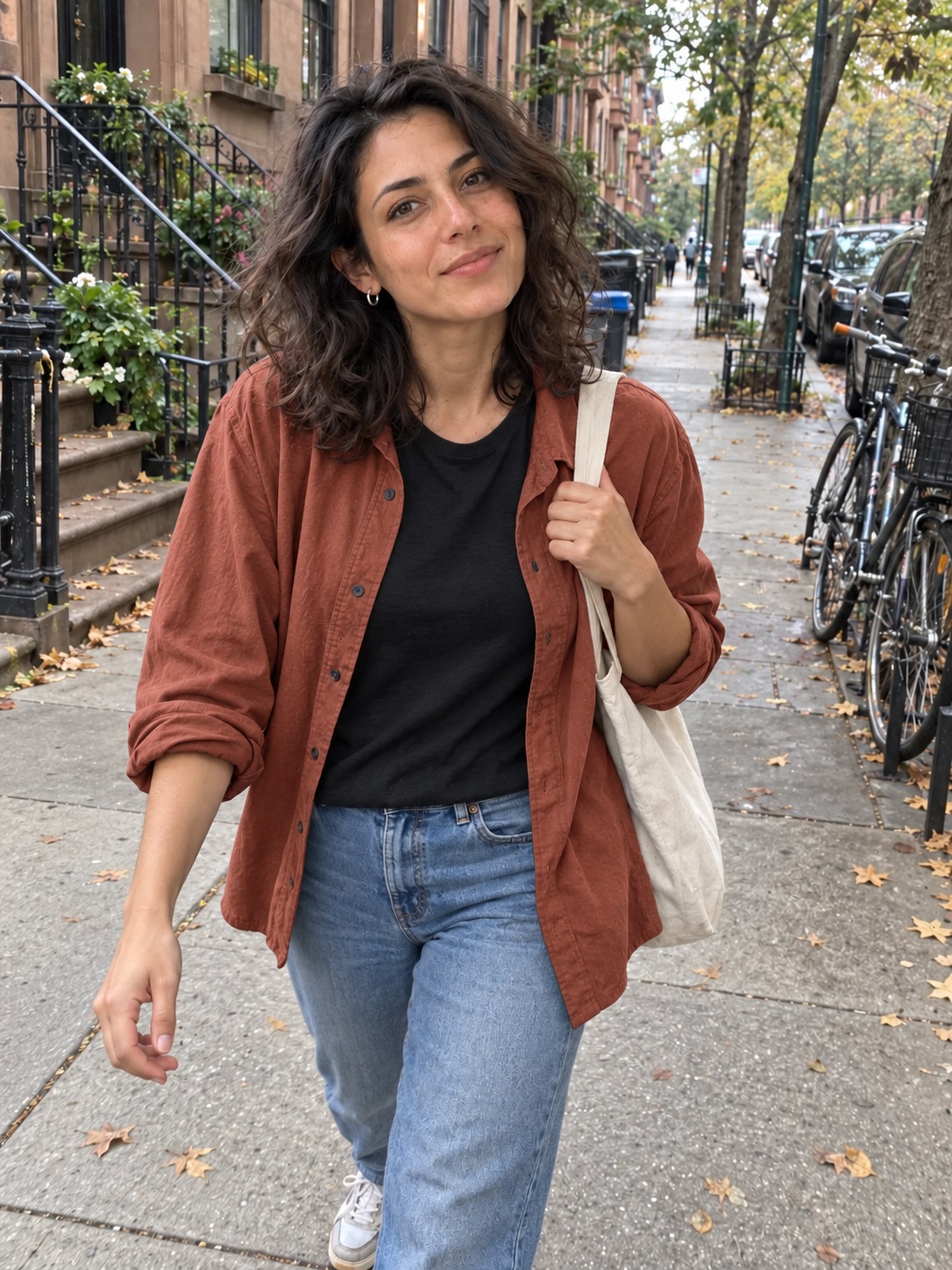
Illustrative image edit, not an output from either product. An image model can also change details outside the requested area.
- Keep an approved source. Pick the photo with the face, pose and framing you want to retain.
- Choose the kind of edit. Sozee advertises brushing out unwanted details and recoloring clothes. In AI Influencer Generator, upload the image to Edit Photo and write the change.
- Name what should stay. For example: “Change the overshirt to rust. Keep the same face, pose, black T-shirt, jeans, bag and street.”
- Compare the whole image. Inspect the garment edges, hands, face and background before choosing the result. Keep the original if the edit changes something important.
For an expression, use the same approach: describe the desired expression and the features to preserve. Sozee advertises expression changes; a text-directed edit in Studio is a request, not a pixel-locked adjustment.
Sozee vs AI Influencer Generator at a glance
Sozee descriptions come from its official pages. AI Influencer Generator details describe the current workflows; available models and access depend on the selected plan and task.
| Decision | Sozee | AI Influencer Generator |
|---|---|---|
| Build a person | Sozee: Advertises a digital twin from your photos and an original AI influencer made from scratch. | AI Influencer Generator: Create an original adult character using guided choices; image or video character cloning is available with eligible access. |
| Outfits and scenes | Sozee: Describes controls for clothing, settings, camera style, expressions and objects. | AI Influencer Generator: Reuse a saved character, describe a new outfit or scene, or provide an authorized clothing reference in the outfit workflow. |
| Focused edits | Sozee: Advertises brushing out unwanted details, changing expressions and recoloring clothes. | AI Influencer Generator: Give Edit Photo a source image and a written instruction. It is not a brush-and-mask canvas; other details can change in the result. |
| Upscaling | Sozee: Advertises image upscaling up to 4K. | AI Influencer Generator: The image upscaler makes a fixed 2× version of an authorized source image. |
| Video and voice | Sozee: Advertises photo-to-video, motion from a reference video and a cloned voice. | AI Influencer Generator: Create short videos and talking performances with a library voice or authorized audio. Voice cloning is not a listed Studio workflow. |
| Review and scheduling | Sozee: Copilot describes approval at each step; Post & Analyze advertises scheduling and analytics. | AI Influencer Generator: Review your assets and confirm a post or schedule in Publish. A separate multi-person approval system is not described here. |
| Brand collaborations | Sozee: UGC campaigns and the Brand Portal are marked coming soon. | AI Influencer Generator: Create content for your own campaigns; do not assume a built-in brand marketplace or paid partnership. |
Your likeness or an original character?
Choose a digital twin when you want the content to resemble you. Sozee says a twin can start with three photos. In AI Influencer Generator, eligible image and video cloning workflows use an authorized adult reference. Use only a likeness you have permission to upload.
Choose an original virtual creator when you want to develop a separate persona, appearance and visual world. Both platforms describe that option. In Studio, define the adult character's visible traits, save the reference and reuse it for supported photo and video workflows.
Creative freedom depends on the input and edit controls you need, not simply whether the person is real or fictional. Try a representative outfit and scene, then inspect the face, hands and clothing across the resulting images.
From a still image to a speaking creator
Sozee advertises animating photos, applying motion from a reference video and cloning a voice. AI Influencer Generator offers talking avatars, image-to-video and motion workflows; use a script with an available voice or upload audio you are authorized to use. Its current Studio does not list a voice-cloning workflow.
Approve the still first, then choose one clear action or a short line of speech. Check the result for identity, movement and audio before using it in a post.
Approvals, scheduling and brand work
Sozee describes Copilot as a process where you approve steps, while Post & Analyze advertises scheduling and performance reporting. In AI Influencer Generator's Publish workspace, select the finished asset, review the caption and account, then confirm a post or scheduled time. Publishing limits and supported account options depend on your plan.
Coming soon on Sozee: its UGC campaigns and Brand Portal. These are separate from the advertised Copilot and scheduling tools; do not count the brand features as available collaborations today.
Which should you choose?
Consider Sozee if an advertised digital-twin workflow, brush-based corrections, voice cloning and guided approval are central to your process. Check the current feature and plan details for the controls you need.
Consider AI Influencer Generator if you want to build and reuse an original creator, direct individual image and short-video tasks, and schedule eligible content from one workspace. Its text-directed editing is better suited to written change requests than precise brush selection.
Questions about the two workflows
Can Sozee create a fictional influencer as well as a digital twin?
Yes. Sozee describes both an AI twin based on your photos and an original AI influencer created without using your own likeness. Choose the starting point that fits the person you want to feature.
Can I change an expression without planning a new photoshoot?
Sozee advertises expression changes in its editing suite. In AI Influencer Generator, you can ask Edit Photo to change an expression while preserving the rest of an authorized source. Inspect the face and surroundings afterward: a generated edit can alter more than the requested detail.
Does AI Influencer Generator offer a brush for inpainting?
The current Edit Photo workflow uses an image and a written direction, not a brush-and-mask canvas. If direct painting over an area is essential, evaluate Sozee's advertised editing suite and confirm its current controls.
Are Sozee's brand collaborations available now?
Its UGC campaigns and Brand Portal pages are marked coming soon. Its Copilot and Post & Analyze pages describe review and scheduling separately; do not treat those as an open brand marketplace.
Sources and next steps
Sozee: AI influencer, photo control, editing suite, video and voice, Copilot and Post & Analyze. Reviewed November 1, 2026. Sozee descriptions are based on its public information.
Explore our consistent character workflow, photo editor and current plans.
Plan Content
Measure Engagement
Build Your Profile
Price Your Work
Write Post Copy
Brand Partnerships