
Reel from a photo
Start with a clear vertical image and describe the action. Compare the first and last frame for changes in identity and wardrobe.
Compare RYLA and AI Influencer Generator for saved characters, photo libraries, Reels, talking videos, motion and plan access.
Explore the creator workspaceRYLA organizes character photos, image-to-video and higher-tier talking and video-swap tools around a creator. AI Influencer Generator offers saved characters with separate photo, talking and motion workflows. Choose the plan that covers the next format you actually need.
Published by AI Influencer Generator (.ai). Public pricing and feature descriptions checked November 5, 2026.
| Decision | RYLA | AI Influencer Generator (.ai) |
|---|---|---|
| Create the character | RYLA: Design a virtual creator, choose an identity and use its reference across later content. | AI Influencer Generator (.ai): Create an original adult character from guided traits or a starter, or use an authorized reference with eligible access; save the character for supported workflows. |
| Characters you can keep | RYLA: The pricing table lists 1 on Free, 2 on Basic, 6 on Pro and 15 on Agency. | AI Influencer Generator (.ai): Save and reuse characters. A fixed total account limit was not verified; creation and reference methods depend on access and credits. |
| Photo library | RYLA: Build photos around a character and reuse a selected image for later creation. Public material does not specify a library storage limit. | AI Influencer Generator (.ai): Create photos using a saved character and revisit completed work in the workspace or History; choose a clear image when a later workflow requires one. |
| Image to video | RYLA: Basic, Pro and Agency list image-to-video. Free does not; the credit cost varies with model, duration and quality. | AI Influencer Generator (.ai): Use an image in a supported video workflow. Starter includes supported video up to 720p; available models, resolution and quote depend on access. |
| Talking and lip sync | RYLA: The current pricing table lists talking avatars and lip sync on Pro and Agency, not Free or Basic. | AI Influencer Generator (.ai): Talking Avatar starts from a saved character and a script or owned audio. Source-video Lip Sync is a separate workflow requiring an upgrade from Starter. |
| Video face swap and motion | RYLA: Video face swap is listed on Pro and Agency. It uses an existing source clip; review both identity and the resulting performance. | AI Influencer Generator (.ai): Motion Transfer uses a saved full-body character and an authorized motion-reference video. A standalone video face-swap workflow is not currently offered; motion transfer is a different operation. |
| Templates | RYLA: Photo templates apply a scene and settings to a character; RYLA says applying one is free and generating the photo uses credits. Photo settings can be saved as a template. | AI Influencer Generator (.ai): Browse supported image and video templates, select an eligible saved character and adjust available inputs. Generation uses credits; templates and inputs vary by workflow. |
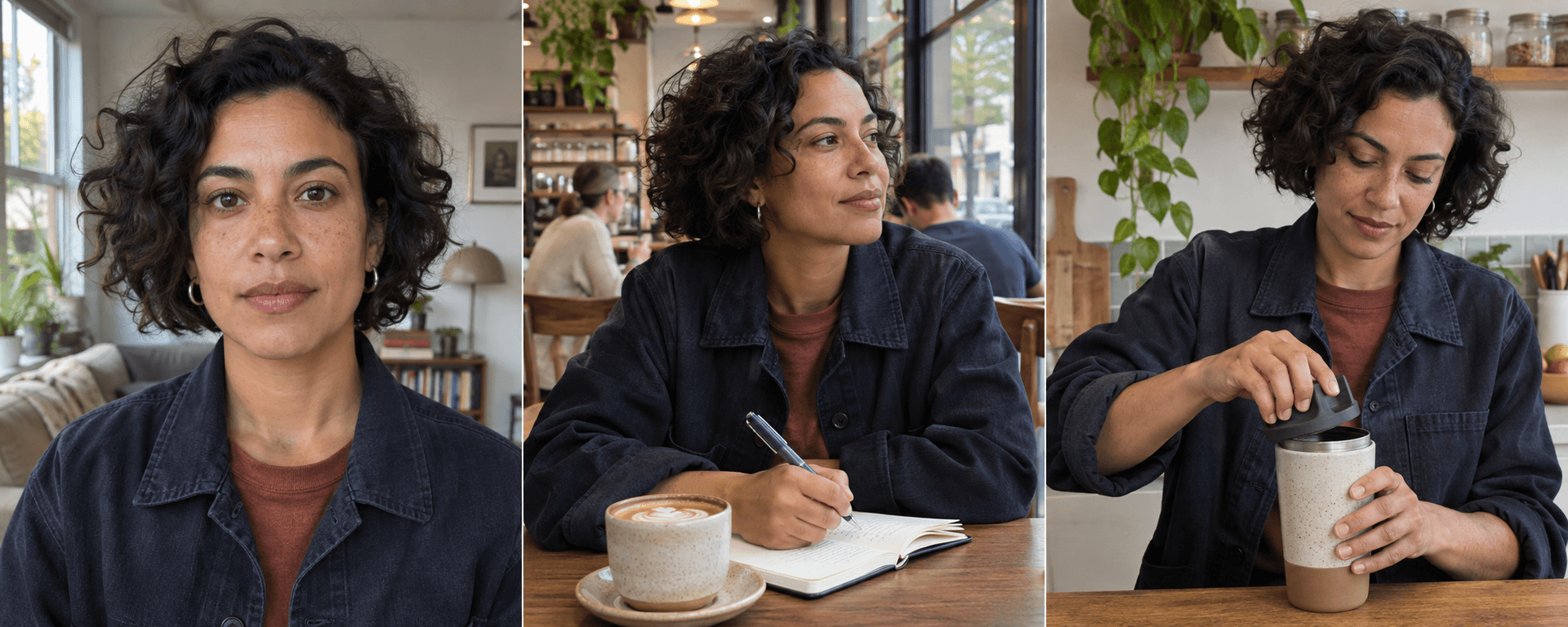
Save a clear reference and note the face, hairstyle and signature details that make your character recognizable. For a weekly series, keep several useful views and choose the image that suits the next scene or performance.
RYLA describes templates as editable photo settings, including scene, outfit, pose and light. Applying a template is free; creating its image uses credits. On our site, select a supported template and saved character, then review the generated image before making another variation.
A good still is a starting point for a Reel, not proof of video consistency. Inspect the face, hands, clothing and background as the camera or character moves.
Start with a clear vertical image and describe the action. Compare the first and last frame for changes in identity and wardrobe.
A talking avatar creates a performance from a character and a script or owned audio. RYLA lists talking avatars from Pro; our Talking Avatar is a separate workflow.
On our site, source-video Lip Sync starts with existing footage and new audio or a script; Starter requires an upgrade. Check the mouth and speech after generation.
Motion Transfer guides a character with a reference performance; RYLA's video face swap places a character's face into a source clip on Pro or Agency. They are different tools with different inputs and results.
Prices below are standard US-dollar prices from RYLA’s public table on November 5, 2026. Annual prices are charged once upfront; RYLA allocates the included credits monthly. Each service uses its own credit units and generation costs.
Image-to-video consumes credits, with cost varying by model, duration and quality. RYLA’s table uses 180 credits per HD image as an illustration; those images share the same balance as character creation and video.
RYLA’s pricing table places lip sync on Pro and Agency, while a separate video page mentions a Starter plan. Confirm the current entitlement and live quote before purchasing.
Check RYLA’s current pricingStandard US-dollar prices are shown below. An eligible introductory offer may appear at checkout.
One-time packs start at $9 for 100 credits. Purchased credits do not expire. A pack bought without an active subscription unlocks ongoing Professional feature access; one bought during a subscription adds credits.
See our current pricing and credit termsOn AI Influencer Generator, Starter supports eligible video up to 720p, including supported talking and motion outputs. Source-video lip sync requires an upgrade; Professional and Advanced add supported model resolutions and image/video character cloning. Cloning is not a promise of a standalone video face swap. A one-time pack bought without an active subscription unlocks ongoing Professional feature access; generation still consumes credits.
Choose RYLA if a character-centered photo library and its Pro video-swap or talking tools match your series. Choose AI Influencer Generator if you want to build from a saved character using distinct photo, talking and motion workflows, with the option of non-expiring purchased credits. Before committing, compare the source input, model, quote and plan for the exact clip you intend to make.
Explore our influencer video, talking avatar and motion transfer workflows.
RYLA's current pricing table lists image-to-video on Basic, but lists talking avatars, lip sync and video face swap only on Pro and Agency. Another RYLA video page refers to lip sync on a Starter plan, so check current access before subscribing.
Its pricing table lists one on Free, two on Basic, six on Pro and 15 on Agency. On AI Influencer Generator you can save and reuse characters; a fixed total account limit was not verified.
RYLA lists image-to-video from Basic. AI Influencer Generator offers supported image-to-video workflows, with Starter video up to 720p on eligible models. Choose a vertical source and inspect identity, movement and the output before posting.
No. A video face swap places a face into an existing clip. Motion Transfer uses a saved full-body character and an authorized reference video to guide movement. Each workflow can change details and needs review.
RYLA describes its templates as photo concepts. Applying one is free, while generating an image uses credits. Its image-to-video tool can animate a finished photo on an eligible plan.
RYLA displays annual plans as a monthly equivalent but charges the yearly amount upfront and allocates credits monthly. AI Influencer Generator's annual plans are also billed upfront, with an annual credit pool valid for the term. Check current prices and terms before paying.
Compare this decision with other AI creator tools, or choose a character and check the quote for the workflow you want to try.
Create a character
Plan Content
Measure Engagement
Build Your Profile
Price Your Work
Write Post Copy
Brand Partnerships