
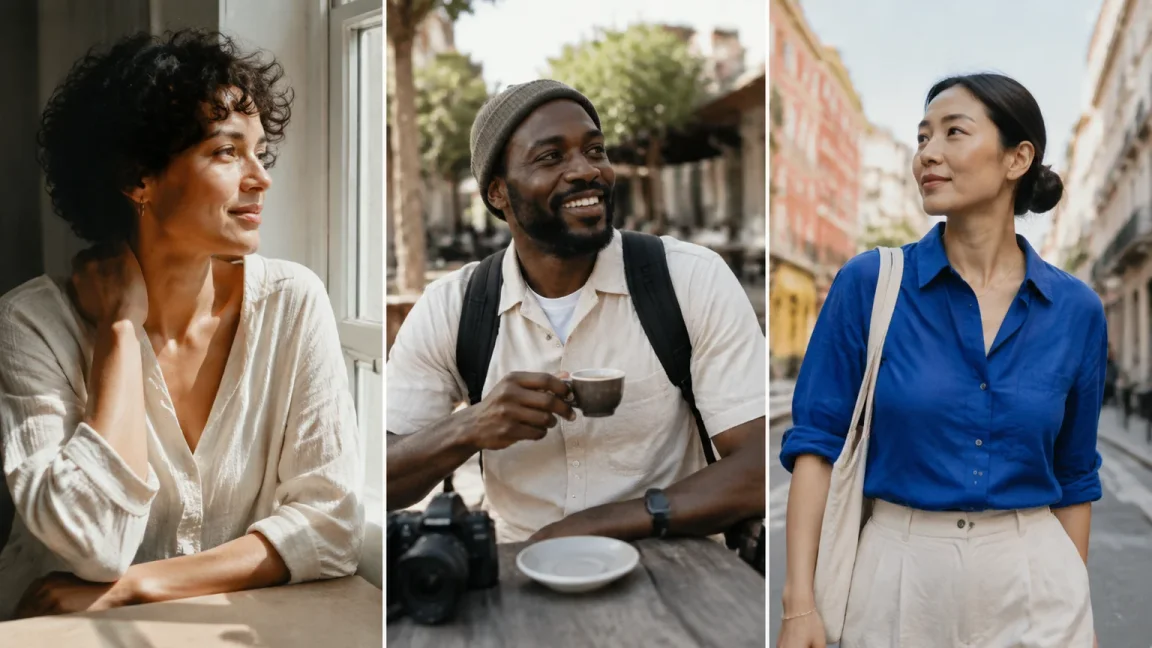
AI photo prompts are moving from perfect, polished portraits toward repeatable creator identities, raw social moments, and highly specific visual aesthetics. This page gives you categorized, ready-to-copy prompts for AI influencer photos, portraits, lifestyle scenes, fashion, travel, selfies, product shots, and viral social media content. Use them as a starting point, then adapt the character details so every image feels like the same recognizable AI influencer.
You can create a full social content library: profile-ready portraits, casual daily-life posts, campaign images, UGC-style product photos, travel scenes, and viral aesthetic experiments. The strongest results come from keeping the influencer’s identity stable while changing the scene, outfit, camera angle, and story. That approach matches how modern AI influencer workflows are evolving: define the face and persona first, then vary the content format so the feed has range without losing recognition. AIInfluencerGenerator.ai describes this as creating one consistent character for photos, Reels, motion clips, and talking videos, with tools for influencer images, product photos, selfies, fashion, and character consistency. aiinfluencergenerator.ai
Use each prompt as trending ai photo prompt text copy and paste, then replace the bracketed details with your own influencer identity, niche, product, or location. These trending photo ideas lean into visual directions worth exploring: authenticity, imperfection, personal style, and recognizable characters. Pinterest’s 2026 trend reporting points toward comfort, escapism, personal expression, and people curating trends rather than copying them exactly; that makes flexible prompts more useful than rigid “perfect model” instructions. newsroom.pinterest.com
1. AI influencer photos
This style works well when virtual creators need to feel like ongoing personalities, not one-off images. The most useful AI influencer photo does three jobs at once: it shows the face clearly, suggests a content niche, and leaves room for future posts. A strong prompt should include the same identity anchors every time.
Create a realistic editorial photo of the same fictional adult AI influencer, [age range], [skin tone], [hair color and style], [distinctive facial feature], standing in a bright apartment studio with a laptop, iced coffee, and a moodboard wall, wearing [signature outfit style], natural expression, candid creator energy, soft daylight, 35mm lens look, vertical 9:16 composition, realistic skin texture, subtle imperfections, social media campaign preview.
2. Instagram-style portraits
Instagram-style portraits are shifting away from the old over-smoothed grid look. Reports on Instagram’s 2026 aesthetic conversation describe a move toward rawer, less perfected imagery, including blurry daily moments, shaky clips, and images that feel personal instead of overly produced. digitalcameraworld.com For AI portraits, that means the prompt should feel like a believable post from a real day.
Generate an Instagram-style portrait of the same fictional adult AI influencer, close-up at golden hour near a window, slight motion blur, relaxed half-smile, minimal makeup, natural pores and skin texture, phone-camera realism, casual [top color] outfit, soft background clutter, warm but not over-edited color grade, feels like a photo taken by a friend, vertical 4:5 crop.
3. Lifestyle scenes
Lifestyle prompts are useful because they turn a character into a story. Instead of simply showing a face, they place the influencer in a recognizable moment: morning coffee, post-work walk, studio reset, grocery run, desk setup, or Sunday routine. These scenes work well for consistent AI influencer photos because they let you repeat the same person across different content pillars.
Create a natural lifestyle photo of the same fictional adult AI influencer making coffee in a sunlit kitchen, wearing [recurring accessory] and a relaxed [outfit style], one hand on a mug, open notebook and phone on the counter, soft morning light, realistic apartment details, imperfect framing, candid social post mood, no glossy studio finish, vertical 9:16.
4. Fashion photos
Fashion AI prompts are useful because creators and brands want fast outfit variation without losing the model identity. Current visual search trends also show interest in sporty street style, off-duty denim, courtside prep, coastal details, cargo silhouettes, and remixed casual wear, which are easy to translate into creator photos. newsroom.pinterest.com The best fashion prompt names the outfit clearly while keeping the face, posture, and character consistent.
Create a full-body fashion photo of the same fictional adult AI influencer on a city sidewalk, wearing oversized [team-inspired shirt or graphic top], [denim shorts or cargo pants], statement sunglasses, and [signature shoes], confident walking pose, street-style photographer angle, bright afternoon light, realistic fabric texture, slight wind movement, candid but stylish, vertical editorial social crop.
5. Travel photos
Travel prompts are useful because they combine escapism with personal branding. A scene can suggest a distinct point of view: arrival at a boutique hotel, cafe terrace, train platform, coastal walk, museum courtyard, or mountain overlook. For AI influencers, travel scenes are useful because they can expand the character’s world without changing who the character is.
Generate a realistic travel photo of the same fictional adult AI influencer standing on a narrow [destination style] street at blue hour, small suitcase beside them, wearing [travel outfit], hair slightly windblown, looking back toward the camera, warm cafe lights in the background, documentary travel photography style, natural facial consistency, subtle grain, vertical 9:16, feels like a creator trip recap.
6. AI selfies
AI selfies are useful because they match the informal language of social platforms: mirror checks, elevator shots, front-camera updates, and quick “outfit before I leave” moments. They can also make a fictional creator feel more approachable when the prompt avoids over-polished glamour. The key is to specify phone perspective, imperfect framing, and the same defining features.
Create a realistic mirror selfie of the same fictional adult AI influencer in a softly lit bedroom, phone partially covering one side of the face, wearing [outfit], [signature accessory] visible, relaxed posture, slightly messy room details, natural skin texture, mirror-reflection phone perspective, imperfect crop, no beauty filter look, vertical 9:16.
7. Product shots
Product shots are useful because brands want creator-led content that feels closer to UGC than classic advertising. A product prompt should make the item visible while still keeping the influencer believable in the scene. AIInfluencerGenerator.ai lists workflows for putting a product in a creator’s hands, building campaigns around that creator, and turning ideas into product UGC, so this category fits both e-commerce and social content planning. aiinfluencergenerator.ai
Create a product-packing scene of the same fictional adult creator at a lived-in bedroom desk. One hand places the supplied [product] upright inside an open weekend bag; the other steadies the bag. Preserve the uploaded package shape, cap, colors and label. [Brand-aligned outfit], soft window light, waist-up phone photo, vertical 9:16. Do not invent product claims or testimonials.
8. Viral aesthetic experiments
Viral aesthetic prompts are useful because audiences like recognizable visual worlds: cool blue edits, nostalgic flash photos, sporty street style, soft analog, travel diary, casual “photo dump,” and slightly chaotic behind-the-scenes energy. The trick is to use the aesthetic as a layer, not a replacement for the character. If every post chases a new look with no anchor, the influencer stops feeling consistent.
Create a viral social media photo-dump frame of the same fictional adult AI influencer, [aesthetic: cool blue / nostalgic flash / sporty off-duty / coastal prep / messy studio], candid mid-action pose, imperfect lighting, slight motion blur, real-life background details, expressive styling, same face and hair identity, casual caption-space composition, vertical 9:16, feels authentic and shareable.
Keep the character consistent across photo prompts
Consistency starts before you paste a prompt. Create a simple character anchor that appears in every generation, then treat each new prompt as a scene direction layered on top. AIInfluencerGenerator.ai’s own guidance recommends treating a brand AI influencer like an editorial system with a face, locking stable details while varying setting, story, and format. aiinfluencergenerator.ai
Use this repeatable setup:
- Write the identity anchor. Define age range, face shape, hair, skin tone, eye color, body proportions, recurring accessory, and overall style.
- Choose the content pillar. Decide whether the image is a portrait, daily-life moment, outfit post, product demo, travel diary, or viral aesthetic test.
- Keep one visual signature. Repeat something recognizable, such as a necklace, hairstyle, color palette, glasses, or pose language.
- Change only the scene layer. Swap the location, outfit, lighting, prop, or camera angle while keeping identity details stable.
- Review identity before beauty. If the image looks polished but the person looks different, reject it and regenerate.
A practical character anchor might look like this: “same fictional adult AI influencer, warm medium skin tone, oval face, dark brown shoulder-length curls, almond-shaped brown eyes, small beauty mark near left cheek, slim athletic build, silver hoop earrings, modern minimalist style.” Add that line before any trending ai photo prompt text, then let the rest of the prompt control the post.
Choose the right prompt for your content
Not every prompt should do the same job. A profile grid needs recognizable portraits; a launch needs product moments; a growing creator account needs casual lifestyle posts that feel native to social platforms. Use the list below to decide where to start.
- For a new AI influencer profile: Start with AI influencer photos, Instagram-style portraits, and selfies so the audience learns the face quickly.
- For a fashion or beauty account: Use fashion, selfies, product shots, and lifestyle scenes to show both style and daily routine.
- For e-commerce content: Prioritize product shots, lifestyle scenes, and UGC-style demonstrations that show how the product fits into a real moment.
- For travel or creator storytelling: Combine travel prompts with portraits and casual photo-dump aesthetics so the character feels active, not staged.
- For viral testing: Try one aesthetic at a time, keep the identity anchor unchanged, and compare which visual direction feels most believable for your niche.
Turn your prompt into a Studio photo
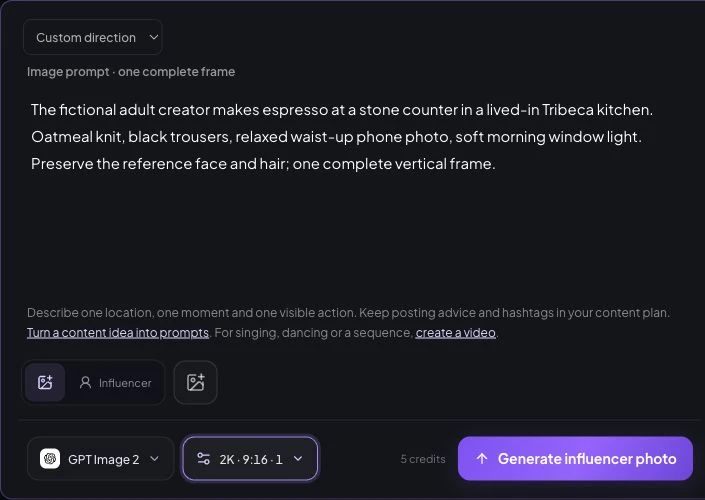
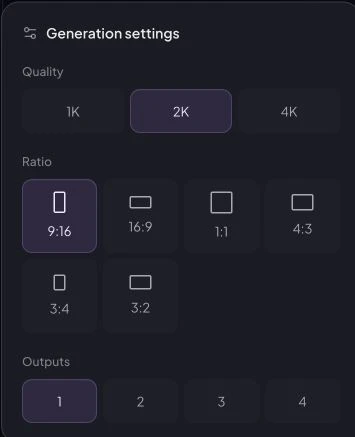
October 9 control check: open Create Photos, choose the saved adult character and paste the completed scene into Direction. Select GPT Image 2; in Generation settings choose 2K, 9:16 and one output. The current quote is 5 site credits. A ratio in the prompt does not set the ratio control. No generation was submitted for this demonstration.
A separate recorded lifestyle prompt
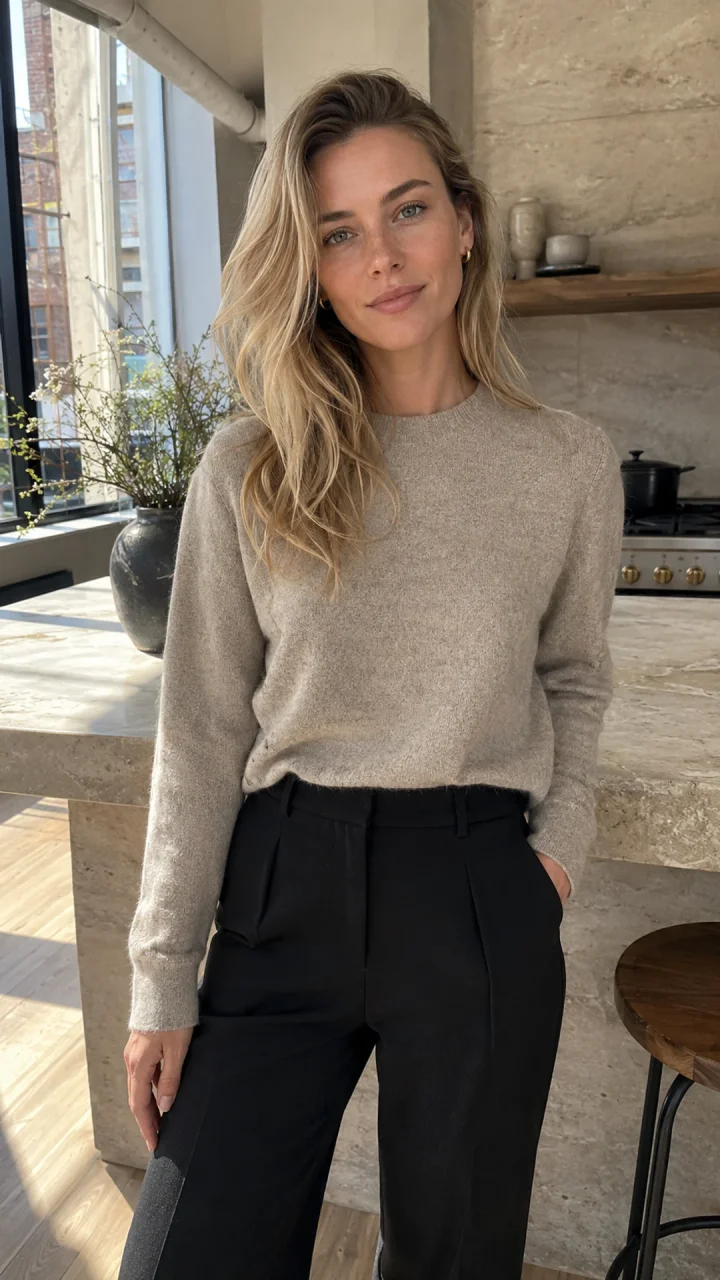
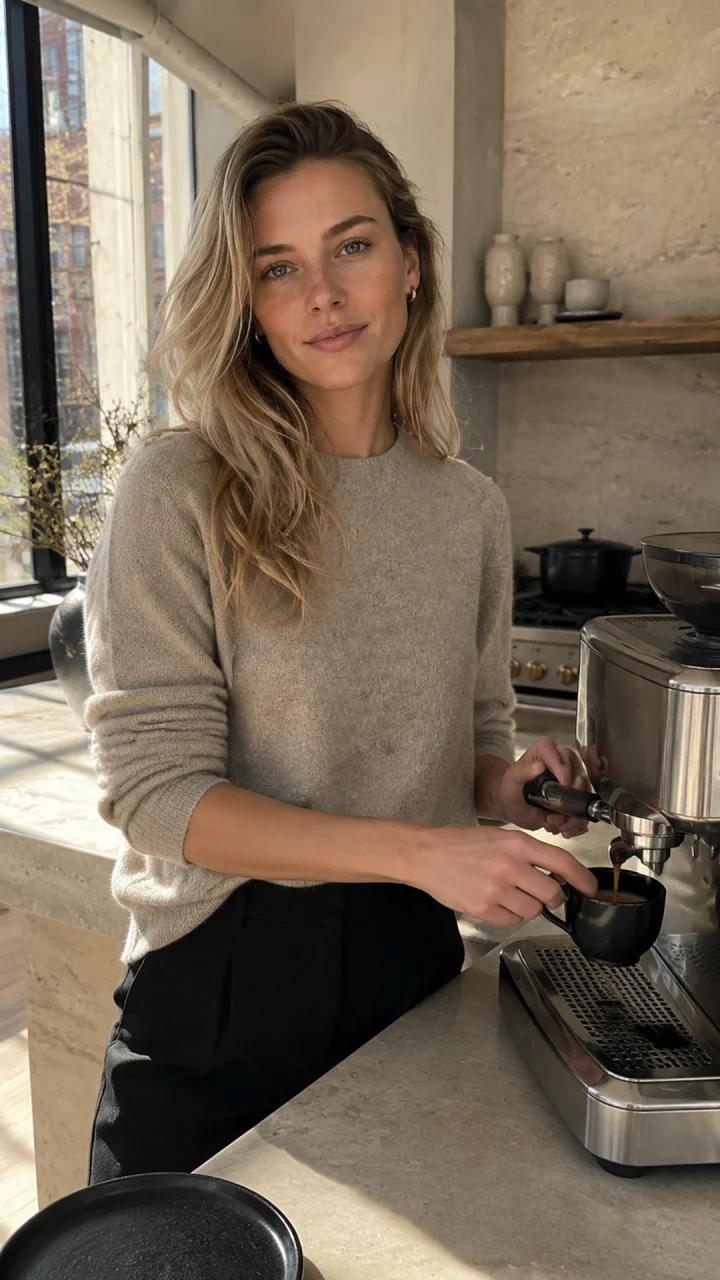
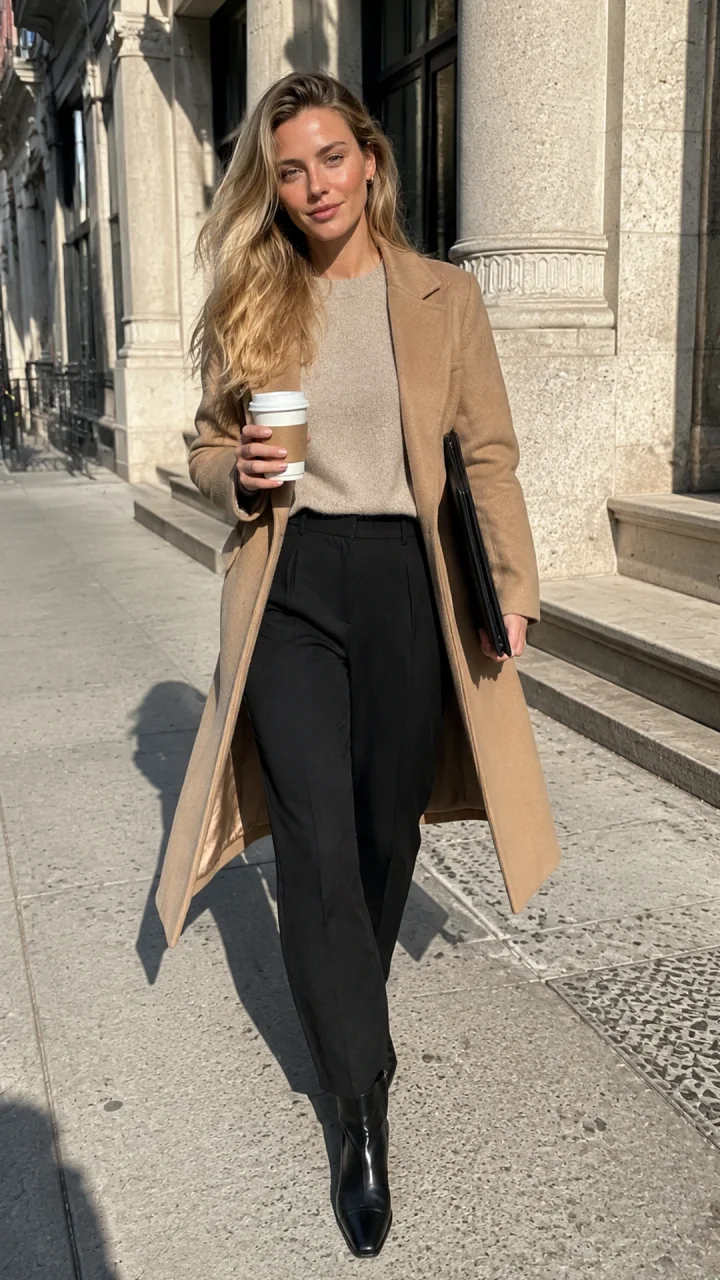
These July 30 NYC archive images used one fictional adult reference, not the bracketed category templates above. The kitchen result took 67 seconds and 65 provider credits; the street result took 72 seconds and 60 provider credits. Customer charge ledger and retries are unknown. Reusing a tested prompt does not guarantee the same outcome.
Original recorded kitchen input
Fictional adult woman, age 29, who must not resemble a real person or public figure. Identity lock: softly angular oval face, fair neutral skin with faint natural freckles, gray-green almond eyes, straight delicate nose, natural full lips, defined light brows, long champagne-blonde hair in loose layered waves with darker natural roots, slim athletic proportions. Natural pores, subtle under-eye texture, realistic hands, no beauty filter, no cosmetic perfection. Preserve the exact face, freckles, eye color, hairline, hair color, age, and proportions from the reference. In the same sunlit Tribeca loft kitchen, she makes espresso at a stone counter while glancing toward the phone camera, oatmeal knit with sleeves casually pushed up, candid waist-up composition, realistic working hands, warm natural window light, authentic phone photo with slight grain. Vertical 9:16. No text, logo, watermark, branded objects, extra fingers, or plastic skin.
Use these prompts as a launchpad, not a final formula. The fastest path is to create your AI influencer character first, save the recognizable identity, then paste the prompt style you want for each new photo. AIInfluencerGenerator.ai supports consistent character creation, influencer images, selfies, product photos, fashion workflows, and image-to-video formats, making it a natural place to turn these prompts into a reusable creator system. aiinfluencergenerator.ai
Create your character, choose a prompt category, and generate a small batch of variations. Keep the versions where the face, style, and story feel aligned. Over time, your best trending photo ideas become a prompt library built around one consistent AI influencer instead of disconnected images.
Use a saved character or authorized reference when the selected workflow supports it. Repeating text alone does not guarantee the same face, exact product lettering, or viral performance. Set the output aspect ratio in the workflow controls; a ratio written in the prompt is only a visual instruction.
Create your fictional adult character, copy one prompt, replace its bracketed fields, then open a supported image workflow and review the result. Generate variations as separate submissions where needed.
For the underlying method, read our AI influencer prompts guide. Explore the consistent character generator and AI influencer image generator for the corresponding workflows.
Open Studio →
Plan Content
Measure Engagement
Build Your Profile
Price Your Work
Write Post Copy
Brand Partnerships