
First, distinguish your Persona from the Character you chat with
A Character.AI user Persona describes you, or the fictional role you play in a chat. It is different from creating the AI Character that replies to you. The broader persona-design advice later in this article uses “persona” more generally; for the account task in this title, use the user-Persona distinction here.
Add and select a user Persona
The official Character.AI User Personas guide documents profile settings → Persona, multiple Personas, and “Default for all chats.” The steps below follow that documentation, checked on October 1, 2026. Exact placement can vary by app version; we have not performed a new account-based test on every device.
- Sign in to the Character.AI account where you want to use the Persona, then look for Personas in your profile settings or the current chat's settings.
- Choose the option to create a new Persona. Enter the name and the facts you want the Character to know about your role, using the fields available in that interface.
- Save the Persona, then return to the chat and select it. Saving a profile and activating it for a conversation are separate checks.
- If your interface offers a default-for-chats option, decide whether you want this role in other chats. Otherwise, select it in each relevant conversation.
- Start a short test conversation. Ask a question that naturally uses one Persona detail and check the reply; the model may still overlook or misinterpret the profile.
A short user-Persona example
My name is Rowan. I am a fictional adult botanical illustrator, age 28. I carry a field notebook and am learning about greenhouse plants. In this story, I am visiting the city for the first time.
This tells the Character who the user is playing. Instructions such as “you are a helpful tutor who answers briefly” describe the replying Character's role instead and should not be confused with the user's identity.
For a profile that is easier to edit, use the category format described in Character.AI's guide:
Name: Rowan
Age: 28 (fictional adult)
Role: Botanical illustrator visiting a new city
Appearance: Short dark curls, round glasses, green field jacket
Personality: Curious, patient, observant
Interests: Greenhouse plants and sketching
Story context: Carries a field notebook; new to the city
Check that the saved Persona is actually in use
- Confirm the new Persona appears in your account's saved list.
- Check the active Persona for the conversation. A saved entry is not the same as a selected entry.
- If you enabled “Default for all chats,” start a new chat to check it. Do not assume an old conversation has discarded its previous context.
- Use a natural test such as “What should I sketch during my first greenhouse visit?” Compare the reply with your profile, without treating one reply as proof of reliable memory.
If the Persona seems missing or ignored
- Missing from the list: confirm you saved it and are using the same account.
- Wrong identity in one chat: check the Persona selected for that conversation, not only the saved profile.
- Conflicting replies: shorten the profile to a few relevant facts and test in a fresh conversation. Previous chat context can conflict with a changed role.
- Controls look different: consult the current Character.AI User Personas guide rather than substituting Character creation settings.
A chat Persona does not create a reusable photographic face. If you also need images of the fictional adult role, the visual character workflow in AI Influencer Generator is a separate process. It does not sync with, import into, or manage your Character.AI Persona.
Creating a new Persona for Character.AI gives your conversation a clear user identity and story context. This guide explains how to add, save, select, and test that identity, then refine the profile when replies overlook its details.
A strong persona does not need to be complex. It needs a clear goal, a simple profile, and a tone that stays steady from one reply to the next. Character.AI's controls and labels can change, so use its current Character.AI User Personas guide for the exact account or device steps.
Understanding Personas in Character AI
In Character.AI, a user Persona provides information about the person or fictional role chatting with a Character. The replying Character has its own attributes and instructions. Keep those two profiles separate when following this tutorial.
A user Persona can include:
- your name and fictional role
- appearance and personality traits
- interests and preferences
- the story context the Character should know
When these parts fit together, a character is easier to understand and use. A written persona can also help the AI stay on topic and keep the experience steadier over time.
Why Persona Design Matters: AI Personality Traits and User Experience
Persona design shapes how users feel during a chat. Good AI persona design makes the character easier to understand, easier to trust, and easier to enjoy.
Choose personality traits for the role you will play. A fictional explorer might be curious and observant; a student might be cautious and eager to learn. These give the replying Character useful context about you, rather than setting its own personality.
When planning a user Persona, focus on:
- your role's emotional tone and speaking style
- the interests and story details relevant to the chat
- cultural context expressed through specific details
- clear fictional context and role-play boundaries
Clear traits make the user profile easier to review. They can support a more coherent conversation, but the Character can still miss details or follow conflicting chat context.
Step-by-Step Persona Creation Guide
This persona creation guide keeps the work simple. Build the persona in small steps so each part is easy to test and improve.
- Define the persona's purpose.
- Pick traits that match the role.
- Write the profile in a clear format.
- Add the persona using Character.AI's current controls.
- Test, review, and adjust the result.
This approach gives the persona a steady base and makes later updates easier.
Step 1: Define the Purpose and Role of Your Persona
Start with the identity you want to play in the conversation and the context the Character needs to understand it.
Ask yourself:
- What role will you play?
- Which facts matter to this story?
- What interests or preferences should the Character know?
- Which details are fictional and should remain clearly framed that way?
Clear goals make every later choice easier. They also keep the persona focused.
Step 2: Craft AI Personality Traits
Choose a few traits that fit the role. Keep the list short so the persona stays clear and easy to review.
Examples:
- Empathetic or firm?
- Playful or serious?
- Brief and practical, or reflective and detailed?
The best traits match the character's purpose. Too many traits can make a persona feel mixed or artificial. Use review notes to improve them over time.
Step 3: Document and Structure Your Persona Profile
A written profile gives everyone one place to check the persona's core details. It can include:
- name, background, and context
- key personality traits
- expected chats and use cases
- boundaries and topics that require a safer response
Using a simple template adds clarity and makes the profile easier to share and update.
Step 4: Integrating the Persona into Character AI
Use the Persona controls in your profile settings to enter and save the user profile. Do not paste it into a Character's Definition field: that edits the replying Character, a different task. Check the Character.AI User Personas guide when the controls on your device differ.
Test the persona in different scenes and gather feedback. That will show where the design works and where it needs more work.
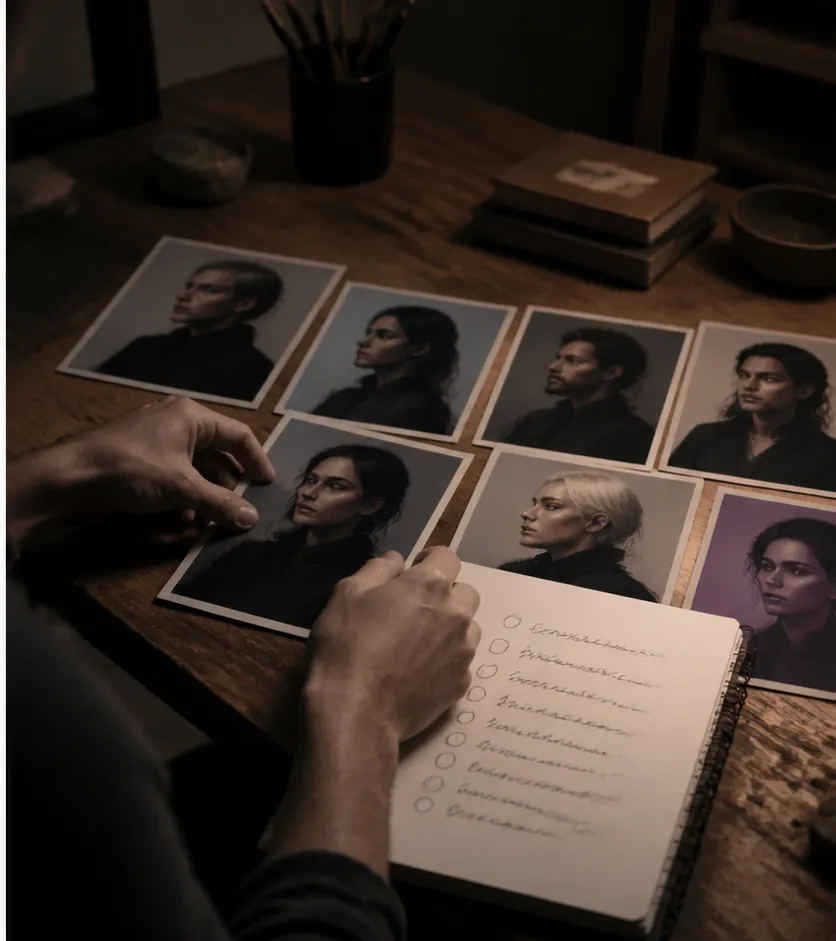
Testing, Iterating, and Refining Your AI Persona
Testing is one of the most important steps in AI persona design. It shows whether the persona stays true to its role and whether users understand it.
Use the Persona in varied conversations. Check whether the replying Character recognizes relevant facts about your role when the topic or scene changes.
Use those observations to refine the user profile. Helpful steps:
- test varied chats
- compare references to your identity with the written profile
- note the specific detail that was missed
- change one fact, trait, or story detail at a time
Overcoming Common Challenges in AI Persona Design
AI persona design can run into a few common problems. The persona may not match user expectations, bias may affect replies, or the tone may drift from one chat to another.
Use diverse review scenarios and inspect the output regularly. Clear boundaries also help a character stay steadier in different situations. If tone changes too much, return to the profile and simplify the traits or examples.
Best Practices for AI Character Development
A reusable user Persona starts with one clear identity. Keep your role's core facts steady across chats; the replying Character's voice and behavior still depend on its own configuration and the conversation.
Best practices:
- keep one clear persona identity
- balance creativity with usefulness
- test and update often
- do not invent expertise, endorsements, or personal experiences
For a visual creator workflow, record adult identity cues, wardrobe direction, and scene boundaries in addition to the written role. AI Influencer Generator can create, review, lock, and reuse a visual character; it does not add or manage a Character.AI chat persona.
Optional: give the fictional role a visual identity
After the chat Persona works, you may want a consistent portrait for a story or creator concept. This is an optional, separate workflow in AI Influencer Generator. It does not add, sync, or activate a Character.AI Persona.
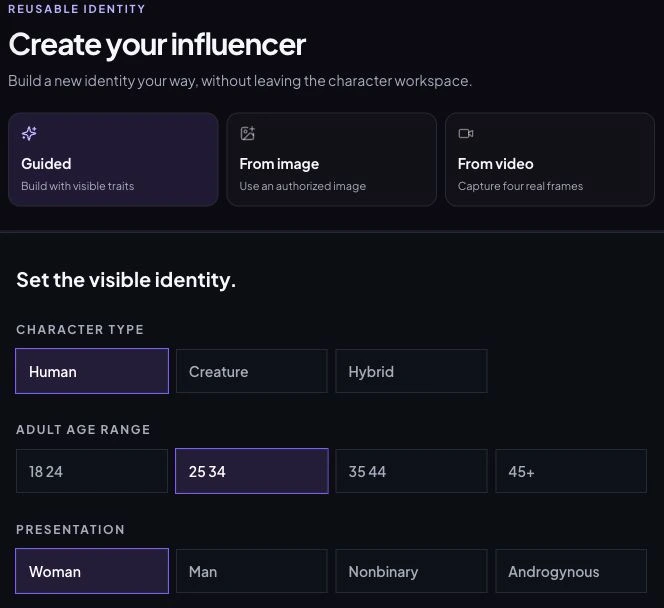
Choose an adult identity in Character Builder, review it, then save it for the Consistent Character Generator. Keep your written chat profile and visual brief together so their age, appearance, and context agree.
Create a reusable visual character in StudioReal-World Examples and Use Cases
User Personas can supply context for different conversations:
- a fictional visitor exploring a new city
- a game-world traveler with a defined background
- a learner whose interests and experience shape a practice conversation
Each use case still needs clear scope, human review for consequential information, and honest context about what the character is.
Future Trends in AI Persona Design
AI persona design may become more flexible and more context-aware as products evolve. Treat future-facing claims carefully: more natural responses do not remove the need for clear role boundaries, safety review, or transparent context.
Conclusion: Elevate Your AI with Thoughtful Persona Creation
A well-built persona can improve clarity, engagement, and chat quality. Once you know how to add new persona to character ai, you can shape a more useful and more natural experience.
Keep testing, listen to relevant feedback, and keep refining the AI personality traits. For a companion visual-identity workflow, see our guide to creating and locking a character or use the Consistent Character Generator.
Q&A
What is the first step when adding a new persona to Character AI?
Open your profile settings and choose Persona. Enter the identity you will play in the chat, save it, and confirm it is selected for the conversation. A user Persona is separate from the AI Character that replies.
Which personality traits should an AI persona include?
Choose a few traits for the user role you will play, such as curious, patient, or playful, plus relevant interests and story context. These describe your identity; they do not replace the replying Character's instructions.
Why is documenting the persona profile important?
A concise profile keeps the work consistent. It can record the name, context, key traits, expected chat cases, limits, and examples of the intended tone so every editor has one reference.
How do you know if an AI persona is working well?
Test a range of realistic chats and review the replies against the role, limits, and desired tone. Feedback can reveal where the persona is unclear or inconsistent; adjust one part at a time.
What are common challenges when creating AI personas?
Common issues include a mismatch with user needs, unclear boundaries, bias, and uneven replies. Clear rules, diverse review scenarios, and regular testing help surface these problems early.
Plan Content
Measure Engagement
Build Your Profile
Price Your Work
Write Post Copy
Brand Partnerships