Your first 5-second Fast Video is free. Try it free

Free AI Instagram Post Generator

AIInfluencerGenerator.ai helps creators, brands, and marketers generate Instagram-ready image posts with AI, without needing a full photoshoot, design team, or complicated editing workflow.

Fictional adult creator reviewing image concepts at a lived-in apartment table.
Original fictional adult. Generated for this workflow demonstration; not an Instagram account or customer result.

What AI for Instagram posts actually does

As a free AI Instagram post generator, it focuses on visual content: lifestyle images, product scenes, fashion looks, travel-style posts, and consistent AI influencer images built for a polished Instagram feed.

AI can help you create original Instagram visuals from a simple idea, style direction, or scene prompt. Instead of starting with a blank canvas, you can describe the type of post you want, generate a visual, then refine details such as the setting, outfit, mood, pose, or product placement.

For many users, the hardest part of Instagram is not knowing what to post next. A creator may need a lifestyle image that fits a wellness theme. A small shop may need a clean product post without arranging a shoot. A fashion page may want outfit-led visuals in a specific city, studio, or seasonal mood. AI for Instagram posts makes that process more flexible because you can test different concepts before committing to one final image.

AIInfluencerGenerator.ai is built around image generation for Instagram. You can create a new AI influencer or work with a consistent character, then generate scenes that match the look and direction of your account. It creates downloadable media; it does not connect an Instagram account, write captions in this workflow, schedule posts, publish content, or read Insights.

Sign in to start with 30 introductory credits. The image workflow currently shows a 12-credit estimate before you submit; current Studio pricing and availability apply.

Instagram post ideas you can create

Each image can be approached as a potential post: square or vertical, visually aligned with the feed you want to build, and reviewed before publication.

The same fictional adult creator walking outside a neighborhood cafe with a plain paper cup.

Lifestyle photos

Generate everyday scenes such as coffee shop moments, morning routines, fitness settings, skincare visuals, or casual outdoor content. These are helpful for personal brands, lifestyle pages, and creators who want natural-looking posts.

Unbranded white skincare pump styled on a warm bathroom shelf with a folded towel and eucalyptus.

Product posts

Use an owned or authorized product reference in a clean, styled environment, such as a desk setup, beauty counter, kitchen scene, travel bag, or minimal studio background. This can help small brands visualize campaign ideas before creating final assets.

The same fictional adult creator in an ivory top and wide-leg trousers on a stone city stairway.

Fashion content

Create outfit-focused images with different clothing styles, colors, poses, and settings. A fashion creator can explore streetwear, luxury, seasonal, casual, or editorial-inspired looks.

The same fictional adult creator looking over an old town from a hotel balcony at sunrise.

Travel scenes

Generate destination-style imagery such as beach walks, city streets, hotel balconies, mountain views, or resort-inspired visuals. These can support travel-themed accounts, mood boards, or campaign concepts.

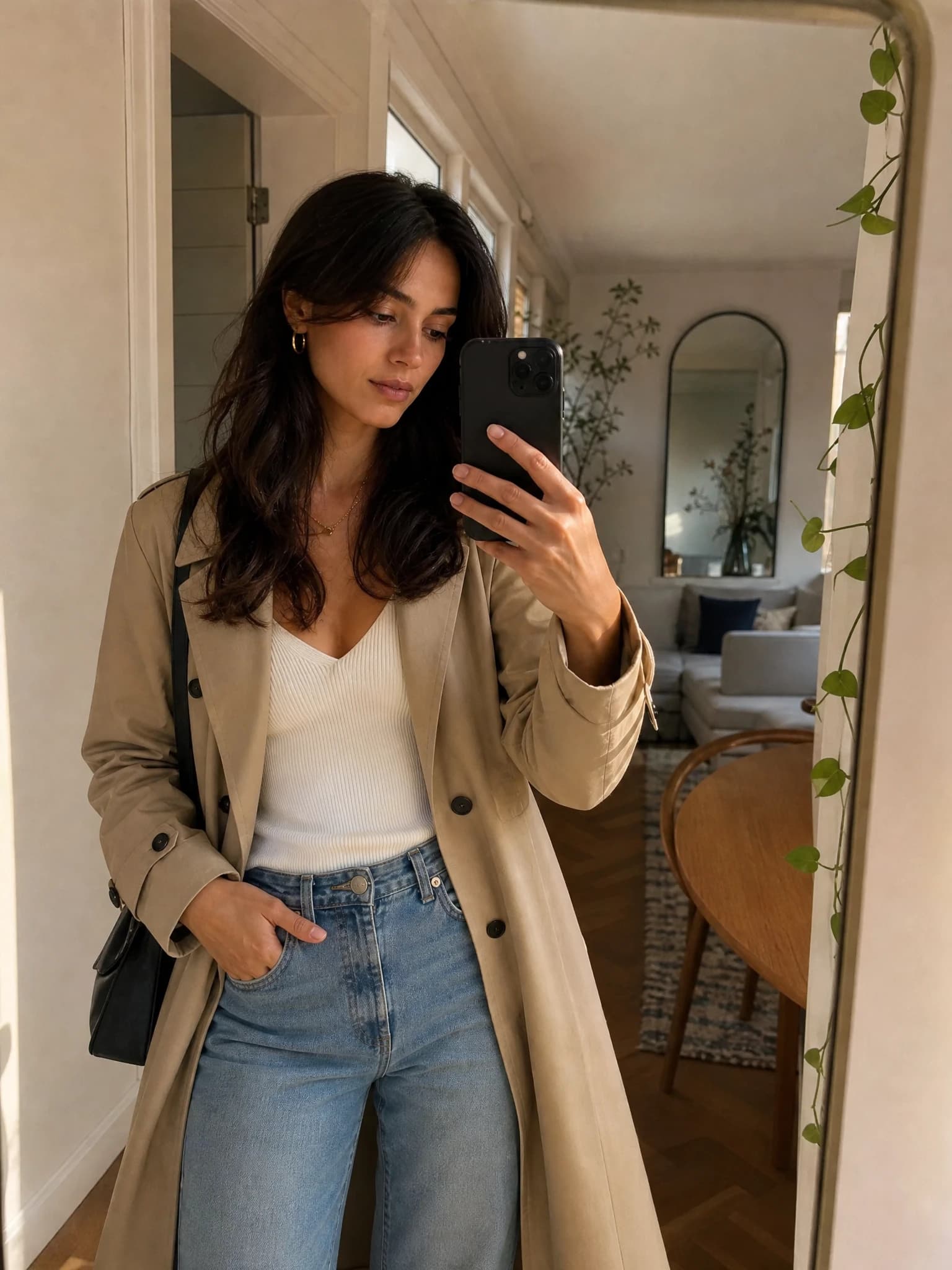
The same fictional adult creator taking a realistic apartment mirror photo in a beige trench coat.

AI influencer posts

Build a consistent AI influencer image style and generate posts that feature the same recognizable character across multiple scenes. This helps make the content feel more cohesive over time.

How to use the AI Instagram post generator

The process stays approachable even if you are not a designer or prompt-writing expert. You begin with the person or visual direction, then shape the scene until it fits the post you had in mind.

  1. Choose or create an AI influencer

    Start by selecting an existing AI influencer style or creating a new one. This gives your image a consistent visual subject, which is especially useful if you want a recognizable character across multiple Instagram posts.

  2. Enter a prompt or select a style

    Describe the visual you want, such as a fashion post in a city street, a skincare lifestyle image on a bright bathroom counter, or a travel scene at sunset. Use the prompt and available starting directions to guide the mood, setting, and overall look.

  3. Generate the image

    Let the Instagram post generator turn your idea into an AI-created image. This is where your concept becomes a visual draft that can be reviewed, saved, or refined.

  4. Adjust the scene or outfit

    Revise the prompt and generate another result, or continue with the dedicated Consistent Character Photo or Change Outfit workflow. You might adjust the background, switch the outfit, make the scene more casual, or move toward a cleaner product-focused composition.

  5. Download the final Instagram post

    Once the visual fits your goal, download the final image and prepare it for your Instagram feed, campaign, or content calendar.

A real public-page to Studio path

Choose a starter or saved character, or begin with a written direction. Add the scene, choose an image ratio such as 1:1 or 4:5, review the current credit estimate, and submit. Studio shows waiting, creation, quality-check, and ready states before a successful image can be downloaded.

InputSaved character or fictional adult direction
FormatPrompt plus square or portrait ratio
ReviewTask state, face, hands, crop, product details
OutputOne downloadable image per completed task

Consistency matters more than one perfect post

Consistency matters on Instagram because people often decide whether to follow within seconds of seeing your grid. If every post has a different style, subject, and visual quality, the account can feel scattered. AI Influencer Generator makes it easier to create multiple images around the same AI influencer, visual identity, or niche.

A fashion-focused account could keep a defined character while changing a neutral streetwear look, summer travel outfit, evening city look, and minimal studio portrait. A wellness page could move through soft interiors, outdoor morning light, and clean product scenes. The aim is a repeatable system for visual content, not a guarantee that identity will never drift.

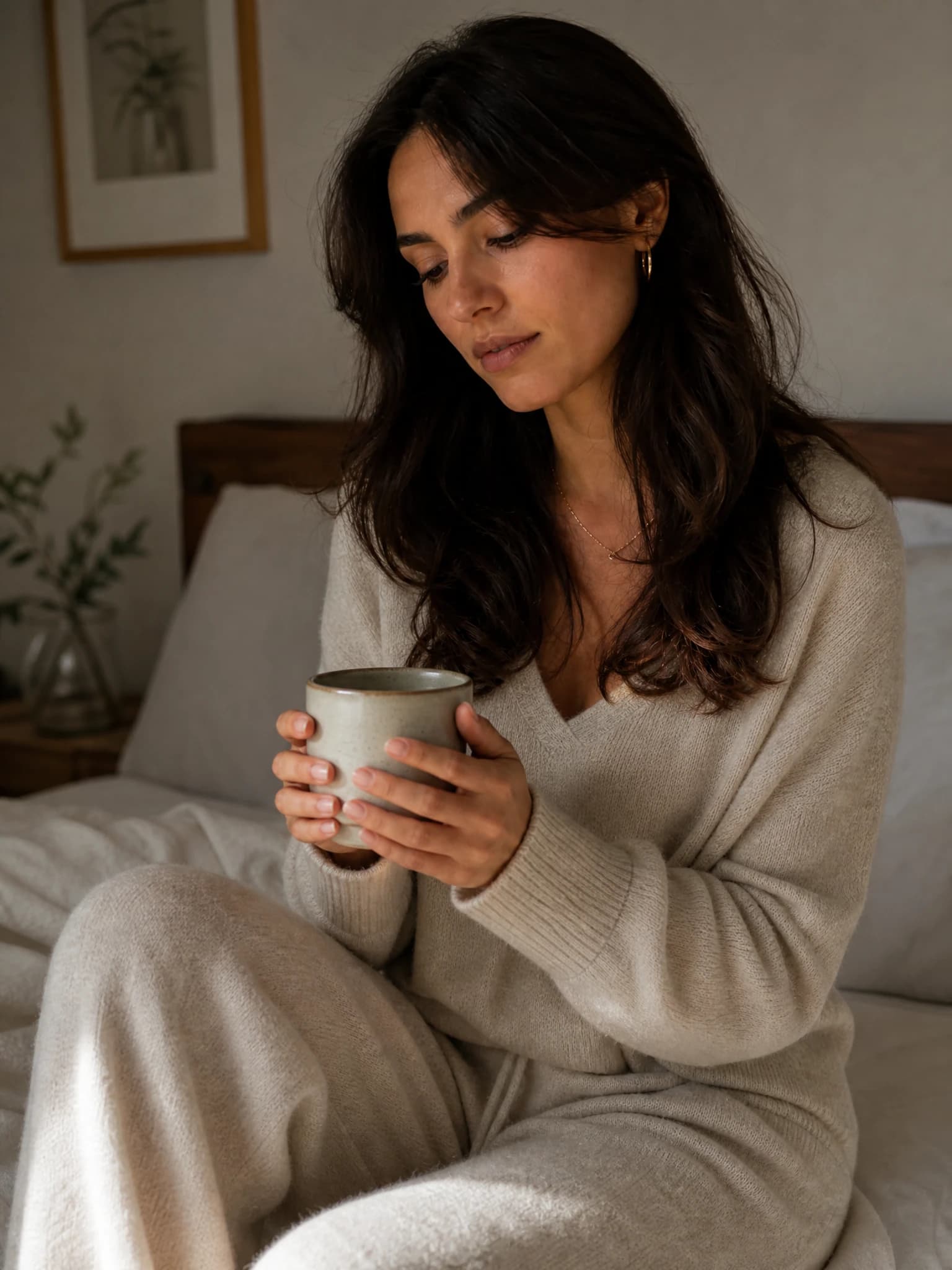
The same fictional adult creator in a morning at home setting.
Morning at home
The same fictional adult creator in a evening city walk setting.
Evening city walk
The same fictional adult creator in a courtyard dinner setting.
Courtyard dinner

These are separate generated scenes anchored to one original fictional adult character. They are workflow examples, not posts from a real account.

Who this tool is for

The value is clearest when you need images regularly and want more control over a visual concept, but do not have the location, model, wardrobe, props, or time to produce every idea manually.

  • Create image-post ideas for a new Instagram account before building a full content library.
  • Generate lifestyle visuals for beauty, fitness, travel, fashion, wellness, or personal branding.
  • Produce AI influencer images with a more consistent face, style, and visual direction.
  • Explore product-post concepts before choosing a campaign direction.
  • Build mood-board visuals for a launch, seasonal theme, or content series.
  • Refresh a feed with new scenes, outfits, and concepts when current visuals feel repetitive.
  • Save brainstorming time by turning written prompts into visual drafts.

Write a better Instagram image prompt

You do not need complicated instructions, but clear prompts usually lead to more relevant images. Think about the post like a mini creative brief. Include the subject, setting, style, mood, and any key detail that affects the final image.

“An AI influencer wearing a muted sage shirt in a sunlit plant-filled workspace, relaxed capable mood, bright editorial daylight, lifestyle Instagram photo.”
Subject
an AI influencer, product, outfit, or lifestyle scene
Setting
café, beach, studio, city street, bedroom, gym, hotel, workspace, or outdoor location
Mood
relaxed, premium, playful, editorial, natural, warm, bold, or minimal
Visual style
lifestyle photo, fashion portrait, clean product post, travel image, or influencer-style shot
Details
colors, clothing, props, lighting, pose, season, or background
Fictional adult creator in a plant-filled workspace wearing a muted sage shirt.
A generated result from the prompt structure shown here. Review details and regenerate when the scene misses the brief.

Use an authorized product input

A product post needs a different truth boundary from a lifestyle concept. Start from a product image you own or are authorized to use. The source below is a deliberately unbranded fictional bottle; the paired result demonstrates the input-to-output path without implying a real brand, endorsement, testimonial, or product claim.

Review shape, pump, label, color, scale, hand contact, reflections, and every factual claim before using a generated product visual.

Square source photo of one fictional unbranded white skincare pump bottle.
Input · fictional unbranded product
Fictional adult creator pressing an unbranded skincare pump into her palm.
Output · generated creator-led concept

Variations create momentum, not automatic strategy

One of the biggest advantages of using a free AI Instagram post generator is the ability to explore variations. A single idea can become several usable directions. For fashion, try different outfits, backgrounds, lighting styles, and poses. For a product scene, compare clean studio visuals with lifestyle settings. For an AI influencer account, build a connected series without repeating the same image.

A travel-themed AI influencer could move from a morning café to a city walk, beach sunset, and hotel balcony. A beauty brand could pair product-focused visuals with lifestyle images that show a daily routine. A fitness page could explore gyms, outdoor training areas, and clean wellness spaces.

The practical benefit is creative momentum. You can move from “I need something to post” to a batch of image concepts that can support a week, campaign, or themed series. Submit separate tasks, compare the results, and keep only the strongest direction.

Formats, limits, and responsible publishing

The final review remains yours, even when the creative process is faster.

Formats

Choose an available ratio such as 1:1 or 4:5 before submitting. Check the final crop, especially near the face, hands, product, and frame edges.

Access

Google sign-in is required. New accounts currently receive 30 introductory credits; Image Studio currently quotes 12 credits per result before submission.

Identity

A saved character is an anchor, not a mathematical guarantee. Review face, hair, body proportions, wardrobe, jewelry, and anatomy in every output.

Publishing

AI Influencer Generator does not connect, schedule, publish, or read Instagram data. Prepare the image, caption, disclosure, and platform settings separately.

Rights

Use only adult likenesses, products, references, and creative material you are authorized to upload. Do not fabricate endorsements or personal product experience.

Disclosure

Label synthetic people and commercial relationships clearly whenever viewers could otherwise misunderstand who or what is real.

AI Instagram post generator FAQs

These answers describe the current image workflow, access model, and publishing limits.

Turn the next post idea into a real image

Choose or create your AI influencer, describe the scene, generate the image, review the details, and download the result you want to prepare for Instagram.

Start in Image Studio