
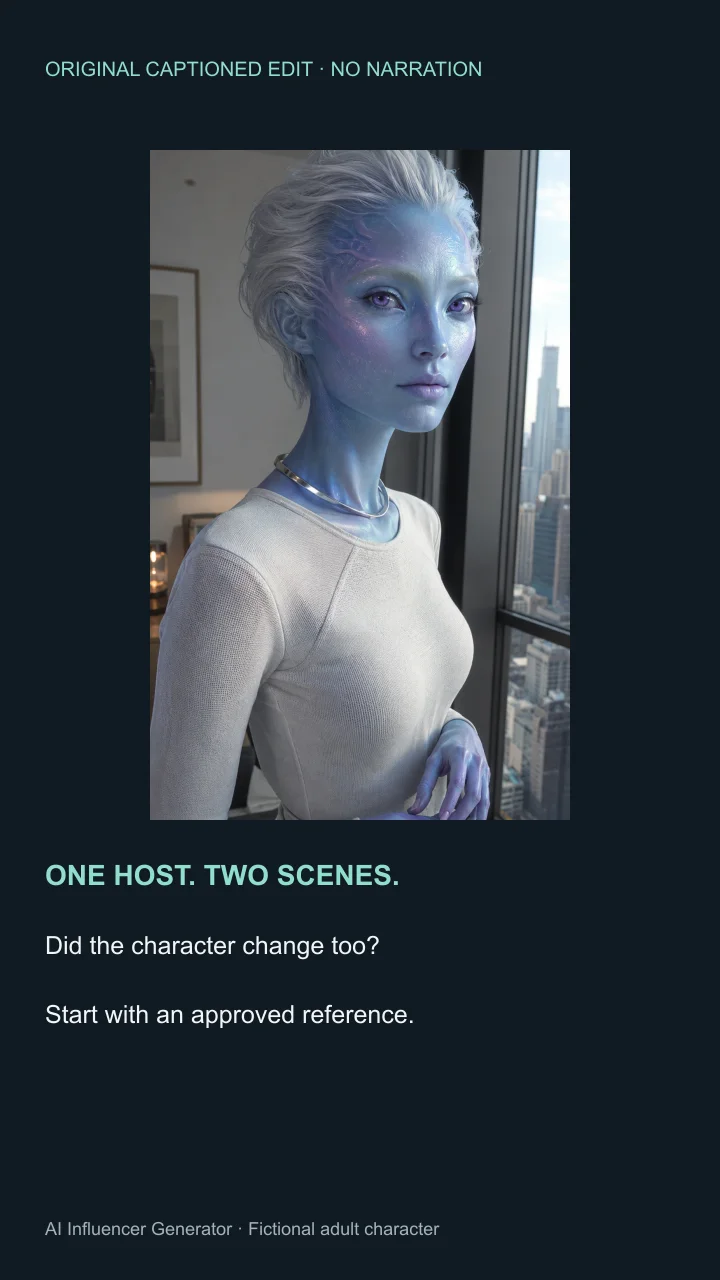
 35s captioned edit / A1–A3
What Is an AI Influencer for YouTube?
An AI influencer for YouTube is a continuing virtual persona designed and managed by an operator, with AI assisting its on-screen production. The recurring identity, viewpoint and audience relationship matter more than whether every frame is generated.
| Type | How it is produced | Typical use | What it is not |
|---|---|---|---|
| AI influencer | A persistent character, personality and niche; AI-assisted images, speech or video | An original recurring host or fictional series | Automatically an autonomous creator |
| AI avatar / presenter | A digital presenter delivering a supplied performance or script | Training, explanation or product walkthrough | Necessarily a continuing influencer identity |
| VTuber | A virtual representation, often puppeteered by a human | Performance, games, community and live interaction | Necessarily generative AI |
| Faceless channel | An operator uses narration, recordings or other visuals without appearing | Tutorials, essays or documentary formats | Necessarily a fixed virtual character |
A human-driven VTuber can also use AI production tools; an AI presenter can become a recurring influencer. Avoid treating these as mutually exclusive technologies—or calling every virtual creator autonomous.
What the virtual-creator research actually shows
A sample of 300 virtual creators, across videos, livestreams and Shorts.
16 VTuber channels / 4 other channels
| Evidence | Value | Scope |
|---|---|---|
| Virtual-creator views | Over 15 billion; sample of 300 creators | Global, 2024; videos, live and Shorts |
| Top lifetime Super Chat channels | 16 VTubers / 4 other channels | Top 20 channel count, February 2025 |
Should You Create Shorts, Long-Form Videos, or Live Content?
Choose the shortest format that answers the viewer’s question completely. A useful Short demonstrates one idea; a longer video earns its runtime with evidence, explanation and progression.
| Format | Suitable content | Production needs | Useful metrics | Limitations |
|---|---|---|---|---|
| Shorts | One tip, short story, character beat or product feature | Readable square/vertical framing, a fast premise and a payoff | Engaged views, Stayed to watch, retention, subscriber conversion | Little room for a complete multi-step explanation |
| Long-form | Tutorials, demonstrations, original explanation or a serial story | Script, voice, supporting footage, chapters and editing | Impressions CTR, retention, average view duration, returning viewers | Looping one presenter action does not create a longer argument |
| Live | Interactive performance or a genuinely real-time show | Real-time avatar/performance system, audio routing, moderation and streaming | Concurrent viewers, watch time and chat activity | Prerecorded Talking Photo or Lip Sync is not a live AI system |
For standard channels, YouTube classifies square or vertical uploads of up to three minutes as Shorts when uploaded on or after October 15, 2024. A 9:16 canvas is a practical choice, not the only eligible ratio. The official page gives separate dates for Official Artist Channels. Check music rights too: longer Shorts with an active Content ID claim can face additional restrictions.
What Tools Do You Need?
You need a connected production process, not a long shopping list. Use AI Influencer Generator for supported character and source-media work, an editor for assembly, and YouTube Studio for platform review and analytics.
| Stage | What you need | Where it happens |
|---|---|---|
| Character creation | Saved identity, references and a Character Sheet | Character Builder |
| Script | Original argument, facts, pronunciation and shot list | Your document/editor; Content Strategy can support planning |
| Talking video | A reviewed source image and approved speech/audio | Talking Photo or Lip Sync; check the selected workflow’s inputs |
| Supporting footage | Presenter inserts, original diagrams, recordings or licensed visuals | Video generation plus your recording tools |
| Editing | Arrange clips, captions, sound and transitions | An external video editor; not an automatic long-form export here |
| Thumbnail | A truthful format-specific visual promise | A design editor; use the same approved character |
| Publishing | Connection, video, title, description and timing | Publish, then YouTube Studio review |
| Analytics | Channel and video performance | YouTube Studio; no built-in YouTube Analytics dashboard verified here |
How to Create an AI Influencer for YouTube in 7 Steps
Build one complete pilot before committing to a channel-sized workload. These steps keep the character, evidence and finished viewer experience connected.
- Persona
- Script
- Presenter + supporting footage
- Edit
- Thumbnail & metadata
- Publish
- Review
1. Choose a channel niche and viewer promise
Define who watches, what recurring problem you solve, and why someone would subscribe. “AI lifestyle content” is too vague to guide an episode.
Our original example targets beginner video creators: “One practical visual-storytelling decision, demonstrated with a repeatable example.” The first episode answers how to keep an AI host recognizable while changing scenes. Later episodes can cover framing and shot transitions without recycling the same story.
2. Build a reusable character and voice guide
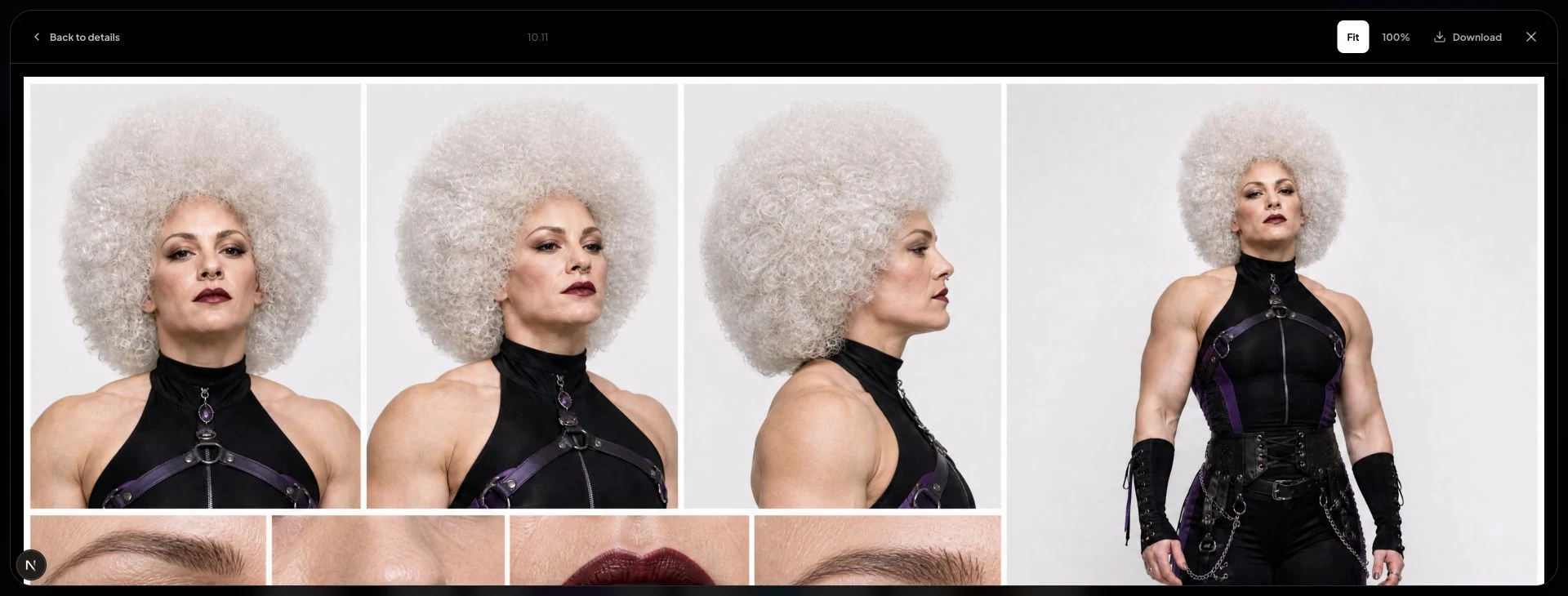
Use the existing character library and Character Sheet as a reference kit, then separate three kinds of consistency. Visual consistency covers face shape, hair silhouette and signature detail. Voice consistency covers a permitted voice, pace and pronunciation. Personality consistency covers vocabulary, point of view and boundaries.
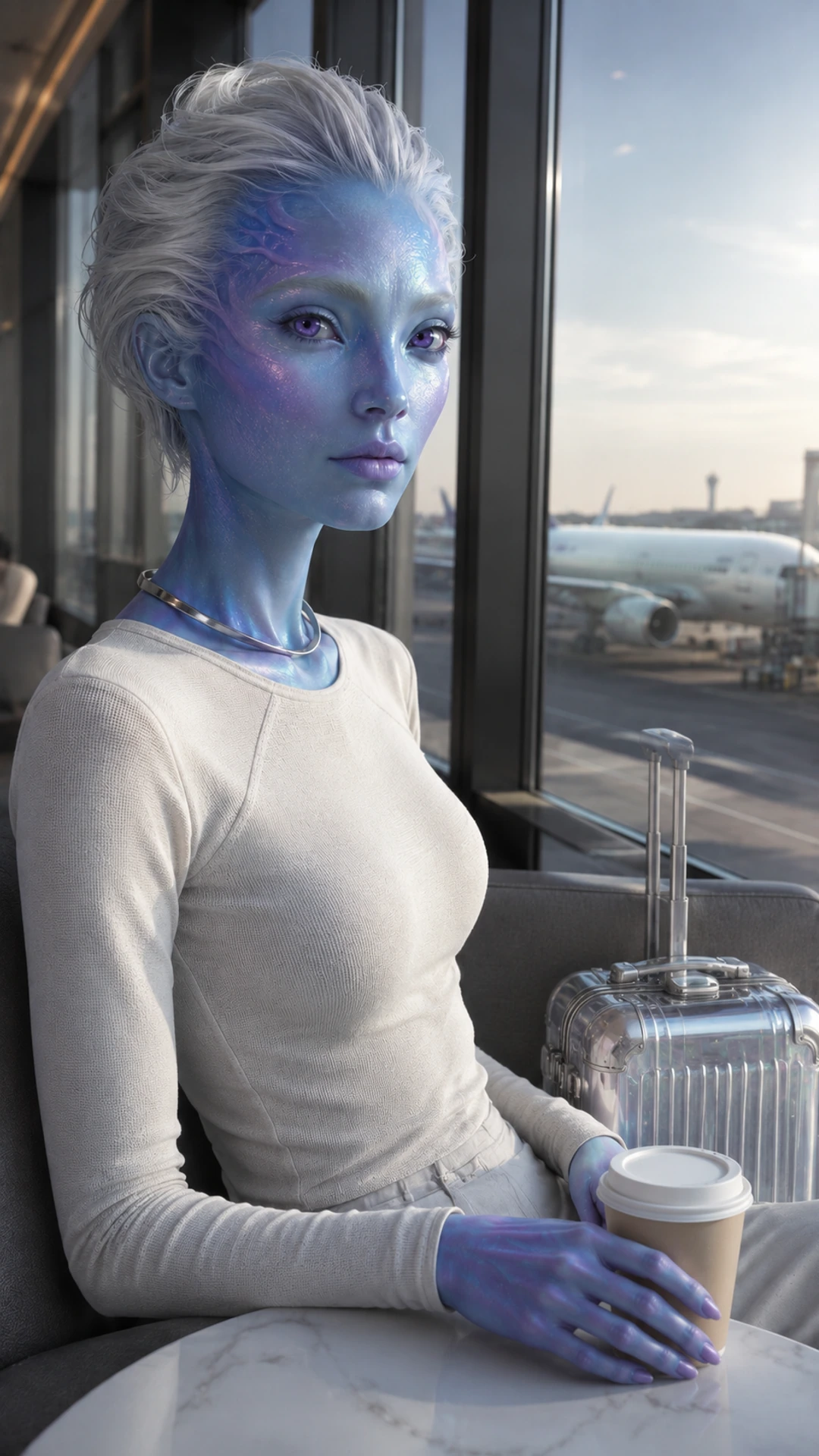
The worked example reuses the first-party Alien Travel Creator: a fictional adult with pearl-blue complexion, violet eyes and swept-back silver hair. Location and framing may change; those identity anchors should not. This is an archived character set, not a newly created YouTube account.
Create Your YouTube AI Influencer
3. Write an original script and storyboard
Start with the learning outcome, then decide when the host helps. Use Hook → Explanation or Story → Payoff → Relevant CTA. A face on screen is not a substitute for the demonstration.
For this pilot, the hook asks whether a changed outfit has changed the character. The explanation identifies three anchors; the payoff is a reusable continuity check. The complete 35-second script and source-by-source storyboard appear in the worked example below. Read the script aloud before paying for presenter footage.
4. Generate the presenter and supporting visuals
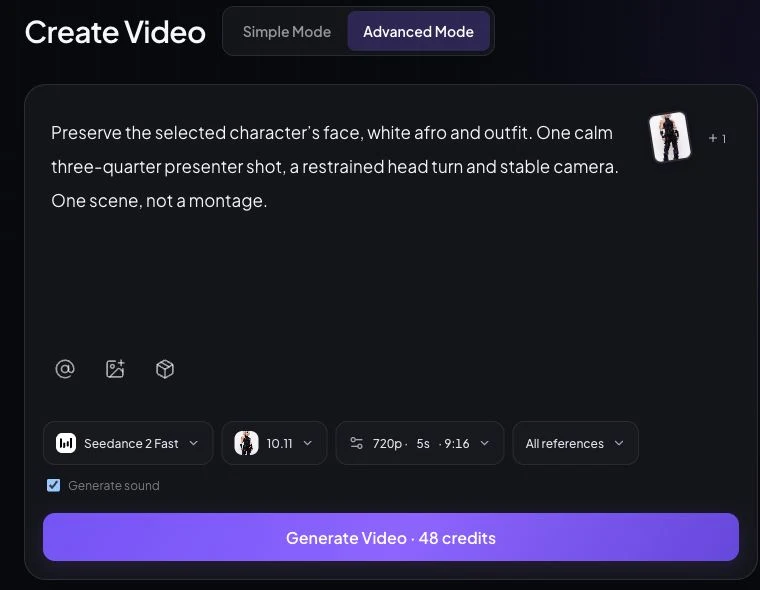
Select the saved character or an authorized reference, describe one clear action and choose the aspect ratio and duration offered by the active model. Keep the actual references and final prompt with the episode.
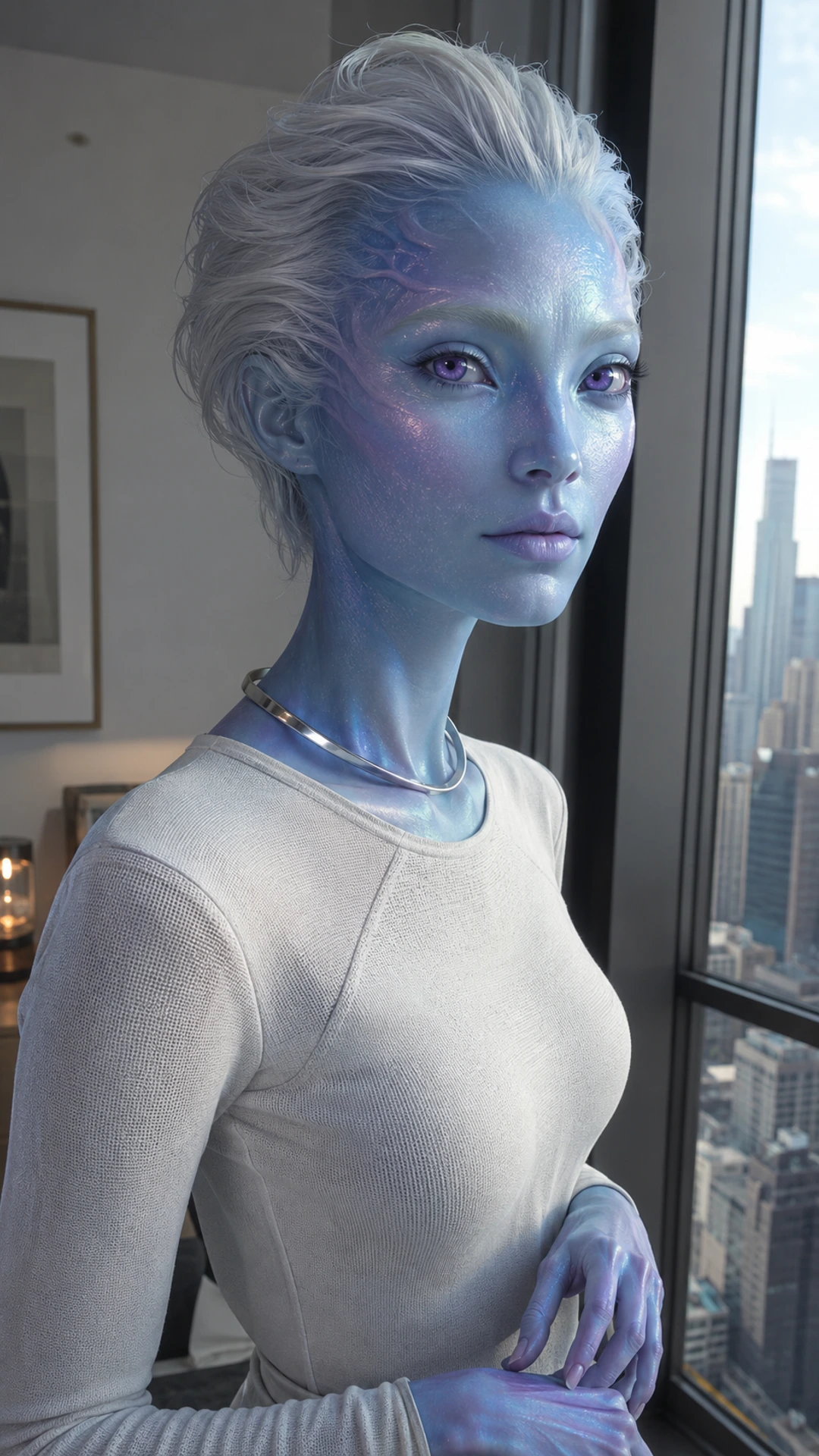
Use the approved character reference. Preserve the pearl-blue complexion, face shape, violet eyes and swept-back silver hair. Show one calm three-quarter presenter shot beside a window. One restrained head turn, stable camera, natural hands. Create one scene, not a montage.
Use screen recordings for a software walkthrough and licensed or original footage for factual examples. Do not fabricate a product demonstration or imply the fictional host personally used a product. Our retained source clip is 5.04 seconds; a 35-second Short or five-minute tutorial requires additional explanation and editing.
5. Edit for clarity, pacing, and continuity
Arrange the argument first. Use presenter inserts at useful transitions, show the evidence full-screen when needed, and cut empty waits. Check face and hands frame by frame where motion looks wrong; check lip sync against actual audio if the host is speaking.
Listen for pronunciation, clipping and abrupt volume changes. Correct captions, maintain readable text, and watch the whole export on a phone. Several near-identical template uploads are not a substitute for distinct stories or a growth strategy.
6. Create channel branding, titles, and thumbnails
Reuse the approved character as a recognizable avatar and in a banner, vertical source frame and landscape thumbnail. Keep important features within each crop. A banner communicates the viewer promise; it should not invent subscriber counts or sponsorships.
 Visual storytelling.
One practical decision at a time.
Try three honest titles: “Keep Your AI Host Recognizable: 3 Visual Anchors”, “One AI Host, Two YouTube Formats: A Worked Edit”, or “From a 5-Second AI Clip to a Useful Video Plan”. Use the YouTube Title Generator and YouTube Description Generator to explore wording, then verify the promise yourself.
Learn a three-anchor continuity check for an original AI host. We compare an archived reference, a scene image and a five-second motion clip, then plan a Short and a longer tutorial. The host is fictional. See the source notes and YouTube policy links below. Chapters: reference kit, prompt, motion review, edit and publishing checks.
Current YouTube thumbnail guidance includes a desktop Shorts upload flow under Content → Shorts → Thumbnail → Upload file. Long-form and Shorts still need different compositions: commonly 16:9 and 9:16 respectively, with placement-dependent crops and device controls. Check your own Studio interface; do not assume identical thumbnail treatment everywhere.
7. Review, publish, and improve
Review rights, facts, audio, captions, audience designation and disclosure before making the video public. The inspected Publish workspace supports YouTube connection, videos, title, description, visibility and scheduling; this article did not perform a live upload.
| Control | What was verified | What still needs Studio |
|---|---|---|
| Video / title / description | Provider payload includes video URL, title and description | Preview the uploaded result and metadata |
| Visibility / scheduling | Private, unlisted and public options; scheduler stores the selected time | Confirm actual delivery and publish time |
| Thumbnail | No custom-thumbnail upload found in this integration | Upload/review the appropriate thumbnail |
| Synthetic content | No containsSyntheticMedia field found in the YouTube payload | Set AI use when required before public release |
| Audience / promotion | Payload sets made_for_kids to false; no audience or paid-promotion selector verified | Make the correct audience and commercial disclosures |
One AI Influencer, Two YouTube Video Formats
Teach the same continuity lesson in two formats, with the same host and source set. These are original editorial examples—not channel results, a model benchmark, or a claim that one generation produces a full episode.
A1: archived first-party identity portrait. A2: reference-based airport scene. A3: the existing 5.04-second airport video, generated from that scene. All depict the same fictional adult Alien Travel Creator; source task IDs are retained in the project’s media provenance.
A. A 35-second Short: the three-anchor check
One useful question: how can a beginner inspect continuity before generating another scene? The complete voiceover below is an original script. Record and time it, then adjust the edit within a 30–45-second target; the silent source footage does not demonstrate lip sync.
| Time | Voiceover | Visual | Source asset | Editing note |
|---|---|---|---|---|
| 0–4s | Your AI host changed outfits. Did the character change too? | Open on the archived travel clip; cut to the reference portrait. | A3 motion + A1 portrait | No claim that the silent character is speaking. Narration is a separate track. |
| 4–11s | Lock three anchors: the face shape, a recognizable hair silhouette, and one signature detail. | Numbered labels beside the portrait: face, silver hair, pearl-blue complexion. | A1 + original HTML/SVG labels | Use labels outside the face; give each one time to read. |
| 11–18s | Change the scene, then compare those anchors before you make the next clip. | Show the apartment reference beside the airport scene. | A1 + A2 scene | Use matching face crops for inspection, not as separate generated results. |
| 18–26s | Check the motion as well: do the eyes, hands, and accessories stay believable? | Replay only the relevant part of the five-second source clip with an inspection checklist. | A3 motion | Review at normal speed and pause on a questionable frame. |
| 26–35s | Keep the shots that pass, add original explanation, and edit one useful story. Save your references for the next episode. | A simple editing sequence: host → explanation → review → next episode. | Original workflow diagram | End on the three-anchor checklist. Record and time the voiceover before final export. |
Save a clean master with readable captions and audio you have rights to use. The host appears only where it supports the explanation; diagrams do the teaching between inserts.
B. A five-minute long-form episode plan
Expand the reasoning, not the same action loop. The planned episode below fits a 4–6-minute range and gives screen recordings, evidence and review most of the runtime. It is a production plan, not an existing five-minute model output.
| Time | Chapter | Host / supporting footage | Evidence and limits |
|---|---|---|---|
| 0:00–0:25 | Show the problem | Host insert, then a labeled comparison of the two archived scenes. | A1/A2; ask what changed versus what stayed recognizable. |
| 0:25–1:10 | Build the reference kit | Real Character Sheet / library screen recording; explain face, hair and signature detail. | Current product UI; distinguish this UI example from the archived character. |
| 1:10–2:10 | Write a constrained scene prompt | Record the photo controls and annotate the prompt; show which detail may change. | Inspected photo workflow; do not submit merely to demonstrate a control. |
| 2:10–3:15 | Inspect motion | Short host insert followed by full-screen source footage and pauses on face/hands. | A3, an existing 5.04-second source clip; observations, not a model benchmark. |
| 3:15–4:15 | Assemble the edit | Editor screen recording or original timeline diagram; narration, captions and B-roll take priority. | The original Short script above; no invented editor feature or completed long-form export. |
| 4:15–5:00 | Package, disclose and review | Thumbnail layout, title promise, private-upload checklist and Studio review. | YouTube disclosure and thumbnail help pages; end with the next useful continuity test. |
C. A thumbnail and title that match the lesson
FORMATSShort → full tutorial
For a channel avatar, use A1’s recognizable face crop. For the banner, place that identity beside the viewer promise. For the Short, keep the vertical scene; for a landscape explanation, use a deliberate host insert beside the diagram instead of stretching the portrait.
Can AI Influencer Videos Be Monetized on YouTube?
They can be eligible, but permission to publish, correct disclosure, recommendations and monetization approval are four different outcomes. Neither an “AI” label nor a subscriber milestone settles the others.
Under YouTube’s channel monetization policies, the recurring character may remain consistent while each episode provides an original explanation or story. Mass-produced, minimally varied or repetitive content can be ineligible. YouTube renamed “repetitious content” to “inauthentic content” in July 2025; using an AI host does not make copied scripts original.
| Path | Subscribers / uploads | Meet one watch requirement |
|---|---|---|
| Earlier fan funding / selected Shopping | 500 + 3 valid public uploads in 90 days | 3,000 qualified public hours / 12 months OR 3M qualified Shorts views / 90 days |
| Ads / YouTube Premium revenue share | 1,000 subscribers | 4,000 qualified public hours / 12 months OR 10M qualified Shorts views / 90 days |
Realistic synthetic presenters and scenes require the applicable AI disclosure. Ordinary script assistance and clearly fantastical animation are different cases under the official examples. Paid-promotion disclosure is separate; so are rights, advertiser suitability and other platform rules.
Brand partnerships, affiliate links and your own products are additional possibilities, not guaranteed revenue streams. For the wider business questions, read how AI influencers make money or visit Monetize.
How to Measure Your AI Influencer Channel
Use YouTube Studio, compare like formats and traffic sources, and turn one observation into the next editing decision. AI Influencer Generator does not provide a verified YouTube Analytics dashboard in the inspected implementation.
| Format | Inspect in YouTube Studio | Useful next question |
|---|---|---|
| Shorts | Views versus Engaged views; Stayed to watch; average view duration / percentage; subscribers gained | Did the opening make viewers stay, and did the payoff justify the watch? |
| Long-form | Impressions; impressions CTR; audience retention; average view duration; returning viewers; traffic sources | Does the title attract the intended viewer, and where does the explanation lose them? |
Since March 31, 2025, Shorts Views count starts and replays without a minimum watch time. Engaged views retains the measure of viewers choosing to continue watching. YouTube says YPP eligibility and Shorts ad sharing remain tied to engaged Shorts views; do not substitute the larger public starts counter.
“Stayed to watch” describes the share that watched rather than swiped away. Read average duration and percentage with the metric’s Studio definition and the engaged-view context; a replay-heavy Short and a tutorial answer different questions. For a planning calculation, subscribers gained ÷ engaged views can track your own Shorts subscription conversion—label it as your calculation, not a universal official benchmark.
For long-form, impressions CTR uses views arising from counted thumbnail impressions. Total views ÷ impressions is not the official formula: external links and other sources can produce views without a registered impression. Segment by traffic source, inspect retention moments, and compare returning-viewer patterns across related episodes. No CTR or completion percentage is mandatory for every AI channel.
Your First 30 Days
A useful first month produces a complete pilot, a related follow-up and a review habit. The quantities below are an example workload, not an algorithm requirement or a promise of subscribers, income or YPP eligibility.
| Week | Deliverable | What to review | Next decision |
|---|---|---|---|
| 1 | Viewer promise, reference kit, voice notes and one script | Identity, rights, factual claims and whether the idea earns its runtime | Choose one format and remove unnecessary scenes |
| 2 | One reviewed pilot, thumbnail and metadata | Whole-export playback, captions, audio, continuity and disclosure | Publish privately for checks, then release when ready |
| 3 | One related episode or a self-contained companion Short | Available Studio data and viewer questions; production time | Change one weak hook, explanation or packaging choice |
| 4 | A short retrospective and the next two briefs | Patterns across comparable uploads, not one spike | Keep the viewer promise; refine the evidence and sustainable cadence |
Use Content Strategy to organize ideas where useful, but judge the series through finished episodes and actual viewer response. A sustainable research-and-editing process matters more than a folder of attractive characters.
Frequently Asked Questions
Can I use an AI influencer on YouTube?
Yes, subject to YouTube’s applicable rules. Operate a clear editorial identity, use material you have rights to, and disclose realistic synthetic content when required. A virtual host does not remove the operator’s responsibility.
What is the difference between an AI influencer and a VTuber?
An AI influencer is a persistent persona made with AI-assisted production. A VTuber performs through a virtual representation, often driven by a human in real time. The categories can overlap; neither implies a fully autonomous channel.
Can I create a YouTube channel without showing my face?
Yes. You can use an original virtual host or create a faceless channel with narration, recordings and diagrams. You still need original value, appropriate rights and accurate disclosures.
Should I start with Shorts or long-form videos?
Start with the format that answers your first viewer question completely. A focused tip can work as a Short; a walkthrough with evidence usually needs a longer video. Test one complete pilot before expanding the schedule.
Can AI-generated YouTube videos be monetized?
Potentially. AI use is not an automatic ban or approval. The channel must satisfy applicable YPP conditions and YouTube’s originality, authenticity and other monetization policies, then pass review.
Do I need to disclose my AI presenter?
Disclose realistic synthetic presenters or scenes that meet YouTube’s rules using the current AI use setting. Script assistance and clearly fantastical animation are different cases. Paid-promotion disclosure is a separate decision.
Can I publish from AI Influencer Generator?
The inspected Publish implementation offers YouTube connection, video selection, title, description, visibility and scheduling. A live YouTube upload was not tested for this guide. Complete synthetic-content, audience, thumbnail and other checks in YouTube Studio.
How do I keep the same character across videos?
Reuse approved visual references and inspect new images and motion against stable identity anchors. Save a separate voice and pronunciation guide. Visual references do not automatically bind a voice or guarantee consistency.
Plan Content
Measure Engagement
Build Your Profile
Price Your Work
Write Post Copy
Brand Partnerships